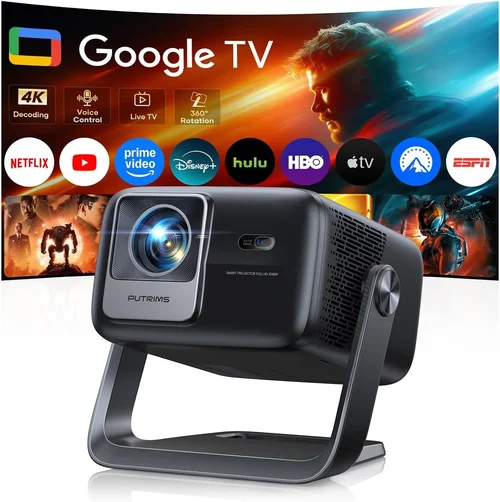
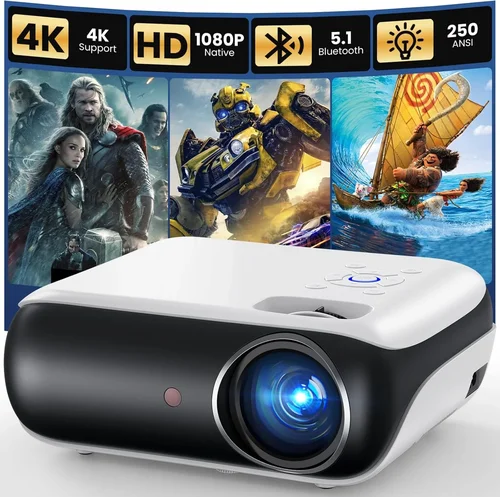
Choosing the right HD projector can feel like navigating a maze, especially when you have a budget of up to $4,000 and a desire for crisp, cinema‑like visuals. The market in 2026 is crowded with options that promise everything from 4K‑ready pixels to laser light sources, yet many of these features are either overkill or unnecessary for the average home‑entertainment enthusiast. This guide cuts through the noise, giving you a clear roadmap so you can pick a projector that fits your space, your viewing habits, and your wallet.
In the pages that follow you will learn how to evaluate key specifications, understand the trade‑offs between different projector families, avoid common buying pitfalls, and discover which models consistently deliver the best performance for the price. By the end, you’ll be equipped to make a confident decision without feeling overwhelmed by tech jargon.
The HD projector landscape has evolved dramatically over the past few years. Light‑engine technology has shifted from traditional lamp‑based units to ultra‑short‑throw (UST) and laser‑phosphor designs, while processing chips have become smarter at handling HDR and upscaling lower‑resolution content. Prices have also become more transparent, with many manufacturers offering “value bundles” that include screens, mounting hardware, and extended warranties. With $4,000 as a ceiling, you can now secure a projector that rivals commercial‑grade equipment, but only if you know what to look for.

What to Look for When Buying Buying Guide
1. Budget & Price Range
Even within a $4,000 ceiling, there’s a wide spread of pricing. Entry‑level HD projectors may sit around $800, while premium laser models can approach $3,500. Your first step is to set a realistic budget that includes accessories—screen, mounting brackets, cables, and a possible extended warranty. Remember that a cheaper projector might require frequent lamp replacements, which can erode any upfront savings.
2. Performance Specifications
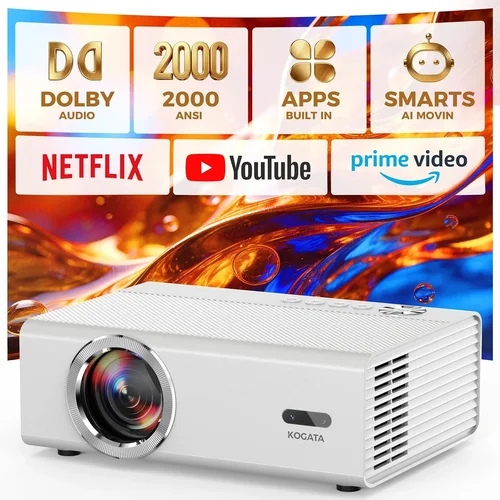
Resolution, brightness, contrast ratio, and color gamut are the core performance metrics. For true HD (1080p) you’ll want at least 1920 × 1080 native pixels, but many newer models use pixel‑shifting to simulate 4K. Brightness is measured in lumens; a minimum of 2,500 ANSI lumens is safe for rooms with some ambient light, while dedicated home‑theater rooms can get away with 1,800 lumens. Contrast ratio determines depth of blacks—laser and DLP projectors often achieve the highest ratios, delivering richer images in dark scenes.
3. Build Quality & Durability
A projector that feels solid will last longer. Look for metal chassis, high‑quality fans, and sealed optics that protect against dust. If you plan to move the unit between rooms, consider weight and the presence of a built‑in handle. Longevity is especially important for lamp‑based models, where a robust cooling system can extend lamp life from the typical 3,000‑hour rating to 5,000 hours or more.
4. Features & Functionality
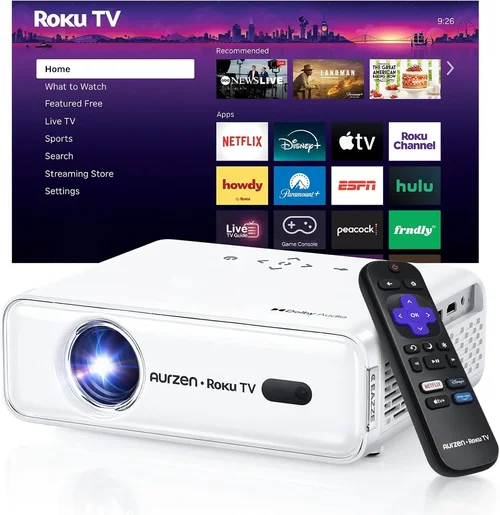
Modern projectors bundle a suite of smart features: built‑in Wi‑Fi, streaming apps, Bluetooth audio, and USB playback. While these conveniences can reduce the need for external devices, they also add complexity. Decide whether you need a “stand‑alone” projector that can stream Netflix directly, or if you prefer a “pure” display unit that relies on a separate media player for maximum flexibility.
5. Brand Reputation
Brands such as Epson, BenQ, Optoma, and LG have built solid reputations for reliability and service. Research each manufacturer’s track record for firmware updates, customer support responsiveness, and the availability of service centers in your region. A strong brand often translates to easier troubleshooting and longer product lifespan.
6. Warranty & Support
Warranty length varies from 1 to 5 years, with some companies offering “lamp‑free” warranties for laser models. Pay attention to what’s covered—most warranties include parts and labor but exclude accidental damage. Extended warranties can be worthwhile if you’re buying a high‑end unit, especially when lamp replacement costs are high.
7. Size & Portability
If you need a projector for on‑the‑go presentations or a backyard movie night, size matters. Ultra‑short‑throw (UST) projectors can sit just inches from the wall, reducing shadows and space requirements. Conversely, a traditional throw projector may need a dedicated ceiling mount and a longer distance to achieve a 100‑inch image.
8. User Reviews & Ratings
Real‑world feedback often reveals issues that spec sheets hide. Look for consistent themes in reviews—such as “fan noise,” “rainbow effect,” or “excellent color accuracy.” Platforms like Amazon, B&H Photo, and professional forums (AVS Forum, r/hometheater) are good sources for nuanced user experiences.
Different Types of Buying Guide

Common Buying Mistakes to Avoid
❌ Mistake: Ignoring Ambient Light Conditions
Why it’s bad: A projector spec’d for 3,000 lumens can look washed out in a bright living room, ruining the viewing experience.
What to do instead: Measure the typical lighting in your intended space. If you can’t darken the room, aim for at least 2,800–3,200 ANSI lumens and consider a high‑contrast laser model.
❌ Mistake: Over‑Focusing on Resolution Alone
Why it’s bad: A 4K‑simulated projector with low brightness and poor contrast may still look worse than a true 1080p unit with superior optics.
What to do instead: Balance resolution with brightness, contrast, and color accuracy. For most home‑theater setups under $4,000, a native 1080p DLP or LCoS with 2,500+ lumens often delivers a more satisfying picture.
❌ Mistake: Forgetting About Lamp Life & Replacement Cost
Why it’s bad: A low‑priced lamp‑based projector may require a $250‑$350 lamp swap after 2,500 hours, increasing total cost of ownership.
What to do instead: Factor lamp lifespan into the total cost. Laser or LED models have virtually “lamp‑free” operation, eliminating recurring expenses.
❌ Mistake: Neglecting Throw Distance Calculations
Why it’s bad: Buying a projector that needs a 12‑foot throw for a 100‑inch image can force you to rearrange furniture or install a ceiling mount you didn’t anticipate.
What to do instead: Use the manufacturer’s throw‑ratio chart. Measure your room, then select a model that fits within that distance, or choose a UST projector for tight spaces.
❌ Mistake: Overlooking Audio Capabilities
Why it’s bad: Relying on the built‑in speaker of a projector often leads to tinny, low‑volume sound that forces you to buy a separate sound system.
What to do instead: Check for audio output options (3.5 mm, HDMI ARC, Bluetooth). Pair the projector with a soundbar or AV receiver for a complete home‑theater experience.
❌ Mistake: Skipping Firmware Updates
Why it’s bad: Out‑of‑date firmware can cause compatibility issues with streaming apps, HDMI‑CEC glitches, or sub‑optimal color performance.
What to do instead: Choose a brand that provides regular updates and check the support page before finalizing your purchase.
Budget Guidelines: How Much Should You Spend?
Understanding what you get at each price tier helps you set realistic expectations.
- Entry‑Level ($800‑$1,500): Expect basic 1080p resolution, 2,200‑2,500 lumens, and a lamp life of 2,000‑3,000 hours. Ideal for casual movie nights in dim rooms.
- Mid‑Range ($1,500‑$2,800): This sweet spot offers higher brightness (2,800‑3,200 lumens), better contrast, and often includes smart‑TV functionality. Some models start to incorporate laser light sources.
- Premium ($2,800‑$4,000): Expect laser or laser‑phosphor engines, true 1080p or pixel‑shifted 4K, HDR10 support, and advanced color processing. Build quality is superior, and many include extended warranties.
- Luxury ($4,000+): While beyond the scope of this guide, luxury units push into true 4K, ultra‑high contrast ratios, and integrated motorized lens shift. They are typically aimed at commercial installations.
Expert Tips for Getting the Best Deal
- Timing: New models drop in early spring; older inventory is discounted in late summer.
- Where to Buy: Authorized dealers guarantee warranty validity. Online marketplaces may offer lower prices but verify the seller’s reputation.
- Spotting Deals: Use price‑tracking tools (CamelCamelCamel, Keepa) to see historical price trends before buying.
- Warranty Considerations: Register your projector within 30 days to activate extended coverage; many brands extend the warranty by a year for free.
- Return Policies: Choose retailers with at least a 30‑day return window; this gives you time to test the projector in your home environment.
- Testing Before Buying: If possible, view a demo in a store with a similar ambient lighting setup to yours.
- Bundling: Look for bundles that include a screen, mounting hardware, and a calibrated mode; they often save $100‑$200.

Frequently Asked Questions
Q: Do I need a 4K projector if I only watch HD content?
A: Not necessarily. A high‑quality 1080p projector with good brightness and contrast will display HD content beautifully. 4K projectors shine when you have native 4K sources (Blu‑ray, streaming services) and a large screen (100‑120 inches) where pixel density matters.
Q: How far should my projector be from the screen?
A: It depends on the throw ratio. For a 100‑inch 16:9 image, a standard throw projector (1.5‑2.0 ratio) needs 12‑14 feet. An ultra‑short‑throw can sit 1‑2 feet from the wall. Always consult the spec sheet.
Q: Can I use a projector for gaming?
A: Yes, but look for low input lag (under 30 ms) and a refresh rate of at least 60 Hz. Some models have a “Game Mode” that reduces processing delay.
Q: Is a laser projector really worth the extra cost?
A: Laser projectors eliminate lamp replacements, maintain consistent brightness over time, and often deliver a wider color gamut. If you plan to use the projector frequently (over 2,000 hours per year), the long‑term savings and reliability can justify the higher upfront price.
Q: Do I need a separate screen?
A: While a white wall works, a dedicated projector screen improves gain, color accuracy, and contrast. For UST models, a special ALR (ambient‑light rejecting) screen is recommended.
Q: How loud are projectors?
A: Fan noise varies. DLP models often sit around 25‑30 dB at normal brightness, while laser units can be quieter (20‑25 dB). Check decibel ratings if you’re sensitive to background noise.
Q: What connectivity options should I prioritize?
A: HDMI 2.1 is future‑proof for 4K/120 Hz, but HDMI 2.0 is sufficient for 1080p. Look for USB‑C or Ethernet if you plan to stream directly, plus Bluetooth for wireless audio.
Q: Is lens shift important?
A: Lens shift allows you to fine‑tune the image position without moving the projector. It’s crucial for ceiling mounts and helps avoid keystone distortion.
Q: How often should I clean the projector?
A: Clean the air filters every 2‑3 months and keep the lens free of dust. For lamp‑based units, follow the manufacturer’s cleaning schedule to avoid overheating.
Our Final Recommendations
- Best for Budget‑Conscious Buyers: Epson Home Cinema 2150 – Offers 2,500 lumens, 1080p resolution, and lens shift for under $1,200.
- Best Overall Value: BenQ HT3550 – True 4K‑pixel‑shift, 2,000 lumens, HDR10, and excellent color accuracy at $2,699.
- Best Premium Option: LG CineBeam HU85LA – Laser‑phosphor UST, 2,700 lumens, 4K support, and a sleek design for $3,999.
- Best for Beginners: Optoma HD146X – Simple setup, 3,600 lumens, and a built‑in speaker for $799.
- Best for Advanced Users: Sony VPL‑VW695ES – Laser engine, 2,800 lumens, native 1080p with superb motion handling, priced at $3,799.
Conclusion: Making the Right Choice
Picking the best HD projector under $4,000 boils down to aligning the projector’s strengths with your viewing environment and usage habits. Remember to assess ambient light, prioritize brightness and contrast, and factor in long‑term costs like lamp replacement. By avoiding common pitfalls and leveraging seasonal deals, you can secure a high‑performing unit that delivers cinema‑quality experiences without breaking the bank.
Take the time to read user reviews, verify warranty terms, and, if possible, test the projector in a setting similar to your own. With the knowledge from this guide, you’re now equipped to make an informed purchase that will bring vibrant, immersive visuals to your home for years to come.