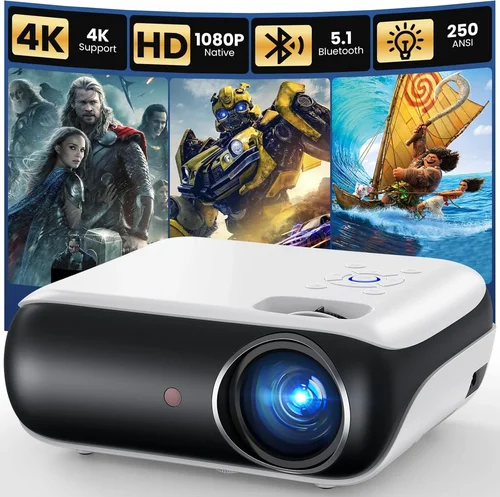
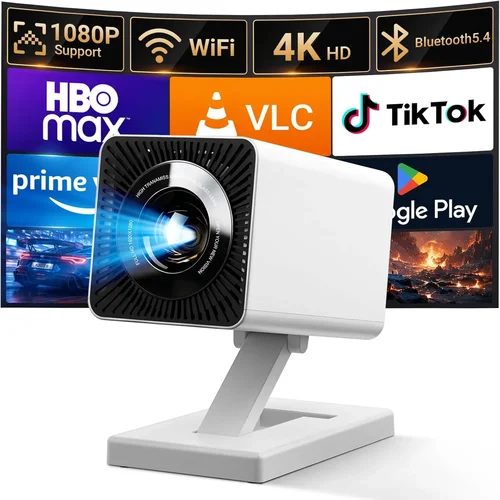
Finding a solid HDMI projector under $200 can feel like hunting for a needle in a haystack. The market is flooded with budget‑friendly options, yet many fall short on image quality, durability, or essential features. This guide cuts through the noise, giving you a clear roadmap to choose a projector that delivers bright, crisp visuals without draining your wallet.
By the end of this article you’ll understand the most important specs, know which projector type fits your lifestyle, avoid common pitfalls, and walk away with a shortlist of top‑rated models that truly shine for under $200.
The projector landscape has evolved dramatically in the past few years. LED light sources, improved throw ratios, and smarter connectivity have become standard even at the low‑end price point. Thanks to these advances, it’s now possible to set up a home‑theater, gaming station, or portable presentation system for the cost of a mid‑range TV.

What to Look for When Buying Buying Guide
1. Budget & Price Range
While the headline says “under $200,” the actual price you pay can vary based on sales, bundles, or retailer markup. Set a clear ceiling—$150, $180, $199—and be ready to act quickly when a deal appears. Remember that a slightly higher price often brings a better lamp life or a higher native resolution, which can dramatically improve your viewing experience.
2. Performance Specifications
Key specs include native resolution, brightness (lumens), contrast ratio, and throw distance. For a $200 projector, a native 720p (1280×720) resolution is common, but some models push 1080p via “full‑HD” upscaling. Aim for at least 2,500 lumens for a dimly lit room; if you plan to use it in daylight, look for 3,500 lumens or more. Contrast ratio tells you how deep the blacks will be—higher numbers mean richer detail in dark scenes.
3. Build Quality & Durability
Budget projectors often skimp on chassis material. Look for a robust ABS or metal housing, especially if you’ll transport the unit. Check for a fan that runs quietly—no one wants a constant whirring noise while watching a movie. A solid stand or mounting bracket is also essential for stability.
4. Features & Functionality
Modern HDMI projectors pack a lot of extras: built‑in speakers, USB playback, Bluetooth, Wi‑Fi, and even Android TV. While you don’t need every feature, having at least one connectivity option beyond HDMI (like USB or Bluetooth) adds flexibility. A built‑in speaker is a nice perk for casual use, but don’t expect cinema‑level audio.
5. Brand Reputation
Established brands such as Epson, BenQ, ViewSonic, and Anker tend to offer more reliable after‑sales support and firmware updates. Newer entrants can surprise with great value, but research their track record—look for consistent positive reviews and a responsive customer service team.
6. Warranty & Support
A solid warranty (at least 1 year) protects you from premature failures. Some manufacturers offer extended warranties or “lamp‑life” guarantees. Verify what the warranty covers—parts, labor, and whether you need to register the product online.
7. Size & Portability
If you plan to move the projector between rooms, a compact, lightweight design (under 4 lbs) is crucial. Some models come with a built‑in battery for true portability, though these typically sacrifice brightness. Consider the space you’ll project onto and whether a short‑throw lens is necessary.
8. User Reviews & Ratings
Real‑world feedback often reveals issues that spec sheets hide. Look for reviews that mention longevity, fan noise, and actual brightness in various lighting conditions. Pay attention to recurring complaints—if many users report a flickering image, that’s a red flag.
Different Types of Buying Guide

Common Buying Mistakes to Avoid
❌ Mistake: Ignoring Native Resolution
Why it’s bad: Upscaling from a low native resolution can produce blurry text and pixelated images, especially for presentations or gaming.
What to do instead: Prioritize a projector with at least 720p native resolution. If you need sharper detail for PC use, consider a 1080p model—even if it pushes the $200 limit.
❌ Mistake: Overlooking Brightness Needs
Why it’s bad: A projector rated at 2,000 lumens may look great in a dark room but will struggle in daylight or a bright living room.
What to do instead: Match lumens to your typical environment. For multi‑purpose rooms, aim for 3,000+ lumens.
❌ Mistake: Forgetting Throw Distance
Why it’s bad: Buying a standard‑throw projector for a small bedroom can force you to place the unit far away, resulting in a tiny image.
What to do instead: Measure your space, calculate the required throw ratio, and select a short‑throw or ultra‑short‑throw model if needed.
❌ Mistake: Assuming All HDMI Ports Are Equal
Why it’s bad: Some budget projectors use older HDMI 1.3 ports, limiting 4K passthrough or HDR support.
What to do instead: Verify the HDMI version (at least 1.4) and check for HDCP compliance if you plan to stream protected content.
❌ Mistake: Disregarding Fan Noise
Why it’s bad: A loud cooling fan can ruin movie immersion or distract during video calls.
What to do instead: Look for user‑reported fan noise levels (dB) and opt for models rated below 30 dB for quiet operation.
❌ Mistake: Neglecting Warranty Details
Why it’s bad: A short or limited warranty can leave you stranded if the lamp fails after a few months.
What to do instead: Choose a projector with at least a one‑year warranty and read the fine print on lamp‑life coverage.
Budget Guidelines: How Much Should You Spend?
- Entry-Level ($100‑$149): Expect 2,000‑2,500 lumens, 720p resolution, basic HDMI, and modest build quality. Ideal for occasional presentations or casual movie nights in a dark room.
- Mid-Range ($150‑$179): Offers 2,500‑3,000 lumens, improved contrast, better color accuracy, and often added USB or Bluetooth connectivity. This tier balances performance and price for most home users.
- Premium ($180‑$199): Near‑top specs for the budget segment—3,000+ lumens, short‑throw options, built‑in Android TV, and stronger warranty terms. Best for enthusiasts who want a versatile unit without splurging.
- Luxury ($200+): While outside the scope of this guide, models above $200 typically introduce true 1080p panels, HDR support, and higher-end optics.
Expert Tips for Getting the Best Deal
- Timing is everything: Black Friday, Cyber Monday, and back‑to‑school sales frequently drop prices to $149 or lower.
- Check refurbished units: Certified refurbished projectors can be 20‑30% cheaper and come with a full warranty.
- Compare bundle offers: Some sellers include HDMI cables, wall mounts, or extra lamps—evaluate whether the extras genuinely add value.
- Read the fine print on return policies: A 30‑day hassle‑free return window gives you time to test the projector in your own environment.
- Test before you buy (if possible): Visit a local electronics store to compare brightness and image sharpness side‑by‑side.
- Watch for “lamp‑life” claims: LED projectors often boast 20,000‑30,000 hours—ensure the claim is realistic and covered by warranty.
- Leverage price‑trackers: Tools like CamelCamelCamel or Keepa can alert you when a product’s price drops below your target.
Frequently Asked Questions
Q: Can I use a $200 projector for gaming?
A: Yes, but choose a model with low input lag (under 30 ms) and at least 60 Hz refresh rate. LED light sources typically provide faster response times than lamp‑based units, making them suitable for most console and PC games.
Q: Do I need a separate sound system?
A: Built‑in speakers are fine for casual viewing, but they lack bass and clarity. For movies or immersive gaming, pair the projector with a soundbar or Bluetooth speaker.
Q: How far should the projector be from the screen?
A: It depends on the throw ratio. A standard‑throw projector (1.5:1) needs roughly 1.5 meters distance for every meter of image width. Short‑throw models can sit just a few inches from the wall and still produce a 100‑inch image.
Q: Is HDMI 2.0 necessary?
A: For 4K content, yes. However, most sub‑$200 projectors are limited to 1080p or 720p, so HDMI 1.4 is sufficient for streaming, gaming, and presentations.
Q: Will the projector work with my smartphone?
A: Absolutely. Look for a model with USB‑C or MHL support, or use a wireless HDMI dongle (e.g., Chromecast) to mirror your phone’s screen.
Q: How long does the lamp last?
A: LED projectors typically boast 20,000‑30,000 hours of lamp life, effectively outlasting the unit itself. Lamp‑based models may need a replacement after 2,000‑3,000 hours.
Q: Can I mount the projector on the ceiling?
A: Most budget projectors include a standard ¼‑inch mounting thread compatible with universal ceiling mounts. Verify the weight limit of the mount before installation.
Q: What screen should I use?
A: A white matte wall works for casual use. For brighter rooms, consider a gray or high‑gain screen to improve contrast and maintain perceived brightness.
Q: Is a warranty worth it?
A: Yes. A one‑year warranty protects against early failures and often includes lamp replacement at minimal cost.
Our Final Recommendations
- Best for Budget‑Conscious Buyers: Anker Nebula Capsule II – Priced around $149, it offers 720p resolution, 720 lumens, Android TV 9.0, and a built‑in 5‑hour battery. Perfect for on‑the‑go movie nights.
- Best Overall Value: ViewSonic M1 Mini Plus – At $179 it provides 1080p‑upscaled image, 250 lumens, JBL speakers, and a compact design. Ideal for small apartments and dorm rooms.
- Best Premium Option: Epson EF‑100 – Slightly above $200 in some markets, but often on sale for $199. It delivers 720p, 3,300 lumens, laser light source, and a sleek short‑throw lens.
- Best for Beginners: BenQ TH585 – Though a bit higher at $199, it offers low input lag, 3,500 lumens, and easy setup wizards—great for first‑time users.
- Best for Advanced Users: Optoma GT1080HDR – At the top of the $200 range, this short‑throw projector supports HDR, 1080p native, 3,800 lumens, and a dedicated gaming mode.
Conclusion: Making the Right Choice
Choosing the best HDMI projector under $200 boils down to aligning your primary use case with the right mix of brightness, resolution, and extra features. Remember to assess your room’s lighting, required throw distance, and whether you need portable power or built‑in smart apps.
By focusing on the factors outlined in this guide, avoiding the common pitfalls, and taking advantage of seasonal sales, you can secure a projector that delivers big‑screen entertainment without breaking the bank. Happy viewing!