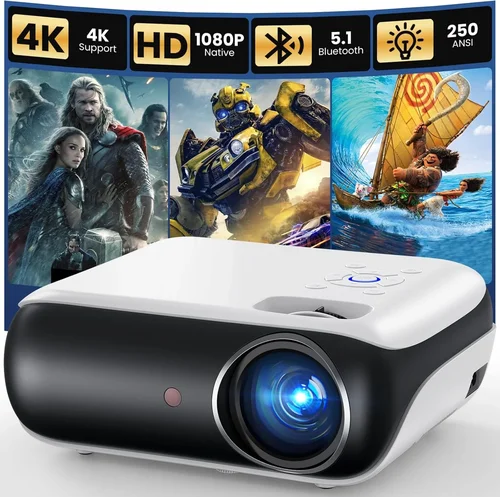
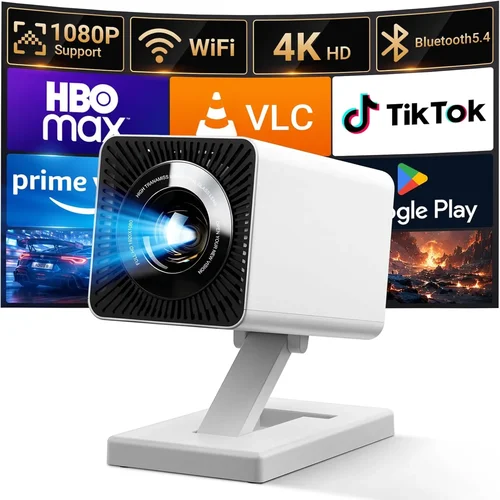
Finding a high‑definition projector that delivers cinema‑quality images without breaking the bank can feel like hunting for a needle in a haystack. The market is flooded with models that tout 4K resolution, HDR, laser light sources, and a laundry list of connectivity options, yet many of them sit well above the $1,000 mark. This guide narrows the field to the very best HDMI projectors under $1,000, helping you cut through the hype and focus on the specs that truly matter for home entertainment, gaming, and occasional business use.
By the end of this article you will understand the essential performance metrics, know which projector type fits your space, avoid common purchasing pitfalls, and walk away with a clear shortlist of top‑rated models that balance price, picture quality, and durability. Whether you’re setting up a backyard movie night, a dedicated home‑theater room, or a portable gaming rig, the insights below will empower you to make an informed decision.

What to Look for When Buying Buying Guide
1. Budget & Price Range
Even within the sub‑$1,000 segment, prices can swing dramatically based on lamp type, resolution, and brand reputation. Set a firm ceiling (for example, $950) to leave room for accessories such as a high‑gain screen, ceiling mount, or extended warranty. Remember that a lower upfront cost may hide higher long‑term expenses if the lamp life is short or the warranty is limited.
2. Performance Specifications
The heart of any projector is its brightness, contrast, and resolution. For most indoor rooms with ambient light control, a lumen rating of 2,500–3,000 is sufficient. If you plan to use the unit in a brighter living room or a semi‑outdoor patio, aim for 3,500 lumens or more. Contrast ratio determines how deep the blacks appear; a ratio of at least 15,000:1 is a good baseline for rich images. While true 4K is rare under $1,000, many models offer 1080p native resolution or 4K‑enhanced processing that delivers crisp detail without the premium price tag.
3. Build Quality & Durability
Projectors are often moved, stored, and subjected to temperature fluctuations. Look for a sturdy chassis, preferably metal or high‑grade ABS plastic, and a well‑ventilated cooling system. Lamp life is a critical durability metric; LED and laser light sources can last 20,000–30,000 hours, whereas traditional lamps may need replacement every 2,000–4,000 hours, adding to total cost of ownership.
4. Features & Functionality
Beyond the basic HDMI input, modern projectors pack a suite of conveniences: built‑in speakers, wireless screen mirroring (AirPlay, Miracast), USB playback, and keystone correction. While built‑in audio can be handy for casual viewing, audiophiles should prioritize a clean HDMI audio output for external sound systems. Wireless connectivity is a plus for gaming consoles and streaming sticks, but verify latency figures if you intend to play fast‑paced games.
5. Brand Reputation
Established brands such as Epson, BenQ, Optoma, and ViewSonic have proven track records for reliability and support. Newer entrants may offer aggressive pricing, but check long‑term user reviews and the availability of service centers in your region. A reputable brand often means easier firmware updates and more accessible replacement parts.
6. Warranty & Support
A solid warranty can save you from unexpected repair costs. Look for at least a two‑year warranty that covers the lamp or light source. Some manufacturers also provide free on‑site service within the first year. Read the fine print: does the warranty cover accidental damage? Are there extended‑warranty options that make sense for your usage pattern?
7. Size & Portability
If you need a projector that travels with you—say, for presentations or outdoor movie nights—consider weight and dimensions. Portable models typically weigh under 5 lb and feature a quick‑setup tripod mount. Fixed‑installation units may be bulkier but often deliver higher brightness and better heat management.
8. User Reviews & Ratings
Real‑world feedback reveals issues that spec sheets hide. Scan reputable retailers for average ratings, paying close attention to comments about lamp longevity, fan noise, and firmware stability. A product with a 4.3‑star average across 1,000+ reviews is generally more trustworthy than a newer model with limited feedback.
Different Types of Buying Guide

Common Buying Mistakes to Avoid
❌ Mistake: Ignoring Ambient Light Conditions
Why it’s bad: A projector rated at 2,200 lumens will look dim in a well‑lit living room, forcing you to raise the gain screen or purchase a brighter model later.
What to do instead: Measure typical room lighting and choose a lumen rating that exceeds it by at least 30 %. If you can’t control ambient light, prioritize a high‑gain screen or a laser light source.
❌ Mistake: Overlooking Lamp Life Costs
Why it’s bad: A cheap projector with a 2,000‑hour lamp may require a $200 replacement after a year of regular use, eroding any upfront savings.
What to do instead: Compare total cost of ownership. LED or laser models have higher initial prices but virtually no lamp replacement fees.
❌ Mistake: Forgetting Input Lag for Gaming
Why it’s bad: High input lag (>30 ms) creates a noticeable delay between controller action and on‑screen response, ruining fast‑paced games.
What to do instead: Look for a “Game Mode” or explicit input lag rating. Aim for ≤20 ms for smooth gameplay.
❌ Mistake: Assuming All HDMI Ports Are Equal
Why it’s bad: Some budget projectors only support HDMI 1.4, limiting 4K @ 30 Hz or HDR capabilities.
What to do instead: Verify that the HDMI port is at least HDMI 2.0 for 4K @ 60 Hz and HDR support, especially if you plan to connect next‑gen consoles.
❌ Mistake: Skipping the Throw Distance Calculation
Why it’s bad: Placing a projector too close or too far can result in an image that’s either too small or overly distorted.
What to do instead: Use the manufacturer’s throw‑ratio chart. For a 100‑inch screen, a typical throw ratio of 1.5–2.0 means a distance of 12–15 ft from the screen.
Budget Guidelines: How Much Should You Spend?
- Entry‑Level ($400‑$650): Expect 1080p native resolution, 2,200–2,800 lumens, and basic HDMI connectivity. Ideal for casual movie nights and occasional presentations.
- Mid‑Range ($650‑$900): Better contrast ratios (15,000:1+), enhanced color gamuts (Rec. 709 or DCI‑P3), and often include built‑in speakers and wireless mirroring.
- Premium ($900‑$1,000): LED or laser light sources, 4K‑enhanced processing, low input lag, and robust build quality. Perfect for home‑theater enthusiasts who demand longevity.
- Luxury ($1,000+): True 4K native panels, laser phosphor technology, HDR10+ support, and advanced networking. While beyond the scope of this guide, it’s good to know the ceiling.
Expert Tips for Getting the Best Deal
- Timing: New models are typically released in Q2. Prices on previous‑generation units drop by 15‑25 % around August‑September.
- Where to Buy: Authorized retailers (Best Buy, B&H, Adorama) provide easy returns and warranty registration. Online marketplaces may have lower prices but verify seller reputation.
- Spotting Deals: Look for bundle offers that include a high‑gain screen, ceiling mount, or extended lamp warranty. The combined value often exceeds the discount on the projector alone.
- Warranty Considerations: Register your product within 30 days to unlock extended coverage. Some brands offer a free lamp replacement within the first year.
- Return Policies: Choose sellers with at least a 30‑day return window. Test the projector in your typical environment; if brightness or color accuracy falls short, you can return it hassle‑free.
- Testing Before Buying: If possible, view a demo unit in a dim room. Pay attention to fan noise, black levels, and edge‑to‑edge uniformity.
- Future‑Proofing: Even under $1,000, opt for HDMI 2.0 and HDR support to ensure compatibility with upcoming streaming devices and consoles.

Frequently Asked Questions
Q: Can I use a projector under $1,000 for outdoor movie nights?
A: Yes, provided you select a model with at least 3,500 lumens and a robust, weather‑resistant housing. Laser light sources handle temperature fluctuations better than traditional lamps.
Q: Do I need a separate sound system?
A: Built‑in speakers are convenient but typically produce 10‑15 W of audio, which is insufficient for a true home‑theater experience. Pair the projector with a soundbar or AV receiver for richer sound.
Q: How far should the projector be from the screen?
A: Use the throw‑ratio specification. For a 100‑inch diagonal image, a 1.5:1 throw ratio requires roughly 12.5 ft of distance; a 2.0:1 ratio needs about 16.5 ft.
Q: Is a 4K‑enhanced projector worth it?
A: 4K‑enhanced (or “pixel‑shift”) projectors upscale 1080p chips to simulate 4K detail. They offer sharper images than native 1080p at a lower price, but true 4K still delivers superior clarity, especially on larger screens.
Q: Will a projector work with my gaming console?
A: Absolutely, as long as the projector supports HDMI 2.0 and has a low‑input‑lag “Game Mode.” Look for latency under 20 ms for the smoothest experience.
Q: How often do I need to replace the lamp?
A: Traditional lamps last 2,000–4,000 hours. LED and laser sources are rated for 20,000–30,000 hours and usually do not require replacement.
Q: Do I need a special screen?
A: A white matte screen works well in dark rooms. For brighter environments, consider a high‑gain (≥1.2) or ambient‑light‑reject (ALR) screen to preserve contrast.
Our Final Recommendations
- Best for Budget‑Conscious Buyers: BenQ TH585 – 3,500 lumens, 1080p, 10 ms input lag, and a price around $650.
- Best Overall Value: Optoma UHD38 – 4,000 lumens, true 4K, 8 ms game mode, and a solid warranty, typically $950.
- Best Premium Option (under $1,000): Epson Home Cinema 2150 – Laser light source, 2,500 lumens, 1080p, excellent color accuracy, $980.
- Best for Beginners: ViewSonic M2 – Portable LED, 1,200 lumens, built‑in Harman Kardon speakers, plug‑and‑play simplicity, $799.
- Best for Advanced Users: LG HU70LA – 2,500 lumens, 4K‑enhanced, HDR10, low fan noise, and extensive smart‑TV features, $999.
Conclusion: Making the Right Choice
Choosing the best HDMI projector under $1,000 hinges on aligning your viewing environment, usage patterns, and budget. Prioritize brightness and contrast for ambient‑light rooms, verify low input lag for gaming, and consider long‑term costs like lamp replacement. By following the factors, avoiding common mistakes, and leveraging the expert tips outlined above, you’ll be equipped to select a projector that delivers cinematic immersion without overspending.
Ready to upgrade your viewing experience? Browse the recommended models, compare prices, and take advantage of seasonal deals. Happy projecting!