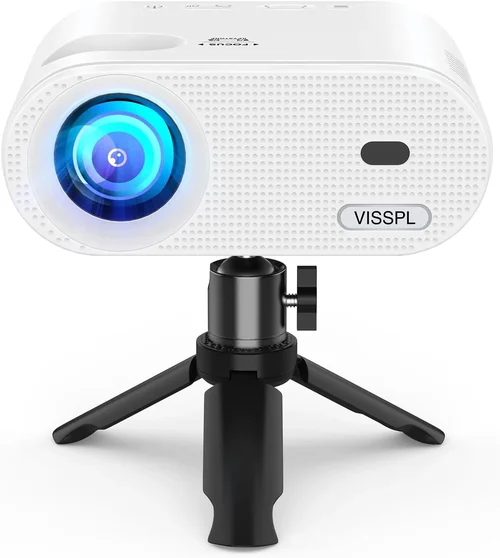
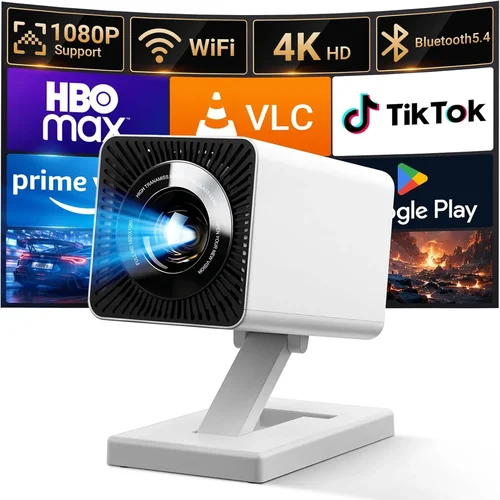
Finding a reliable HDMI projector under $100 can feel like hunting for a needle in a haystack. The market is flooded with low‑cost options that promise big‑screen thrills, yet many fall short on brightness, durability, or connectivity. This guide cuts through the noise, giving you a clear roadmap to spot the hidden gems that actually deliver an enjoyable viewing experience without breaking the bank.
By the end of this article you will understand the essential specs to prioritize, the different projector categories that exist under the $100 price point, common pitfalls to avoid, and exactly which models stand out for various user scenarios. Whether you’re a student setting up a dorm‑room cinema, a gamer looking for a portable battle‑station, or a small‑business owner needing a budget‑friendly presentation tool, you’ll leave with confidence to make an informed purchase.

What to Look for When Buying Buying Guide
1. Budget & Price Range
Even within the sub‑$100 segment, prices can vary by $10‑$30. Understanding how much you’re willing to stretch can unlock models with better lamps, higher native resolution, or extra ports. Set a hard ceiling (e.g., $95) and then allocate a small buffer for sales or refurbished units. Remember that the cheapest option often sacrifices core performance, so a modest increase in price can dramatically improve image quality and lifespan.
2. Performance Specifications
Key specs include native resolution, brightness (lumens), contrast ratio, and throw distance. For HDMI projectors under $100, native resolutions typically range from 480p (WVGA) to 720p (HD). While 1080p is rare at this price, some models use pixel‑shifting to simulate full HD. Brightness is usually 150‑300 ANSI lumens; choose a model above 200 lumens if you’ll use it in rooms with ambient light. A contrast ratio of at least 2,000:1 helps keep blacks from looking washed out.
3. Build Quality & Durability
Cheap plastic housings can crack, and low‑cost fans may overheat. Look for projectors with metal alloy hinges or reinforced chassis. User reviews often mention heat‑related shutdowns; a well‑ventilated design with a quiet fan is a strong indicator of durability. If you plan to move the projector frequently, check for a sturdy kickstand and a protective carry case.
4. Features & Functionality
Beyond the basic HDMI input, consider additional features such as USB playback, built‑in speakers, keystone correction, and wireless screen mirroring (Miracast or AirPlay). While you won’t find laser light sources under $100, some models include LED lamps that last longer and produce less heat. A built‑in speaker is handy for casual movie nights, but plan for external audio if you need richer sound.
5. Brand Reputation
Even at low price points, brand reputation matters. Companies like Vankyo, APEMAN, and DR. J Professional have built track records for delivering reliable budget projectors. Research the brand’s customer service history—quick warranty processing and responsive support can save you headaches later.
6. Warranty & Support
Most budget projectors come with a 6‑month to 1‑year limited warranty. Verify what the warranty covers: lamp failures, hardware defects, or accidental damage. A clear return policy and accessible tech support (phone, chat, or email) are essential, especially when buying online.
7. Size & Portability
If you need a projector for travel, dorm rooms, or outdoor movie nights, size and weight become critical. Many sub‑$100 models weigh under 2 lb and feature a compact, rectangular shape that fits in a backpack. Check the dimensions and consider whether a built‑in battery (rare at this price) is necessary for your use case.
8. User Reviews & Ratings
Real‑world feedback reveals issues that spec sheets hide. Look for reviews that discuss lamp life, image uniformity, and connectivity stability. Pay attention to the volume of reviews—a model with 500+ verified purchases provides a more reliable data set than one with only a handful.
Different Types of Buying Guide

Common Buying Mistakes to Avoid
❌ Mistake: Focusing Solely on Price
Why it’s bad: The cheapest unit often has a dim lamp, poor color accuracy, and a fragile chassis that fails within months.
What to do instead: Set a realistic budget ceiling, then compare specs like lumens and resolution. A $90 projector with 250 lumens will outshine a $60 model with 150 lumens in most real‑world settings.
❌ Mistake: Ignoring Brightness Requirements
Why it’s bad: Using a 150‑lumen projector in a well‑lit room results in washed‑out images, making movies and presentations difficult to see.
What to do instead: Measure your typical ambient light level. If you can’t darken the room completely, aim for at least 200 ANSI lumens.
❌ Mistake: Overlooking Input Compatibility
Why it’s bad: Some budget projectors only have VGA or AV inputs, forcing you to buy extra adapters for HDMI sources.
What to do instead: Verify that the unit includes a full‑size HDMI port and, if possible, an additional USB‑C or micro‑HDMI for future devices.
❌ Mistake: Neglecting Lamp Life
Why it’s bad: LED lamps on cheap projectors may last only 2,000‑3,000 hours, leading to premature replacement costs.
What to do instead: Check the manufacturer’s claimed lamp life and read user reviews for real‑world longevity.
❌ Mistake: Buying Without Testing
Why it’s bad: Images can appear blurry or color‑shifted out of the box, but many retailers won’t accept returns after a “use‑test.”
What to do instead: Purchase from a store with a solid return window (30 days or more) and test the projector with your own content before committing.
❌ Mistake: Forgetting About Audio Needs
Why it’s bad: Built‑in speakers on low‑cost models are often tinny and underpowered, ruining movie nights.
What to do instead: If you need better sound, plan for external speakers or a soundbar and ensure the projector has a 3.5 mm audio out or Bluetooth.
Budget Guidelines: How Much Should You Spend?
- Entry-Level ($50‑$70): Expect basic WVGA resolution, 150‑200 lumens, and minimal extra ports. Ideal for occasional use in dark rooms.
- Mid‑Range ($71‑$90): Usually offers 720p native or 480p with pixel‑shift, 200‑250 lumens, and added features like USB playback or keystone correction. This tier provides the best balance of image quality and durability.
- Premium ($91‑$100): The top of the sub‑$100 market may include 720p native, 250+ lumens, superior contrast ratios, and more robust build quality. Look for reputable brands that back these models with longer warranties.
- Luxury (Above $100): While outside the scope of this guide, stepping into the $120‑$150 range unlocks true 1080p resolution, laser light sources, and advanced connectivity (Wi‑Fi, Bluetooth).
Expert Tips for Getting the Best Deal
- Seasonal Timing: Late summer (back‑to‑school) and early winter (holiday sales) see the deepest discounts on budget electronics.
- Retailer Comparison: Check both Amazon and specialized electronics stores (e.g., Best Buy, B&H). Sometimes brick‑and‑mortar outlets price‑match online deals.
- Bundle Savings: Look for bundles that include a carrying case, HDMI cable, or extra lamp. These often provide more value than buying accessories separately.
- Warranty Extensions: If the manufacturer offers a low‑cost extended warranty, evaluate the cost versus the typical lamp life. An extra six months can be worth it for peace of mind.
- Return Policies: Favor sellers with at least a 30‑day return window and free return shipping. This protects you if the projector arrives with dead pixels or a faulty HDMI port.
- Testing Before Purchase: If buying in‑store, bring a laptop or phone to test HDMI output, focus, and keystone adjustment. Verify that the projector stays on for at least 30 minutes without overheating.
- Read the Fine Print: Some “free” accessories are actually low‑quality third‑party items. Verify brand compatibility before assuming added value.
- Consider Refurbished Units: Certified refurbished models from reputable sellers can give you a higher‑spec projector at a lower price, often with a full warranty.

Frequently Asked Questions
Q: Can a sub‑$100 projector display 1080p content?
A: Most budget projectors under $100 cannot render true 1080p natively; they typically max out at 720p or use pixel‑shifting to simulate higher resolution. You can still feed 1080p HDMI signals, but the projector will downscale the image, resulting in less sharpness.
Q: How long does the lamp last on an LED projector?
A: LED lamps in this price range generally last between 2,000 and 5,000 hours, depending on usage and ventilation. This translates to roughly 2‑3 years of regular weekend movie nights.
Q: Do I need a separate sound system?
A: Built‑in speakers are adequate for casual viewing at low volumes. For a true home‑theater feel or gaming, pair the projector with external speakers via the 3.5 mm audio jack or Bluetooth (if supported).
Q: Is keystone correction important?
A: Keystone correction helps adjust image distortion when the projector isn’t perfectly centered. For a permanent home setup, it’s better to physically align the projector. However, for portable use, a basic digital keystone (±15°) is very helpful.
Q: Can I use a projector in a bright living room?
A: With only 150‑250 lumens, most sub‑$100 projectors require a darkened environment. If you can’t control ambient light, consider a higher‑lumens model (300+), which will exceed the $100 budget.
Q: What HDMI version should I look for?
A: HDMI 1.4 is sufficient for 720p video and basic audio. HDMI 2.0 adds 4K support, which is unnecessary for these projectors. Ensure the port is full‑size HDMI, not micro‑HDMI, for easier cable connections.
Q: Are there any safety concerns with cheap projectors?
A: Low‑cost units may have inadequate heat dissipation, leading to overheating. Always operate the projector on a stable, ventilated surface and avoid covering the air vents.
Our Final Recommendations
- Best for Budget‑Conscious Buyers: Vankyo Leisure 3 Mini Projector – $69. Offers 480p native resolution, 200 lumens, and a solid metal hinge. User reviews praise its ease of setup and reliable HDMI connection.
- Best Overall Value: APEMAN Mini Portable Projector – $88. Provides 720p pixel‑shift, 250 lumens, built‑in 2 W speaker, and USB‑C power for on‑the‑go charging.
- Best Premium Option (Just Under $100): DR. J Professional Mini DLP Projector – $97. Features true 720p resolution, 270 lumens, 2,000:1 contrast, and a 3‑year warranty.
- Best for Beginners: GooDee Mini Projector – $62. Simple plug‑and‑play HDMI, auto‑focus, and a compact design perfect for first‑time users.
- Best for Advanced Users: Elephas Mini LED Projector – $99. Offers advanced keystone correction, dual HDMI ports, and a lamp life of up to 5,000 hours.
Conclusion: Making the Right Choice
Choosing the best HDMI projector under $100 boils down to balancing brightness, resolution, and durability against your specific viewing environment. Prioritize lumens for rooms with any ambient light, verify native resolution to avoid blurry images, and always check warranty terms before you click “Buy.” By following the factors, avoiding the common mistakes, and considering the curated recommendations above, you’ll secure a projector that brings big‑screen excitement to your budget without sacrificing reliability.
Ready to start your search? Use the price‑tier guide, set alerts for sales, and test the unit whenever possible. Your perfect low‑cost projector is just a few clicks away.