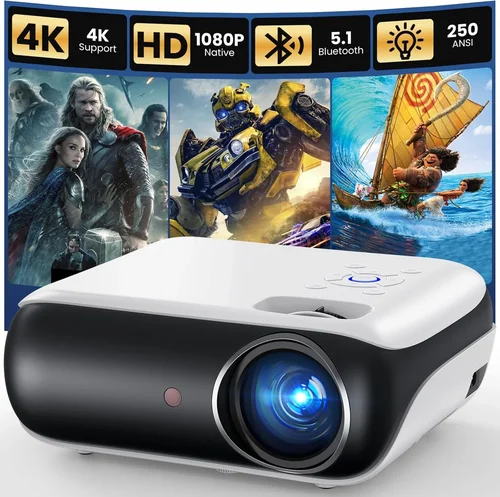
Choosing a projector that delivers true HDTV quality without breaking the bank can feel like navigating a maze. With so many models, specifications, and price points, it’s easy to get overwhelmed. That’s why this guide exists – to cut through the noise and give you a clear roadmap to the best HDTV projector under $1,000 in 2026.
In the pages ahead you’ll learn which technical specs truly matter, how to match a projector to your room and usage style, and which common pitfalls to avoid. We’ll also break down the market into distinct categories, compare the top contenders, and hand you a set of actionable tips so you can walk away confident that you’ve made the smartest purchase possible.
The projector market has matured dramatically over the past few years. LED and laser light sources have become more affordable, contrast ratios have climbed, and smart‑home integration is now a standard feature on many mid‑range models. As a result, you can now find a projector that delivers crisp 1080p or even true 4K‑enhanced images for well under $1,000. Let’s dive in.

What to Look for When Buying Buying Guide
1. Budget & Price Range
Even though we’re focusing on models under $1,000, it’s still crucial to define a realistic budget. Prices can fluctuate based on sales events, bundle offers, and regional tax differences. Set a ceiling you’re comfortable with, then allocate a small portion (around 10‑15%) for accessories such as a high‑quality screen, mounting hardware, or a replacement lamp if you’re considering a traditional lamp‑based unit.
2. Performance Specifications
The heart of any projector is its performance specs. Key numbers to watch include:
- Resolution: Native 1080p (1920×1080) is the sweet spot for HDTV quality. Some budget 4K‑enhanced models upscale lower‑resolution panels with pixel‑shifting technology – useful, but not a true 4K experience.
- Brightness (ANSI lumens): For a dark home theater, 1,500–2,500 lumens is ample. If you plan to use the projector in a living room with ambient light, aim for 2,500–3,500 lumens.
- Contrast Ratio: Higher contrast yields deeper blacks. Look for at least 10,000:1; laser models often push beyond 30,000:1.
- Throw Distance & Ratio: Determines how far the projector must sit from the screen for a given image size. Short‑throw (0.5–1.0) is ideal for small rooms.
3. Build Quality & Durability
Projectors are an investment. Metal chassis, reinforced lens housings, and reliable cooling systems extend lifespan. If you opt for a lamp‑based model, verify the lamp’s rated lifespan (usually 3,000–5,000 hours) and the cost of a replacement. Laser and LED units often boast 20,000+ hours with no lamp swaps.
4. Features & Functionality
Modern projectors come packed with extras that can enhance or complicate the experience. Prioritize features that align with your usage:
- Built‑in Speakers: Convenient, but rarely replace a dedicated sound system.
- Smart OS / Streaming Apps: Some models run Android TV, Roku, or Amazon Fire TV, eliminating the need for an external box.
- Wireless Connectivity: Wi‑Fi or Bluetooth for screen mirroring, streaming, or remote control.
- Lens Shift & Keystone Correction: Lens shift offers true geometric correction without image distortion; keystone is a software fix that can soften the picture.
5. Brand Reputation
Established brands like Epson, BenQ, Optoma, and ViewSonic have a track record of reliable firmware updates, accessible service centers, and extensive user communities. Newer entrants may offer cutting‑edge tech at lower prices, but verify warranty terms and after‑sales support before committing.
6. Warranty & Support
A solid warranty can save you headaches. Look for at least a 2‑year limited warranty that covers parts and labor. Some manufacturers also offer extended warranties or on‑site service for an additional fee. Check online forums for real‑world experiences with a brand’s customer service.
7. Size & Portability
If you plan to move the projector between rooms, a compact, lightweight unit (under 5 kg) with a quick‑release mount is beneficial. For a dedicated home theater, size matters less than performance.
8. User Reviews & Ratings
Professional reviews are valuable, but peer‑generated feedback often reveals long‑term reliability issues. Scan Amazon, B&H, and dedicated AV forums for patterns—look for recurring complaints about lamp life, fan noise, or firmware bugs.
Different Types of Buying Guide

Common Buying Mistakes to Avoid
❌ Mistake: Ignoring Ambient Light Conditions
Why it’s bad: A projector that shines bright in a dark theater can look washed out in a living room with windows.
What to do instead: Measure typical room lighting and choose a lumen rating accordingly. Pair the projector with a high‑gain screen if you can’t control ambient light.
❌ Mistake: Over‑focusing on Resolution Alone
Why it’s bad: A 4K‑enhanced projector with low brightness may look worse than a true 1080p unit with higher lumens.
What to do instead: Balance resolution with brightness, contrast, and color accuracy for the environment you’ll use most.
❌ Mistake: Forgetting About Lamp Replacement Costs
Why it’s bad: A cheap lamp‑based projector can end up costing more over time when you factor in lamp replacements.
What to do instead: Consider LED or laser models for near‑zero ongoing costs, or budget for lamp replacements in your total cost of ownership.
❌ Mistake: Neglecting Throw Ratio Compatibility
Why it’s bad: Buying a long‑throw projector for a small apartment can force you to place the unit far from the wall, limiting image size.
What to do instead: Calculate the required throw distance for your desired screen size and choose a model that fits comfortably.
❌ Mistake: Assuming All Built‑in Speakers Are Sufficient
Why it’s bad: Integrated speakers often lack the power and clarity needed for movies or games.
What to do instead: Plan for an external audio solution—soundbar, bookshelf speakers, or a full surround system.
❌ Mistake: Skipping Firmware Updates
Why it’s bad: Outdated firmware can cause compatibility issues with streaming apps and cause performance glitches.
What to do instead: Choose a brand that provides regular updates and check their support page before finalizing purchase.
Budget Guidelines: How Much Should You Spend?
Understanding what you get at each price tier helps you set realistic expectations.
- Entry-Level ($400‑$600): Typically lamp‑based, 1080p, 2,000 lumens, limited smart features. Ideal for occasional movie nights in a dark room.
- Mid‑Range ($600‑$800): Mix of LED and lamp, better contrast, some models include short‑throw optics and basic Android TV. Good balance for living rooms with moderate ambient light.
- Premium ($800‑$1,000): Laser light source, true 1080p or 4K‑enhanced, high contrast (>30,000:1), extensive connectivity, and robust warranty. Perfect for enthusiasts who want cinema‑grade performance without stepping over the $1k line.
- Luxury ($1,000+): Full‑frame 4K, HDR10+, ultra‑short‑throw, and integrated premium audio. These exceed our budget focus but are worth mentioning for future upgrades.
Expert Tips for Getting the Best Deal
- Timing is everything: Major sales periods—Black Friday, Cyber Monday, and post‑Christmas—often feature 15‑30% discounts on projectors.
- Buy from authorized dealers: They provide genuine warranties and easier returns. Retailers like B&H, Adorama, and Amazon (sold by the brand) are safe bets.
- Bundle wisely: Some sellers offer a screen, HDMI cable, or mounting kit at a reduced price when purchased together.
- Check refurbished options: Certified refurbished units can be up to 25% cheaper and still include full warranty.
- Test before you buy: If possible, visit a local AV store to compare brightness and contrast side‑by‑side.
- Read the fine print on warranties: Verify whether the lamp is covered and for how many hours.
- Consider future-proofing: HDMI 2.1 support ensures compatibility with next‑gen consoles and higher frame rates.

Frequently Asked Questions
Q: Do I need a separate screen, or can I project onto a wall?
A: While a plain white wall works, a dedicated projector screen dramatically improves brightness gain, contrast, and color accuracy. For budget builds, a matte white screen is the most cost‑effective choice.
Q: How far should the projector be from the screen?
A: It depends on the throw ratio. A 2.0 throw ratio means you need 2 feet of distance for every foot of image width. Use the manufacturer’s calculator or a simple formula: Distance = Throw Ratio × Desired Width.
Q: Is a laser projector really worth the extra cost?
A: Laser units offer consistent brightness over their lifespan, virtually no lamp replacements, and often higher contrast. If you plan to use the projector frequently or in a bright environment, the long‑term value can outweigh the higher upfront price.
Q: Can I connect my gaming console directly to the projector?
A: Absolutely. Ensure the projector supports HDMI 2.0 or higher for 4K @ 60 Hz. Some budget models may only handle 1080p, which is still fine for most console games.
Q: What is “4K‑enhanced” and is it the same as native 4K?
A: 4K‑enhanced (or “pixel‑shift”) uses a lower‑resolution panel and rapidly shifts pixels to simulate higher resolution. The result is sharper than 1080p but not true 4K. If true 4K is essential, look for a projector that explicitly states native 4K.
Q: How loud are projector fans?
A: Fan noise varies. LED and laser models tend to be quieter (under 30 dB) because they generate less heat. Lamp‑based projectors may reach 35‑40 dB, which is noticeable in a quiet room.
Q: Do I need a separate remote?
A: Most modern projectors include a remote and support smartphone apps for control. If you integrate with a smart home system, check for Alexa or Google Assistant compatibility.
Q: What is the ideal screen size for a 1080p projector?
A: For optimal pixel density, keep the screen width between 100‑130 inches for a 1080p source. Larger screens can appear softer due to pixel stretching.
Q: How often should I clean the projector lens?
A: Clean the lens gently with a microfiber cloth every few months, or whenever you notice dust spots. Avoid using harsh chemicals.
Our Final Recommendations
Best for Budget‑Conscious Buyers
Model: Epson Home Cinema 1060
Why: Offers true 1080p, 3,200 lumens, and solid color accuracy for under $550. The lamp life is rated at 5,000 hours, and Epson’s reputation for reliability makes it a safe entry‑level pick.
Best Overall Value
Model: BenQ TH671ST
Why: Short‑throw (0.69:1), 3,000 lumens, low input lag (16 ms) perfect for gaming, and a built‑in Android TV box. Priced around $800, it balances performance and features.
Best Premium Option
Model: ViewSonic PX747‑4K
Why: True 4K resolution, 3,500 lumens, HDR support, and a laser light source for a lifespan of 20,000+ hours. Slightly above $950, it pushes the envelope of what’s possible under $1k.
Best for Beginners
Model: Optoma UHD30
Why: Easy setup, automatic keystone correction, and a user‑friendly remote. It provides 4K‑enhanced images at a friendly $620 price point.
Best for Advanced Users
Model: LG HU80KA (when on sale)
Why: Ultra‑short‑throw, laser, 4K, and a built‑in smart platform. While its regular price exceeds $1,000, sales often dip it just below the threshold, delivering cinema‑grade performance for the serious enthusiast.
Conclusion: Making the Right Choice
Choosing the best HDTV projector under $1,000 boils down to aligning three core elements: the environment where you’ll use it, the features you truly need, and the long‑term cost of ownership. By evaluating brightness, contrast, throw ratio, and light source type, you can avoid common pitfalls and select a model that delivers crisp, vibrant images night after night.
Remember, the cheapest option may cost more in lamp replacements, while the most expensive unit might offer features you’ll never use. Use the budget breakdown, the factor checklist, and the expert tips above to narrow down your options, test where possible, and purchase with confidence.
Ready to transform your living space into a home theater? Start by measuring your room, decide on the ideal screen size, and then pick a projector from our curated list that matches your needs. Happy viewing!