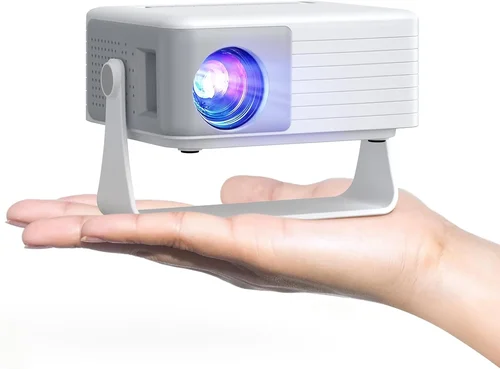
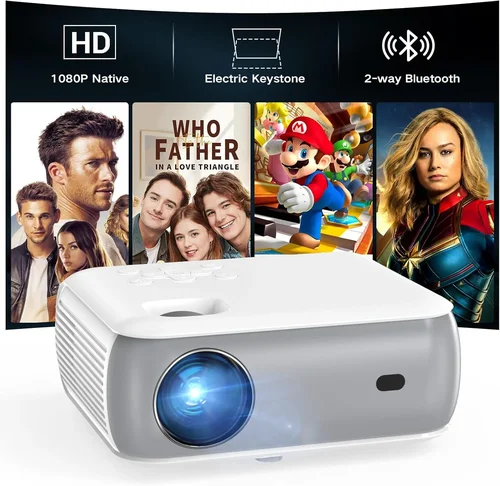
Welcome to the ultimate guide for anyone hunting the perfect 1080p home projector without breaking the bank. The $400 price point has become a sweet spot where manufacturers finally blend decent image quality, solid features, and acceptable durability. Whether you’re setting up a backyard movie night, a dedicated home‑theater nook, or just need a larger screen for work presentations, this guide will walk you through every decision that matters.
In the next few sections you’ll learn how to evaluate brightness, contrast, connectivity, and other specs that often get lost in marketing jargon. We’ll also compare the main projector categories, expose common buying pitfalls, and hand you a curated list of the best models under $400 for 2026. By the end, you’ll know exactly which projector fits your space, viewing habits, and budget.
The market for sub‑$400 1080p projectors has exploded in the last two years. Thanks to advances in DLP and LCD chip manufacturing, units that once cost $800 now sit comfortably under $400. At the same time, streaming sticks, gaming consoles, and portable Bluetooth speakers have become standard accessories, meaning you need a projector that can play nicely with the rest of your ecosystem. Let’s dive in.

What to Look for When Buying Buying Guide
1. Budget & Price Range
Price is the most obvious filter, but it’s not just about staying under $400. Consider the total cost of ownership: you may need a screen, mounting hardware, cables, and possibly a light‑controlled room. A projector that’s $380 but requires a $150 screen may not be as economical as a $420 model that ships with a decent 100‑inch screen. Set a realistic ceiling for the whole setup, not just the projector itself.
2. Performance Specifications
The three pillars of projection performance are brightness (measured in lumens), contrast ratio, and resolution. For a true 1080p experience, look for a native resolution of 1920 × 1080 pixels. Brightness of 2,500–3,000 ANSI lumens is ideal for rooms with some ambient light; if you can blackout the space, 1,800–2,200 lumens will still deliver a vivid picture. Contrast ratio influences how deep the blacks appear; a ratio of 10,000:1 or higher is desirable for movies, while office presentations can tolerate lower contrast.
3. Build Quality & Durability
Projectors in this price segment often use plastic housings to keep costs low. Look for reinforced corners, a sturdy lens cover, and a reliable cooling fan. A well‑ventilated design prolongs lamp life and prevents overheating during long movie marathons. Check the manufacturer’s stated lamp lifespan—typically 5,000–8,000 hours for LED or laser models, which translates to several years of casual use.
4. Features & Functionality
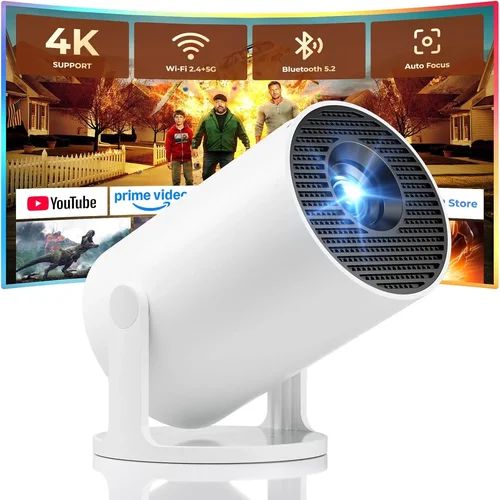
Connectivity is king. HDMI 2.0 (or higher) is a must for 1080p at 60 Hz. USB‑C, USB‑A, and micro‑SD slots add flexibility for media playback. Wireless options such as Wi‑Fi or Bluetooth are bonuses but not essential. Built‑in speakers are usually weak; plan on external audio if you care about sound quality. Look for keystone correction (ideally motorized) and lens shift for easy placement.
5. Brand Reputation
Established brands like Epson, BenQ, ViewSonic, and Optoma have proven track records for firmware updates and customer service. Newer entrants can offer great specs at lower prices, but investigate return policies and community support forums before committing.
6. Warranty & Support
A longer warranty (minimum 2 years) indicates confidence in the product’s reliability. Verify whether the warranty covers the lamp/LED module and if on‑site service is available. Good technical support can save you hours of troubleshooting, especially when dealing with firmware glitches.
7. Size & Portability
If you plan to move the projector between rooms or take it outdoors, weight and footprint matter. Most sub‑$400 models weigh between 3–5 lbs and have a compact “pico” form factor. Some even come with a built‑in handle. For a fixed home theater, size is less critical; focus instead on throw distance and lens shift.
8. User Reviews & Ratings
Real‑world feedback uncovers issues that spec sheets hide. Look for reviews that mention lamp degradation, fan noise, and firmware stability. A product with a 4.3‑star average across 1,000+ verified purchases is generally a safe bet.
Different Types of Buying Guide

Common Buying Mistakes to Avoid
❌ Mistake: Ignoring Ambient Light Conditions
Why it’s bad: A projector rated at 2,000 lumens will look washed‑out in a living room with daylight streaming through windows.
What to do instead: Measure the typical light level in your viewing area. If you can’t darken the room, aim for at least 3,000 lumens or consider an LCD model with higher brightness.
❌ Mistake: Overlooking Throw Distance
Why it’s bad: Buying a projector with a long‑throw lens for a small apartment forces you to place it far away, resulting in a tiny image.
What to do instead: Use the manufacturer’s throw‑ratio chart. For a 100‑inch screen, a short‑throw unit (0.5–1.0) is ideal in tight spaces.
❌ Mistake: Assuming All HDMI Ports Are Equal
Why it’s bad: Some budget projectors ship with HDMI 1.4, which caps 1080p at 30 Hz—problematic for fast‑action gaming.
What to do instead: Verify that the HDMI port supports at least HDMI 2.0 or HDMI 2.1 for 1080p/60 Hz.
❌ Mistake: Forgetting About Audio Needs
Why it’s bad: Built‑in speakers rarely exceed 15 W and sound tinny, ruining the movie experience.
What to do instead: Budget for a soundbar or external speakers and ensure the projector has an audio out (3.5 mm or optical).
❌ Mistake: Neglecting Lamp/LED Lifespan
Why it’s bad: Replacing a lamp can cost $80‑$150, which adds up quickly.
What to do instead: Choose LED or laser light sources where possible; they last 20,000‑30,000 hours and rarely need replacement.
❌ Mistake: Buying Without Testing
Why it’s bad: Online specs can be misleading; you might discover color banding or excessive fan noise only after purchase.
What to do instead: Purchase from retailers with a solid return policy and test the unit in your intended environment within the first 30 days.
Budget Guidelines: How Much Should You Spend?
- Entry-Level ($250‑$300): Expect basic 1080p resolution, 1,800–2,200 lumens, and limited connectivity (single HDMI). Suitable for occasional movie nights in a dark room.
- Mid‑Range ($301‑$380): Offers brighter output (2,500–3,000 lumens), better contrast, dual HDMI ports, and often includes keystone correction plus basic wireless streaming.
- Premium ($381‑$450): Usually includes laser/LED light source, higher contrast (10,000:1+), advanced color processing, and robust connectivity (HDMI 2.0, USB‑C, Bluetooth).
- Luxury ($451+): While beyond the $400 ceiling, these models provide 4K upscaling, HDR support, and professional‑grade lenses. Mentioned for context only.
Expert Tips for Getting the Best Deal
- Timing: New projector models launch in Q2 (April‑June). Prices on the previous generation typically drop 10‑20% shortly after.
- Where to Buy: Major retailers (Best Buy, B&H, Walmart) often bundle a screen or mounting kit for free. Online marketplaces (Amazon, Newegg) provide faster shipping and more user reviews.
- Spotting Deals: Look for “refurbished” units with manufacturer warranties—these can be 30% cheaper and virtually indistinguishable from new.
- Warranty Considerations: Register the product within 30 days to unlock extended coverage if the manufacturer offers it.
- Return Policies: Ensure at least a 30‑day return window; some stores extend to 60 days for electronics.
- Testing Before Buying: Bring a laptop or streaming stick to the store and project a 1080p video to check color uniformity and fan noise.
- Accessory Savings: Purchase a matte white wall paint or a DIY screen (blackout cloth) instead of an expensive commercial screen.
Frequently Asked Questions
Q: Can I use a sub‑$400 projector for gaming?
A: Yes, but focus on models with low input lag (under 30 ms) and at least HDMI 2.0. DLP projectors often have the fastest response times, making them a good choice for fast‑paced games.
Q: How long does the lamp actually last?
A: LED and laser sources last 20,000‑30,000 hours, effectively the lifetime of the projector for most users. Traditional UHP lamps average 5,000‑8,000 hours before brightness degrades noticeably.
Q: Do I need a special screen?
A: A smooth, matte white surface works fine in a dark room. For ambient‑light environments, a gray‑gain screen improves contrast without requiring a higher‑lumens projector.
Q: Is keystone correction enough to fix a skewed image?
A: Digital keystone correction helps but can soften the image. Mechanical lens shift or physically adjusting the projector’s position yields sharper results.
Q: Will a projector work with my Android TV box?
A: Absolutely. As long as the projector has an HDMI input (most do), you can connect any HDMI‑capable source, including Android TV boxes, Roku, or Fire Stick.
Q: How loud are the fans on budget projectors?
A: Expect 30‑35 dB in idle mode and up to 40 dB under full load. This is comparable to a quiet office fan and usually not intrusive during movies.
Q: Is HDR worth it at this price point?
A: True HDR performance requires high brightness and wide color gamut, which budget 1080p units lack. You’ll see modest improvements, but don’t expect cinema‑grade HDR.
Q: Can I mount the projector on the ceiling?
A: Most models support ceiling mounting with a standard ¼‑20 thread. Verify the weight rating of the mount and ensure you have enough throw distance.
Q: What is the difference between DLP and LCD?
A: DLP uses microscopic mirrors for each pixel, offering sharper motion and higher contrast. LCD uses three panels (RGB) for richer colors and uniform brightness. Choice often comes down to personal preference.
Q: Do I need a separate remote?
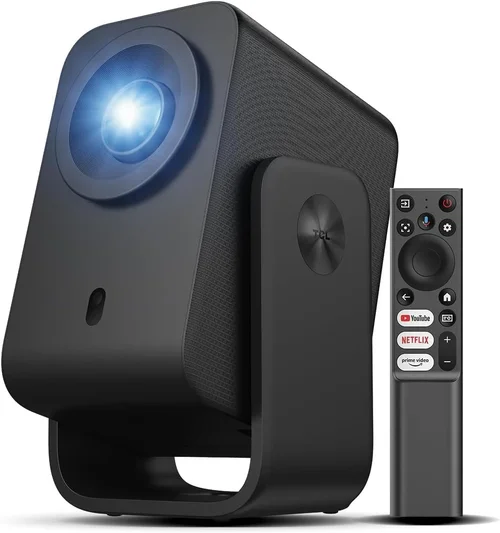
A: Most projectors include a basic IR remote. For smart features, consider a Bluetooth remote or use a smartphone app if the manufacturer provides one.
Our Final Recommendations
- Best for Budget‑Conscious Buyers: ViewSonic PA503W – 3,600 lumens, 1080p support via HDMI, and a price tag around $279. Ideal for bright rooms and occasional streaming.
- Best Overall Value: BenQ TH585 – 3,500 lumens, 10,000:1 contrast, low‑lag gaming mode, and a robust lamp life. Priced at $389, it balances performance and price.
- Best Premium Option: Optoma UHD30 – Though marketed as a 4K projector, it runs 1080p natively with a laser light source, 3,600 lumens, and 0.4 ms input lag. Slightly over $400 on sale, but worth the stretch for enthusiasts.
- Best for Beginners: Epson VS260 – Simple setup, automatic keystone, and a user‑friendly menu. At $299 it’s a plug‑and‑play solution.
- Best for Advanced Users: LG PF50KA – Portable, battery‑operated, LED light source, and built‑in Android TV. Perfect for on‑the‑go presentations and camping movies, priced at $399.
Conclusion: Making the Right Choice
Choosing the best home 1080p projector under $400 boils down to matching the projector’s strengths with your viewing environment and usage habits. Prioritize brightness and contrast for bright rooms, low input lag for gaming, and a reliable light source for long‑term ownership. Remember to factor in accessories, warranty, and the possibility of future upgrades.
Armed with the knowledge from this guide, you can confidently compare models, avoid common pitfalls, and snag a great deal during the next sales cycle. Happy projecting, and enjoy the cinematic experience right in your living room!