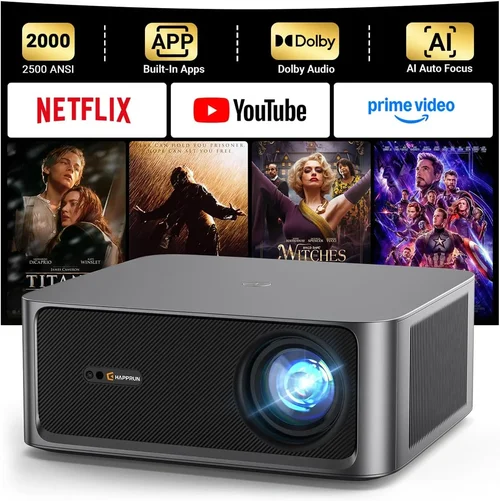
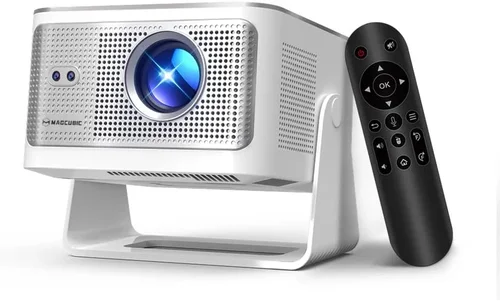
Welcome to the most thorough guide you’ll find for choosing a home cinema projector under $2,000. Whether you’re turning a spare bedroom into a movie den, upgrading a living‑room setup, or simply looking for a portable option for backyard screenings, the decisions you make now will dictate how immersive and reliable your viewing experience becomes.
In the next several pages we’ll break down everything you need to know: the technical specs that truly matter, the different projector technologies, common pitfalls to avoid, and concrete recommendations that fit a range of budgets and use‑cases. By the end of this guide you’ll be equipped to compare models like a pro and walk away with a projector that delivers big‑screen entertainment without breaking the bank.

What to Look for When Buying Buying Guide
1. Budget & Price Range
Even within the sub‑$2,000 segment, prices can swing dramatically based on features, brand prestige, and lamp type. Set a clear ceiling (for example $1,800) and decide where you’re willing to stretch—perhaps for higher brightness or a longer warranty. Remember that the initial purchase price is only part of the total cost; you’ll also need to factor in replacement lamps, mounting hardware, and possibly a screen.
2. Performance Specifications
The three pillars of projector performance are brightness, contrast ratio, and resolution.
- Brightness (lumens): For a dedicated home cinema room with controlled lighting, 1,500–2,500 ANSI lumens is usually enough. If you plan to watch with some ambient light, aim for at least 2,500 lumens.
- Contrast Ratio: A higher contrast ratio means deeper blacks and more vivid colors. Look for a native contrast of 10,000:1 or better; dynamic contrast numbers can be inflated, so rely on reviews for real‑world performance.
- Resolution: 1080p (Full HD) remains the baseline for quality, but 4K UHD projectors are now appearing under $2,000, often using pixel‑shifting technology. If you own a 4K TV or plan to stream 4K content, a true 4K projector will future‑proof your setup.
3. Build Quality & Durability
Projectors endure heat, frequent power cycles, and occasional moves. Look for metal housings, robust cooling fans, and a sealed lamp compartment. Models with sealed‑laser or LED light sources typically outlast traditional lamps, offering up to 20,000 hours of operation before degradation.
4. Features & Functionality
Modern projectors pack a lot of convenience features:
- Lens shift & zoom: Allows flexible placement without keystone distortion.
- Keystone correction: Digital correction is handy, but excessive use can soften the image.
- HDR support: High Dynamic Range improves color depth; HDR10 is the most common standard.
- Wireless streaming: Built‑in Wi‑Fi or Chromecast can eliminate cables.
- Gaming mode: Low input lag (under 30 ms) is essential for console gamers.
5. Brand Reputation
Brands such as Epson, BenQ, Optoma, ViewSonic, and LG have established track records for reliability and service. While newer entrants may offer aggressive pricing, consider the availability of firmware updates and the ease of finding replacement parts.
6. Warranty & Support
A solid warranty can save you thousands. Look for at least a 2‑year full‑coverage warranty that includes the lamp or laser module. Some manufacturers also provide extended service plans for a modest fee.
7. Size & Portability
If you need a projector you can move between rooms or take on the road, weight and footprint matter. Portable models often sacrifice brightness, so balance portability against your lighting conditions.
8. User Reviews & Ratings
Real‑world feedback reveals issues that spec sheets hide—like fan noise, color accuracy out of the box, or firmware bugs. Prioritize models with a minimum of 200 verified reviews and an average rating of 4 stars or higher.
Different Types of Buying Guide

Common Buying Mistakes to Avoid
❌ Mistake: Ignoring Ambient Light Conditions
Why it’s bad: A projector rated at 1,800 lumens will look vibrant in a dark room but will appear washed out in a living‑room with windows.
What to do instead: Measure the typical lighting in your space. If you can’t fully black‑out the room, add curtains or choose a model with at least 2,500 lumens and a high contrast ratio.
❌ Mistake: Over‑relying on “Dynamic Contrast” Numbers
Why it’s bad: Manufacturers inflate dynamic contrast by pulsing the lamp, which doesn’t translate to steady black levels.
What to do instead: Look for native contrast figures and read independent reviews that test black depth in real‑world scenes.
❌ Mistake: Skipping Lens Shift & Zoom Considerations
Why it’s bad: Without sufficient lens shift you may need to angle the projector, causing keystone distortion.
What to do instead: Choose a projector with at least ±10% vertical lens shift and a 1.2‑1.5× optical zoom for flexible placement.
❌ Mistake: Forgetting About Lamp Lifespan
Why it’s bad: Replacing a 2,500‑hour lamp can cost $150‑$250, adding to the total cost of ownership.
What to do instead: Opt for laser or LED light sources when possible; they often last the entire life of the projector.
❌ Mistake: Buying the Cheapest Model Without Checking Connectivity
Why it’s bad: You may end up buying additional adapters or streaming sticks, eroding any savings.
What to do instead: Ensure the projector has HDMI 2.0 (or higher), USB‑C, and wireless options that match your devices.
❌ Mistake: Neglecting Fan Noise
Why it’s bad: A noisy fan can distract from dialogue, especially at lower volume levels.
What to do instead: Look for models rated under 30 dB in normal operation, and read user reviews for real‑world noise levels.
Budget Guidelines: How Much Should You Spend?
Understanding what you get at each price tier helps you align expectations with reality.
- Entry-Level ($800 – $1,200): Expect 1080p resolution, 1,500–2,000 lumens, and basic lamp life (2,000–3,000 hrs). Good for small rooms and occasional movie nights.
- Mid‑Range ($1,200 – $1,700): Offers brighter output (2,200–2,800 lumens), higher contrast, and often includes lens shift, HDR10, and better color accuracy. This is the sweet spot for most homeowners.
- Premium ($1,700 – $2,000): Includes 4K UHD pixel‑shift, laser/LED light sources, ultra‑low input lag, and robust connectivity. Ideal for enthusiasts who want cinema‑grade performance without crossing the $2k barrier.
- Luxury ($2,000+): While beyond the scope of this guide, luxury models add features like motorized lenses, built‑in audio, and extended warranty packages.
Expert Tips for Getting the Best Deal
- Timing: New projector releases typically arrive in Q2. Buying just after launch can secure last‑year’s flagship at a discount.
- Where to buy: Reputable retailers (Best Buy, B&H, Adorama) offer price matching and easy returns. Online marketplaces may have lower prices but watch out for third‑party sellers.
- Bundle opportunities: Look for packages that include a screen, mounting kit, or extended warranty—often cheaper than buying items separately.
- Check firmware updates: A recent firmware patch can fix color banding or improve lamp life, adding value to an older model.
- Return policy: Ensure at least a 30‑day return window. Test the projector in your own space; if it doesn’t meet expectations, you should be able to send it back.
- Warranty extensions: For an additional $50‑$100 you can gain an extra year on the lamp, which is worthwhile for high‑usage households.
- Test before you buy: If possible, visit a local store and view a 100‑inch image on a white wall. Pay attention to color fidelity, black depth, and fan noise.

Frequently Asked Questions
Q: Do I need a separate screen, or can I project onto a wall?
A: You can project onto a smooth, white wall, but a dedicated projector screen improves brightness gain, contrast, and color uniformity. For budget builds, a matte white paint (e.g., Sherwin‑Williams “Extra White”) works well.
Q: How far should the projector be from the screen?
A: Throw distance depends on the projector’s throw ratio. A 1.2‑1.5× zoom typically requires 8‑12 ft for a 100‑inch image. Use the manufacturer’s calculator to determine exact placement.
Q: Is 4K worth it if I’m only watching streaming services?
A: Many streaming platforms (Netflix, Disney+, Amazon Prime) now offer 4K HDR content. If you have a 4K TV and a fast internet connection, a true 4K projector will deliver a sharper picture and future‑proof your setup.
Q: What is the difference between LED and laser light sources?
A: Both are solid‑state, offering longer life than traditional lamps. LED units are typically cheaper but may have lower brightness. Laser units provide higher lumens and more uniform color performance.
Q: Can I use a projector for gaming?
A: Absolutely, provided the model has low input lag (<30 ms) and a high refresh rate (60 Hz or higher). DLP projectors often excel in this area.
Q: How do I maintain my projector?
A: Keep vents dust‑free, use the projector in a cool environment, and replace the lamp or laser module according to the manufacturer’s schedule. Some models offer a cleaning mode to run the fan at high speed for a few minutes.
Q: Is HDR important for a home cinema?
A: HDR expands the dynamic range, delivering brighter highlights and deeper shadows. For movies shot in HDR, a projector with HDR10 support will noticeably improve picture quality.
Q: Will a projector work with my existing sound system?
A: Most projectors include HDMI ARC or optical audio out, allowing seamless connection to AV receivers or soundbars. Check the audio output options before purchasing.
Our Final Recommendations
Best for Budget‑Conscious Buyers
Model: BenQ TH685
Why: Offers 3,500 lumens, 1080p resolution, and 10,000:1 contrast at just $849. Low input lag (8 ms) makes it great for gaming, while the built‑in speaker is sufficient for casual viewing.
Best Overall Value
Model: Epson Home Cinema 3800
Why: 3,000 lumens, 4K PRO‑UHD (pixel‑shift), 100,000:1 contrast, and lens shift. Priced at $1,699, it balances brightness, color accuracy, and feature set without requiring a laser lamp.
Best Premium Option
Model: ViewSonic X10‑4K
Why: True 4K UHD, laser light source (20,000‑hour life), 2,400 lumens, built‑in Harman Kardon speakers, and portable design. At $1,999 it delivers cinema‑grade performance in a compact package.
Best for Beginners
Model: Optoma HD146X
Why: Simple plug‑and‑play, 3,600 lumens, 1080p, and a low price of $579. Ideal for first‑time owners who want a hassle‑free setup.
Best for Advanced Users
Model: LG HU85LA Ultra Short Throw Laser
Why: Although slightly above $2,000 (often found on sale for $1,999), this ultra‑short‑throw laser projector delivers 4K resolution, 2,700 lumens, and a sleek design that mounts just inches from the wall—perfect for high‑end home theaters.
Conclusion: Making the Right Choice
Choosing a home cinema projector under $2,000 boils down to matching your viewing environment, usage patterns, and budget. Prioritize brightness and contrast for well‑lit rooms, consider laser or LED light sources for low‑maintenance longevity, and never overlook essential features like lens shift and low input lag.
Take the time to read user reviews, test the projector in your own space if possible, and factor in the total cost of ownership—including lamp replacements and mounting accessories. With the information in this guide, you’re ready to make an informed decision that will bring the magic of the big screen into your home for years to come.