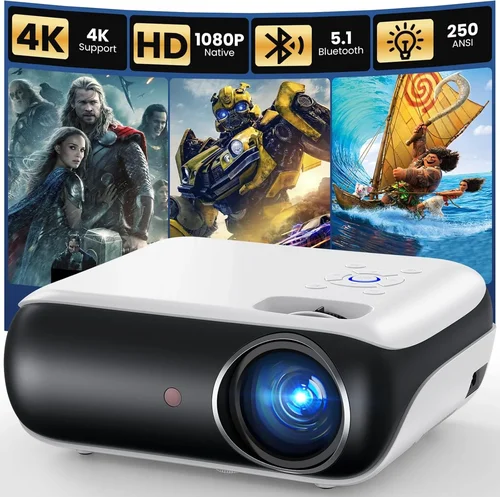
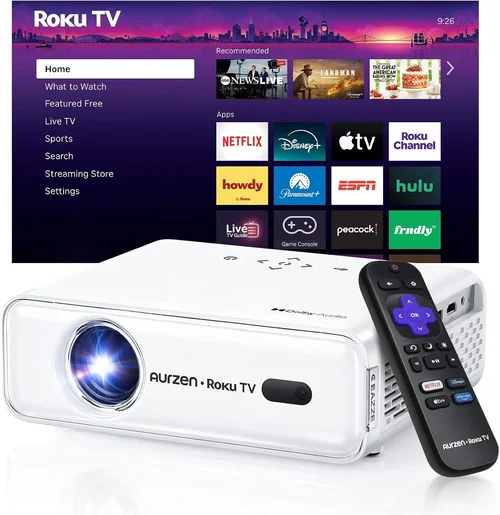
Choosing a home projector can feel like stepping into a maze of specs, brands, and price tags. With so many options flooding the market, it’s easy to wonder whether you’ll end up with a dim, grainy image or a cinema‑grade experience that blows your budget out of the water. This guide cuts through the noise, giving you a clear roadmap to find the best home projector under $400 without compromising on the viewing experience you deserve.
In the next few sections you’ll learn exactly what technical specs matter most, how different projector types stack up against each other, and which common pitfalls you should steer clear of. By the end, you’ll be equipped to make a confident purchase that fits your room, your usage habits, and, most importantly, your wallet.

What to Look for When Buying Buying Guide
1. Budget & Price Range
Even within the sub‑$400 segment, prices can swing dramatically based on features, brand reputation, and included accessories. Set a firm ceiling (e.g., $399) and then decide what you’re willing to sacrifice—be it higher brightness or a longer warranty. Remember, a lower price tag often means a trade‑off in lamp life or connectivity options.
2. Brightness (Lumens)
Brightness is measured in ANSI lumens. For a dark home theater, 1,500–2,000 lumens is sufficient. If you plan to watch in a living‑room with ambient light, aim for at least 2,500 lumens. Anything below 1,200 lumens will struggle to deliver vivid images in non‑dark environments.
3. Resolution
Resolution determines how sharp your picture will be. In the sub‑$400 bracket, you’ll mostly encounter 720p (HD) and a few 1080p (Full HD) models. While 720p can look decent on a 100‑inch screen, 1080p provides noticeably crisper detail—especially for text and gaming.
4. Contrast Ratio
The contrast ratio is the difference between the darkest black and the brightest white a projector can produce. Higher ratios (e.g., 10,000:1) deliver deeper blacks and richer colors, essential for movie nights. Budget models often list inflated numbers, so look for independent reviews that verify real‑world performance.
5. Throw Distance & Lens Shift
Throw distance is the space between the projector and the screen. Short‑throw models can sit close to the wall, minimizing shadows—great for small rooms. Lens shift lets you fine‑tune the image without moving the projector, a handy feature if you can’t place it perfectly centered.
6. Connectivity
Modern projectors should offer at least HDMI 1.4 for 1080p signals, plus USB, Bluetooth, or Wi‑Fi for streaming. Some budget units only have VGA or AV inputs, limiting compatibility with newer devices. Prioritize HDMI and, if you stream, look for built‑in Chromecast or AirPlay support.
7. Lamp Life & Maintenance Costs
Even a $399 projector can become expensive if the lamp needs replacement every 2,000 hours. LED or laser light sources have longer lifespans (up to 30,000 hours) and lower heat, but they can add to the upfront cost. Check the manufacturer’s claimed lamp life and factor replacement costs into your budget.
8. Build Quality & Portability
If you intend to move the projector between rooms or take it outdoors, look for a sturdy chassis, rubberized feet, and a compact design. Metal housings tend to stay cooler and last longer than cheap plastic shells.
Different Types of Buying Guide

Common Buying Mistakes to Avoid
❌ Mistake: Ignoring Ambient Light Conditions
Why it’s bad: A projector rated at 1,800 lumens will look fantastic in a dark room but will appear washed out in a bright living area.
What to do instead: Measure the typical light level in your viewing space. If you can’t achieve near‑darkness, opt for a model with at least 2,500 lumens or consider adding blackout curtains.
❌ Mistake: Over‑Focusing on Megapixels
Why it’s bad: Megapixels are a camera term and don’t translate to projector performance. You could end up with a high‑resolution spec but a dim image.
What to do instead: Prioritize brightness, contrast, and native resolution (720p vs 1080p) over marketing jargon.
❌ Mistake: Forgetting About Throw Ratio
Why it’s bad: Placing a long‑throw projector too close to the screen results in a blurry, oversized image.
What to do instead: Calculate the required throw distance for your screen size using the projector’s throw ratio (e.g., 1.5:1). Choose a short‑throw model if your room is small.
❌ Mistake: Skipping the Warranty Check
Why it’s bad: Budget projectors often have limited warranties (6–12 months). A faulty lamp or fan can turn a cheap purchase into a costly repair.
What to do instead: Look for at least a 2‑year warranty and verify whether the lamp is covered.
❌ Mistake: Assuming All HDMI Ports Are Equal
Why it’s bad: Some cheap units only support HDMI 1.2, which can’t handle 1080p@60Hz properly.
What to do instead: Confirm the projector offers HDMI 1.4 or higher for full HD playback.
Budget Guidelines: How Much Should You Spend?
- Entry-Level ($150‑$250): Expect 720p resolution, 1,200‑1,800 lumens, basic HDMI, and a plastic chassis. Good for occasional movie nights in a dark room.
- Mid‑Range ($250‑$350): Typically 1080p or high‑quality 720p, 2,000‑2,500 lumens, better contrast, and added features like Bluetooth audio or built‑in speakers.
- Premium ($350‑$400): Full HD, 2,500+ lumens, improved lamp life (LED/laser), short‑throw options, and richer connectivity (dual HDMI, USB‑C, Wi‑Fi).
- Luxury ($400+): Though beyond the scope of this guide, these models offer 4K resolution, HDR support, and professional‑grade color accuracy.
Expert Tips for Getting the Best Deal
- Timing is everything: New models launch in Q2, so Q3–Q4 sales usually push older inventory down.
- Buy from reputable retailers: Stores like Best Buy, B&H, and Amazon provide reliable return policies and verified customer reviews.
- Check for bundle offers: Some sellers include a screen, mounting kit, or extra lamp for the same price.
- Read the fine print on warranties: Look for “no‑fee” lamp replacement clauses.
- Test before you commit: If possible, visit a local electronics store and project a test image on a white wall to gauge brightness and color.
- Consider refurbished units: Manufacturer‑refurbished projectors often come with a full warranty at a 20‑30% discount.

Frequently Asked Questions
Q: Can a $400 projector replace a TV for everyday use?
A: Yes, if you can control ambient light and have a suitable screen or wall. A 1080p model with 2,500 lumens will deliver a comparable picture size with better immersion, though TVs still win on brightness in bright rooms.
Q: Do I need a separate sound system?
A: Most budget projectors have modest built‑in speakers (1–2 W). For a true home‑theater feel, pair the projector with a soundbar or Bluetooth speaker.
Q: How far should the projector be from the screen?
A: Use the throw ratio. For a 1.5:1 ratio and a 100‑inch diagonal screen, you’ll need roughly 12.5 ft of distance. Short‑throw models can achieve the same size from 4‑5 ft.
Q: Is lamp replacement expensive?
A: Traditional lamps cost $50‑$120 and last 2,000‑3,000 hours. LED or laser sources are pricier upfront ($150‑$200) but last 20,000‑30,000 hours, effectively eliminating future lamp costs.
Q: Can I mount the projector on the ceiling?
A: Absolutely, provided the unit has a standard ¼‑inch mounting hole and the throw distance fits your ceiling height.
Q: What screen should I buy?
A: A 120‑inch 16:9 matte white screen works well for most rooms. If you’re on a budget, a smooth white wall painted with projector‑screen paint is a viable alternative.
Q: Do I need a HDMI‑CEC compatible TV?
A: Not for a projector. HDMI‑CEC is a TV feature. However, if you’re using a receiver, ensure the projector’s HDMI supports CEC for one‑click power on/off.
Our Final Recommendations
- Best for Budget‑Conscious Buyers: Vankyo Leisure 3 – 720p, 2,400 lumens, HDMI/VGA, under $200. Great for occasional movie nights in a dark room.
- Best Overall Value: BenQ TH585 – 1080p, 3,500 lumens, low input lag, short‑throw option, $379. Balanced performance for movies and gaming.
- Best Premium Option (under $400): Epson Home Cinema 1060 – 1080p, 3,100 lumens, LCD panel, excellent color accuracy, $399.
- Best for Beginners: ViewSonic M1 Mini Plus – Portable LED, 1080p, built‑in JBL speakers, $299. Easy setup with Wi‑Fi casting.
- Best for Advanced Users: Optoma GT1080HDR – 1080p, 3,800 lumens, short‑throw, HDR support, 0.5ms response, $399. Ideal for gaming and bright rooms.
Conclusion: Making the Right Choice
Finding the best home projector under $400 isn’t about chasing the lowest price; it’s about matching the projector’s strengths to your viewing environment and usage habits. Start by assessing your room’s lighting, decide on the screen size you want, and then narrow down options based on brightness, resolution, and connectivity.
Remember, the perfect projector for you balances cost, performance, and future maintenance. Use the factors, comparisons, and tips in this guide to evaluate each candidate objectively. When you’ve found the model that ticks most of the boxes, take advantage of seasonal sales and warranty offers to seal the deal.
Happy viewing, and may your new projector turn every movie night into a cinematic adventure!