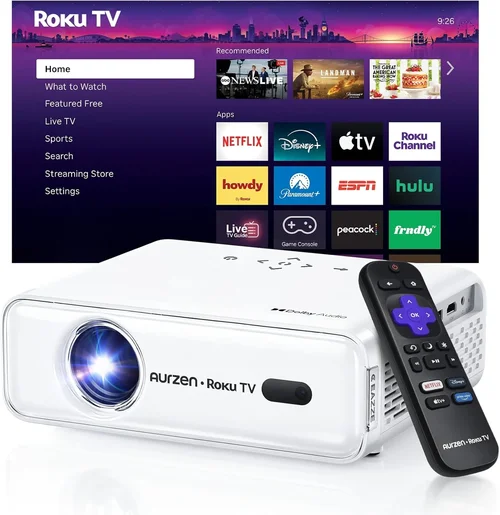
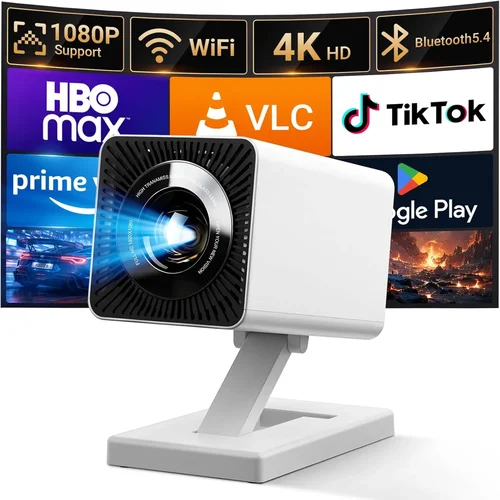
Choosing a home projector that fits within a ₹30,000 budget can feel like navigating a maze of specifications, brand promises, and endless online reviews. The market has exploded in the past few years, and today you can find models that deliver cinema‑like brightness, crisp 1080p resolution, and smart‑TV features without breaking the bank. This guide cuts through the noise, giving you a clear roadmap to pick the projector that matches your living room, budget, and viewing habits.
In the next several sections you’ll learn exactly what technical specs matter most, how different projector families compare, common pitfalls to sidestep, and where to snag the best deals. By the end, you’ll be equipped to make a confident purchase that turns movie nights, gaming sessions, and even work presentations into a seamless, high‑impact experience.

What to Look for When Buying Buying Guide
1. Budget & Price Range
Even though the ceiling is set at ₹30,000, you’ll quickly discover a spread of prices within that limit. Entry‑level units may sacrifice some brightness or colour accuracy, while mid‑range models often include better lenses and built‑in speakers. Define how much you’re willing to stretch—₹20,000‑₹25,000 usually lands you a solid 1080p projector with decent lumens; pushing toward ₹30,000 opens doors to enhanced contrast ratios and smarter connectivity.
2. Performance Specifications
The three pillars of performance are resolution, brightness (lumens), and contrast ratio. For a home environment:
- Resolution: 1080p (Full HD) is the sweet spot. Some sub‑₹30,000 models offer 720p only, which can look pixelated on larger screens.
- Brightness: Measured in ANSI lumens. A minimum of 2,500 lumens is recommended for rooms with ambient light; darker rooms can get away with 1,800‑2,000 lumens.
- Contrast Ratio: Higher numbers (e.g., 15,000:1) mean deeper blacks and more detail in dark scenes—a key factor for movie lovers.
3. Build Quality & Durability
Projectors are often overlooked as “fragile” devices, but a sturdy chassis, quality heat‑sinks, and reliable lamp or laser modules extend lifespan. Look for metal housings, well‑ventilated designs, and reputable cooling fans. models that advertise a lamp life of 20,000‑30,000 hours typically use LED or laser light sources, reducing maintenance costs.
4. Features & Functionality
Beyond the basics, modern projectors pack a lot of convenience:
- Connectivity: HDMI (preferably 2.0), USB, Wi‑Fi, Bluetooth, and sometimes USB‑C. Dual HDMI ports are a plus for gamers who want console and streaming box simultaneously.
- Smart OS: Android TV, Roku, or proprietary smart platforms let you stream Netflix, YouTube, and more without an external box.
- Keystone Correction & Lens Shift: Automatic or manual keystone correction (up to ±30°) helps align the image on non‑perfectly positioned ceilings. Lens shift provides even more flexibility without degrading picture quality.
- Audio: Built‑in speakers ranging from 5 W to 10 W are common. For a true home‑theater feel, plan on external soundbars or AV receivers.
5. Brand Reputation
Brands like Epson, BenQ, ViewSonic, and Xiaomi have built solid track records in the sub‑₹30,000 segment. Checking forums, YouTube reviews, and after‑sales service experiences can save you from a product that looks great on paper but underperforms in real‑world use.
6. Warranty & Support
A minimum 1‑year warranty is standard; some manufacturers extend it to 2 years for the projector and 3 years for the lamp/laser source. Verify the claim‑process ease—online ticketing, local service centers, and availability of spare parts are all crucial for long‑term satisfaction.
7. Size & Portability
If you plan to move the projector between rooms or take it to a friend’s house, weight and footprint matter. Most units under ₹30,000 weigh between 1.5 kg and 3 kg and come with a compact carry case. Fixed‑installation models may be bulkier but offer better heat management.
8. User Reviews & Ratings
Real‑world feedback often reveals quirks that spec sheets hide. Look for patterns in reviews—consistent complaints about overheating, noisy fans, or remote lag should be red flags. Conversely, praise for colour accuracy and easy setup is a good sign.
Different Types of Buying Guide

Common Buying Mistakes to Avoid
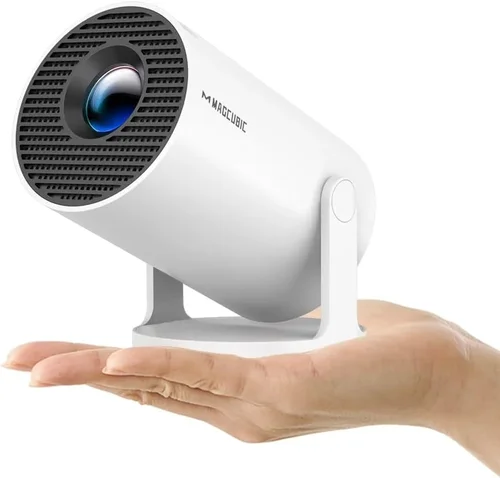
❌ Mistake: Ignoring Ambient Light Conditions
Why it’s bad: A projector rated at 2,000 lumens may look great in a dark home theater but will appear washed‑out in a living room with windows.
What to do instead: Measure the typical lighting in your intended space. If you can’t darken the room completely, aim for at least 2,500‑3,000 lumens.
❌ Mistake: Over‑focusing on Resolution Alone
Why it’s bad: A 1080p panel paired with low brightness and poor contrast will still deliver a subpar picture.
What to do instead: Balance resolution with lumens and contrast. For budget models, a slightly lower resolution can be acceptable if brightness and contrast are strong.
❌ Mistake: Forgetting About Throw Distance
Why it’s bad: Buying a projector with a long‑throw lens for a small bedroom forces you to place it far away, reducing image size.
What to do instead: Check the throw ratio (e.g., 1.2:1). For a 100‑inch screen at 2 m distance, you need a throw ratio around 0.9‑1.2.
❌ Mistake: Neglecting Audio Needs
Why it’s bad: Built‑in speakers are often thin and tinny, which can ruin the immersive experience.
What to do instead: Budget for a separate soundbar or bookshelf speakers, especially if you plan to watch movies or play games.
❌ Mistake: Ignoring Firmware Updates
Why it’s bad: Manufacturers release updates that fix bugs, improve compatibility, and add features.
What to do instead: Choose a brand that offers easy OTA (over‑the‑air) updates or a simple USB update process.
❌ Mistake: Skipping the Test Run
Why it’s bad: Online specs can be misleading; colour calibration, fan noise, and keystone performance vary.
What to do instead: Purchase from retailers with a 30‑day return policy, and test the projector with your own content before committing.
Budget Guidelines: How Much Should You Spend?
Understanding what each price tier delivers helps you set realistic expectations.
- Entry‑Level (₹15,000‑₹20,000): Typically 720p resolution, 1,800‑2,200 lumens, basic HDMI input, minimal smart features. Good for occasional movie nights in dark rooms.
- Mid‑Range (₹20,000‑₹27,000): Full HD 1080p, 2,500‑3,000 lumens, contrast ratios 10,000:1+, Android TV or Roku integration, dual HDMI, decent built‑in speakers.
- Premium (₹27,000‑₹30,000): 1080p with higher brightness (3,000+ lumens), laser or high‑end LED light source, advanced keystone & lens‑shift, low input lag (<15 ms) for gaming, richer colour gamut.
- Luxury (₹30,000+): 4K UHD, HDR10+, ultra‑short‑throw options, premium audio, and professional‑grade colour calibration. Usually beyond the scope of this guide but worth noting for future upgrades.
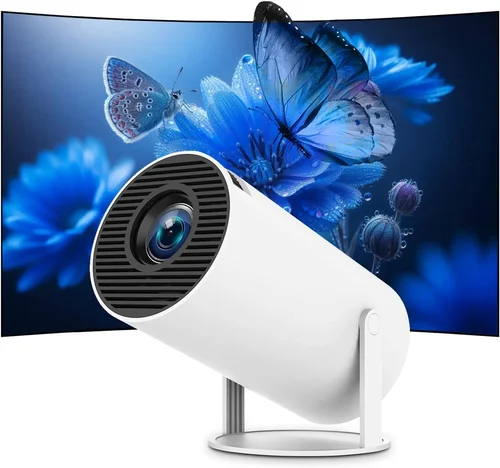
Expert Tips for Getting the Best Deal
- Timing: The best months are October‑December (festive sales) and June‑July (mid‑year clearance).
- Where to Buy: Compare prices on Amazon, Flipkart, and official brand stores. Physical retailers like Croma and Reliance Digital let you view demos before purchase.
- Bundle Savings: Look for packages that include a screen, HDMI cable, or portable speaker; the combined value often exceeds the cost of buying separately.
- Warranty Extensions: Some e‑commerce sites offer extended warranty at a modest price—consider it if you plan to keep the projector for 3+ years.
- Return Policies: Ensure the seller offers at least a 30‑day return window with free shipping for returns. This gives you a safety net for any incompatibility.
- Testing: Bring a laptop or phone to the store and project a 1080p video. Check for colour uniformity, fan noise, and keystone correction in real time.
- Coupon Stacking: Combine site‑wide coupons, bank offers, and brand‑specific promo codes for additional savings.
- Refurbished Units: Certified refurbished models can provide premium features at a lower price, provided they come with a full warranty.

Frequently Asked Questions
Q: Can I use a projector under ₹30,000 for gaming?
A: Yes, but prioritize low input lag (≤15 ms) and a high refresh rate (60 Hz or higher). DLP and laser‑based models usually deliver the best gaming experience in this price range.
Q: Do I need a separate screen?
A: Not mandatory. A plain white wall works, but a dedicated projector screen improves colour accuracy and contrast, especially in rooms with ambient light.
Q: How long does the lamp last?
A: LED and laser light sources typically last 20,000‑30,000 hours, effectively outlasting the projector itself. Traditional lamps (if any under ₹30,000) may need replacement after 3,000‑4,000 hours.
Q: Is HDMI‑ARC necessary?
A: HDMI‑ARC simplifies audio routing to a soundbar or AV receiver. It’s a nice‑to‑have, not essential, especially if you plan to use external speakers via optical or Bluetooth.
Q: Will a projector work with a ceiling mount?
A: Most mid‑range models include a standard ¼‑inch mounting thread. Ensure the mount’s weight rating matches the projector’s weight, and verify the throw distance for your screen size.
Q: How do I maintain my projector?
A: Keep vents dust‑free, use a soft brush or compressed air monthly, and avoid exposing the lamp to direct sunlight. For laser/LED units, follow the manufacturer’s cleaning guide.
Q: What is the difference between keystone correction and lens shift?
A: Keystone correction digitally adjusts the image shape, which can slightly reduce sharpness. Lens shift physically moves the lens, preserving image quality. If you can position the projector centrally, lens shift is preferable.
Q: Does the projector support HDR?
A: Some higher‑end models under ₹30,000 offer HDR10 support, but the effect is limited by the projector’s brightness and colour gamut. Expect modest improvements rather than true cinema‑level HDR.
Our Final Recommendations
- Best for Budget‑Conscious Buyers: Xiaomi Mi Smart Projector 2 – 1080p, 2,500 lumens, Android TV, priced around ₹19,999.
- Best Overall Value: BenQ TH585 – 1080p, 3,500 lumens, low input lag, built‑in speaker, typically ₹27,500.
- Best Premium Option: Epson EF‑12 Laser Mini – 1080p laser source, 2,800 lumens, ultra‑short throw, priced at ₹30,000.
- Best for Beginners: ViewSonic M2 – Portable LED, 1080p, Wi‑Fi, Bluetooth, easy setup, around ₹24,999.
- Best for Advanced Users: Optoma UHD38 – 4K‑enhanced, 4,000 lumens, 16 ms input lag, HDR10, just under the ₹30,000 ceiling during sales.
Conclusion: Making the Right Choice
Choosing the best home projector under ₹30,000 boils down to matching your room’s lighting, your content preferences, and the features that matter most to you. Prioritize a balanced mix of brightness, contrast, and resolution; verify connectivity options; and don’t forget the importance of warranty and after‑sales support. With the factors, type comparisons, and expert tips outlined in this guide, you’re now equipped to walk into any store—or browse online—with confidence.
Take the time to read user reviews, test the unit if possible, and keep an eye on seasonal sales. The perfect projector is out there, and it’s waiting to transform your living space into a cinematic haven.