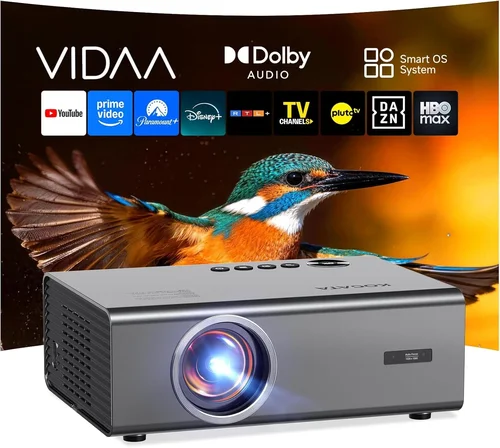
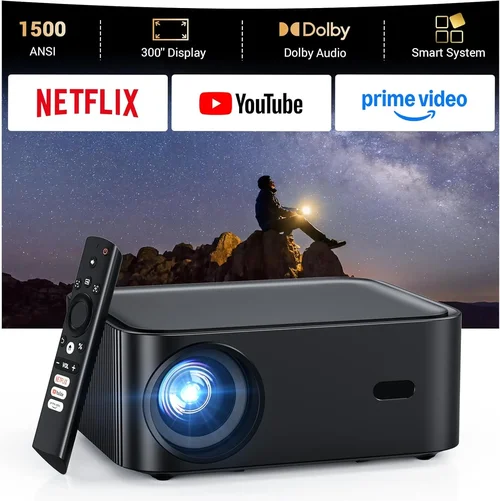
Choosing a home projector that delivers cinema‑quality images without blowing your budget can feel like navigating a maze. In 2026 the market is flooded with options that promise 4K resolution, HDR, and laser light sources, yet many of those models sit well above the $3,000 mark. This guide narrows the field to the best home projectors under $3,000, helping you cut through the hype and focus on the specs that truly matter for everyday movie nights, gaming sessions, and occasional presentations.
By the end of this article you will understand the key performance metrics, know which projector type fits your living space, avoid common purchasing pitfalls, and walk away with a shortlist of top‑rated models that deliver impressive brightness, contrast, and color fidelity—all for less than three grand.

What to Look for When Buying Buying Guide
1. Budget & Price Range
Even within the sub‑$3,000 segment there is a wide spread of price points. A $1,200 unit may lack the premium optics of a $2,800 model, but it could still provide a crisp 1080p image that satisfies casual viewers. Determine your absolute ceiling first, then allocate portions of that budget to the features you value most—whether that’s higher lumens for bright rooms or true‑to‑life color for HDR content.
2. Performance Specifications
Three specs dominate the picture quality conversation:
- Resolution: 1080p (Full HD) remains common under $3,000, while a growing handful of 4K‑enhanced or native 4K models hover just below the limit.
- Brightness (lumens): For ambient‑light rooms aim for 2,500–3,500 ANSI lumens. Dark‑room home theaters can get away with 1,500–2,000 lumens.
- Contrast Ratio: Look for a dynamic contrast of at least 30,000:1; laser and DLP engines typically achieve higher contrast than traditional lamp‑based LCD units.
Balancing these three will dictate how the projector performs in your specific environment.
3. Build Quality & Durability
Projectors are mechanical devices with moving parts (lamp housings, fans, lens shift mechanisms). A sturdy metal chassis, reliable cooling system, and easy‑access lamp compartment are hallmarks of a durable unit. Check user reviews for reports of fan noise or premature lamp failure—these issues can quickly turn a great picture into a frustrating experience.
4. Features & Functionality
Modern projectors pack a toolbox of conveniences:
- Lens Shift & Zoom: Allows precise placement without keystone distortion.
- Keystone Correction: Digital correction is handy but can degrade image quality; optical correction is preferable.
- Built‑in Speakers: Useful for casual viewing, though most audiophiles will pair the projector with a soundbar or AV receiver.
- HDR Support: HDR10 is now standard; Dolby Vision remains rare under $3,000.
- Smart Platform: Android TV, Roku, or proprietary OS can replace a separate streaming box.
- Connectivity: HDMI 2.1 (for 4K/120Hz gaming), USB‑C, Bluetooth, and Wi‑Fi are increasingly expected.
5. Brand Reputation
Brands like Epson, BenQ, Optoma, and ViewSonic have built trust through consistent performance and solid warranty programs. Newer entrants (e.g., Xiaomi, Hisense) may offer attractive specs at lower prices, but after‑sales support and firmware updates can be hit‑or‑miss. Research the manufacturer’s track record before committing.
6. Warranty & Support
A standard warranty for projectors under $3,000 ranges from 2 to 3 years, often covering the lamp for a limited number of hours. Look for extended warranty options, easy lamp replacement policies, and responsive technical support. A good warranty can save you hundreds of dollars over the life of the unit.
7. Size & Portability
If you plan to move the projector between a living room, bedroom, or occasional outdoor setup, size matters. Compact “pico” projectors are ultra‑portable but usually sacrifice brightness and contrast. Mid‑range models balance portability with performance, offering a footprint that fits on a standard TV stand while still delivering a cinema‑grade image.
8. User Reviews & Ratings
Professional reviews provide technical benchmarks, but real‑world user feedback reveals long‑term reliability and ease of use. Look for patterns—multiple users mentioning fan noise, remote responsiveness, or lamp lifespan are red flags worth noting.
Different Types of Buying Guide

Common Buying Mistakes to Avoid
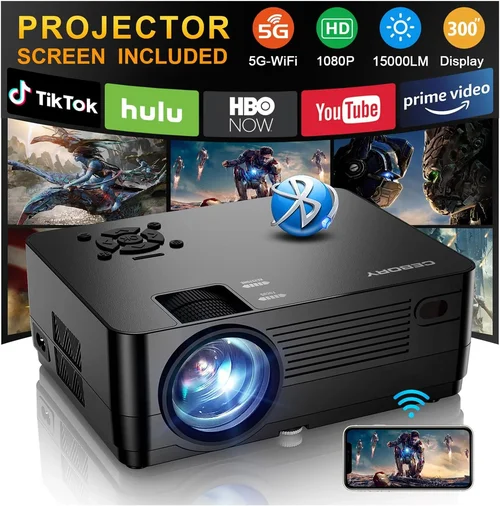
❌ Mistake: Ignoring Ambient Light Conditions
Why it’s bad: Selecting a projector with low lumens for a bright living room will result in washed‑out images that ruin the viewing experience.
What to do instead: Measure typical room lighting and aim for at least 2,500 ANSI lumens for spaces with windows or overhead lights. If you can control light, a lower‑lumens model may be acceptable.
❌ Mistake: Over‑focusing on Resolution Alone
Why it’s bad: A 4K panel paired with a dim lamp can look worse than a bright 1080p unit, especially in non‑dark environments.
What to do instead: Balance resolution with brightness, contrast, and color performance. For most under‑$3,000 buyers, a high‑quality 1080p or 4K‑enhanced projector offers the best overall value.
❌ Mistake: Forgetting Lens Shift & Throw Ratio
Why it’s bad: Without adequate lens shift, you may need to place the projector at an awkward distance or angle, leading to keystone distortion.
What to do instead: Choose a model with at least ±10% vertical lens shift and a flexible throw ratio that fits your room’s dimensions.
❌ Mistake: Assuming All Lamps Are Equal
Why it’s bad: Lamp lifespan varies dramatically. A cheap lamp may need replacement after 2,000 hours, adding hidden costs.
What to do instead: Check the manufacturer’s lamp‑hour rating and consider laser or LED light sources, which often last 20,000+ hours with no replacement.
❌ Mistake: Neglecting Connectivity Needs
Why it’s bad: A projector lacking HDMI 2.1 will limit 4K/120Hz gaming or HDR performance.
What to do instead: List your devices (gaming console, streaming stick, Blu‑ray player) and ensure the projector offers the necessary ports and bandwidth.
❌ Mistake: Buying Without Testing
Why it’s bad: Images can look different in your home’s lighting versus a showroom.
What to do instead: Take advantage of return policies, or test the projector in a store with a similar ambient light level to your own space.
Budget Guidelines: How Much Should You Spend?
- Entry‑Level ($1,200‑$1,600): Expect 1080p resolution, 2,000‑2,500 lumens, basic HDR, and limited lens shift. Ideal for small bedrooms or secondary rooms.
- Mid‑Range ($1,600‑$2,400): Gain higher brightness (2,500‑3,200 lumens), better contrast, and often a laser light source. This tier includes many 4K‑enhanced models.
- Premium ($2,400‑$3,000): Near‑native 4K, advanced color gamuts (Rec. 2020), robust connectivity (HDMI 2.1, Wi‑Fi 6), and premium build quality. Best for dedicated home theaters.
- Luxury ($3,000+): True 4K laser projectors with 4,000+ lumens, HDR10+, and integrated smart platforms. While beyond the scope of this guide, it’s good to know the ceiling.
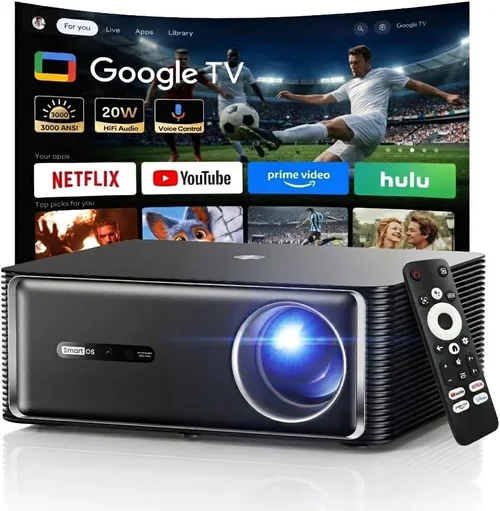
Expert Tips for Getting the Best Deal
- Timing: New models launch in Q2 and Q4. Buying just before a new release can net you a clearance discount on the previous generation.
- Where to Buy: Major retailers (Best Buy, B&H) often provide extended warranties and in‑store demos. Online marketplaces like Amazon may have lower base prices but check seller ratings.
- Bundling: Some sellers include a free screen, HDMI cable, or a limited‑time streaming subscription—evaluate the true value before assuming a “deal.”
- Warranty Extensions: If you plan heavy usage (gaming > 150 hrs/week), an extended lamp warranty is worth the modest extra cost.
- Return Policies: Look for at least 30‑day return windows. This gives you time to test the projector in your own lighting conditions.
- Testing: Bring a laptop with a 4K test pattern to the store. Compare brightness, color, and motion handling side‑by‑side with a competitor.
- Firmware Updates: Choose brands that regularly release firmware (BenQ, Epson). Updated drivers can improve lamp life and add new features.

Frequently Asked Questions
Q: Do I need a separate screen?
A: While a smooth white wall works, a dedicated projector screen improves gain, reduces hot‑spotting, and preserves color accuracy. For budgets under $300, a 120‑inch 16:9 matte white screen is a solid compromise.
Q: Is a laser light source truly better than a lamp?
A: Laser projectors deliver higher brightness, longer lifespan (20,000+ hours), and instant on/off without warm‑up. They are typically more expensive, but many models under $3,000 now use laser technology.
Q: Can I use a projector for gaming?
A: Yes, provided the projector supports low input lag (<15 ms) and HDMI 2.1 for 4K/120 Hz. DLP laser models often excel in this area.
Q: How far should the projector be from the screen?
A: It depends on the throw ratio. A 1.5:1 throw ratio on a 100‑inch screen needs roughly 12.5 ft of distance. Use the manufacturer’s calculator to plan placement.
Q: Will a projector work with my existing sound system?
A: Absolutely. Most projectors have audio out (3.5 mm or optical) that can feed an AV receiver or soundbar. For the best experience, use a dedicated external speaker system.
Q: Do I need to calibrate the projector?
A: Basic calibration (brightness, contrast, color temperature) is recommended for optimal picture. Many models include built‑in calibration presets; for precise work, a colorimeter can be used.
Q: Are portable pico projectors worth it?
A: They excel in portability but sacrifice brightness and contrast. If you need a projector for occasional travel or outdoor movie nights, a pico model can be a fun addition, but for primary home use a standard throw projector is preferable.
Our Final Recommendations
- Best for Budget‑Conscious Buyers: BenQ TH585 – 1080p, 3,500 lumens, low input lag, and a price around $1,200.
- Best Overall Value: Epson Home Cinema 3800 – 4K‑enhanced, 3,000 lumens, 2,500:1 contrast, excellent color accuracy, typically $2,300.
- Best Premium Option: Optoma CinemaX P2 – True 4K laser, 3,000 lumens, built‑in Android TV, price just under $3,000.
- Best for Beginners: ViewSonic PX706HD – Compact, 3,000 lumens, easy setup, ideal for first‑time owners at $1,100.
- Best for Advanced Users: LG HU85LA Ultra Short Throw – 4K laser, 2,700 lumens, 0.25:1 throw, premium optics, priced at $2,950.
Conclusion: Making the Right Choice
Investing in a home projector under $3,000 is a balance of brightness, resolution, and feature set that matches your viewing environment. Start by assessing room lighting, then prioritize the specs that align with your primary use—whether that’s movies, gaming, or occasional presentations. Remember to factor in lamp or laser lifespan, warranty coverage, and the convenience of connectivity options.
By avoiding common pitfalls, leveraging seasonal sales, and selecting from our curated recommendations, you’ll enjoy a cinematic experience without breaking the bank. Ready to transform your living room into a personal theater? Browse the models above, compare prices, and take the plunge into big‑screen entertainment today.