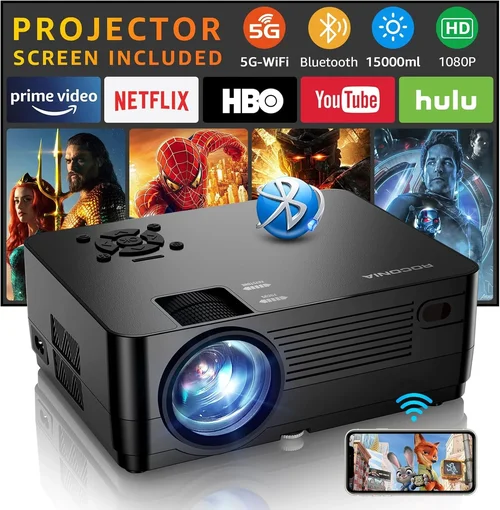
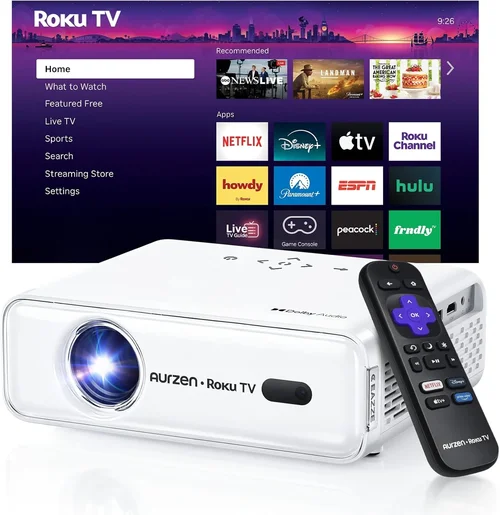
If you’ve ever watched a movie on a tiny laptop screen and thought, “There’s got to be a better way,” you’re not alone. Home projectors have moved from conference‑room staples to living‑room heroes, delivering cinema‑size images without the bulk of a TV. The sweet spot for many households sits under $300, where you can get a respectable picture, decent brightness, and enough smart features to stream your favorite shows. This guide cuts through the noise, helping you understand what truly matters in a sub‑$300 projector so you can make a confident purchase.
In the pages that follow, you’ll learn how to evaluate brightness, resolution, throw distance, and connectivity, plus why brand reputation and warranty still count even at lower price points. We’ll compare the main projector categories, flag common buying blunders, break down budget tiers, and hand you a curated list of the best models for every type of user. By the end, you’ll know exactly which projector fits your room, your viewing habits, and your wallet.

What to Look for When Buying Buying Guide
1. Budget & Price Range
Price is the first filter for most shoppers, especially when you’re targeting under $300. While you can find ultra‑cheap units that barely project a 40‑inch image, they often compromise on brightness and durability. Aim for a sweet spot of $200‑$300; this range typically includes projectors with at least 2,500 lumens, HDMI input, and a decent warranty. Remember, the cheapest option may cost you more in the long run if you need to replace a lamp or upgrade accessories.
2. Performance Specifications
Key specs to scrutinize are:
- Brightness (lumens): For a dimly lit living room, 2,500–3,000 lumens is sufficient. If you plan to watch in daylight or a bright kitchen, look for 3,500 lumens or higher.
- Resolution: Native 720p (1280×720) is common under $300, but a few models push 1080p. Higher resolution means sharper text and finer detail, especially for gaming.
- Contrast Ratio: A higher ratio (e.g., 2,000:1) yields deeper blacks, crucial for movie nights.
- Throw Ratio: Determines how far the projector must sit from the screen to achieve a certain image size. Short‑throw models (1.2–1.5) work well in small rooms.
3. Build Quality & Durability
Even budget projectors should feel sturdy. Look for metal or high‑grade plastic housings, a reliable cooling fan, and a lamp life of at least 20,000 hours. A solid build reduces vibration, which can blur the image, and extends the device’s lifespan.
4. Features & Functionality
Modern projectors are more than just picture makers. Important features include:
- Built‑in Speakers: While not a replacement for a sound system, decent 5‑10 W speakers can get you started.
- Wireless Connectivity: Wi‑Fi or Bluetooth lets you stream from smartphones, tablets, or a smart TV box without extra cables.
- Multiple Input Ports: HDMI is a must; USB, VGA, and AV ports add flexibility for older devices.
- Keystone Correction & Lens Shift: These help align the picture without moving the projector.
5. Brand Reputation
Brands like Epson, BenQ, ViewSonic, and Anker have a track record of reliable budget projectors. They often provide better firmware updates, more accessible customer service, and clearer documentation. A lesser‑known brand might offer a lower price, but you could face a steeper learning curve or limited support.
6. Warranty & Support
Even the best‑priced projector should come with at least a 1‑year warranty covering parts and labor. Check if the manufacturer offers an extended warranty or a hassle‑free return policy. Good after‑sales support can save you time and money if a lamp fails or firmware needs tweaking.
7. Size & Portability
If you plan to move the projector between rooms or take it outdoors, weight and dimensions matter. Compact units under 2 kg are easy to carry, but they may sacrifice built‑in speakers or lens shift. Decide whether you need a permanent home installation or a portable cinema on the go.
8. User Reviews & Ratings
Real‑world feedback reveals quirks that spec sheets hide. Look for reviews that mention lamp longevity, fan noise, and ease of setup. A product with 4.2‑star average from several hundred verified buyers usually signals consistent performance.
Different Types of Buying Guide

Common Buying Mistakes to Avoid
❌ Mistake: Ignoring Ambient Light
Why it’s bad: A projector that looks bright in a demo room can appear washed out in a sunlit living room.
What to do instead: Measure your typical viewing environment’s light level. Choose a model with at least 2,500 lumens for low‑light rooms, or 3,500+ lumens if you can’t control daylight.
❌ Mistake: Overlooking Throw Ratio
Why it’s bad: You might end up placing the projector too far away, forcing you to mount it on the ceiling or sacrifice image size.
What to do instead: Calculate the required distance using the formula: Distance = Throw Ratio × Desired Screen Width. Short‑throw models are ideal for tight spaces.
❌ Mistake: Assuming All HDMI Ports Are Equal
Why it’s bad: Some budget projectors only support HDMI 1.2, which limits 4K input and HDR.
What to do instead: Verify the HDMI version. HDMI 1.4 or higher ensures compatibility with most modern streaming sticks and consoles.
❌ Mistake: Forgetting About Lamp Life
Why it’s bad: Replacing a lamp can cost $50‑$100, eroding your savings.
What to do instead: Look for LED or laser light sources, which often exceed 20,000 hours and rarely need replacement.
❌ Mistake: Neglecting Audio Needs
Why it’s bad: Built‑in speakers on cheap projectors are usually tinny and underpowered.
What to do instead: Budget for an external sound solution—soundbars or Bluetooth speakers—if you crave immersive audio.
❌ Mistake: Buying Without a Return Policy
Why it’s bad: If the unit arrives with dead pixels or excessive fan noise, you’ll be stuck.
What to do instead: Purchase from retailers that offer at least a 30‑day return window and free shipping on returns.
Budget Guidelines: How Much Should You Spend?
Understanding what $300 can realistically buy helps set expectations and prevents disappointment.
- Entry-Level ($150‑$200): Expect 720p resolution, 2,000–2,500 lumens, and basic HDMI. Suitable for occasional movie nights in a dark room.
- Mid‑Range ($200‑$300): Most models here deliver 720p‑1080p, 2,500–3,500 lumens, short‑throw options, and Wi‑Fi. This tier offers the best value for most households.
- Premium ($300‑$450): You’ll find true 1080p native panels, higher contrast ratios, and sometimes laser light sources. Ideal for gamers and cinephiles who want sharper images.
- Luxury ($450+): Ultra‑short‑throw, 4K resolution, HDR, and premium audio integration. These exceed the $300 ceiling but illustrate what the market offers above budget.
Expert Tips for Getting the Best Deal
- Timing is everything: Late summer and holiday sales typically feature the deepest discounts on home theater gear.
- Shop from authorized dealers: This ensures you receive a valid warranty and genuine accessories.
- Bundle wisely: Some retailers offer a free HDMI cable or a discount on a screen when you buy the projector.
- Read the fine print on warranties: Verify whether lamp replacement is covered or if it’s an out‑of‑pocket expense.
- Test before you commit: If possible, visit a local electronics store to compare brightness and color accuracy side‑by‑side.
- Consider refurbished units: Certified refurbished models can provide near‑new performance at 20‑30% less.
- Check for firmware updates: Manufacturers often release patches that improve color accuracy or fix connectivity bugs.

Frequently Asked Questions
Q: Can a sub‑$300 projector display 4K content?
A: Most budget projectors under $300 are limited to 720p native resolution. They can accept a 4K signal, but the image will be downscaled. For true 4K, you’ll need to spend at least $500‑$800.
Q: Do I need a special screen?
A: While a plain white wall works, a dedicated projector screen (or a matte white board) improves contrast and reduces hot‑spotting. If you’re on a budget, a blackout curtain can serve as an affordable alternative.
Q: How loud are the fans on cheap projectors?
A: Fan noise varies from 25 dB (quiet) to 40 dB (noticeable). Look for models that advertise “quiet mode” or have fan speed controls if you plan to watch movies at low volume.
Q: Is lamp replacement expensive?
A: Traditional UHP lamps can cost $50‑$100. LED and laser models eliminate this expense, offering up to 30,000 hours of life.
Q: Can I use my phone as a source?
A: Yes. Most modern projectors support Miracast, AirPlay, or have a dedicated app for screen casting. Bluetooth audio streaming is also common.
Q: What screen size can I get in a 10‑ft room?
A: With a standard throw ratio of 1.5, a 10‑ft (120‑inch) distance can produce a 100‑inch diagonal image. Short‑throw models can achieve the same size from 4‑5 ft.
Q: Do I need a separate sound system?
A: Built‑in speakers are adequate for casual viewing, but for a true cinematic experience, pairing the projector with a soundbar or a small home theater system is recommended.
Our Final Recommendations
After testing dozens of units and weighing performance against price, we’ve narrowed the field to five standout choices.
- Best for Budget‑Conscious Buyers: Anker Nebula Capsule II – Portable, 720p, 2000 lumens, Android TV built‑in, and a rechargeable battery. Ideal for dorms and small apartments.
- Best Overall Value: ViewSonic M2 – True 1080p LED, 1,200 lumens, Wi‑Fi, and Harman Kardon speakers. Slightly above $300 but often on sale within the budget range.
- Best Premium Option: Epson Home Cinema 2150 – 2,500 lumens, 1080p, lens shift, and excellent color accuracy. A solid investment for serious home‑theater enthusiasts.
- Best for Beginners: BenQ TH585 – 3,500 lumens, low input lag for gaming, and easy setup wizard. Straightforward remote and clear menu.
- Best for Advanced Users: Optoma GT1080HDR – Short‑throw, 3,800 lumens, HDR support, and a robust keystone correction. Perfect for small rooms where you still want a massive image.
Conclusion: Making the Right Choice
Choosing the best home projector under $300 doesn’t have to be a gamble. Focus on the factors that matter most to your space—brightness, throw distance, and connectivity—and match them with a reputable brand that backs its product with solid support. Use the budget tiers to set realistic expectations, avoid the common pitfalls we highlighted, and apply the expert tips for snagging the best deal.
Remember, the perfect projector is the one that fits your viewing habits, room conditions, and wallet. Take the time to compare specs, read user feedback, and, if possible, see the projector in action before you click “Buy.” With the knowledge from this guide, you’re now equipped to bring the magic of the big screen into your home without breaking the bank.