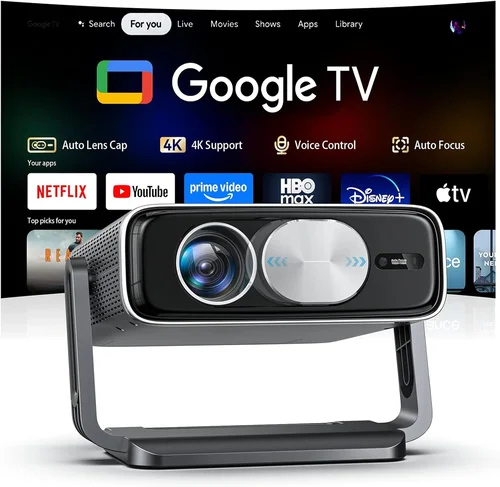
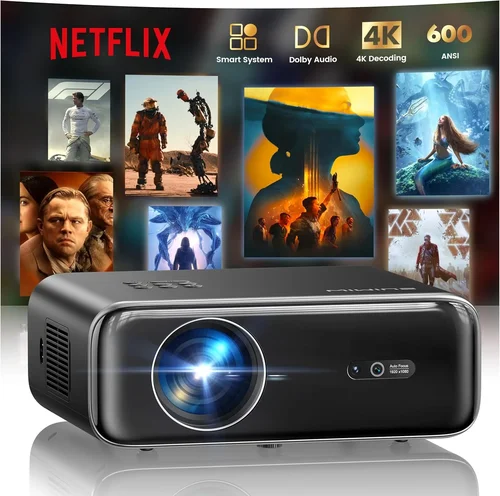
Choosing a home projector that fits within a ₹40,000 budget can feel like navigating a maze of specs, brands, and marketing hype. The good news is that today’s market offers several models that deliver cinema‑like experiences without breaking the bank. This guide pulls together the most important information you need to make an informed decision, from technical fundamentals to real‑world usage tips.
In the pages that follow you will learn how to compare brightness, resolution, and connectivity; discover which projector type aligns with your viewing space; avoid common purchasing pitfalls; and walk away with a shortlist of top picks that truly shine under ₹40,000. Whether you are setting up a dedicated home theater, a backyard movie night, or a versatile office presentation hub, the insights here will help you pick a projector that feels tailor‑made for you.

What to Look for When Buying Buying Guide
1. Budget & Price Range
The first step is to define what “under ₹40,000” means for you. Some models hover just below the ceiling, offering premium features like 4K upscaling, while others sit comfortably at the lower end, focusing on basic HD performance. Knowing whether you are willing to stretch to ₹38,000 for a higher‑lumens unit or prefer a solid ₹28,000 option will narrow your search dramatically.
2. Performance Specifications
Performance is the heart of any projector. Key specs to scrutinise include:
- Resolution: Native 1080p (Full HD) is rare under ₹40,000, but many models provide 720p (HD) with 4K upscaling, which works well for movies and games.
- Brightness (ANSI lumens): For ambient‑light rooms aim for at least 2,500–3,000 lumens; darker rooms can get away with 1,800–2,200 lumens.
- Contrast Ratio: Higher contrast (e.g., 15,000:1) delivers deeper blacks, essential for a true cinematic feel.
- Throw Ratio: Determines how far the projector must sit from the screen. Short‑throw models (<1.2) are ideal for small rooms.
3. Build Quality & Durability
Projectors are often moved, set up, and taken down. Look for metal chassis, sturdy lens covers, and reliable cooling fans. A good warranty (minimum 2 years) signals manufacturer confidence in durability.
4. Features & Functionality
Modern projectors pack a suite of conveniences:
- Built‑in Speakers: Useful for casual viewing; aim for at least 5 W RMS for clear dialogue.
- Wireless Connectivity: Wi‑Fi or Bluetooth enables casting from phones, tablets, or laptops without cables.
- Multiple Input Ports: HDMI 2.0, USB‑C, VGA, and AV ports ensure compatibility with gaming consoles, Blu‑ray players, and older devices.
- Keystone Correction & Lens Shift: Helps align the image without physically moving the projector.
5. Brand Reputation
Established brands such as Epson, BenQ, ViewSonic, and Xiaomi have proven track records for after‑sales support and firmware updates. While newer players may offer aggressive pricing, verify community feedback and service centre availability before committing.
6. Warranty & Support
A solid warranty protects you from early lamp failures or hardware glitches. Look for at least a 2‑year parts‑and‑labor warranty, and check whether on‑site service or mail‑in repair is offered. Some manufacturers also provide free lamp replacements within the warranty period—a valuable perk.
7. Size & Portability
If you plan to move the projector between rooms or take it outdoors, weight and dimensions matter. Compact, lightweight models (under 3 kg) with a built‑in handle make transport painless.
8. User Reviews & Ratings
Real‑world feedback often reveals issues that spec sheets hide, such as fan noise, heat buildup, or software glitches. Scan reviews on Amazon India, Flipkart, and dedicated AV forums. Pay attention to recurring themes rather than isolated complaints.
Different Types of Buying Guide

Common Buying Mistakes to Avoid
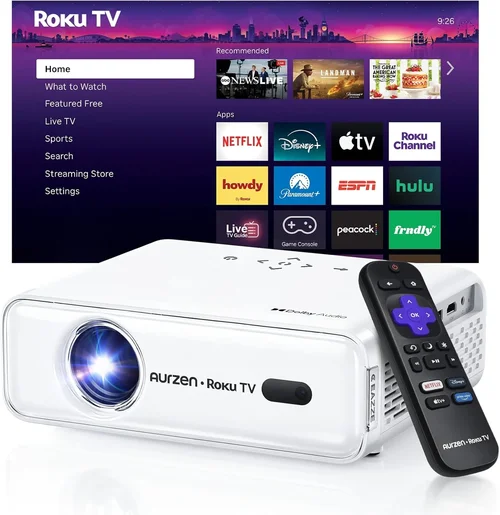
❌ Mistake: Ignoring Ambient Light Conditions
Why it’s bad: A projector rated at 2,000 lumens will look dull in a living room with curtains half‑open.
What to do instead: Measure the typical lighting in your space. If you cannot fully darken the room, aim for 2,500–3,000 lumens or consider a projector with high contrast and a light‑enhancing screen.
❌ Mistake: Chasing Resolution Over Brightness
Why it’s bad: A 1080p projector with only 1,800 lumens will struggle to show detail in daylight.
What to do instead: Prioritise brightness first; then look for the best resolution your budget allows.
❌ Mistake: Overlooking Throw Ratio
Why it’s bad: Buying a long‑throw projector for a 2 m wide screen forces you to place it far away, possibly beyond your ceiling height.
What to do instead: Calculate required throw distance (Screen Width × Throw Ratio) and match it to your room dimensions.
❌ Mistake: Forgetting Lamp Life Costs
Why it’s bad: Replacing a lamp can cost ₹5,000‑₹8,000, eroding your initial savings.
What to do instead: Choose LED or laser light sources where possible, or verify lamp longevity (≥ 5,000 hours) and replacement price.
❌ Mistake: Neglecting Connectivity Needs
Why it’s bad: A projector without HDMI 2.0 cannot display 4K@60 Hz from a modern console.
What to do instead: List your primary devices (PS5, streaming stick, laptop) and ensure the projector has compatible ports.
❌ Mistake: Skipping Firmware Updates
Why it’s bad: Out‑of‑date firmware can cause stability issues, especially with wireless casting.
What to do instead: Choose a brand that offers regular OTA updates and check the support page before purchase.
Budget Guidelines: How Much Should You Spend?
- Entry‑Level (₹20,000 – ₹25,000): Expect 720p native resolution, 1,800–2,200 lumens, basic HDMI and USB ports. Ideal for occasional movie nights in a dark room.
- Mid‑Range (₹26,000 – ₹35,000): Offers 1080p upscaling, 2,500–3,000 lumens, better contrast, and added features like Bluetooth audio and Wi‑Fi.
- Premium (₹36,000 – ₹40,000): Near‑full HD native panels, LED or laser light sources, higher contrast (≥ 15,000:1), and extensive connectivity (HDMI 2.0, USB‑C, Ethernet).
- Luxury (₹40,000+): Typically beyond the scope of this guide, entering the realm of true 4K native, high‑end laser projectors.
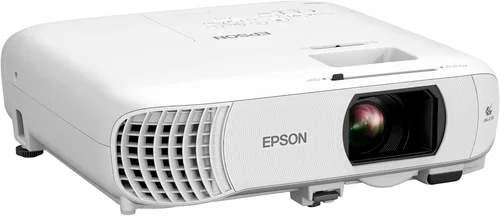
Expert Tips for Getting the Best Deal
- Timing: New models are usually launched in Q2 and Q4. Purchasing shortly after launch can secure promotional bundles.
- Where to Buy: Compare prices on Amazon, Flipkart, and local electronics chains like Croma. In‑store demos let you verify brightness and keystone performance.
- Spotting Deals: Look for “bundle offers” that include a screen, HDMI cable, or wall‑mount kit—these add value without extra cost.
- Warranty Considerations: Register the product within the manufacturer’s stipulated period to avoid nullifying warranty.
- Return Policies: Choose sellers with at least a 10‑day return window; this gives you time to test the projector in your own environment.
- Testing Before Buying: If possible, project a 1080p test pattern onto a white wall. Check for colour uniformity, hotspot, and fan noise.
- Future‑Proofing: Opt for HDMI 2.0 or higher to ensure compatibility with upcoming 4K streaming devices.

Frequently Asked Questions
Q: Can I use a projector under ₹40,000 for gaming?
A: Yes, provided the projector supports at least 60 Hz refresh rate and has low input lag (≤ 30 ms). Look for models that specifically mention “gaming mode” or have a “Game” picture preset.
Q: Do I need a special screen?
A: A white matte wall works for casual viewing, but a dedicated projector screen improves brightness and contrast, especially in rooms with ambient light. For under‑₹40,000 budgets, a 100‑inch 16:9 fixed‑frame screen is a good match.
Q: How long does a lamp last?
A: Traditional lamps last 3,000‑5,000 hours, while LED and laser sources can exceed 20,000 hours. At 4 hours per day, a lamp will need replacement roughly every 2‑3 years, whereas LED/laser units may last a decade.
Q: Is keystone correction enough to fix a skewed image?
A: Digital keystone correction helps but can slightly degrade image quality. Physical placement (centered and perpendicular to the screen) combined with lens shift offers the cleanest picture.
Q: What is the ideal throw distance for a 120‑inch screen?
A: For a 120‑inch (diagonal) 16:9 screen, width ≈ 105 inches (≈ 2.67 m). With a throw ratio of 1.5, you’d need about 4 m distance. Short‑throw models (~0.8) can achieve the same size from just 2 m away.
Q: Are portable pico projectors worth it?
A: Pico projectors excel in portability but usually sacrifice brightness (≤ 1,000 lumens) and resolution. They are great for travel or outdoor picnics with a dark backdrop, but not for a dedicated home theater.
Q: How important is colour accuracy?
A: For movie enthusiasts and gamers, accurate colour reproduction enhances immersion. Look for projectors with a colour gamut of ≥ 80 % DCI‑P3 or sRGB. Some models include “Cinema” or “Vivid” picture modes that fine‑tune colour.
Q: Can I connect my smartphone wirelessly?
A: Yes, most modern budget projectors support Miracast, AirPlay, or a proprietary casting app. Ensure your phone and projector are on the same Wi‑Fi network for smooth streaming.
Our Final Recommendations
- Best for Budget‑Conscious Buyers: Xiaomi Mi Laser Projector 2K – Priced around ₹32,000, it offers 2,500 lumens, 1080p native resolution, and a laser light source lasting 20,000 hours.
- Best Overall Value: BenQ TH585 – At ₹38,500, this model delivers 3,500 lumens, low input lag (≈ 16 ms), and a 0.9 short‑throw ratio, making it versatile for both movies and gaming.
- Best Premium Option (Just Under ₹40,000): Epson EB‑U05 – Features 4,000 lumens, 1080p resolution, and Epson’s 3LCD technology for vivid colour, priced at ₹39,800.
- Best for Beginners: ViewSonic M1 Mini Plus – Compact, built‑in Harman‑Kardon speakers, and intuitive UI; perfect for first‑time owners at ₹24,000.
- Best for Advanced Users: Optoma GT1080HDR – Short‑throw, HDR support, 3,800 lumens, and a gaming‑friendly picture mode; priced at ₹39,200.
Conclusion: Making the Right Choice
Choosing the best home projector under ₹40,000 boils down to balancing brightness, resolution, and the specific environment where you’ll use it. By evaluating the factors outlined in this guide—budget, performance specs, throw ratio, and extra features—you can avoid common pitfalls and land a projector that feels custom‑built for your needs.
Remember, the most expensive model isn’t always the best fit. Prioritise the attributes that matter most to you, test the unit if possible, and take advantage of seasonal sales to stretch your rupees further. Armed with this knowledge, you’re ready to bring the big‑screen experience home without breaking the bank.