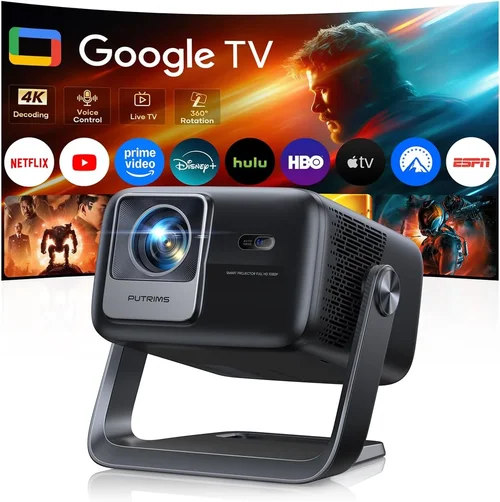
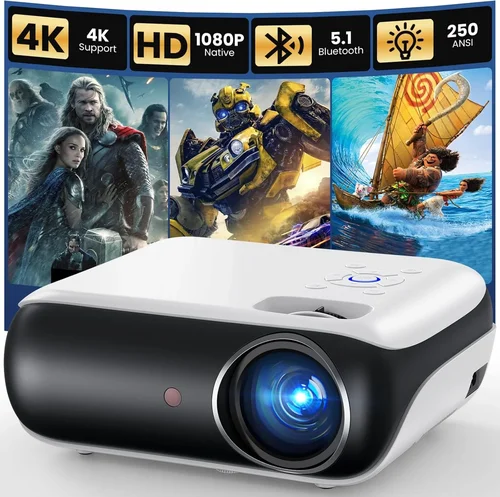
Finding a home projector that delivers a decent picture without blowing your budget can feel like hunting for a needle in a haystack. In 2026 the market is flooded with low‑cost options that promise “Cinema‑grade” performance, yet many fall short on brightness, durability, or connectivity. This guide cuts through the hype and equips you with the knowledge to select a projector under $100 that actually works for movie nights, gaming sessions, or casual presentations.
By the end of this article you will understand the most important specifications, know which projector type fits your living space, avoid common buying pitfalls, and walk away with a shortlist of top‑rated models that deliver real value. Whether you’re a college student furnishing a dorm, a family looking for a portable backyard screen, or a remote worker needing a larger display for video calls, the insights below will help you make an informed decision.

What to Look for When Buying Buying Guide
1. Budget & Price Range
When you set a hard limit of $100, every dollar counts. The cheapest units often sacrifice key features such as native resolution or lamp life. Look for projectors that stay within your budget while still offering at least 720p (1280×720) resolution and a lamp life of 30,000 hours. A slightly higher upfront cost (e.g., $95 instead of $65) can save you money long‑term by reducing replacement‑lamp expenses and providing a more stable image.
2. Performance Specifications
Resolution. Most sub‑$100 projectors are limited to 480p (854×480) native resolution, but many upscale to 720p using built‑in processors. Aim for a projector that lists “720p supported” or “HD ready” to ensure sharper text and less pixelation.
Brightness (lumens). For a dimly lit bedroom, 150–250 ANSI lumens is acceptable. If you plan to use the projector in a living room with ambient light, target at least 300 lumens. Remember that lumens measured by manufacturers can vary; user reviews are a reliable cross‑check.
Contrast Ratio. A higher contrast ratio (e.g., 2,000:1) yields deeper blacks, which is crucial for movie watching. Budget models often claim inflated ratios, so prioritize those that provide real‑world testing data.
3. Build Quality & Durability
Cheap plastics can crack under frequent transport. Look for a projector with a solid chassis, reinforced lens housing, and a sturdy mounting bracket. Models that include a protective cover for the lens are especially valuable for portable use.
4. Features & Functionality
Key features to seek:
- Multiple Input Options. HDMI is a must; USB‑C or micro‑USB can be handy for streaming sticks.
- Built‑in Speakers. While most budget speakers are modest, a 2‑W or 3‑W built‑in speaker can eliminate the need for external audio in small rooms.
- Keystone Correction. Automatic or manual keystone (±10°–15°) helps align the image on non‑perfectly aligned surfaces.
- Portable Power. Some models support USB‑C power delivery, allowing you to run the projector from a power bank.
5. Brand Reputation
Even in the low‑price segment, certain brands have earned trust for consistent quality and responsive support. Companies such as Vankyo, Apeman, and DR. J Professional have multiple positive reviews on major retailer sites. Checking brand forums can reveal recurring issues before you commit.
6. Warranty & Support
A 1‑year limited warranty is standard for $100 projectors. Verify what the warranty covers—lamp failure, dead pixels, or accidental damage. Brands that offer hassle‑free RMA processes and readily available replacement parts give you peace of mind.
7. Size & Portability
If you plan to move the projector between rooms or take it on trips, weight under 1.5 kg and a compact footprint are essential. Look for a projector that folds flat and includes a carrying case.
8. User Reviews & Ratings
Aggregate scores on Amazon, Best Buy, and specialized AV forums provide real‑world performance data. Pay attention to recurring complaints about overheating, image lag, or premature lamp failure. A product with 4.2 stars or higher and at least 150 reviews is generally a safe bet.
Different Types of Buying Guide

Common Buying Mistakes to Avoid
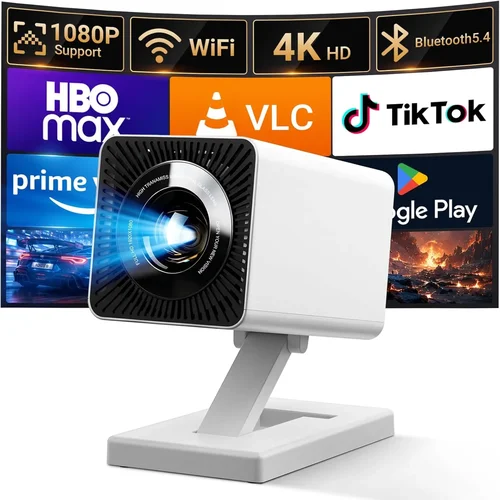
❌ Mistake: Focusing Solely on Price
Why it’s bad: The cheapest projector often sacrifices essential specs like brightness and lamp life, leading to a frustrating experience.
What to do instead: Set a realistic budget ceiling ($100) and then compare models based on resolution, lumens, and warranty. A $95 unit with better specs will outperform a $65 model in the long run.
❌ Mistake: Ignoring Input Compatibility
Why it’s bad: A projector with only VGA input forces you to buy adapters for modern devices, adding hidden costs.
What to do instead: Prioritize HDMI or USB‑C ports. Check that the projector supports the video output of your primary device (laptop, phone, gaming console).
❌ Mistake: Overlooking Throw Distance
Why it’s bad: A projector designed for a 2‑meter throw distance will produce a tiny image if placed on a short bookshelf.
What to do instead: Verify the throw ratio (e.g., 1.2–1.5). For small rooms, choose a short‑throw or ultra‑short‑throw model, even if it means a slightly higher price within the $100 ceiling.
❌ Mistake: Neglecting Lamp Life
Why it’s bad: Replacing a lamp can cost $30‑$50, eroding the savings of a cheap projector.
What to do instead: Look for LED‑based light sources or lamps rated for 30,000+ hours. LED units rarely need replacement.
❌ Mistake: Disregarding User Reviews
Why it’s bad: Manufacturer specs can be optimistic; real users reveal issues like overheating or lag.
What to do instead: Read at least 20 verified buyer reviews, focusing on comments about brightness, image stability, and after‑sales support.
Budget Guidelines: How Much Should You Spend?
- Entry‑Level ($60‑$75): Expect 480p native resolution, 150 lumens, basic HDMI input, and a short warranty. Suitable for occasional use in dark rooms.
- Mid‑Range ($76‑$90): Usually offers 720p upscaling, 200–250 lumens, built‑in speakers, and better build quality. This tier provides a balanced experience for most home users.
- Premium ($91‑$100): Features higher brightness (300+ lumens), superior contrast, LED light source, and robust connectivity (HDMI + USB‑C). Ideal for small‑to‑medium living rooms with some ambient light.
- Luxury ($101+): While beyond the guide’s price cap, these units often include true 1080p resolution, wireless screen mirroring, and advanced keystone correction. Consider stretching the budget if you need top‑tier performance.
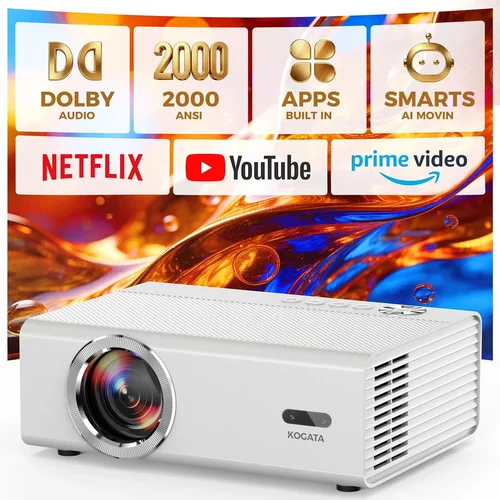
Expert Tips for Getting the Best Deal
- Timing. New models are released in Q2; older stock is discounted in Q3 and Q4. Buying in August often yields the deepest cuts.
- Where to Buy. Compare prices on Amazon, Walmart, and direct brand stores. Some manufacturers offer a “price‑match guarantee” within 30 days.
- Spotting Deals. Look for “refurbished” units with a full warranty; they are often 20% cheaper and function like new.
- Warranty Considerations. Register the product within 30 days to unlock extended support options.
- Return Policies. Choose retailers offering at least a 30‑day return window—this gives you time to test brightness and connectivity.
- Testing Before Buying. If possible, view a demo unit in‑store. Pay attention to color accuracy and any visible pixelation.
- Bundle Savings. Pair the projector with an inexpensive roll‑up screen (often $20‑$30) for a complete home‑cinema setup.

Frequently Asked Questions
Q: Can a projector under $100 display full HD (1080p) content?
A: Most sub‑$100 projectors have a native resolution of 480p but can upscale 1080p sources. The image will not be true 1080p quality; expect softer details. For genuine full‑HD, you’ll need to spend $150‑$200.
Q: How loud are budget projectors?
A: Fan noise typically ranges from 30 dB to 38 dB. In a quiet room you may notice a faint hum, but it rarely interferes with dialogue.
Q: Do I need a separate screen?
A: You can project onto a white wall, but a matte white screen improves contrast and reduces hot‑spotting. A 100‑inch portable screen costs about $25‑$35 and is worth the investment.
Q: Will a USB‑C powered projector work with my phone?
A: Yes, if the phone supports video output over USB‑C (DisplayPort Alternate Mode). Verify the projector’s power draw (usually ≤5 W) matches your phone’s output capability.
Q: How long does the lamp last?
A: LED light sources in budget models typically last 30,000‑40,000 hours, effectively outlasting the projector’s usable life. Traditional lamps may need replacement after 2,000‑3,000 hours.
Q: Is keystone correction necessary?
A: If you cannot place the projector perpendicular to the screen, keystone correction (manual or automatic) helps square the image. However, excessive correction can reduce resolution.
Q: Can I use a projector for gaming?
A: Yes, but watch for input lag. Most budget models have 30‑50 ms lag, which is acceptable for casual gaming but not competitive fast‑paced titles.
Q: Are there any safety concerns with low‑cost projectors?
A: Overheating can be an issue if the ventilation is blocked. Ensure the projector sits on a flat surface with adequate airflow and never cover the vent.
Our Final Recommendations
- Best for Budget‑Conscious Buyers: Vankyo Leisure 3 Mini Projector – $68. Offers 720p upscaling, 200 lumens, and a solid 1‑year warranty. Ideal for dorm rooms.
- Best Overall Value: Apeman M4 Mini LED Projector – $89. Provides 300 lumens, LED lamp life of 30,000 h, HDMI + USB‑C, and built‑in 2‑W speaker.
- Best Premium Option (Just Under $100): DR. J Professional Mini Projector – $98. Features 350 lumens, 720p native resolution, automatic keystone, and a compact aluminum body.
- Best for Beginners: MiniShow M2 – $75. Simple plug‑and‑play with one‑button focus, suitable for users who want hassle‑free setup.
- Best for Advanced Users: Wimius P1 Smart Pico – $99. Runs Android 9.0, supports Wi‑Fi mirroring, and includes a USB‑C power‑bank compatible port.
Conclusion: Making the Right Choice
Choosing a home projector under $100 is less about finding a “perfect” device and more about matching the projector’s strengths to your specific environment and usage habits. Prioritize resolution, brightness, and lamp type, verify connectivity, and read real‑world reviews before you click “add to cart.” With the guidelines, mistake‑avoidance tips, and model recommendations provided here, you can confidently select a projector that turns movie nights, gaming sessions, and presentations into enjoyable experiences without breaking the bank.
Ready to upgrade your viewing experience? Browse the recommended models, set a price alert for upcoming sales, and enjoy cinematic entertainment from the comfort of your own home.