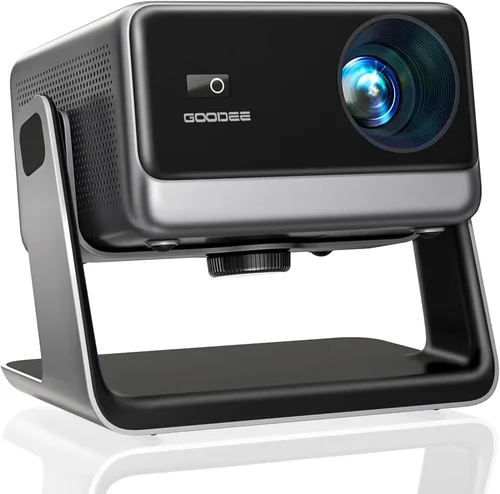
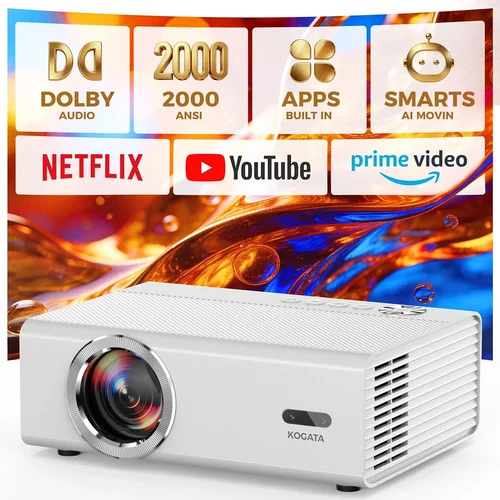
Choosing a home projector that delivers cinema‑quality visuals without blowing your budget can feel like navigating a maze. The market is flooded with models that promise 4K brilliance, ultra‑short‑throw designs, and smart‑TV integration—all for under $2,000. Yet not every claim holds up in a real living‑room environment. This guide cuts through the hype, giving you the knowledge to pick a projector that fits your space, viewing habits, and wallet.
In the pages that follow you will learn how to evaluate key specifications, understand the different projector technologies, avoid common buying pitfalls, and discover which models consistently earn top marks from experts and everyday users alike. By the end, you’ll be equipped to make a confident decision and enjoy countless movie nights, game sessions, and streaming marathons with a device that truly meets your needs.
The home‑theater projector segment has evolved dramatically over the past five years. LED and laser light sources have become more affordable, contrast ratios have improved, and manufacturers now bundle Android TV, HDR support, and wireless casting into mid‑range units. As a result, the $1,000‑$2,000 price bracket offers options that were once only available in premium $5,000‑plus models. Let’s dive into the factors that separate the standout performers from the rest.

What to Look for When Buying Buying Guide
1. Budget & Price Range
Even within the “under $2,000” segment, prices can vary widely based on features such as native 4K resolution, laser light sources, or built‑in smart platforms. Set a clear ceiling—$1,200, $1,500, or $2,000—and then prioritize which features are non‑negotiable. Remember that accessories (screen, mounting brackets, external speakers) can add $200‑$500, so factor those costs into your total spend.
2. Performance Specifications
Key specs directly affect picture quality:
- Resolution: 1080p (Full HD) is still common, but many models now offer 4K UHD or “4K‑enhanced” (pixel‑shift) technology. If you stream 4K content frequently, aim for native 4K or a high‑quality pixel‑shift system.
- Brightness (lumens): For a dark home theater, 1,500–2,500 ANSI lumens is sufficient. Bright rooms with ambient light may require 2,500–3,500 lumens.
- Contrast Ratio: Higher contrast delivers deeper blacks. Look for a dynamic contrast ratio of at least 30,000:1; laser models often exceed 100,000:1.
- Throw Ratio: Determines how far the projector must sit from the screen. Short‑throw (≤0.8) is ideal for small rooms; standard throw (1.2‑2.0) works in larger spaces.
- Color Accuracy: Look for Rec. 709 or DCI‑P3 coverage percentages; 90%+ is excellent for HDR.
3. Build Quality & Durability
A projector is an investment that should last 3‑5 years with regular use. Metal housings, sturdy lens covers, and reliable cooling systems are hallmarks of durability. Check user reviews for reports of overheating or premature lamp failures—laser and LED light sources typically outlast traditional lamps by a wide margin.
4. Features & Functionality
Modern projectors bundle many conveniences:
- Smart OS: Android TV, Roku TV, or proprietary platforms allow streaming without an external box.
- HDR Support: HDR10 is common; HDR10+ and Dolby Vision are rarer but add dynamic range.
- Wireless Casting: Miracast, AirPlay 2, or Chromecast built‑in enable phone or laptop screen sharing.
- Audio: Built‑in speakers are usually modest; plan for external soundbars or AV receivers for immersive audio.
- Keystone Correction & Lens Shift: Essential for flexible placement; lens shift is superior to digital keystone.
5. Brand Reputation
Brands such as Epson, BenQ, Optoma, and ViewSonic have established track records for reliability and service. Newer entrants like Xiaomi and Hisense are competitive on price but may have limited warranty networks in some regions. Research the brand’s after‑sales support, firmware update frequency, and community forums.
6. Warranty & Support
Standard warranties range from 1 to 3 years. Look for extended warranty options, especially for the light source. A responsive support team and easy‑to‑order replacement parts can save you headaches if something goes wrong.
7. Size & Portability (if applicable)
For occasional movie nights in a bedroom or dorm, a compact, portable projector (under 2 kg) may be preferable. Larger, heavier units often deliver better brightness and optics but require permanent mounting.
8. User Reviews & Ratings
Beyond professional tests, real‑world user feedback reveals long‑term reliability, firmware quirks, and actual performance in varied lighting conditions. Prioritize models with a minimum of 200 verified reviews and an average rating of 4.2 stars or higher.
Different Types of Buying Guide

Common Buying Mistakes to Avoid
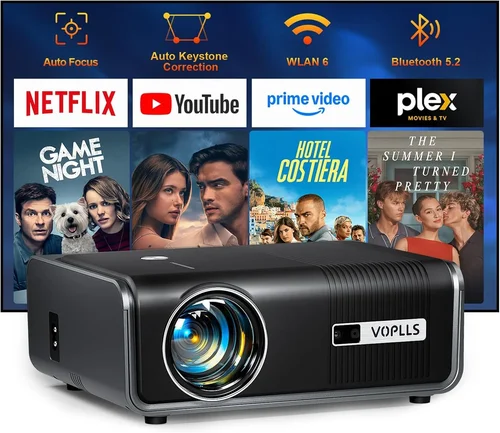
❌ Mistake: Ignoring Ambient Light Conditions
Why it’s bad: Selecting a low‑lumens projector for a bright living room results in washed‑out images and frustration.
What to do instead: Measure the typical ambient light level and choose a projector with at least 2,500 lumens for well‑lit spaces, or invest in blackout curtains and a proper screen.
❌ Mistake: Over‑focusing on Resolution Alone
Why it’s bad: A 4K projector with poor contrast and low brightness may look worse than a high‑quality 1080p unit.
What to do instead: Balance resolution with contrast, brightness, and color accuracy. For most users, a high‑contrast 1080p model offers a better overall experience at a lower price.
❌ Mistake: Forgetting About Throw Distance
Why it’s bad: Placing a standard‑throw projector too close to the wall forces you to shrink the image or mount it high, creating distortion.
What to do instead: Use the manufacturer’s throw‑ratio calculator and measure your room dimensions before buying. Consider short‑throw models if space is limited.
❌ Mistake: Assuming Built‑in Speakers Are Sufficient
Why it’s bad: Most projectors have modest 5‑10 W speakers that cannot reproduce deep bass or a wide soundstage.
What to do instead: Budget for an external sound solution—a soundbar, bookshelf speakers, or a full AV receiver.
❌ Mistake: Neglecting Warranty & Service Options
Why it’s bad: Light‑source failures can be costly if not covered, especially for lamp‑based units.
What to do instead: Choose models with at least a 2‑year warranty and consider an extended service plan for the light source.
❌ Mistake: Buying Without Testing the Image
Why it’s bad: Manufacturer specs may look great on paper, but real‑world performance can differ due to firmware or factory calibration.
What to do instead: Visit a showroom, request a demo, or buy from a retailer with a solid return policy that lets you test the projector in your own environment.
Budget Guidelines: How Much Should You Spend?
Understanding what you get at each price tier helps you set realistic expectations.
- Entry‑Level ($800‑$1,200): Typically 1080p resolution, 1,500‑2,000 lumens, lamp‑based light source. Good for dark rooms and occasional movie nights. Expect lower contrast and limited HDR support.
- Mid‑Range ($1,200‑$1,700): Mix of 1080p and 4K‑enhanced models, brighter output (2,200‑2,800 lumens), and better color accuracy. Many include Android TV or Roku integration.
- Premium ($1,700‑$2,000): Native 4K, laser or high‑end LED light sources, contrast ratios above 50,000:1, and advanced features like HDR10+, lens shift, and robust wireless casting.
- Luxury ($2,000+): While beyond the scope of this guide, these units often deliver cinema‑grade brightness (>3,500 lumens), dual‑laser tech, and built‑in professional audio. Consider only if you have a dedicated home‑theater space.
Expert Tips for Getting the Best Deal
- Seasonal Timing: New models launch in spring; retailers discount older inventory in late summer.
- Where to Buy: Compare prices on Amazon, B&H, and manufacturer websites. Brick‑and‑mortar stores like Best Buy allow in‑store demos.
- Bundle Savings: Look for packages that include a screen, ceiling mount, or extended warranty at a reduced rate.
- Check Firmware Updates: A recent firmware patch can improve color grading or fix connectivity bugs, adding value to older units.
- Return Policy: Opt for retailers offering at least a 30‑day return window with free return shipping.
- Test with Your Content: Bring a 4K Blu‑ray or stream a HDR title during a demo to assess real‑world performance.
- Negotiate: Some online sellers will honor price‑match guarantees; don’t hesitate to ask.

Frequently Asked Questions
Q: Do I need a special screen for a projector under $2,000?
A: While a white wall works, a dedicated projector screen improves gain, color uniformity, and contrast. For most budgets, a 120‑inch 16:9 matte white screen (gain 1.0‑1.1) offers the best value. If you’re short on space, a pull‑down screen or a high‑gain fixed frame screen can boost brightness.
Q: Is a lamp‑based projector still a good choice?
A: Lamp projectors can deliver high brightness at lower cost, but the lamp will need replacement every 2‑4 years, adding long‑term expense. LED and laser models have higher upfront prices but virtually no maintenance, making them more cost‑effective over time.
Q: How far should I place my projector for a 100‑inch image?
A: Use the throw ratio. For a standard‑throw projector with a 1.5:1 ratio, you’ll need about 12.5 feet (3.8 m) of distance. Short‑throw units (0.6:1) require roughly 5 feet (1.5 m). Always verify with the manufacturer’s calculator.
Q: Can I use a projector for gaming?
A: Yes, but ensure low input lag (<20 ms) and a refresh rate of at least 60 Hz. Some models offer “Game Mode” which disables post‑processing to reduce lag. For competitive gaming, a low‑latency monitor may still be preferable.
Q: Does HDR really matter on a budget projector?
A: HDR adds noticeable depth when the projector can achieve sufficient brightness (≥2,500 lumens) and contrast. Many sub‑$2,000 units support HDR10, but the effect may be modest compared to high‑end displays. If HDR is a priority, target a laser or LED model with strong color coverage.
Q: Should I buy a projector with built‑in Android TV?
A: Built‑in Android TV simplifies streaming and eliminates extra cables. However, the interface can be slower than a dedicated streaming box. If you already own a Roku, Apple TV, or Fire Stick, you might save money by choosing a “bare‑bones” projector and using your preferred device.
Q: How long does a typical projector last?
A: Laser and LED light sources often exceed 20,000 hours, equating to roughly 5‑6 years of daily 4‑hour use. Lamp‑based units usually last 2,000‑4,000 hours before requiring replacement.
Q: Is a ceiling mount necessary?
A: Mounting the projector reduces keystone distortion and frees up floor space. It also improves airflow and protects the unit from accidental knocks. If you plan permanent installation, a ceiling mount is highly recommended.
Q: What cables do I need?
A: HDMI 2.0 or higher is essential for 4K HDR content. For longer runs, consider HDMI over Ethernet (HDBaseT) or a high‑quality optical cable for audio. USB‑C can be useful for firmware updates.
Our Final Recommendations
Best for Budget‑Conscious Buyers
Model: BenQ TH585 – $999
Why: 1080p, 3,500 lumens, low input lag (≈16 ms), and a robust lamp life of 15,000 hrs. Ideal for bright rooms and casual gaming.
Best Overall Value
Model: Epson Home Cinema 3800 – $1,599
Why: Native 4K‑enhanced (pixel‑shift), 3,000 lumens, 100,000:1 contrast, and excellent color accuracy (Rec. 709 95%). Versatile lens shift and decent built‑in speakers.
Best Premium Option
Model: Optoma UHZ65 – $1,949
Why: True 4K laser, 3,000 lumens, HDR10+, 120 Hz refresh, and ultra‑low lag. Perfect for cinephiles who want cinema‑grade performance without breaking $2,000.
Best for Beginners
Model: ViewSonic M2 – $899
Why: Compact LED design, full‑HD, Android TV built‑in, and wireless screen mirroring. Easy setup with auto‑keystone and a portable form factor.
Best for Advanced Users
Model: LG CineBeam HU85LA – $1,795 (often on sale under $2,000)
Why: Ultra‑short‑throw laser, 2,700 lumens, 4K resolution, and webOS smart platform. Allows a 100‑inch image from just inches away, minimizing shadows.
Conclusion: Making the Right Choice
Finding the best home projector under $2,000 hinges on balancing brightness, contrast, resolution, and extra features against your specific viewing environment. Start by measuring your room, deciding how much ambient light you’ll have, and determining whether you need a short‑throw or standard‑throw unit. Then compare the key specifications outlined above, keep an eye out for the common pitfalls, and use the expert tips to secure the best price.
Remember, the “best” projector is the one that fits your lifestyle—whether that’s binge‑watching Netflix in a dark den, hosting weekend gaming tournaments, or projecting presentations on the go. Armed with this guide, you’re ready to walk into a store or click “Add to Cart” with confidence, knowing you’ve chosen a projector that will deliver years of vibrant, immersive entertainment.