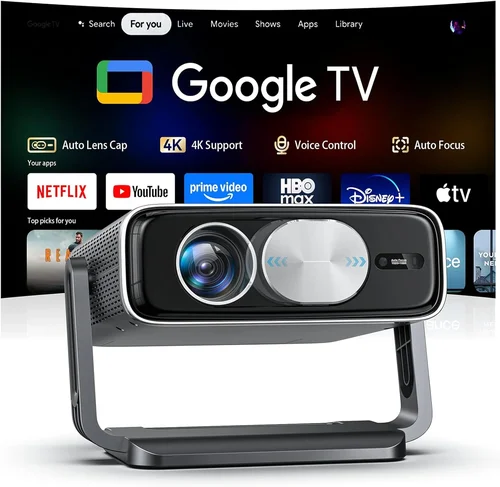
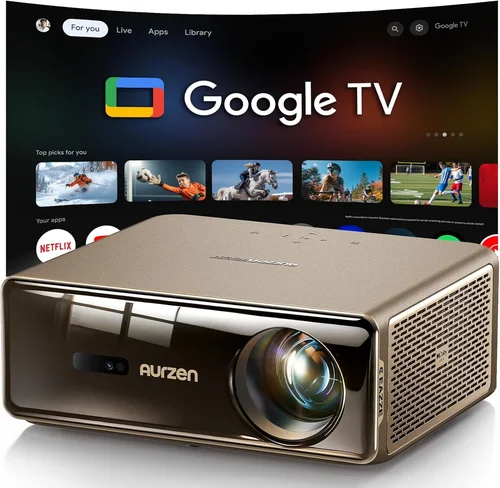
If you’ve ever imagined turning your living room into a cinema‑like experience without breaking the bank, you’re not alone. The home‑theater projector market has exploded over the past few years, offering models that deliver stunning visuals for under $1,000. This guide cuts through the noise, helping you understand what truly matters when you’re hunting for the best home theater projector under $1000.
In the pages that follow you’ll learn how to evaluate key specifications, compare projector families, avoid common pitfalls, and get the most bang for your buck. By the end, you’ll be equipped to pick a projector that matches your space, viewing habits, and budget – all without the guesswork.

What to Look for When Buying Buying Guide
1. Budget & Price Range
Price is the first filter most shoppers use. While $1,000 seems like a hard ceiling, the reality is that you’ll find a wide price spread within that limit. Entry‑level units hover around $400‑$600, while the most feature‑rich models approach $950. Knowing how much you’re willing to stretch helps you focus on the sweet spot where performance meets affordability.
2. Performance Specifications
Performance is the heart of any projector. Pay close attention to three core specs:
- Resolution: For a home theater, 1080p (Full HD) is the baseline. Some newer budget models push 4K‑enhanced (also called “4K‑upscaled”) which can improve detail without the price tag of native 4K.
- Brightness (lumens): Measured in ANSI lumens, this determines how well the image will hold up in ambient light. For a dark room, 1,500–2,000 lumens is ample; if you can’t blackout the space, aim for 2,200 lumens or more.
- Contrast Ratio: This indicates the depth between the darkest blacks and brightest whites. Higher contrast (e.g., 30,000:1) yields richer images, especially for movies with dark scenes.
3. Build Quality & Durability
A projector is an investment that should last several years. Look for a sturdy chassis, reliable cooling fans, and a reputable lamp life (or laser/LED source). LED and laser projectors often boast 20,000‑30,000 hour lamp life, reducing the need for costly replacements.
4. Features & Functionality
Modern projectors pack a lot of tech. Consider which of these features matter to you:
- HDR Compatibility: High Dynamic Range can boost color and contrast, but only works with HDR sources.
- Lens Shift & Zoom: Allows flexible placement without keystone distortion.
- Built‑in Speakers: Useful for casual viewing, though most audiophiles will add external sound.
- Smart OS: Some models include Android TV or Roku, turning the projector into an all‑in‑one streaming device.
5. Brand Reputation
Brands that specialize in home cinema—such as Epson, BenQ, Optoma, and ViewSonic—tend to offer better after‑sales support and more frequent firmware updates. Research community forums and professional reviews to gauge long‑term satisfaction.
6. Warranty & Support
A solid warranty (minimum 2‑year coverage) can save you headaches. Check whether the warranty covers the light source, and whether the manufacturer offers onsite service or easy RMA processes.
7. Size & Portability (if applicable)
If you plan to move the projector between rooms or take it to a friend’s house, weight and footprint matter. Most 1080p budget models weigh between 5‑8 lb and can be mounted on a standard ceiling bracket.
8. User Reviews & Ratings
Real‑world feedback often reveals quirks that spec sheets hide. Look for patterns in reviews—consistent complaints about fan noise, for example, can be a deal‑breaker.
Different Types of Buying Guide

Common Buying Mistakes to Avoid
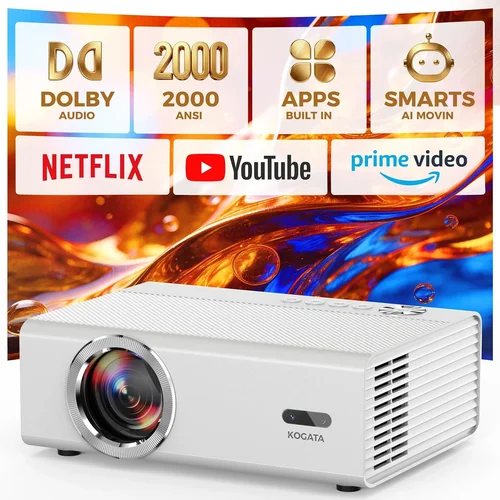
❌ Mistake: Ignoring Ambient Light Conditions
Why it’s bad: Buying a dim 1,200‑lumen unit for a bright living room leads to washed‑out images.
What to do instead: Measure the typical light level in your viewing space and choose a projector with at least 2,000 lumens if you can’t fully darken the room.
❌ Mistake: Focusing Solely on Resolution
Why it’s bad: A 4K‑enhanced projector may still look grainy if its brightness or contrast is weak.
What to do instead: Balance resolution with brightness, contrast, and color performance. In most sub‑$1,000 units, Full HD with good contrast beats a cheap “4K‑upscaled” model.
❌ Mistake: Overlooking Lamp Life or Light Source Type
Why it’s bad: Replacing a traditional UHP lamp can cost $150‑$250, eroding your savings.
What to do instead: Prioritize LED or laser light sources for longer life and lower total‑ownership cost.
❌ Mistake: Forgetting About Throw Distance
Why it’s bad: A projector with a long throw ratio may require a ceiling mount far away, limiting placement options.
What to do instead: Calculate your room’s dimensions and pick a short‑throw or standard‑throw model that fits comfortably.
❌ Mistake: Ignoring Connectivity Options
Why it’s bad: Without the right ports, you may need extra adapters, adding clutter and latency.
What to do instead: Ensure the projector has HDMI 2.0 (or higher), USB‑C for streaming sticks, and optional audio output for your sound system.
❌ Mistake: Skipping Firmware Updates
Why it’s bad: Outdated firmware can cause compatibility issues with new streaming devices.
What to do instead: Choose brands that provide regular updates and check their support site before purchase.
Budget Guidelines: How Much Should You Spend?
Entry‑Level ($400‑$600)
- Typical specs: 1080p, 1,500–2,000 lumens, 15,000:1 contrast.
- Ideal for small bedrooms or occasional movie nights.
- Examples: BenQ TH585, Optoma HD146X.
Mid‑Range ($600‑$800)
- Enhanced brightness (2,200+ lumens), better color accuracy, some HDR support.
- Suitable for dedicated home theaters with controlled lighting.
- Examples: Epson Home Cinema 2150, ViewSonic PX747‑4K (4K‑enhanced).
Premium ($800‑$1,000)
- Laser/LED light source, 30,000:1+ contrast, advanced lens shift, HDR10.
- Best for enthusiasts who want low maintenance and consistent performance.
- Examples: Optoma CinemaX P2 (short‑throw laser), BenQ HT2150ST.
Luxury ($1,000+)
- True 4K native, ultra‑short‑throw, premium optics, integrated smart platform.
- Usually exceeds the $1,000 cap, but worth mentioning for future upgrades.
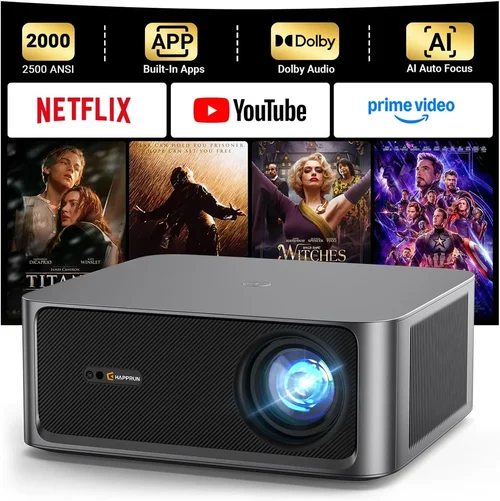
Expert Tips for Getting the Best Deal
- Timing is everything: Major sales events—Black Friday, Cyber Monday, and Amazon Prime Day—often feature 20‑30% discounts on home theater gear.
- Shop from authorized retailers: This ensures you receive a valid warranty and access to official support.
- Bundle wisely: Some sellers offer a screen, mounting kit, or HDMI cable at a reduced price when purchased with the projector.
- Check return policies: A 30‑day return window lets you test the projector in your own environment.
- Read the fine print on lamp warranties: Some manufacturers count lamp hours from the day of purchase, others from the first use.
- Consider refurbished units: Certified refurbished models can be up to 25% cheaper and still carry a warranty.
- Use price‑tracking tools: Websites like CamelCamelCamel or Keepa alert you when a product’s price drops.
- Test for fan noise: If possible, view a short video clip in the store to gauge audible fan levels.

Frequently Asked Questions
Q: Can I use a budget projector for gaming?
A: Yes, but look for a low input lag (under 30 ms) and a refresh rate of at least 60 Hz. DLP models often excel in this area.
Q: Do I need a screen, or is a blank wall enough?
A: A proper projector screen improves color accuracy and brightness uniformity, especially in rooms with some ambient light. However, a matte white wall can work fine for casual viewing.
Q: How far should the projector be from the screen?
A: It depends on the throw ratio. For a standard‑throw projector with a 1.5:1 ratio, a 100‑inch screen requires roughly 12.5 ft of distance. Short‑throw models can sit just a few feet away.
Q: Is HDR worth it on a sub‑$1,000 projector?
A: Basic HDR10 support can enhance contrast and color, but the effect is limited by the projector’s peak brightness. If HDR is a priority, aim for at least 2,500 lumens.
Q: Should I buy a projector with built‑in speakers?
A: Built‑in speakers are convenient for occasional use, but they lack the depth of a dedicated sound system. Pairing the projector with a soundbar or AVR yields a true home‑theater experience.
Q: How often do I need to clean the projector lens?
A: Light dusting once a month is sufficient. Use a microfiber cloth and avoid harsh chemicals.
Q: What is the difference between lamp‑based and laser projectors?
A: Lamp‑based units use a replaceable bulb with limited life (2,000‑4,000 hours). Laser projectors have solid‑state light sources that last 20,000+ hours and maintain consistent brightness.
Q: Can I mount a projector on the ceiling?
A: Absolutely. Most models support standard ¼‑20 mounting threads. Ensure the ceiling can bear the weight and that you have proper ventilation.
Q: Is a 4K‑enhanced projector worth the extra cost?
A: For most viewers under $1,000, a high‑quality 1080p projector offers a clearer, sharper picture than a cheap 4K‑upscaled unit. Upgrade only if you need native 4K for large screens.
Our Final Recommendations
Best for Budget‑Conscious Buyers: BenQ TH585 – 1080p, 3,500 lumens, 10,000:1 contrast, low input lag, and a price around $550.
Best Overall Value: Epson Home Cinema 2150 – 1080p, 2,500 lumens, lens shift, wireless streaming, and solid color accuracy for roughly $800.
Best Premium Option (under $1,000): Optoma CinemaX P2 – Ultra‑short‑throw laser, 4K‑enhanced, 3,000 lumens, HDR10, and a sleek design at $990.
Best for Beginners: ViewSonic PX747‑4K – 4K‑enhanced, easy setup, decent brightness, and a user‑friendly menu for about $700.
Best for Advanced Users: BenQ HT2150ST – Short‑throw, 1080p, 2,200 lumens, 15,000:1 contrast, and excellent gaming performance, priced near $900.
Conclusion: Making the Right Choice
Choosing the best home theater projector under $1000 boils down to matching the device’s strengths with your viewing environment and usage patterns. Remember to assess ambient light, prioritize brightness and contrast, and factor in long‑term costs such as lamp replacement or maintenance.
Take the time to read user reviews, test the projector if possible, and leverage seasonal sales to stretch your budget further. With the right research, you can create a cinematic experience at home without overspending.
Ready to start your search? Use the guidelines above to narrow down your options, and enjoy countless movie nights, gaming sessions, and streaming marathons on a screen that feels larger than life.