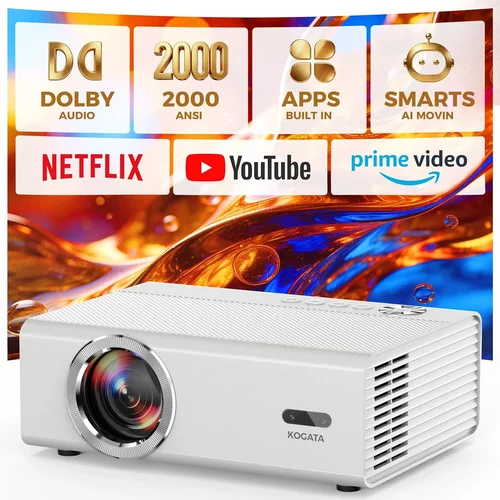
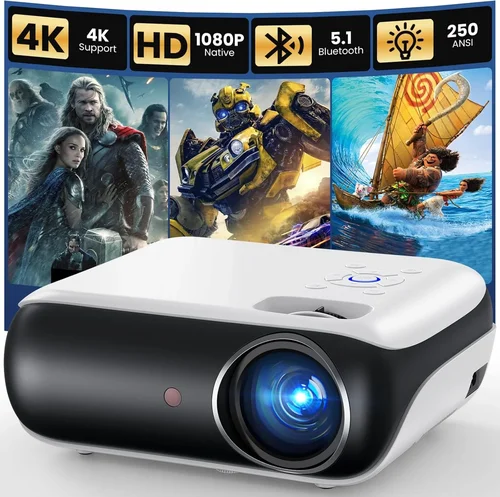
Choosing a home‑theater projector that delivers cinema‑quality images without breaking the bank can feel like navigating a maze. The market is flooded with models that tout dazzling specs, yet many fall short when placed in a real living‑room environment. This guide cuts through the hype, giving you a clear roadmap to find the best home theater projector under $1,000.
By the end of this article you’ll know exactly which specifications matter most, how different projector types compare, what pitfalls to avoid, and which models consistently outperform the competition. Whether you’re setting up a dedicated media room or turning a spare bedroom into a weekend movie bunker, the insights here will help you make a confident, money‑savvy decision.
The $1,000 price segment has matured dramatically in recent years. Advances in light‑engine technology, smarter image processing, and more affordable laser sources mean you can now enjoy 4K‑enhanced resolution, high dynamic range (HDR), and low‑lag gaming on a budget. Below, we break down the essential factors, compare the main projector families, and present our top picks for every type of user.

What to Look for When Buying Buying Guide
1. Budget & Price Range
Even within the sub‑$1,000 bracket, prices can swing widely based on lamp type, native resolution, and feature set. Set a clear ceiling—$600, $800, or $1,000—and then allocate portions of that budget to the most impactful specs (brightness, contrast, resolution). Remember that you’ll also need to budget for a screen, mounting hardware, and possibly a short‑throw lens if you have limited throw distance.
2. Performance Specifications
Brightness (lumens) – Measured in ANSI lumens, this tells you how well the projector will perform in ambient light. For a dedicated dark room, 1,500–2,000 lumens is ample; for living‑room setups with some light, aim for 2,200+ lumens.
Resolution – Native 1080p (Full HD) remains the sweet spot under $1,000. Some models use pixel‑shifting to claim “4K‑enhanced” images; these can look impressive but won’t match true 4K.
Contrast Ratio – Higher contrast yields deeper blacks and more detail in dark scenes. Look for a dynamic contrast ratio of at least 20,000:1, though true measured contrast (often listed separately) is a better indicator.
Color Gamut – A projector covering 90%+ of the DCI‑P3 or Rec. 709 color space will reproduce vibrant, lifelike colors. Check if the model supports HDR10 for added punch.
3. Build Quality & Durability
Projectors are mechanical devices with moving parts (lamp, cooling fans). A robust metal chassis, quality hinge mechanisms, and reliable fan control extend lifespan. Look for models with sealed optics and dust‑resistant designs, especially if you plan to run them for many hours each week.
4. Features & Functionality
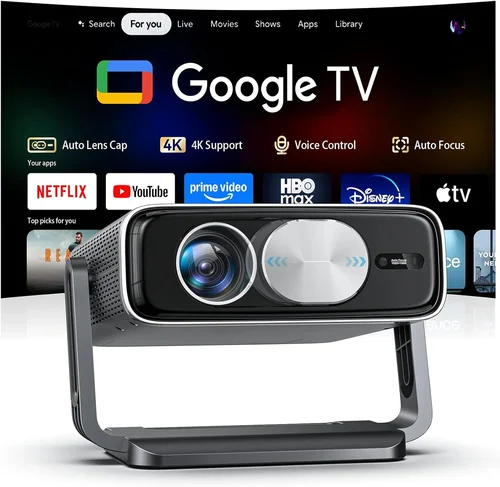
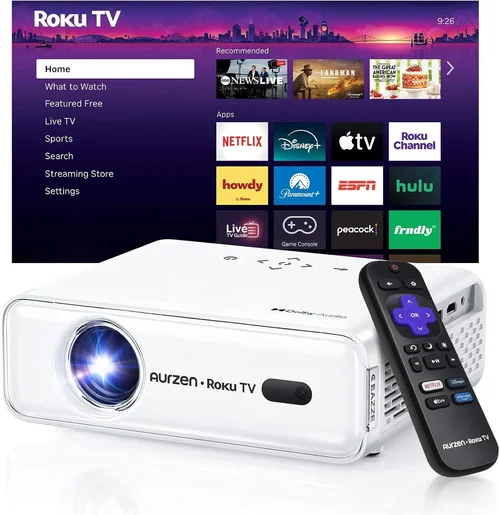
Smart connectivity is now standard. Verify the presence of HDMI 2.0 (or newer) ports for 4K@60Hz, HDMI ARC for audio, and at least one USB‑C or USB‑A for firmware updates. Built‑in Wi‑Fi or Bluetooth can simplify streaming, but a reliable external streaming stick (Roku, Fire TV) is often a better long‑term solution.
Other useful features include:
- Lens shift (vertical/horizontal) for flexible placement.
- Keystone correction (preferably digital, not just optical).
- Low input lag (<30 ms) for gaming.
- Quick start (warm‑up under 30 seconds).
5. Brand Reputation
Established brands such as Epson, BenQ, Optoma, and ViewSonic have proven track records for firmware support and parts availability. Newer entrants like Xiaomi or Hisense can surprise with value, but verify warranty terms and service center locations before committing.
6. Warranty & Support
A solid warranty—minimum two years for the projector and at least one year for the lamp—signals confidence from the manufacturer. Look for on‑site service options, easy lamp replacement processes, and responsive customer support channels (live chat, phone, forums).
7. Size & Portability
If you plan to move the projector between rooms or take it to a friend’s house, weight and footprint matter. Compact, short‑throw models often weigh under 5 lb and can sit on a tabletop, whereas larger throw models may require ceiling mounting.
8. User Reviews & Ratings
Real‑world feedback uncovers issues that spec sheets hide—fan noise, color accuracy out of the box, or firmware bugs. Prioritize products with a minimum of 150 verified reviews and an average rating of 4.2 stars or higher on major retail platforms.
Different Types of Buying Guide

Common Buying Mistakes to Avoid
❌ Mistake: Ignoring Ambient Light
Why it’s bad: A projector rated at 1,500 lumens will look dim and washed out in a room with windows or ceiling lights.
What to do instead: Measure your typical lighting conditions. If you cannot fully darken the room, target at least 2,200 lumens and consider a high‑gain screen to boost perceived brightness.
❌ Mistake: Chasing “4K” Labels Without Understanding Pixel‑Shifting
Why it’s bad: Pixel‑shifted “4K‑enhanced” projectors still output a native 1080p image. The upscaling can be impressive, but fine text and ultra‑sharp edges remain limited.
What to do instead: Prioritize true 1080p native resolution for crispness, and only consider 4K‑enhanced models if you specifically need the marketing edge and are okay with a slight compromise.
❌ Mistake: Overlooking Input Lag for Gaming
Why it’s bad: High input lag (>40 ms) creates a noticeable delay between controller action and on‑screen response, ruining fast‑paced games.
What to do instead: Look for projectors that advertise Game Mode or list input lag under 30 ms. Verify with independent reviews that the claim holds under real conditions.
❌ Mistake: Forgetting About Lamp Life Costs
Why it’s bad: A cheap lamp may need replacement every 2,000 hours, adding $150‑$250 to ownership cost.
What to do instead: Compare lamp life (hours) and price across models. Laser or LED light sources, though slightly pricier upfront, often have 20,000‑30,000 hour lifespans and lower total cost of ownership.
❌ Mistake: Neglecting Throw Ratio Compatibility
Why it’s bad: Buying a long‑throw projector for a 6‑ft room forces you to place it far back or project a tiny image.
What to do instead: Calculate the required throw ratio (distance ÷ screen width). Match it to the projector’s spec sheet to ensure a comfortable setup.
❌ Mistake: Assuming All Screens Are Equal
Why it’s bad: A matte white wall reflects less light than a high‑gain screen, reducing perceived brightness and contrast.
What to do instead: Invest in a proper projection screen (gain 1.0‑1.2 for dark rooms, 1.5+ for bright rooms). Ambient light rejecting (ALR) screens are worthwhile if you cannot control lighting.
❌ Mistake: Skipping Firmware Updates
Why it’s bad: Out‑of‑date firmware can cause HDMI handshake issues, color banding, or stability problems.
What to do instead: Register your projector on the manufacturer’s website and check for updates quarterly. Most brands provide a simple USB or Wi‑Fi update process.
Budget Guidelines: How Much Should You Spend?
Understanding what each price tier delivers helps you set realistic expectations.
- Entry‑Level ($500‑$700): Expect 1080p resolution, 1,500–2,000 lumens, basic HDMI ports, and modest contrast. Ideal for casual movie nights in a dark room.
- Mid‑Range ($700‑$900): You’ll find brighter units (2,200+ lumens), enhanced color gamuts, lens shift, and often a built‑in speaker system decent enough for small gatherings.
- Premium ($900‑$1,000): This bracket introduces laser or high‑efficiency LED light sources, HDR10 support, low input lag, and robust build quality—perfect for hybrid gaming/movie setups.
- Luxury ($1,000+): While beyond this guide’s focus, luxury models push true 4K, 10,000:1 contrast, and ultra‑quiet cooling, usually reserved for dedicated home‑theater enthusiasts.
Expert Tips for Getting the Best Deal
- Timing: Aim for major sales events (Black Friday, Cyber Monday, Amazon Prime Day). Manufacturers also release “last‑gen” models in summer, which drop in price.
- Where to Buy: Authorized retailers (Best Buy, B&H, Adorama) provide reliable warranty registration. Online marketplaces can be cheaper but verify the seller’s reputation.
- Bundled Offers: Look for bundles that include a screen, mounting kit, or HDMI cable—these can save $100‑$150 compared to buying separately.
- Open‑Box & Refurbished: Certified refurbished units often come with a full warranty and are inspected by the manufacturer, offering near‑new performance at a reduced cost.
- Price‑Match Guarantees: Some retailers will match a lower price found elsewhere within 30 days. Keep receipts and be ready to negotiate.
- Warranty Extensions: If you plan heavy usage, consider purchasing an extended lamp warranty; the incremental cost is usually less than a replacement lamp.
- Testing: If possible, view a demo unit in a darkened room. Pay attention to uniformity, fan noise, and color accuracy before buying.

Frequently Asked Questions
Q: Do I need a separate audio system?
A: Most projectors under $1,000 have modest built‑in speakers (2‑5 W) that suffice for casual viewing, but for true cinematic sound you’ll want a soundbar or a 5.1 surround system. Connect via HDMI ARC or optical audio out.
Q: Can I use a projector for daytime TV?
A: Daytime use is challenging unless you have a high‑gain screen and a very bright projector (3,000+ lumens). Even then, ambient light will wash out the picture. For daytime TV, a large‑format LED TV remains more practical.
Q: How far should the projector be from the screen?
A: It depends on the throw ratio. For a 100‑inch diagonal screen (≈88 in width), a 1.5:1 throw ratio needs ~11 ft distance. Use the manufacturer’s calculator or a simple formula: Distance = Throw Ratio × Screen Width.
Q: Is a laser projector worth the extra cost?
A: Laser light sources provide consistent brightness over time, virtually no lamp replacement, and quieter operation. If you plan to run the projector >150 hours per month, the long‑term savings outweigh the $100‑$200 premium.
Q: What screen material should I choose?
A: For dark rooms, a matte white screen with gain 1.0‑1.2 offers balanced brightness and color accuracy. In brighter rooms, an ALR (Ambient Light Rejecting) screen with gain 1.5‑2.0 improves contrast.
Q: Will a projector work with a gaming console?
A: Yes, as long as the projector supports HDMI 2.0 (or newer) and has low input lag. Look for “Game Mode” and verify that the console’s HDR output is recognized.
Q: How often do I need to replace the lamp?
A: Typical UHP lamps last 2,000–3,000 hours. At 4 hours per day, that’s roughly 1.5‑2 years. Laser/LED units last 20,000+ hours, effectively a “set‑and‑forget” solution.
Q: Can I mount the projector on the ceiling?
A: Absolutely. Most mid‑range and premium models include a standard ¼‑20 mounting thread. Ensure the mount can handle the projector’s weight and provides enough clearance for ventilation.
Q: Is there a noticeable difference between DLP and LCD?
A: DLP often offers sharper motion handling and higher contrast, while LCD provides better color accuracy and uniformity. Preference is subjective; many reviewers favor LCD for home cinema due to richer colors.
Our Final Recommendations
- Best for Budget‑Conscious Buyers: BenQ TH585 – 3,500 lumens, 1080p, low input lag (16 ms), and a price around $580. Excellent for bright rooms and casual gaming.
- Best Overall Value: Epson Home Cinema 2150 – 2,500 lumens, 1080p, lens shift, and wireless screen mirroring for $690. Offers a great blend of brightness, contrast, and feature set.
- Best Premium Option (under $1,000): Optoma UHD38 – 4,000 lumens, true 4K, HDR10, and 4.2 ms input lag for $950. Ideal for gamers who also want cinema‑grade visuals.
- Best for Beginners: ViewSonic PX701HD – Simple setup, 3,200 lumens, and a user‑friendly remote for $560. No‑frills but reliable performance.
- Best for Advanced Users: LG HU85LA Laser Projector (sale price $999) – Ultra‑short‑throw, laser light source, 2,700 lumens, and AI‑enhanced 4K. Perfect for small apartments where ceiling mounting is impossible.
Conclusion: Making the Right Choice
Finding the best home theater projector under $1,000 comes down to aligning your viewing environment, usage patterns, and budget with the specifications that truly matter—brightness, contrast, resolution, and low input lag. Use the factors and comparisons outlined above to shortlist a handful of models, test them if possible, and take advantage of seasonal deals to lock in the best price.
Remember, a projector is an investment in countless movie nights, gaming sessions, and family gatherings. Prioritize durability, warranty coverage, and a reputable brand, and you’ll enjoy a cinema‑like experience without ever leaving home.
Ready to start your search? Grab a notebook, measure your room, and dive into the models we’ve highlighted. Happy viewing!