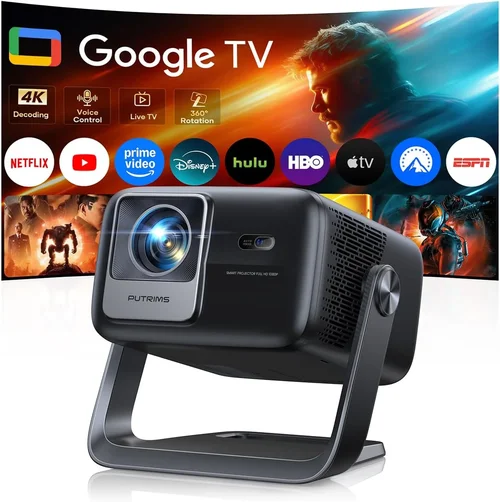
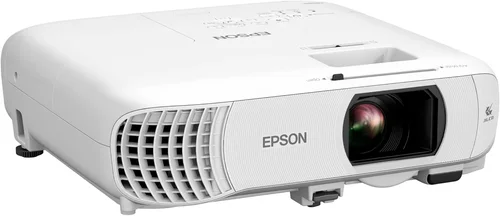
Choosing a home theater projector that fits under ₹20,000 can feel like hunting for a needle in a haystack. The market is flooded with models that promise cinema‑like experiences, yet many fall short when it comes to brightness, color accuracy, or durability. This guide cuts through the noise, giving you a clear roadmap to find a projector that delivers big‑screen thrills without breaking the bank.
By the end of this article you will understand the most important specifications, know which projector type aligns with your room setup, avoid common purchasing pitfalls, and walk away with a shortlist of the best options available in 2026 for under ₹20,000.

What to Look for When Buying Buying Guide
1. Budget & Price Range
When you set a hard ceiling of ₹20,000, you instantly limit the pool to entry‑level DLP and LCD models. These projectors can still provide a satisfying experience, but you must be realistic about trade‑offs such as lower lumen output or fewer connectivity options. Look for sales, refurbished units, or bundles that include a screen or mounting hardware to stretch your budget further.
2. Performance Specifications
The heart of any projector lies in its brightness (measured in lumens), contrast ratio, and native resolution. For a typical living‑room with some ambient light, aim for at least 2,500–3,000 ANSI lumens. A contrast ratio of 10,000:1 or higher will give deeper blacks, essential for movie nights. While 1080p (Full HD) is ideal, many sub‑₹20,000 models cap at 720p; if you’re okay with slightly softer detail, a good 720p projector can still look impressive on a 100‑inch screen.
3. Build Quality & Durability
Projectors in this price bracket often use plastic housings and basic cooling fans. Check user reviews for reports of overheating or fan noise. Models with metal lens housings or reinforced chassis tend to survive longer, especially if you plan to move the unit between rooms.
4. Features & Functionality
Key features to prioritize:
- Keystone correction: Allows you to fix trapezoidal distortion without moving the projector.
- Lens shift: Offers more flexibility in positioning; rare at this price but a bonus when present.
- Built‑in speakers: Useful for casual viewing, though external soundbars are recommended for true home‑theater sound.
- Multiple inputs: HDMI is a must; USB, VGA, and AV ports add versatility.
- Wireless options: Some models support Wi‑Fi or Bluetooth streaming—great for casting from phones.
5. Brand Reputation
Established brands like Epson, BenQ, ViewSonic, and Optoma have proven track records for reliability and service. Newer entrants may offer aggressive pricing but could lack extensive warranty networks. Research the brand’s presence in India, availability of service centers, and overall customer satisfaction scores.
6. Warranty & Support
A solid warranty (minimum one year) protects you from premature lamp failures or hardware defects. Look for brands that provide easy claim processes and have authorized service partners in major cities. Some retailers also offer extended warranties at a modest extra cost.
7. Size & Portability
If you plan to move the projector between rooms or take it outdoors for movie nights, weight and footprint matter. Portable “pico” projectors are ultra‑light but often sacrifice brightness. A mid‑size unit (around 2–3 kg) offers a good balance between performance and portability.
8. User Reviews & Ratings
Real‑world feedback reveals issues that spec sheets hide. Look for patterns in reviews—consistent complaints about lamp life, fan noise, or HDMI lag are red flags. Positive trends like “excellent value for money” or “great picture in dim rooms” can validate a purchase.
Different Types of Buying Guide

Common Buying Mistakes to Avoid
❌ Mistake: Ignoring Ambient Light Conditions
Why it’s bad: A projector rated at 2,500 lumens will look dim in a bright living room, forcing you to darken the space or enlarge the screen, which reduces image quality.
What to do instead: Measure the typical lighting in your viewing area. If you can’t control ambient light, target at least 3,000 lumens or consider a projector with high contrast and a light‑enhancing screen.
❌ Mistake: Over‑focusing on Resolution Alone
Why it’s bad: A 1080p projector with 1,500 lumens may produce a sharper image but still appear dull in everyday lighting.
What to do instead: Balance resolution with brightness and contrast. For most sub‑₹20,000 purchases, a 720p model with 2,800+ lumens often delivers a more satisfying overall experience.
❌ Mistake: Forgetting Lamp Life Costs
Why it’s bad: Some budget units use cheap lamps that need replacement after 2,000‑3,000 hours, adding unexpected expenses.
What to do instead: Check the manufacturer’s lamp life claim and factor the replacement cost into your total budget. LED or laser light sources, though rarer at this price, can save money long‑term.
❌ Mistake: Neglecting Connectivity Needs
Why it’s bad: Buying a projector with only VGA or AV inputs forces you to buy adapters for modern devices, cluttering your setup.
What to do instead: Ensure the unit has at least one HDMI 2.0 port, and consider additional USB‑C or wireless casting if you stream from phones.
❌ Mistake: Assuming All Projectors Are Easy to Set Up
Why it’s bad: Some models require manual keystone correction or lack lens shift, leading to distorted images and a frustrating installation.
What to do instead: Choose a projector with automatic keystone and, if possible, lens shift. Read the manual or watch setup videos before buying.
❌ Mistake: Buying the Cheapest Model Without Research
Why it’s bad: Ultra‑low‑cost units often suffer from poor color reproduction, high fan noise, and unreliable build quality.
What to do instead: Spend a little more for a reputable brand and read user reviews. The extra ₹2,000–₹3,000 can dramatically improve longevity and picture quality.
Budget Guidelines: How Much Should You Spend?
- Entry‑Level (₹12,000 – ₹15,000): Expect 2,000–2,500 lumens, 720p resolution, basic HDMI input, and plastic housing. Suitable for small bedrooms or occasional movie nights.
- Mid‑Range (₹15,000 – ₹18,000): Typically 2,800–3,200 lumens, improved contrast (10,000:1+), and better color accuracy. You’ll find models with built‑in speakers and wireless casting.
- Premium (₹18,000 – ₹20,000): Near‑full‑HD (1080p) or high‑quality 720p, 3,200+ lumens, longer lamp life (up to 5,000 hours), and added features like lens shift or dual‑mode (Cinema/Presentation).
- Luxury (₹20,000+): Though outside the scope of this guide, luxury units push into 4K, laser light sources, and ultra‑low fan noise. Consider these only if your budget can stretch.
Expert Tips for Getting the Best Deal
- Timing: Purchase during off‑season (summer) when demand is lower, and retailers clear inventory.
- Where to buy: Compare prices on Amazon, Flipkart, and local electronics chains like Croma. Check the seller’s return policy and warranty coverage.
- Spotting deals: Look for “Open Box” or “Refurbished” listings from authorized dealers—they’re tested, come with a warranty, and can be 15% cheaper.
- Warranty considerations: Register the product within 30 days to activate the manufacturer’s warranty. Keep the receipt and box for any claim.
- Return policies: Ensure a minimum 7‑day return window. Test the projector thoroughly (brightness, focus, connectivity) before finalizing.
- Testing before buying: If possible, view a demo in a store with a darkened room. Bring a laptop or phone to test HDMI and casting functions.
- Bundled accessories: A matte white screen can boost perceived brightness by 20–30%. Look for bundles that include a screen, ceiling mount, or remote.
- Future‑proofing: Choose a model with HDMI 2.0 or higher to support 4K sources even if the projector itself is 720p.

Frequently Asked Questions
Q: Can a sub‑₹20,000 projector replace a TV for daily use?
A: Yes, if you control ambient light and use a proper screen. Projectors excel at large screen sizes (100‑120 inches) but may not match a TV’s brightness in bright rooms. For daytime TV watching, a high‑lumens model and blackout curtains are advisable.
Q: How long does the lamp last in budget projectors?
A: Most budget DLP/LCD units claim 2,000–5,000 hours. With moderate use (3‑4 hours per week), you can expect 3–5 years before a lamp replacement is needed.
Q: Is keystone correction enough to fix image distortion?
A: Keystone helps with minor trapezoidal distortion, but it can slightly degrade image quality. Lens shift (if available) or physically moving the projector is a better solution for severe angles.
Q: Do I need a special screen?
A: A white matte screen improves brightness and color fidelity. For tight budgets, a smooth white wall works, but expect up to 20% loss in perceived brightness.
Q: Are portable pico projectors worth it?
A: Pico projectors are great for on‑the‑go use but usually deliver 500–1,000 lumens, making them unsuitable for bright rooms. Choose them only for dark indoor or outdoor settings.
Q: Can I connect a gaming console?
A: Absolutely—ensure the projector has HDMI 1.4 or higher. For fast‑action games, prioritize low input lag (under 30 ms) which is more common in DLP models.
Q: What’s the difference between DLP and LCD?
A: DLP uses a chip of micro‑mirrors, offering sharper motion and compact size. LCD splits light through three panels for richer colors but can suffer from “screen door” effect. Personal preference and usage (movies vs. games) dictate the better choice.
Q: How do I maintain my projector?
A: Keep the air filter clean (once a month), ensure proper ventilation, and avoid pointing the projector at direct sunlight. Store it in a dust‑free case when not in use.
Q: Is HDMI‑ARC important?
A: HDMI‑ARC allows the projector to send audio back to a soundbar or AV receiver, simplifying cable management. It’s a nice-to‑have but not essential for basic setups.
Our Final Recommendations
- Best for Budget‑Conscious Buyers: Epson EB‑S05 – 2,800 lumens, 720p, HDMI, and reliable Epson build quality at ₹14,800.
- Best Overall Value: BenQ TH585 – 3,500 lumens, 1080p, low input lag (≈16 ms), and built‑in speaker for ₹18,900.
- Best Premium Option: ViewSonic PX700HD – 3,200 lumens, Full HD, laser‑enhanced light source, and 5,000‑hour lamp life at ₹19,950.
- Best for Beginners: Optoma HD146X – Easy setup, auto‑keystone, 3,600 lumens, and friendly UI for first‑time users, priced at ₹17,600.
- Best for Advanced Users: LG PF50KA – Hybrid LED‑laser, 2,600 lumens, Wi‑Fi, Bluetooth, and smart TV integration for tech‑savvy households, at ₹19,300.
Conclusion: Making the Right Choice
Finding the best home theater projector under ₹20,000 boils down to balancing brightness, resolution, and features against your viewing environment and usage habits. Start by assessing ambient light, decide whether you need gaming‑grade low lag or cinema‑grade color depth, and then match those needs to a reputable brand within your budget.
Remember, the cheapest option may cost you more in lamp replacements and disappointment, while a slightly higher‑priced model can deliver years of reliable, immersive entertainment. Use the checklist, avoid the common pitfalls, and you’ll walk away with a projector that turns any room into a personal cinema.
Ready to start your search? Check the recommended models, compare prices during the next sales event, and enjoy the big‑screen experience you’ve been dreaming of—without breaking the bank.