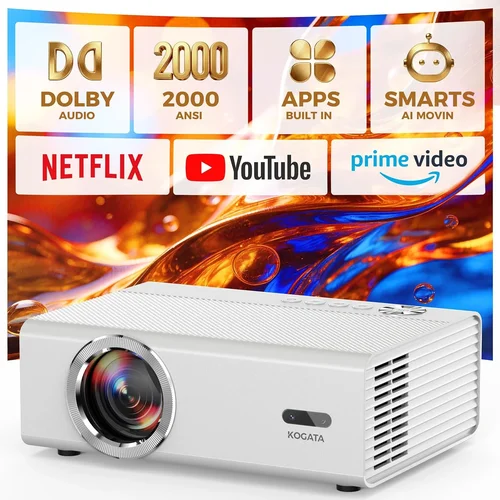
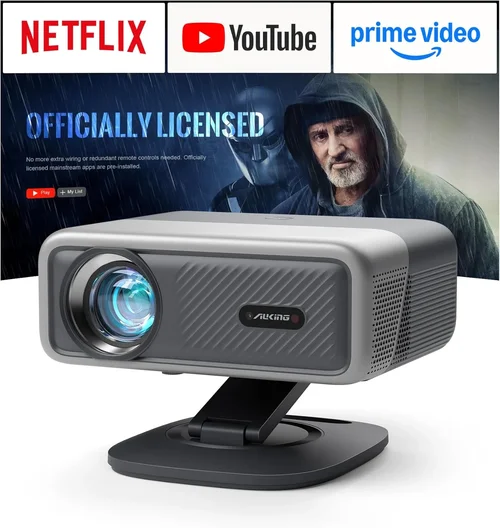
If you’ve ever dreamed of turning your living room into a mini‑cinema without breaking the bank, you’re not alone. The surge in 4K content, streaming services, and gaming on large screens has made home‑theater projectors more popular than ever. Yet the market is crowded, and the “under $4,000” price bracket spans everything from decent entry‑level units to near‑professional models. That’s why we’ve built this guide—to cut through the hype, demystify the specs, and help you pick a projector that truly delivers a theater‑like experience without forcing you to refinance your mortgage.
In the pages that follow you’ll learn how to evaluate brightness, contrast, throw distance, and connectivity, understand the trade‑offs between DLP, LCD, and laser technologies, and discover real‑world tips for installation and maintenance. We’ll also break down the different projector categories, flag common buyer pitfalls, and give you a clear budget roadmap so you know exactly what you can expect at each price point. By the end, you’ll be equipped to make an informed decision and walk away with a projector that fits your room, your content, and your wallet.
The home‑theater projector market in 2026 is richer than ever. Manufacturers have refined laser light sources, added HDR support, and integrated smart‑TV platforms directly into the projector’s firmware. Meanwhile, the cost of 1080p and 4K panels has dropped, meaning you can now find a crisp, color‑accurate image for well under $4,000. Let’s dive into the factors that separate a good purchase from a regret.

What to Look for When Buying Buying Guide
1. Budget & Price Range
Even within the “under $4,000” ceiling, there’s a wide spectrum of pricing. Your budget not only determines which models you can consider, but also influences the features you’ll get—such as native 4K resolution, laser light sources, or built‑in audio. Start by setting a firm maximum spend, then allocate a portion of that budget for accessories like a screen, mounting hardware, and calibration tools. Remember, the cheapest option may require costly upgrades later, while a slightly higher‑priced unit could include everything you need out of the box.
2. Performance Specifications
Key specs include:
- Resolution: 1080p (Full HD) is still acceptable for many, but 4K (UHD) provides sharper detail, especially on larger screens.
- Brightness (lumens): Measured in ANSI lumens; for a dark room, 1,500–2,000 lm is sufficient, while a multi‑use space benefits from 2,500–3,500 lm.
- Contrast Ratio: Higher contrast yields deeper blacks. Look for a dynamic contrast ratio of at least 30,000:1; true black levels are more common with laser or DLP technology.
- Throw Distance & Zoom: Determines how far the projector must sit from the screen. Short‑throw models (under 1.5 m) are ideal for small rooms.
- Color Accuracy: Check the color gamut (Rec. 709, DCI‑P3) and whether the projector supports HDR10 or Dolby Vision.
3. Build Quality & Durability
Projectors are built to run for thousands of hours, but cheap plastics and flimsy fans can lead to premature failure. Look for metal housings, sealed optics, and a reputable cooling system. If you plan to use the unit frequently, consider a model with a long‑life laser light source (up to 20,000 hours) rather than a traditional lamp that may need replacement every 2,000–3,000 hours.
4. Features & Functionality
Modern projectors pack a lot of “smart” features. Assess whether you need:
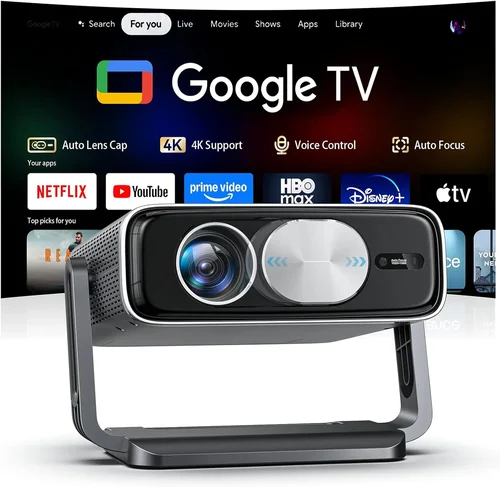
- Built‑in streaming apps (Netflix, Amazon Prime, Disney+)
- Wireless screen mirroring (AirPlay, Chromecast, Miracast)
- Multiple HDMI 2.1 ports for 4K @ 120 Hz gaming
- Lens shift and keystone correction for flexible placement
- Integrated soundbars or audio out for external speakers
5. Brand Reputation
Brands such as Epson, BenQ, Optoma, and Sony have earned trust through consistent performance and solid support networks. Newer entrants like XGIMI or ViewSonic can surprise with innovative features, but be sure to read long‑term reliability reports before committing.
6. Warranty & Support
Warranty length varies from 1 to 5 years. A longer warranty often signals confidence in durability. Also, check for on‑site service options, availability of replacement parts, and the responsiveness of the brand’s customer service. Some manufacturers offer extended warranties or service plans for an additional fee—worth considering if you’re planning heavy use.
7. Size & Portability (if applicable)
If you intend to move the projector between rooms or take it to a friend’s house, weight and footprint matter. Portable pico‑projectors can fit in a backpack but rarely deliver the brightness needed for a home theater. For a semi‑portable solution, look for a compact, lightweight model with a detachable lens.
8. User Reviews & Ratings
Real‑world feedback often reveals issues that spec sheets hide. Pay attention to recurring themes in reviews—such as fan noise, heat, or software glitches. Sites like AVS Forum, Reddit’s r/hometheater, and professional review outlets (RTINGS, ProjectorCentral) provide balanced perspectives.
Different Types of Buying Guide

Common Buying Mistakes to Avoid
❌ Mistake: Ignoring Ambient Light
Why it’s bad: A projector rated at 2,000 lumens may look fantastic in a dark home theater, but the same unit can appear washed out in a living room with windows.
What to do instead: Measure the typical light level in your room. If you cannot fully black out the space, aim for a projector with at least 2,500–3,000 ANSI lumens and consider a high‑gain screen.
❌ Mistake: Over‑Focusing on Resolution Alone
Why it’s bad: A 4K projector with poor contrast and low brightness will still deliver a disappointing image, especially on larger screens.
What to do instead: Balance resolution with brightness, contrast, and color gamut. In many 1080p models, a higher contrast ratio can produce a more immersive picture than a low‑contrast 4K unit.
❌ Mistake: Forgetting Throw Distance
Why it’s bad: Buying a long‑throw projector for a small apartment often forces you to place the unit too far away, resulting in a tiny image or the need for a massive screen.
What to do instead: Calculate the required throw distance using the projector’s throw ratio and your desired screen size. Short‑throw or ultra‑short‑throw options are ideal for limited spaces.
❌ Mistake: Neglecting Audio Needs
Why it’s bad: Many budget projectors rely on tiny built‑in speakers that can’t fill a room. The result is a great picture paired with weak sound.
What to do instead: Plan for an external sound system—soundbar, AV receiver, or powered speakers—and ensure the projector offers appropriate audio outputs (optical, HDMI ARC, or 3.5 mm).
❌ Mistake: Assuming All “4K” Projectors Are Native 4K
Why it’s bad: Some models use pixel‑shifting to simulate 4K, which can introduce artifacts and reduce true sharpness.
What to do instead: Look for “native 4K” or “4K UHD” in the specifications. If the spec says “4K UHD (pixel‑shift)”, be prepared for slightly softer detail.
❌ Mistake: Skipping Calibration
Why it’s bad: Out‑of‑the‑box settings are tuned for generic environments and rarely deliver optimal color or brightness.
What to do instead: Invest time (or money) in calibrating the projector using a colorimeter or hire a professional. Adjust gamma, color temperature, and lens shift for the best result.
❌ Mistake: Overlooking Warranty and Service Options
Why it’s bad: A cheap projector may have a one‑year warranty that doesn’t cover the lamp or laser module, leading to expensive repairs.
What to do instead: Choose a model with at least a two‑year warranty on the light source, and verify the availability of local service centers.
Budget Guidelines: How Much Should You Spend?
Understanding what you can realistically expect at each price tier helps you avoid disappointment and overspending.
- Entry-Level ($800 – $1,500): Typically 1080p LCD or LED units, 1,500–2,000 lumens, modest contrast, limited HDR support. Good for casual movie nights in a dark room.
- Mid-Range ($1,500 – $2,500): Native 1080p or “4K‑enhanced” DLP models, 2,500–3,000 lumens, dynamic contrast >30,000:1, basic smart‑TV functions. Ideal for mixed‑use rooms.
- Premium ($2,500 – $3,500): True 4K DLP or laser‑phosphor projectors, 3,000+ lumens, HDR10/Dolby Vision, advanced lens shift, low fan noise. Best for dedicated home theaters.
- Luxury ($3,500+): High‑end laser or hybrid laser‑LED, 4K UHD, 4,000+ lumens, 100,000:1 contrast, premium audio, built‑in streaming ecosystem. Targeted at cinephiles and professional installers.
Expert Tips for Getting the Best Deal
- Timing is everything: Major sales events—Black Friday, Cyber Monday, and Amazon Prime Day—often feature up to 30% off premium models.
- Shop price‑match: Many retailers (Best Buy, B&H, Adorama) will match a lower price from a competitor if you provide proof.
- Bundle wisely: Look for bundles that include a screen, mounting kit, or calibration tools. The combined value often exceeds buying each item separately.
- Check refurbished options: Certified refurbished units from the manufacturer can save 15–25% and still carry the full warranty.
- Read the fine print on warranties: Verify whether the light source (lamp or laser) is covered for its full rated lifespan.
- Test before you buy: If possible, visit a local AV store to view the projector in a dark room. Bring a laptop with 4K content to assess image quality.
- Consider future‑proofing: HDMI 2.1 ports, HDR10+, and low‑latency gaming modes become more relevant as content evolves.
- Don’t forget ventilation: Ensure the installation space provides adequate airflow; overheating can shorten lamp or laser life.

Frequently Asked Questions
Q: Do I need a 4K projector for a 100‑inch screen?
A: Not necessarily. For a 100‑inch screen, a high‑quality 1080p projector can still look sharp if you sit at a typical viewing distance (8–10 ft). However, if you plan to sit closer or want the ultimate detail for large‑format gaming, a native 4K projector will provide a noticeable advantage.
Q: What’s the difference between LCD and DLP?
A: LCD uses three panels (red, green, blue) to create the image, delivering vibrant colors and high brightness. DLP relies on a chip with tiny mirrors, offering superior contrast and smoother motion. Choice often comes down to personal preference for color richness versus black depth.
Q: Can I use a projector with ambient light?
A: Yes, but you’ll need a higher‑lumens model (2,500+ lm) and a high‑gain screen. Controlling ambient light with curtains or blackout blinds dramatically improves perceived picture quality.
Q: How long does a laser light source last?
A: Most laser‑phosphor projectors boast a rated lifespan of 20,000–30,000 hours, which translates to over a decade of typical home‑theater use.
Q: Is a short‑throw projector worth the extra cost?
A: If you have limited space (less than 2 m from screen), a short‑throw or ultra‑short‑throw model eliminates the need for a ceiling mount and reduces shadowing. The trade‑off is usually a slightly higher price and sometimes lower brightness.
Q: Do I need a separate sound system?
A: For an immersive experience, yes. Even the best built‑in speakers can’t match a dedicated soundbar or a 5.1/7.1 surround system. Ensure the projector has appropriate audio outputs (optical, HDMI ARC, or a 3.5 mm jack).
Q: How do I calibrate my projector?
A: Start with the preset “Cinema” or “Movie” mode, then use a colorimeter (e.g., X‑Rite i1Display) to adjust brightness, contrast, gamma, and color temperature. Many projectors also include a built‑in calibration wizard.
Q: Will a projector work with HDR content?
A: Yes, provided the projector supports HDR10 or Dolby Vision and has sufficient peak brightness (300+ nits) to display the expanded dynamic range.
Q: Is a 4K HDMI cable necessary?
A: For native 4K content and HDR, use a High‑Speed HDMI cable rated for 18 Gbps or higher (HDMI 2.0 or 2.1). Lower‑quality cables can cause signal loss or reduced performance.
Our Final Recommendations
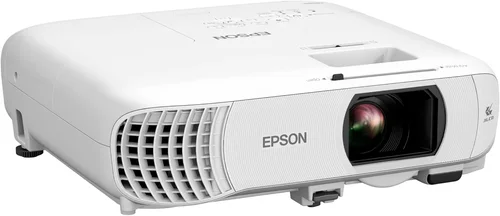
- Best for Budget‑Conscious Buyers: Epson Home Cinema 2150 – 2,500 lumens, 1080p, excellent color accuracy, and a price under $1,200.
- Best Overall Value: BenQ HT3550 – Native 4K DLP, 2,000 lumens, HDR10, low fan noise, and a solid $2,300 price point.
- Best Premium Option: Optoma CinemaX P2 – Ultra‑short‑throw laser, 4K UHD, 3,000 lumens, built‑in Harman Kardon sound, priced around $3,800.
- Best for Beginners: ViewSonic PX701HD – Easy setup, 3,500 lumens, 1080p, and a user‑friendly remote, all for under $1,500.
- Best for Advanced Users: Sony VPL‑VW915ES – True 4K laser, 2,500 lumens, 100,000:1 contrast, extensive lens shift, ideal for dedicated home theaters (just under $4,000).
Conclusion: Making the Right Choice
Choosing the best home theater projector under $4,000 boils down to three core questions: How bright does my room need to be? Do I prioritize native 4K resolution or high contrast? And what’s my long‑term maintenance plan?
By evaluating the factors outlined in this guide—budget, performance specs, build quality, features, brand reputation, warranty, portability, and user feedback—you can confidently narrow the field to a handful of models that truly fit your lifestyle. Remember, the projector is just one piece of the puzzle; a proper screen, good acoustics, and thoughtful room treatment will amplify the impact of any unit you choose.
Now that you’re armed with expert knowledge, go ahead and compare the recommended models, read the latest user reviews, and perhaps visit a local showroom. Your perfect cinematic experience is waiting, and with the right projector, every movie night will feel like a premiere.