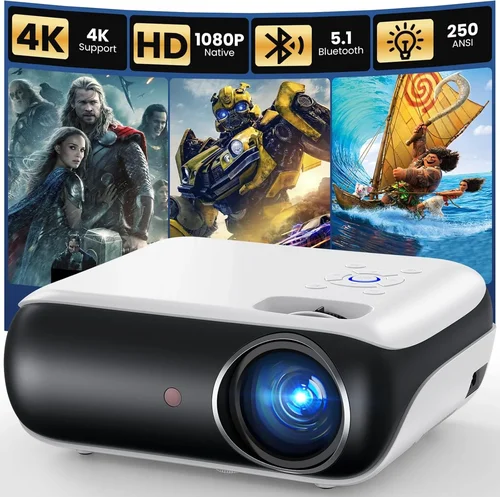
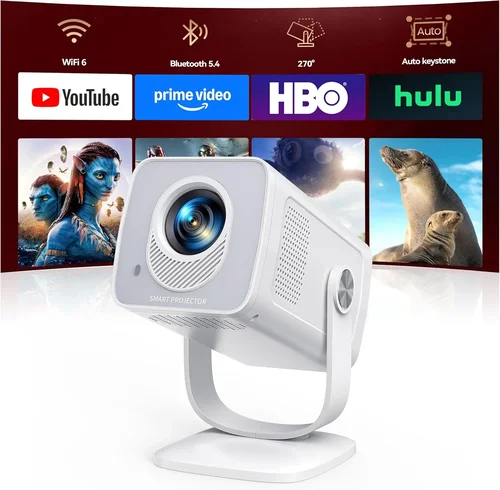
Choosing the right projector for your iPhone can feel like navigating a maze of specs, brands, and price points. With the surge of portable, pocket‑size projectors that promise cinema‑quality images straight from your iPhone, it’s easy to get overwhelmed. This guide cuts through the noise, giving you a clear roadmap to find the best iPhone projector under $100 in 2026.
In the next few sections you’ll discover which technical details truly matter, how different projector categories stack up against each other, and the common pitfalls that trip up even seasoned buyers. By the end, you’ll be equipped to pick a device that fits your budget, lifestyle, and viewing expectations without the guesswork.
The market for budget‑friendly iPhone projectors has matured dramatically over the past three years. Manufacturers have learned to squeeze better brightness, sharper resolution, and smarter connectivity into units that fit in a backpack. Yet, not every low‑price option delivers a reliable experience. Let’s dive into the factors that separate the winners from the pretenders.

What to Look for When Buying Buying Guide
1. Budget & Price Range
When you set a hard ceiling of $100, you automatically limit the pool to entry‑level models. However, price alone doesn’t dictate quality. Look for projectors that offer a balanced mix of brightness (lumens), resolution, and connectivity within your budget. A $95 projector with a solid 300‑lumens output and native 720p will generally outshine a $80 unit that only manages 150 lumens.
2. Performance Specifications
Key specs to compare:
- Brightness (lumens): For indoor use in dim rooms, 200‑300 lumens is adequate. If you plan to watch in modest ambient light, aim for 300+ lumens.
- Resolution: Native 720p (1280×720) is common under $100. Some models use 1080p scaling, which can improve perceived sharpness.
- Contrast Ratio: Higher contrast means deeper blacks. Look for ratios of at least 1000:1 for decent image depth.
- Throw Distance: Determines how large an image you can get at a given distance. A 1.5‑2.0:1 throw ratio is typical for portable units.
3. Build Quality & Durability
Projectors that sit on a desk or get carried in a bag need sturdy housings. Metal or high‑grade ABS plastic frames resist dents and heat better than cheap thin plastic. Check user reviews for reports of overheating or loose lenses, especially after months of use.
4. Features & Functionality
Beyond basic projection, consider these add‑ons:
- Wireless Mirroring: AirPlay, Miracast, or proprietary apps that let you stream without a cable.
- Built‑in Speakers: While not a substitute for a sound system, a decent 2‑3 W speaker can be handy for casual viewing.
- Battery Life: Some models include a rechargeable battery for true portability; typical runtimes are 2‑3 hours.
- Keystone Correction: Digital correction (usually ±15°) helps square the image when the projector isn’t perfectly aligned.
5. Brand Reputation
Established brands like Anker, AAXA, and Vankyo have a track record of post‑sale support and firmware updates. Newer entrants can offer innovative features, but research their customer service reputation before committing.
6. Warranty & Support
A minimum 12‑month warranty is a good safety net. Verify whether the warranty covers accidental damage or only manufacturing defects. Also, see if the brand offers easy access to firmware updates, which can improve compatibility with newer iPhone models.
7. Size & Portability
Since the focus is on iPhone use, a compact footprint matters. Look for projectors that weigh under 1 lb and measure less than 6 inches in any dimension. Some models come with a built‑in stand or a magnetic base for quick setup on metal surfaces.
8. User Reviews & Ratings
Aggregate scores on Amazon, Best Buy, and specialized tech forums give a realistic picture of performance. Pay attention to recurring comments about image quality, heat, and app stability rather than isolated five‑star or one‑star reviews.
Different Types of Buying Guide

Common Buying Mistakes to Avoid
❌ Mistake: Ignoring Brightness Requirements
Why it’s bad: A projector that looks great in a dark room can appear washed out in a typical living room with ambient light.
What to do instead: Match lumens to your usual viewing environment. For a lit bedroom, aim for at least 300 lumens.
❌ Mistake: Overlooking Compatibility with iOS Updates
Why it’s bad: Apple frequently updates AirPlay and codec support. An older projector may stop streaming after an iOS upgrade.
What to do instead: Choose a model that receives firmware updates or uses a universal HDMI adapter for wired connection.
❌ Mistake: Buying the Cheapest Option Without Checking Reviews
Why it’s bad: Ultra‑low‑cost units often suffer from overheating, short lamp life, or flaky wireless.
What to do instead: Read at least 20 recent user reviews and look for consistent praise on reliability.
❌ Mistake: Forgetting About Throw Distance
Why it’s bad: A projector with a long throw ratio may require a wall far away to achieve a 100‑inch image, which isn’t practical in apartments.
What to do instead: Verify the throw ratio and calculate the needed distance for your desired screen size.
❌ Mistake: Ignoring Warranty Terms
Why it’s bad: A “90‑day limited warranty” can leave you stranded if the lamp fails after three months.
What to do instead: Prefer at least a one‑year warranty and check if the seller offers extended protection plans.
Budget Guidelines: How Much Should You Spend?
Even within the sub‑$100 segment, price can signal different levels of performance.
- Entry-Level ($70‑$80): Expect 150‑200 lumens, 480p‑720p scaling, basic wired HDMI or USB‑C connection, minimal battery life.
- Mid-Range ($81‑$90): Brightness climbs to 250‑300 lumens, native 720p, optional Wi‑Fi or AirPlay support, better build quality.
- Premium ($91‑$100): 300+ lumens, true 720p or 1080p scaling, integrated battery, keystone correction, and often a brand‑backed warranty.
Expert Tips for Getting the Best Deal
- Timing: Black Friday, Cyber Monday, and post‑Christmas sales often feature deep discounts on portable tech.
- Where to Buy: Compare Amazon, Walmart, and the manufacturer’s own store. Amazon’s “Buy Box” price plus Prime shipping is usually the cheapest, but watch for third‑party sellers.
- Spotting Deals: Use price‑tracking tools like CamelCamelCamel to see if a current price is truly a discount.
- Warranty Considerations: Register the product within 30 days to activate any extended warranty offers.
- Return Policies: Ensure a 30‑day return window; this gives you time to test the projector with your iPhone in real conditions.
- Testing Before Buying: If possible, visit a local electronics store to view a demo unit. Even a quick 5‑minute test can reveal brightness and focus issues.
- Accessory Bundles: Some sellers bundle a HDMI‑to‑Lightning adapter or a portable screen, which can add value without raising the price.

Frequently Asked Questions
Q: Can I project directly from my iPhone without any adapters?
A: Yes, if the projector supports AirPlay, Miracast, or has a dedicated iOS app. Otherwise, a simple Lightning‑to‑HDMI adapter will work with any HDMI‑input projector.
Q: What screen size can I expect from a $100 projector?
A: Most budget units can produce a 80‑120‑inch image when placed 3‑5 feet from the wall, depending on throw ratio and ambient light.
Q: Do these projectors work with the latest iPhone models (iPhone 15/15 Pro)?
A: As long as the projector supports HDMI‑CEC or AirPlay 2, it will be compatible. Check the manufacturer’s firmware update history for iOS support.
Q: Is the built‑in speaker sufficient for movies?
A: Built‑in speakers are usually 2‑3 W and suitable for casual viewing. For a true cinema feel, pair the projector with external Bluetooth or wired speakers.
Q: How long does the lamp or LED last?
A: LED light sources in budget projectors typically last 20,000‑30,000 hours, far exceeding the lifespan of traditional lamps.
Q: Can I use the projector outdoors?
A: Yes, but only in low‑light conditions. Keep the unit away from direct sunlight and ensure proper ventilation to avoid overheating.
Q: What is keystone correction and do I need it?
A: Keystone correction digitally adjusts a trapezoidal image back to a rectangle. It’s handy when you can’t place the projector perfectly square to the screen.
Q: Are there any safety concerns with battery‑powered models?
A: Battery units use lithium‑ion cells. Avoid exposing them to extreme heat and follow the manufacturer’s charging guidelines to prolong lifespan.
Our Final Recommendations
Best for Budget‑Conscious Buyers: Vankyo Leisure 3 Mini – $78, 250 lumens, HDMI‑C and AirPlay support, compact ABS body.
Best Overall Value: Anker Nebula Capsule II – $99, 300 lumens, Android OS with app store, 2‑hour battery, built‑in 8 W speaker.
Best Premium Option (just under $100): AAXA P300 Pico – $95, 350 lumens, native 720p, Wi‑Fi mirroring, magnetic mounting plate.
Best for Beginners: Rokid Air Mini – $80, simple plug‑and‑play with Lightning adapter, 200 lumens, intuitive remote.
Best for Advanced Users: ViewSonic M1 Mini Plus – $100, 300 lumens, 1080p scaling, customizable JBL speaker, HDMI, USB‑C, and Bluetooth.
Conclusion: Making the Right Choice
Finding the best iPhone projector under $100 boils down to balancing brightness, resolution, and connectivity against your specific use case. Remember to check lumens for your lighting conditions, verify iOS compatibility, and read real‑world user feedback before you click “Add to Cart.” With the factors, categories, and tips outlined above, you’re now equipped to make an informed decision that turns any wall into a personal cinema screen.
Ready to bring your iPhone movies to life? Browse the recommended models, apply any available coupons, and enjoy a bigger screen without breaking the bank.