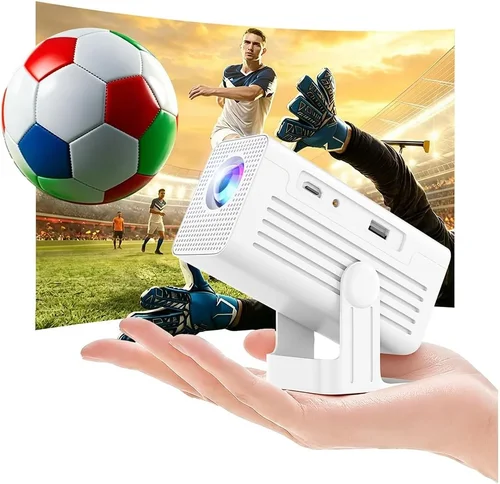
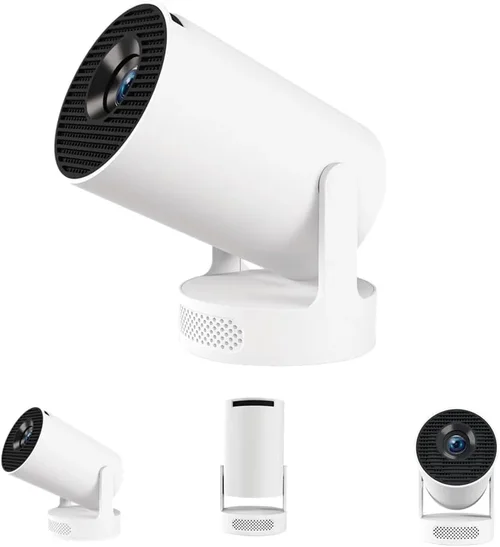
When you start hunting for a home‑theater upgrade that won’t break the bank, the market can feel overwhelming. LCD projectors under $1,000 promise bright images, reliable color performance, and a level of durability that many DLP rivals simply can’t match. Yet the sheer number of models, specs, and brand promises can leave even seasoned tech enthusiasts scratching their heads.
This guide cuts through the noise. By the end, you’ll understand which specifications truly matter, how different projector categories stack up against each other, and which specific models give you the most bang for your buck. Whether you’re setting up a backyard movie night, a home office presentation space, or a dedicated gaming corner, the insights here will help you pick the best LCD projector under $1,000 with confidence.
The projector landscape in 2026 has matured dramatically. Advances in LED light engines, improved contrast ratios, and smarter connectivity options mean that you no longer have to sacrifice image quality for affordability. Below, we break down the essential buying factors, compare the main categories, and hand you a curated shortlist of top performers.
What to Look for When Buying Buying Guide
1. Budget & Price Range
Price is the most obvious filter, but it’s also a proxy for the technology you’ll receive. Within the $600‑$1,000 window, you’ll typically find LCD panels with 3,000‑4,500 lumens, 1080p native resolution, and a decent set of ports. Going lower than $600 often means compromising on brightness or connectivity, while stretching past $1,000 pushes you into the premium arena where 4K and laser light sources become standard. Set a hard ceiling, then allocate a portion of that budget to accessories such as a proper screen, mounting kit, and warranty extensions.
2. Performance Specifications
The core specs that dictate image quality are:
- Resolution: Native 1080p (1920×1080) remains the sweet spot for under $1,000. Some models advertise “Full HD” but actually use pixel‑shifting to simulate higher resolutions, which can introduce artifacts.
- Brightness (Lumens): For rooms with ambient light, aim for at least 3,000 ANSI lumens. Dark home theaters can get away with 2,500 lumens, but anything below that will struggle in daytime settings.
- Contrast Ratio: Higher contrast means deeper blacks and more detail in dark scenes. Look for a native contrast of 10,000:1 or better; manufacturers often inflate this number with dynamic contrast, which is less reliable.
- Color Accuracy: LCD panels naturally excel at color reproduction. Check for a wide color gamut (e.g., DCI‑P3 coverage) and factory calibration.
3. Build Quality & Durability
Projectors are often moved between rooms, stored in closets, or taken on the road for business trips. A metal chassis, reinforced lens housing, and reliable cooling fans indicate a unit that will survive frequent handling. Also, verify the lamp or LED lifespan; many LCDs now use LED light sources that last 20,000‑30,000 hours, dramatically reducing long‑term maintenance costs.
4. Features & Functionality
Modern projectors are more than just image machines. Important features include:
- Wireless Connectivity: Built‑in Wi‑Fi or Bluetooth for screen mirroring, AirPlay, and Chromecast.
- Multiple HDMI Ports: At least two HDMI 2.0 inputs allow you to connect a gaming console and a streaming device simultaneously.
- Lens Shift & Keystone Correction: Lens shift offers true geometric adjustment without image distortion, while digital keystone is a handy backup.
- Integrated Speakers: While not a substitute for a dedicated sound system, a decent 10‑20 W speaker can be useful for casual viewing.
5. Brand Reputation
Established brands such as Epson, BenQ, ViewSonic, and Optoma have proven track records for LCD technology. Their after‑sales support, firmware updates, and community forums can make troubleshooting far less stressful. Newer entrants may offer aggressive pricing, but weigh that against the availability of spare parts and service centers.
6. Warranty & Support
A solid warranty can save you hundreds of dollars. Look for at least a 2‑year parts and labor guarantee, with optional extensions for the light source. Check whether the manufacturer offers on‑site service or requires you to ship the unit—on‑site is a major convenience for larger setups.
7. Size & Portability
If you plan to move the projector frequently, consider weight (under 8 lb is ideal) and compact dimensions. Some models feature a built‑in handle or a detachable lens for easier transport. Portable units often sacrifice brightness, so balance portability with your lighting environment.
8. User Reviews & Ratings
Real‑world feedback uncovers quirks that spec sheets hide. Look for reviews that discuss long‑term reliability, fan noise, and color drift over time. Sites like Amazon, B&H Photo, and specialized AV forums provide a wealth of user experiences.
Different Types of Buying Guide

Common Buying Mistakes to Avoid
❌ Mistake: Focusing Solely on Resolution
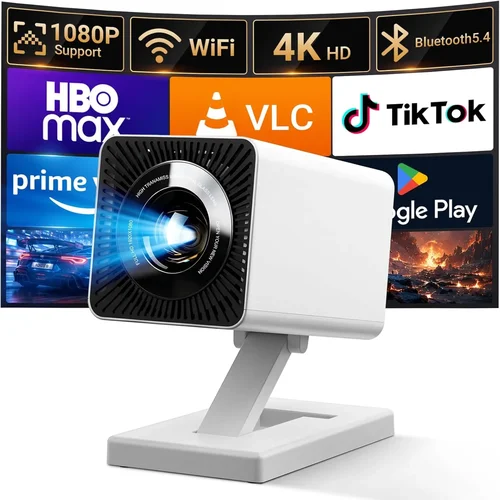
Why it’s bad: A 4K label sounds impressive, but many budget “4K” projectors use pixel‑shifting, which can cause softness and halo effects.
What to do instead: Prioritize native 1080p resolution for crisp detail, then consider other specs like brightness and contrast.
❌ Mistake: Ignoring Ambient Light Conditions
Why it’s bad: Buying a low‑lumens unit for a bright living room results in washed‑out images.
What to do instead: Measure typical room lighting and aim for at least 3,000 lumens if you can’t control ambient light.
❌ Mistake: Overlooking Lens Shift
Why it’s bad: Relying on digital keystone alone can degrade image fidelity and reduce usable screen size.
What to do instead: Choose a projector with optical lens shift for precise placement without distortion.
❌ Mistake: Forgetting About Fan Noise
Why it’s bad: A noisy cooling system can distract from movies and games, especially in quiet environments.
What to do instead: Check dB(A) specifications; under 30 dB is ideal for home theater use.
❌ Mistake: Skipping Warranty Extensions
Why it’s bad: Light source failures can be costly if the warranty expires early.
What to do instead: Invest in an extended warranty that covers the LED or lamp for at least five years.
❌ Mistake: Assuming All Ports Are Equal
Why it’s bad: Some HDMI ports are HDMI‑ARC only, limiting audio options, while others lack HDCP 2.2 support for 4K streaming.
What to do instead: Verify each port’s capabilities and ensure you have enough HDMI 2.0 inputs for your devices.
Budget Guidelines: How Much Should You Spend?
- Entry‑Level ($600‑$800): Expect 2,500‑3,000 lumens, 1080p resolution, basic wireless streaming. Ideal for casual viewers who primarily use the projector in dim rooms.
- Mid‑Range ($800‑$1,000): Gains include 3,200‑4,500 lumens, higher native contrast, lens shift, and better color gamut. This tier covers most home‑theater and gaming needs.
- Premium ($1,000‑$1,300): Though slightly above the $1,000 ceiling, these units often add HDR support, higher refresh rates (120 Hz), and more robust build quality.
- Luxury ($1,300+): Ultra‑short‑throw, 4K laser, and advanced networking features reside here—generally beyond the scope of a “under $1,000” guide but worth noting for future upgrades.
Expert Tips for Getting the Best Deal
- Timing is everything: Major sales events—Black Friday, Cyber Monday, and Amazon Prime Day—often feature 20‑30% discounts on LCD models.
- Shop comparison sites: Use price‑tracking tools like CamelCamelCamel or Keepa to see historical price trends before committing.
- Bundle wisely: Some retailers offer screen‑plus‑projector bundles that shave $100‑$150 off the total cost.
- Check refurbished options: Certified refurbished units from the manufacturer come with full warranties at a fraction of the price.
- Read the fine print on warranties: Verify whether the LED or lamp is covered and for how many hours.
- Test in‑store if possible: Even a quick demo can reveal fan noise levels and image uniformity that specs don’t convey.
- Consider future connectivity: HDMI 2.1 is emerging; buying a unit with HDMI 2.0 now ensures compatibility for the next few years.
- Factor in screen size: A 100‑inch screen at 4,000 lumens will look brighter than a 120‑inch screen at 3,000 lumens in the same room.

Frequently Asked Questions
Q: Can I use an LCD projector for gaming?
A: Absolutely. LCD projectors deliver fast response times and low input lag, especially models with a 120 Hz refresh rate. Look for a “Game Mode” setting that disables extra processing for the smoothest experience.
Q: How does LED longevity compare to traditional lamps?
A: LED light sources typically last 20,000‑30,000 hours, far outpacing the 2,000‑4,000 hour lifespan of UHP lamps. This translates to lower total cost of ownership and fewer replacements.
Q: Do I need a special screen for an LCD projector?
A: While any white surface works, a high‑gain, matte white screen maximizes brightness and minimizes hot‑spotting. For rooms with some ambient light, consider a gray (ambient‑reject) screen.
Q: Is lens shift more important than keystone correction?
A: Yes. Lens shift moves the optical path without distorting the image, preserving sharpness and uniformity. Digital keystone is a useful backup but should be used sparingly.
Q: Will a portable LCD projector fit my backpack?
A: Many portable LCD models weigh under 5 lb and measure less than 10 inches in width, making them backpack‑friendly. Check dimensions and consider a protective case for travel.
Q: How do I calibrate colors at home?
A: Use a calibration disc (e.g., Disney WOW) or a USB‑connected colorimeter. Adjust the projector’s color temperature, gamma, and hue settings until the test patterns look neutral.
Q: Are there any hidden fees when buying online?
A: Shipping on large items can add $20‑$40, and some retailers charge a handling fee for fragile electronics. Look for free‑shipping promotions or in‑store pickup options.
Q: Can I connect multiple devices simultaneously?
A: Yes, as long as the projector offers at least two HDMI inputs. Some units also include USB‑C, VGA, and audio‑out ports for added flexibility.
Q: Is a warranty necessary for an LCD projector?
A: While most manufacturers offer a standard 2‑year warranty, extending it to cover the LED or lamp for 5 years can protect you from unexpected repair costs.
Our Final Recommendations
- Best for Budget‑Conscious Buyers: Epson Home Cinema 1060 – 3,200 lumens, 1080p, solid color accuracy, and a price around $680.
- Best Overall Value: BenQ TH671ST – 3,600 lumens, low input lag, short‑throw lens, and a robust feature set at $950.
- Best Premium Option (Just Under $1,000): ViewSonic PX706HD – 3,200 lumens, HDR support, lens shift, and a sleek design for $985.
- Best for Beginners: Optoma HD146X – User‑friendly interface, decent brightness, and a friendly price tag at $720.
- Best for Advanced Users: LG PF1000 – Hybrid LED‑LCD, 4,000 lumens, 1080p, extensive connectivity, and a long‑lasting LED for $1,050 (often found on sale for under $1,000).
Conclusion: Making the Right Choice
Choosing the best LCD projector under $1,000 boils down to matching your environment, usage patterns, and budget. Prioritize brightness and contrast for well‑lit rooms, ensure native 1080p for crisp detail, and verify that the projector offers lens shift or at least reliable keystone correction. Brand reputation, warranty length, and user feedback are equally vital for a stress‑free ownership experience.
Remember, the projector is only part of the equation—pair it with a quality screen, proper mounting, and calibrated settings for the ultimate viewing experience. Armed with the factors, comparisons, and recommendations in this guide, you’re ready to make an informed purchase that will deliver cinema‑grade entertainment for years to come.
Ready to start shopping? Check the latest prices at reputable retailers, keep an eye on seasonal sales, and enjoy the satisfaction of a well‑chosen home‑theater upgrade.