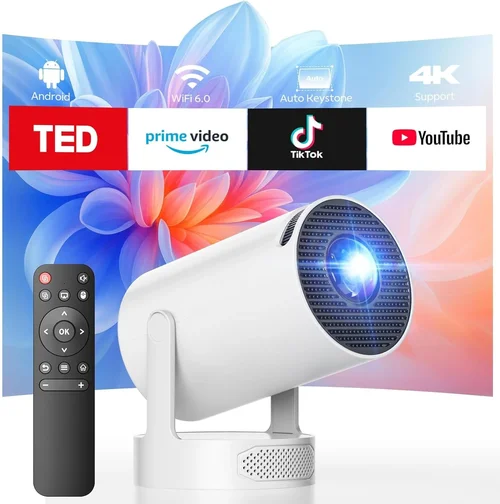
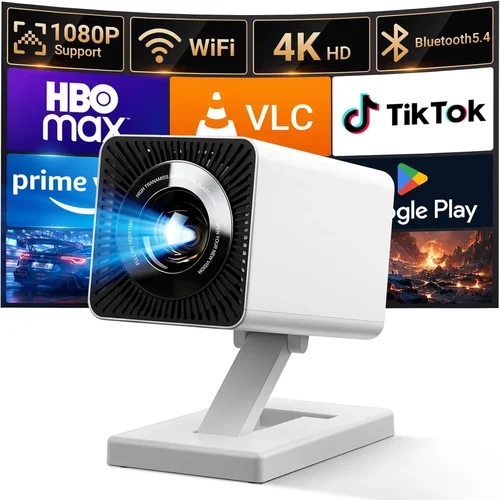
Finding the perfect LCD projector without blowing your budget can feel like hunting for a needle in a haystack. The market is flooded with options that promise bright images, crisp colors, and a host of smart features, yet many of them sit well above the $300 mark. That’s why this guide zeroes in on the sweet spot: the best LCD projectors you can snag for under $300. Whether you’re setting up a home theater, need a reliable device for classroom presentations, or simply want a portable screen for movie nights, we’ve distilled the essential information you need to make a confident purchase.
In the pages that follow, you’ll discover which specifications truly matter, how to compare different projector categories, the common pitfalls that trip up first‑time buyers, and a clear budget breakdown that helps you match your needs with the right price tier. By the end, you’ll be equipped to choose a projector that delivers vibrant visuals, dependable performance, and lasting value—all without exceeding your budget.
The LCD projector landscape has evolved dramatically over the past few years. Advances in light engine efficiency, native resolution, and built‑in connectivity have narrowed the gap between budget‑friendly units and their premium counterparts. Today’s sub‑$300 models can project 1080p‑compatible images, support wireless streaming, and even offer keystone correction, features that were once exclusive to higher‑priced gear. This guide reflects those developments, ensuring you’re looking at the most up‑to‑date options available in 2026.

What to Look for When Buying Buying Guide
1. Budget & Price Range
Price is the most obvious filter, but it’s more than just a number. A projector priced at $199 may lack essential features like HDMI‑ARC or a built‑in speaker, while a $289 model could include a robust lamp life and better contrast ratios. Set a clear ceiling for your spending, then prioritize which features you’re willing to compromise on. Remember that occasional sales or refurbished units can push a higher‑spec projector into your budget.
2. Performance Specifications
Key performance metrics include native resolution, brightness (measured in lumens), contrast ratio, and color accuracy. For LCD projectors under $300, a native 720p (1280×720) resolution is common, but many models support 1080p input and upscale effectively. Aim for at least 2,500 ANSI lumens for a bright image in dimly lit rooms; if you plan to use the projector in daylight, look for 3,000 lumens or more. Contrast ratio influences how deep the blacks appear—higher is better, though manufacturers often exaggerate figures.
3. Build Quality & Durability
Budget projectors can feel flimsy, but a solid chassis and quality internal components extend lifespan. Look for metal housing or reinforced plastic, a reliable cooling fan, and a sturdy lens cover. Check user reviews for reports of overheating or premature lamp failure, as these are common issues in lower‑priced units.
4. Features & Functionality
Modern users expect a suite of connectivity options: HDMI, USB, VGA, and increasingly, wireless screen mirroring (Miracast, AirPlay, or Chromecast built‑in). Keystone correction (auto or manual) helps square the image on uneven surfaces. Some projectors also include built‑in speakers—useful for casual viewing but typically insufficient for a full home‑theater experience.
5. Brand Reputation
Established brands such as Epson, BenQ, ViewSonic, and Optoma have a track record of delivering reliable LCD projectors. While newer players may offer attractive specs at lower prices, they can lack long‑term support. Research brand history, read multiple reviews, and consider the availability of firmware updates.
6. Warranty & Support
A solid warranty can save you hundreds of dollars. Most reputable manufacturers provide a one‑year limited warranty, with options to extend for an additional fee. Verify what the warranty covers—lamp replacement, parts, labor—and check how easy it is to claim service in your region.
7. Size & Portability
If you plan to move the projector between rooms or take it on the road, size matters. Compact, lightweight models (under 3 kg) are ideal for portability, while larger units may deliver better heat dissipation and higher brightness. Consider the trade‑off between size and performance based on your primary use case.
8. User Reviews & Ratings
Real‑world feedback often reveals issues that specifications can’t. Look for patterns in reviews: consistent complaints about fan noise, lamp life, or connectivity problems. High‑rating products with a large review count generally indicate broader satisfaction.
Different Types of Buying Guide

Common Buying Mistakes to Avoid
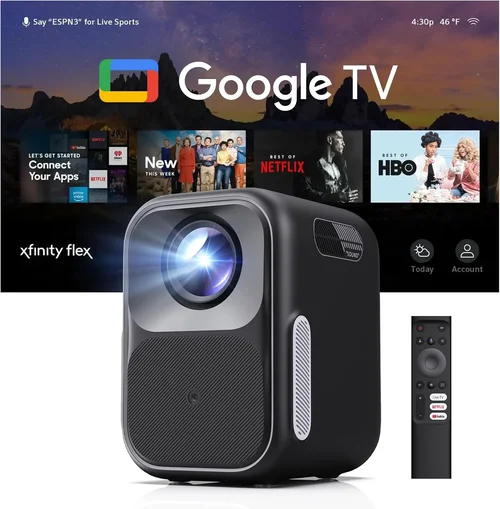
❌ Mistake: Ignoring Ambient Light Conditions
Why it’s bad: Buying a low‑lumens projector for a bright living room leads to washed‑out images.
What to do instead: Assess the typical lighting of your projection space. If you can’t control ambient light, target at least 3,000 ANSI lumens.
❌ Mistake: Overlooking Input Lag for Gaming
Why it’s bad: High input lag causes delayed response, ruining fast‑paced games.
What to do instead: Look for projectors that list an input lag of 30 ms or less, or check independent gaming tests.
❌ Mistake: Forgetting Lamp Life Costs
Why it’s bad: Replacing a lamp can cost $80‑$120, eroding your budget savings.
What to do instead: Choose models with LED or laser light sources, or verify the lamp’s rated life exceeds 5,000 hours.
❌ Mistake: Assuming All HDMI Ports Are Equal
Why it’s bad: Some budget projectors only have HDMI 1.2, limiting 4K/60Hz support.
What to do instead: Confirm the HDMI version; HDMI 1.4 or higher is preferable for smoother video playback.
❌ Mistake: Skipping Firmware Updates
Why it’s bad: Out‑of‑date firmware can cause connectivity glitches or reduced performance.
What to do instead: Check the manufacturer’s website for update frequency and ease of installation.
❌ Mistake: Buying Without Testing
Why it’s bad: You may end up with a projector that has excessive fan noise or poor focus.
What to do instead: Purchase from retailers with a solid return policy, and test the unit in your typical environment before committing.
Budget Guidelines: How Much Should You Spend?
Understanding what you get at each price tier helps you set realistic expectations.
- Entry‑Level ($150‑$200): Expect 720p native resolution, 2,200‑2,500 lumens, basic HDMI/VGA inputs, and limited keystone correction. Suitable for occasional movie nights in dark rooms.
- Mid‑Range ($200‑$280): You’ll find 1080p‑compatible LCD panels, 2,800‑3,200 lumens, better contrast ratios (up to 15,000:1), and added features like wireless mirroring and built‑in speakers. This tier balances performance and price.
- Premium ($280‑$350): Though slightly above the $300 ceiling, these units often include laser light sources, superior color accuracy (Rec. 709), and longer lamp life (20,000+ hours). Ideal for enthusiasts who want near‑professional quality.
- Luxury ($350+): Typically DLP or higher‑end LCD models with 4K native resolution, HDR support, and advanced networking. Not necessary for most budget‑conscious buyers.
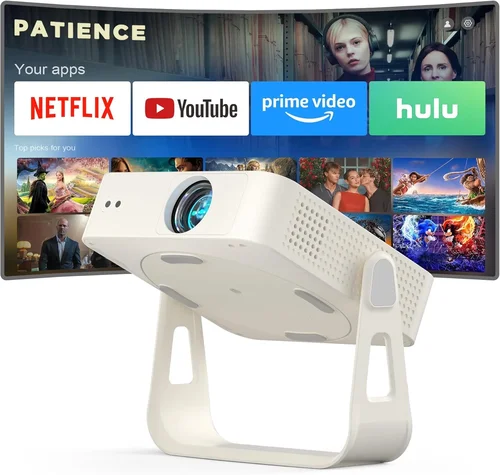
Expert Tips for Getting the Best Deal
- Timing is everything: Major sales events—Black Friday, Cyber Monday, and post‑Christmas clearance—often feature deep discounts on electronics.
- Shop where you can test: Stores with demo rooms let you compare brightness and color accuracy side by side.
- Bundle for savings: Look for projector + screen kits; they can shave $30‑$50 off the combined price.
- Check refurbished options: Certified refurbished units from manufacturers come with warranties and are often under‑priced.
- Read the fine print on warranties: Some retailers offer extended coverage for a modest fee—worth it if you plan heavy use.
- Consider accessories early: A good throw distance calculator or a short‑throw lens can prevent costly upgrades later.
- Use a calibrated screen: Even a modest projector shines brighter on a proper white or gray screen versus a painted wall.

Frequently Asked Questions
Q: Can a sub‑$300 LCD projector display 1080p content?
A: Most budget LCD projectors accept 1080p input and upscale to their native resolution (often 720p). While the image is sharp, true native 1080p is rare below $300. For most users, the difference is minimal, especially on screens under 100 inches.
Q: How long does the lamp last on cheap projectors?
A: Lamp life varies widely. Standard UHP lamps average 3,000‑4,000 hours, while LED or laser light sources can exceed 20,000 hours. Always check the manufacturer’s specified lamp life before buying.
Q: Is keystone correction necessary?
A: If you can place the projector squarely to the screen, you won’t need it. However, for ceiling mounts or limited space, automatic keystone correction (±30°) greatly simplifies setup.
Q: Do I need a separate speaker?
A: Built‑in speakers in budget LCD projectors typically deliver 5‑10 W, sufficient for small rooms. For a richer audio experience, pair the projector with a soundbar or external speakers.
Q: What is the ideal throw distance?
A: Throw distance depends on the projector’s throw ratio. A typical 1.2:1 ratio means you need 1.2 feet of distance for each foot of image width. Use an online calculator to match your room size.
Q: Are portable projectors really portable?
A: Portable LCD models often weigh under 2 kg and may include a built‑in battery lasting 2‑3 hours. They’re perfect for travel but may sacrifice brightness and lamp life compared to larger units.
Q: How important is contrast ratio?
A: Contrast ratio affects black depth. Higher ratios (e.g., 15,000:1) produce deeper blacks, especially in dark rooms. In bright environments, contrast matters less than brightness.
Q: Can I connect my phone wirelessly?
A: Many 2024‑2025 models support Miracast, AirPlay, or have a Chromecast dongle built in. Check the spec sheet for “wireless screen mirroring” to ensure compatibility with your device.
Our Final Recommendations
- Best for Budget‑Conscious Buyers: ViewSonic PA503W – $179. Offers 3,600 lumens, 1280×800 WXGA resolution, and a long‑life lamp. Ideal for classrooms and occasional movie nights.
- Best Overall Value: Epson EX3260 – $249. Delivers 3,600 lumens, 1080p‑compatible LCD, HDMI, and a solid 2‑year warranty. Balances brightness, color accuracy, and connectivity.
- Best Premium Option (Just Under $300): BenQ TH671ST – $298. Short‑throw design, 3,000 lumens, low input lag (16 ms), and excellent contrast—perfect for gaming and home theater.
- Best for Beginners: Optoma S335e – $199. Simple plug‑and‑play operation, built‑in speakers, and easy keystone correction.
- Best for Advanced Users: LG PH550 – $279. Features a built‑in battery, wireless screen mirroring, and a dynamic contrast enhancement mode for varied lighting.
Conclusion: Making the Right Choice
Choosing the best LCD projector under $300 boils down to matching your primary use case with the right mix of brightness, resolution, and features. Start by evaluating the lighting conditions of your intended space, then prioritize specifications like lumens, contrast ratio, and connectivity. Avoid common mistakes such as neglecting lamp life or ignoring input lag if you game. With the budget guidelines and expert tips provided, you can confidently navigate sales, compare models, and secure a projector that delivers vibrant visuals without breaking the bank.
Ready to bring the cinema experience home or upgrade your presentation setup? Use the recommendations above as a starting point, test the units where possible, and enjoy the crisp, colorful images that modern LCD technology offers—all for under $300.