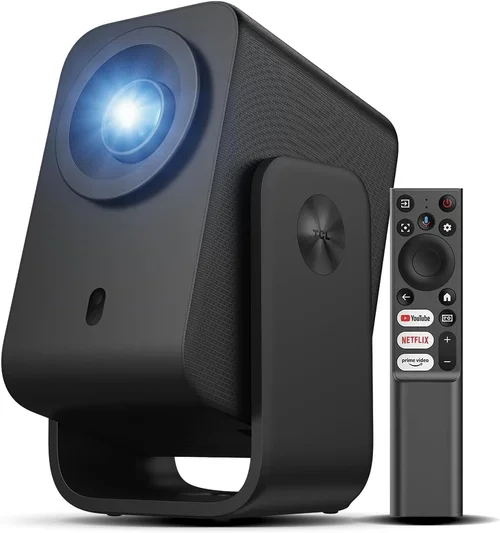
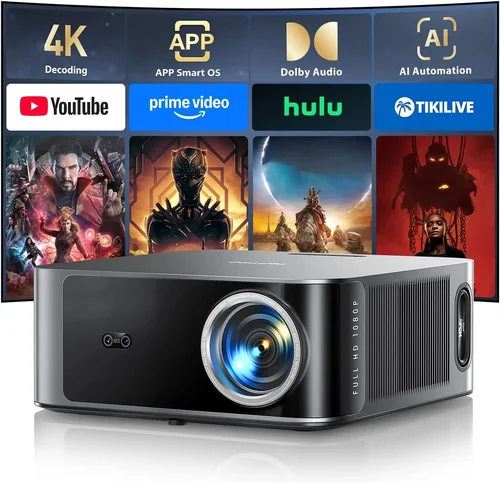
Projectors have become the go‑to solution for everything from family movie nights to home‑office presentations. Yet, when you set a budget of $700 or less, the market can feel overwhelming. That’s why we’ve crafted this in‑depth buying guide: to cut through the noise, explain the tech that matters, and point you toward the best LCD projector under $700 that fits your lifestyle.
In the pages that follow you’ll learn how to evaluate brightness, resolution, connectivity, and durability without getting lost in jargon. We’ll walk through the major categories of projectors, expose common pitfalls, and give you a clear budget roadmap. By the end, you’ll feel confident choosing a projector that delivers crisp images, reliable performance, and true value for your money.
The LCD projector market in 2026 is vibrant. Manufacturers have pushed 1080p and even 4K‑enhanced panels into the sub‑$700 tier, while improving lamp life and adding smart‑TV‑style features. At the same time, competition from DLP and laser models forces LCD makers to innovate on color accuracy and cost efficiency. Understanding where LCD stands—and why it might be the perfect match for you—sets the foundation for a smart purchase.

What to Look for When Buying Buying Guide
1. Budget & Price Range
Price is the first filter for most shoppers. In the $500‑$700 bracket, you can expect true 1080p resolution, 2,500‑3,500 lumens, and a decent lamp life (often 8,000‑10,000 hours). Anything under $500 typically compromises on brightness or resolution, while models edging above $700 may add laser light sources or premium optics. Decide how much you’re willing to stretch; a slightly higher spend now can save you on accessories or future upgrades.
2. Performance Specifications
Key specs include:
- Resolution: Native 1080p (1920×1080) is the sweet spot for most home use. Some budget 4K‑enhanced models upscale, but true 4K remains rare under $700.
- Brightness (Lumens): For dim rooms, 2,500 lumens is ample. For multi‑purpose or daytime use, aim for 3,000‑3,500 lumens.
- Contrast Ratio: Higher contrast means deeper blacks. Look for at least 10,000:1; LCD panels often achieve 15,000:1 or more.
- Color Accuracy: LCD’s three‑panel design provides vibrant, accurate colors—ideal for movies and presentations.
3. Build Quality & Durability
Projectors travel from living rooms to conference rooms, so a sturdy chassis, reinforced lens housing, and reliable cooling are essential. Metal bodies and rubberized feet reduce vibration. Check user forums for reports of overheating or premature lamp failure; a robust design often correlates with a longer warranty.
4. Features & Functionality
Modern LCD projectors pack a lot of extras:
- Wireless Connectivity: Wi‑Fi or Bluetooth for screen mirroring, AirPlay, and Chromecast.
- Built‑in Speakers: While not a replacement for a sound system, 5‑10 W speakers can handle casual viewing.
- Multiple Inputs: HDMI 2.0, USB‑C, VGA, and audio‑out ports give flexibility for laptops, consoles, and streaming sticks.
- Keystone Correction & Lens Shift: Essential for placing the projector off‑center without distortion.
5. Brand Reputation
Established brands like Epson, BenQ, and ViewSonic have proven track records for LCD tech. They typically provide better firmware updates, more accessible service centers, and clearer documentation. Newer entrants can offer aggressive pricing, but research their after‑sales support before committing.
6. Warranty & Support
A minimum two‑year warranty is standard, but some manufacturers extend to three or four years for the lamp or laser light source. Look for on‑site service options or a hassle‑free RMA process. Good support can turn a minor defect into a painless experience.
7. Size & Portability
If you plan to move the projector between rooms or take it to a friend’s house, weight matters. Portable LCD models weigh 3‑5 lb and often include a built‑in carry handle. Fixed‑install units may be heavier but offer better heat dissipation and stability.
8. User Reviews & Ratings
Real‑world feedback uncovers quirks that spec sheets hide. Scan Amazon, B&H, and specialist forums for recurring themes—like “fan noise at high brightness” or “remote feels cheap.” Aim for an average rating of 4.2 stars or higher, and read both positive and negative reviews to gauge overall satisfaction.
Different Types of Buying Guide

Common Buying Mistakes to Avoid
❌ Mistake: Ignoring Ambient Light Conditions
Why it’s bad: Selecting a low‑lumens projector for a bright living room results in washed‑out images.
What to do instead: Measure the typical lighting in your space. If you watch during daytime, aim for at least 3,200 lumens. For dedicated dark rooms, 2,500 lumens may suffice.
❌ Mistake: Over‑focusing on Resolution Only
Why it’s bad: A 4K‑enhanced projector with 2,000 lumens can look worse than a true 1080p model with higher brightness.
What to do instead: Balance resolution with brightness, contrast, and color accuracy. For most home uses under $700, native 1080p offers the best overall picture.
❌ Mistake: Forgetting Lamp Lifespan Costs
Why it’s bad: Replacing a lamp can cost $150‑$200, eroding the savings of a cheap projector.
What to do instead: Check the lamp’s rated hours and price. Consider a laser‑light model if the upfront cost is similar; lasers last 20,000+ hours.
❌ Mistake: Neglecting Connectivity Options
Why it’s bad: Without the right ports, you may need extra adapters, adding clutter and latency.
What to do instead: List the devices you’ll connect—gaming console, streaming stick, laptop—and verify the projector supports HDMI 2.0, USB‑C, or wireless mirroring.
❌ Mistake: Buying Without Testing the Throw Distance
Why it’s bad: A projector that requires 12 ft of throw distance may not fit a typical 8‑ft living room.
What to do instead: Use the manufacturer’s throw‑ratio chart. Calculate the required distance for a 100‑inch screen and ensure your room accommodates it.
❌ Mistake: Assuming All LCD Panels Are the Same
Why it’s bad: Lower‑cost panels may have poorer color uniformity and higher input lag.
What to do instead: Look for panels sourced from reputable suppliers (e.g., Sony, LG). Check professional reviews for color gamut coverage (e.g., 90% DCI‑P3).
❌ Mistake: Overlooking Warranty Details
Why it’s bad: A short warranty can leave you paying for repairs out of pocket.
What to do instead: Choose a model with at least a two‑year warranty covering the lamp or laser source. Register the product online to activate extended coverage if offered.
Budget Guidelines: How Much Should You Spend?
Understanding price tiers helps you set realistic expectations.
- Entry-Level ($400‑$550): Expect 1080p, 2,200‑2,500 lumens, basic HDMI input, and a modest lamp life (6,000‑7,000 hrs). Good for occasional movie nights in a dark room.
- Mid‑Range ($551‑$700): This is the sweet spot for most buyers. Look for 1080p, 2,800‑3,500 lumens, enhanced color gamut, wireless mirroring, and a lamp life of 8,000‑10,000 hrs. Models often include keystone correction and built‑in speakers.
- Premium ($701‑$850): You’ll see hybrid laser‑light sources, higher contrast ratios (20,000:1+), and more robust connectivity (HDMI 2.1, USB‑C). Ideal for gamers and small‑venue presenters who need consistent brightness.
- Luxury ($851+): Ultra‑short‑throw designs, true 4K panels, and professional‑grade color accuracy. These are typically beyond the “under $700” scope but worth noting if your budget can stretch.
Expert Tips for Getting the Best Deal
- Timing is Everything: Late‑year sales (Black Friday, Cyber Monday) and early‑year clearance events often feature 20‑30% discounts on last‑generation models.
- Shop Comparison Sites: Use price‑tracking tools like CamelCamelCamel or Keepa to see historical price trends before buying.
- Bundle Smartly: Some retailers offer a free HDMI cable, screen, or extended warranty when you purchase the projector with a soundbar.
- Check Refurbished Options: Certified refurbished units from the manufacturer come with full warranties at 15‑25% off retail.
- Read Return Policies: A 30‑day return window lets you test the projector in your space. Ensure the policy covers the lamp if you need to replace it early.
- Test Before You Commit: If possible, visit a local electronics store and view a demo screen. Pay attention to fan noise and color uniformity.
- Consider Future Proofing: HDMI 2.1 support may become more relevant as 4K gaming consoles become mainstream. A model with HDMI 2.0 will still work, but HDMI 2.1 adds higher refresh rates.
- Negotiate Shipping Costs: Some online sellers waive shipping for orders over a certain amount. Adding a cheap accessory can trigger free delivery.

Frequently Asked Questions
Q: Is an LCD projector better than DLP for home cinema?
A: LCD generally offers richer colors and smoother gradients, which many viewers prefer for movies. DLP can have sharper motion handling but may suffer from the “rainbow effect.” For a budget under $700, LCD models usually provide a more vibrant picture.
Q: How far should I place my projector for a 100‑inch screen?
A: Check the throw‑ratio, typically listed as 1.2‑1.5 : 1 for mid‑range LCDs. For a 100‑inch diagonal (≈87 in width), you’d need roughly 105‑130 inches (2.7‑3.3 ft) of distance.
Q: Can I use a projector as a primary TV?
A: Yes, if you have a dedicated dark room and a quality sound system. Ensure the projector’s brightness is at least 3,000 lumens for daytime use, and pair it with a motorized screen for optimal contrast.
Q: What is the difference between lamp‑based and laser projectors?
A: Lamp‑based units use a traditional bulb that degrades over time, requiring replacement. Laser projectors have a solid‑state light source that lasts 20,000+ hours and maintains consistent brightness.
Q: Do I need a separate screen?
A: A proper screen improves gain and color accuracy, especially in well‑lit rooms. A 120‑inch matte white screen is a good starting point and costs far less than a high‑gain alternative.
Q: How important is input lag for gaming?
A: For fast‑paced games, aim for <30 ms input lag. Many mid‑range LCDs advertise “Game Mode” which reduces processing and brings lag down to acceptable levels.
Q: Are portable projectors worth the compromise?
A: Portable models trade some brightness and lens shift for size. If you need a projector that fits in a backpack and you’ll mostly use it in dark environments, they’re a solid choice.
Q: Can I connect my projector to Wi‑Fi without a dongle?
A: Most 2026 LCDs under $700 include built‑in Wi‑Fi for AirPlay, Miracast, or Chromecast. Verify the specific protocol in the spec sheet before buying.
Q: How often should I clean the projector lens?
A: Light dust can be wiped with a microfiber cloth every few months. For deeper cleaning, follow the manufacturer’s instructions—usually a gentle lens cleaning solution and a soft brush.
Our Final Recommendations
- Best for Budget‑Conscious Buyers: Epson Home Cinema 1060 – 3,200 lumens, 1080p, HDMI 2.0, and a 10,000‑hour lamp for just $529.
- Best Overall Value: BenQ TH585 – 3,500 lumens, low input lag (16 ms), built‑in speaker, and a solid 2‑year warranty at $649.
- Best Premium Option: ViewSonic PX706HD – Hybrid laser light source, 3,200 lumens, short‑throw design, and 20,000‑hour laser life for $699.
- Best for Beginners: Optoma HD146X – User‑friendly menu, auto‑keystone, and “Plug‑and‑Play” setup at $489.
- Best for Advanced Users: Epson ES500 – Advanced color management, 4K‑enhanced panel, and extensive connectivity for $699.
Conclusion: Making the Right Choice
Choosing the best LCD projector under $700 boils down to matching your viewing environment, usage habits, and budget. Prioritize brightness for bright rooms, native 1080p for crisp detail, and reliable connectivity for modern streaming. Remember to factor in lamp life, warranty, and brand support—these often dictate long‑term satisfaction more than the initial price tag.
Take the time to compare the models we highlighted, read user feedback, and, if possible, see a demo in person. Armed with this guide, you’re ready to make an informed purchase that brings cinema‑quality visuals into your home without breaking the bank.