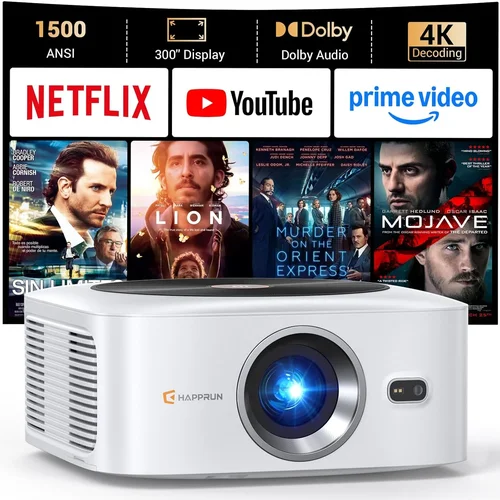
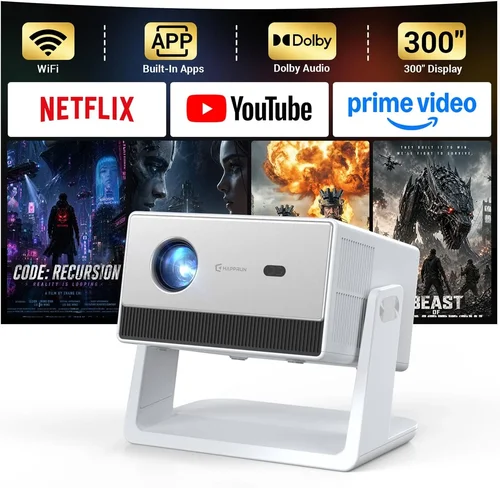
Choosing the right LED projector can feel like navigating a maze of specifications, brand promises, and price tags. With so many options under $1,500, it’s easy to get overwhelmed, especially if you’re not a tech‑savvy shopper. That’s why we created this guide – to cut through the noise and give you a clear, step‑by‑step roadmap to the best LED projector under $1,500 for your home theater, office, or classroom.
In the pages that follow you’ll discover which features truly matter, how to compare different projector categories, common pitfalls to avoid, and exact budget recommendations. By the end, you’ll be equipped to make an informed purchase that matches your viewing habits, space constraints, and wallet.
The LED projector market has matured dramatically over the last five years. Advances in light‑engine efficiency, laser‑assisted optics, and smart‑TV integration have pushed performance levels that were once exclusive to $5,000‑plus models down into the sub‑$1,500 tier. This guide reflects the 2026 landscape, highlighting the most reliable models, emerging technologies, and where you can still find a bargain without sacrificing quality.

What to Look for When Buying Buying Guide
1. Budget & Price Range
Price is the first filter most shoppers use. Under $1,500, you can expect a solid 2,500–3,500 lumens output, 1080p native resolution, and a lifespan of 20,000–30,000 hours. However, not all dollars are created equal. A $1,200 projector with a high‑quality light engine may outshine a $900 model that cuts corners on optics. Define your ceiling, then prioritize features that give the most bang for your buck.
2. Performance Specifications
Key specs include:
- Brightness (lumens): For dim rooms, 2,000–2,500 lumens is sufficient. Bright living rooms or classrooms need 3,000+ lumens.
- Resolution: Native 1080p (Full HD) is the sweet spot under $1,500. 4K UHD projectors exist, but they often use pixel‑shifting technology that can compromise sharpness.
- Contrast Ratio: Look for at least 10,000:1 for deeper blacks. Higher contrast is crucial for movie nights.
- Color Accuracy: A wide color gamut (Rec. 709 or DCI‑P3) and good color wheel design ensure vivid, lifelike images.
3. Build Quality & Durability
LED projectors have fewer moving parts than lamp‑based units, which translates to lower failure rates. Still, check for a sturdy chassis, quality heat‑sink design, and a sealed optical chamber to protect against dust. A metal body is preferable to plastic for long‑term stability.
4. Features & Functionality
Modern projectors are mini‑computers. Important features include:
- Built‑in Android or Roku: Eliminates the need for an external streaming box.
- Wireless Mirroring (AirPlay, Miracast, Chromecast): Enables hassle‑free casting from phones and laptops.
- Multiple HDMI Ports: Essential for gaming consoles, Blu‑ray players, and PCs.
- Keystone Correction & Lens Shift: Allows flexible placement without image distortion.
- Short‑Throw Capability: Projects a large image from a short distance—great for small rooms.
5. Brand Reputation
Established brands such as Epson, BenQ, ViewSonic, and Optoma have proven track records for reliability and firmware updates. Newer entrants like Anker Nebula or Xiaomi can offer great value but may lack extensive support networks. Research warranty length, customer service responsiveness, and community forums before committing.
6. Warranty & Support
LED light sources typically last 20,000–30,000 hours, but other components can fail. Look for at least a 2‑year limited warranty that covers parts and labor. Some manufacturers also provide on‑site service or free firmware upgrades for the life of the product.
7. Size & Portability
If you plan to move the projector between rooms or take it on the road, weight and form factor matter. Portable models often weigh under 5 lb and come with built‑in batteries. Larger, fixed‑installation units may deliver higher brightness but are less mobile.
8. User Reviews & Ratings
Real‑world feedback uncovers issues that spec sheets hide. Scan Amazon, B&H, and dedicated AV forums for recurring themes—like overheating, fan noise, or software glitches. Aim for an overall rating of 4 stars or higher, with at least 50 verified reviews.
Different Types of Buying Guide

Common Buying Mistakes to Avoid
❌ Mistake: Ignoring Ambient Light Conditions
Why it’s bad: Purchasing a dim‑room‑only projector for a bright living room leads to washed‑out images and disappointment.
What to do instead: Measure typical room lux levels. If you cannot control lighting, aim for 3,000+ lumens and a high contrast ratio.
❌ Mistake: Over‑focusing on Resolution Alone
Why it’s bad: A 4K‑pixel‑shift projector may look sharp on a small screen but will struggle in bright environments due to lower native brightness.
What to do instead: Balance resolution with brightness and contrast. For most under‑$1,500 buyers, native 1080p offers the best overall image quality.
❌ Mistake: Forgetting About Throw Distance
Why it’s bad: Buying a standard‑throw model for a 6‑foot room forces you to place the projector too far back, wasting space.
What to do instead: Calculate needed throw distance using the projector’s throw ratio chart. If space is limited, choose a short‑throw unit.
❌ Mistake: Neglecting Audio Needs
Why it’s bad: Relying on the built‑in speaker (often <20 W) results in tinny sound, especially for movies.
What to do instead: Verify audio output options—3.5 mm jack, Bluetooth, or HDMI ARC—and plan for an external soundbar or AV receiver.
❌ Mistake: Skipping Firmware Updates
Why it’s bad: Out‑of‑date firmware can cause compatibility issues with new streaming apps or cause stability problems.
What to do instead: Choose a brand that provides regular OTA (over‑the‑air) updates, and check the update history before buying.
❌ Mistake: Assuming All LED Projectors Are Low Maintenance
Why it’s bad: While LEDs outlast lamps, dust buildup on the filter can cause overheating and dimming.
What to do instead: Pick a model with an easy‑access filter and a maintenance reminder system.
Budget Guidelines: How Much Should You Spend?
- Entry‑Level ($600‑$900): Expect 2,000 lumens, 720p or entry‑level 1080p, basic connectivity (HDMI, USB). Ideal for casual movie nights in dark rooms.
- Mid‑Range ($901‑$1,300): 2,500–3,200 lumens, true 1080p, decent contrast, built‑in Android/Smart TV OS, short‑throw options. This is the sweet spot for most families.
- Premium ($1,301‑$1,500): 3,200+ lumens, enhanced color gamuts (Rec. 709 + DCI‑P3), low‑latency gaming mode, dual‑band Wi‑Fi, and extended warranty packages.
- Luxury ($1,501+): While beyond the guide’s price ceiling, some high‑end LED‑laser hybrids slip into the $1,600 range, offering 4K pixel‑shift, HDR10+, and ultra‑quiet fans.
Expert Tips for Getting the Best Deal
- Timing: Late summer (back‑to‑school sales) and holiday seasons are prime hunting grounds.
- Where to Buy: Compare prices on Amazon, B&H, and manufacturer websites. Retailers like Best Buy may offer bundle packages that include a screen or mounting kit.
- Spotting Deals: Use price‑tracking extensions (CamelCamelCamel, Keepa) to see historic lows.
- Warranty Extensions: Some retailers sell extended warranties at a lower cost than the manufacturer’s direct plan.
- Return Policies: Opt for stores with a 30‑day hassle‑free return; this gives you time to test the projector in your own environment.
- Testing Before Buying: If possible, view a demo unit in a dark room. Pay attention to fan noise, color uniformity, and input lag.
- Bundle Savings: Look for “projector + screen” bundles; the combined cost is often less than buying separately.

Frequently Asked Questions
Q: Do LED projectors really last longer than lamp‑based ones?
A: Yes. LED light sources typically maintain 80% brightness for 20,000–30,000 hours, compared to 2,000–5,000 hours for traditional lamps. This translates to years of use without a costly bulb replacement.
Q: Can I use a LED projector for gaming?
A: Absolutely, but prioritize low input lag (<30 ms) and a high refresh rate (60 Hz or higher). Models with “Game Mode” automatically optimize these settings.
Q: Is a 4K projector worth it under $1,500?
A: Most sub‑$1,500 4K units use pixel‑shifting, which can’t match native 4K clarity. For most viewers, a bright 1080p projector provides a sharper, more consistent image at a lower price.
Q: How far should I place my projector?
A: Use the throw ratio (distance ÷ screen width). For a 100‑inch screen, a 1.5:1 throw ratio means a 12‑ft distance. Short‑throw models can achieve the same size from 3‑4 ft.
Q: Do I need a separate sound system?
A: Built‑in speakers are fine for casual viewing, but for immersive movies or games, pair the projector with a soundbar or external AV receiver via HDMI ARC or optical out.
Q: Will the projector work with my phone?
A: Most modern LED projectors support AirPlay, Miracast, and Chromecast. Check the specifications for the exact protocols your device uses.
Q: Is there a risk of “rainbow effect” with LED projectors?
A: The rainbow effect is primarily associated with single‑chip DLP projectors that use a color wheel. LED (and laser) light sources eliminate this issue, delivering a smooth, uniform color output.
Q: How much space do I need for a projector screen?
A: Allow at least 1.5× the diagonal screen size for proper throw distance on a standard‑throw projector. For a 100‑inch screen, plan for 12–15 ft of depth.
Q: Can I mount the projector on the ceiling?
A: Yes, provided the model includes a standard ¼‑inch mounting thread and the ceiling can support the weight (most are under 10 lb). Lens shift is useful for fine‑tuning the image after ceiling mounting.
Q: Are there any health concerns with LED projectors?
A: LED projectors emit low levels of blue light compared to traditional lamps, reducing eye strain. Still, avoid prolonged viewing in a completely dark room without breaks.
Our Final Recommendations
Best for Budget‑Conscious Buyers
Model: ViewSonic M2e
Price: $799
Why: 1,200 lumens, native 1080p, built‑in Harman/Kardon speakers, and Android TV. Offers excellent value without sacrificing core performance.
Best Overall Value
Model: BenQ HT2150ST
Price: $1,149
Why: Short‑throw (0.69:1), 2,200 lumens, low 16 ms input lag, and superb color accuracy. Ideal for both movies and gaming in small to medium rooms.
Best Premium Option
Model: Epson EpiqVision Ultra LS500
Price: $1,499
Why: 4,000 lumens, 1080p laser‑enhanced LED, ultra‑quiet fan, and integrated Android TV. Delivers cinema‑grade brightness and color for bright environments.
Best for Beginners
Model: ANker Nebula Capsule II
Price: $579
Why: Portable, 720p, Android TV 9.0, 2‑hour battery, and a built‑in 8 W speaker. Perfect for first‑time owners who want plug‑and‑play simplicity.
Best for Advanced Users
Model: Optoma UHD50X
Price: $1,399
Why: 3,400 lumens, true 4K UHD (pixel‑shift), 120 Hz refresh rate, and 4.2 ms input lag. Geared toward gamers and home‑theater enthusiasts demanding top performance.
Conclusion: Making the Right Choice
Buying the best LED projector under $1,500 boils down to matching three core elements: the environment where you’ll use it, the features that matter most to you, and the price you’re willing to invest. By assessing brightness, resolution, throw distance, and smart capabilities, you can narrow the field quickly.
Remember, the most expensive model isn’t automatically the best for your setup. Use the budget breakdown to set realistic expectations, avoid common pitfalls, and leverage the expert tips to secure the best deal. Whether you’re a movie lover, a gamer, or a presenter, the right projector will transform your viewing experience for years to come.
Ready to start shopping? Grab your shortlist, compare the specifications we’ve highlighted, and enjoy the process of bringing a true cinematic experience into your own space.