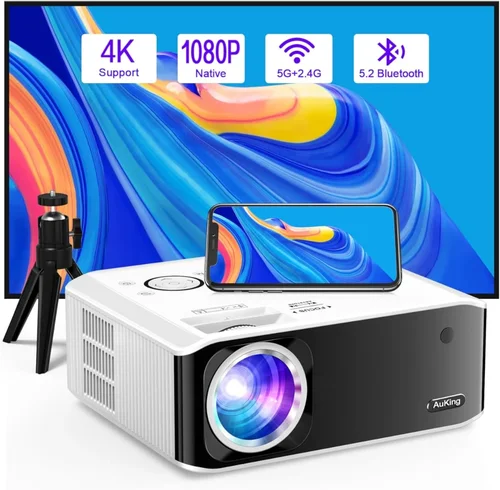
Choosing a projector that uses LED technology and stays under $300 can feel like hunting for a needle in a haystack. The market is flooded with low‑cost options that promise cinema‑grade images, yet many fall short on brightness, color accuracy, or durability. This guide cuts through the noise, giving you a clear roadmap so you can pick a projector that truly delivers on its promises without blowing your budget.
In the next few sections you’ll learn what technical specs matter most, how to match a projector to your living space, and which models consistently earn top marks from experts and everyday users alike. By the end, you’ll be equipped to make a confident purchase that fits your needs—whether you’re setting up a backyard movie night, a home office, or a portable gaming rig.

What to Look for When Buying Buying Guide
1. Budget & Price Range
Sticking to a sub‑$300 budget forces you to prioritize certain features over others. LED projectors in this price tier typically sacrifice extreme brightness for longer lamp life and lower power consumption. Decide early whether you need a brighter unit for daytime use or if you’ll mostly operate in dim rooms. Knowing your absolute ceiling helps narrow down the field quickly.
2. Performance Specifications
The three core specs that define image quality are resolution, brightness (measured in lumens), and contrast ratio. For LED models under $300, 720p (1280×720) is common, though a few 1080p options sneak in at the top of the range. Aim for at least 2,000 ANSI lumens if you plan to watch in rooms with some ambient light. A contrast ratio of 2,000:1 or higher will give deeper blacks and more vivid colors.
3. Build Quality & Durability
Even at a low price, a sturdy chassis and quality internal components matter. Look for a metal or high‑grade plastic housing, a secure lens lock, and a well‑ventilated design that keeps the LED cool. A solid build reduces the risk of overheating, which can shorten the already impressive LED lifespan of 20,000–30,000 hours.
4. Features & Functionality
Modern LED projectors pack a lot of convenience features: built‑in speakers, wireless screen mirroring (Miracast, AirPlay, or Chromecast), USB‑C power delivery, and multiple HDMI ports. If you plan to stream directly from a phone or use a gaming console, prioritize models with at least one HDMI 2.0 input and wireless casting support.
5. Brand Reputation
Brands that specialize in projectors—such as ViewSonic, BenQ, Anker (Nebula), and Epson—tend to offer better firmware updates and customer support. While newer entrants can surprise with great value, a proven track record often translates into more reliable performance and easier troubleshooting.
6. Warranty & Support
Even the best LED projectors can encounter issues. Look for a minimum 1‑year limited warranty that covers parts and labor. Some manufacturers extend the warranty for an additional fee or offer on‑site service, which can be a lifesaver if you’re using the projector frequently.
7. Size & Portability
If you need a projector that travels—say, for presentations or outdoor movie nights—size and weight become critical. Most sub‑$300 LED units weigh between 2–4 lbs and feature a compact footprint that fits easily in a backpack. Consider a built‑in battery if you’ll be away from power outlets.
8. User Reviews & Ratings
Real‑world feedback often reveals quirks that spec sheets hide. Scan through verified buyer reviews on Amazon, Best Buy, and dedicated AV forums. Pay attention to recurring complaints about overheating, remote responsiveness, or Wi‑Fi stability, and weigh them against the overall rating.
Different Types of Buying Guide

Common Buying Mistakes to Avoid
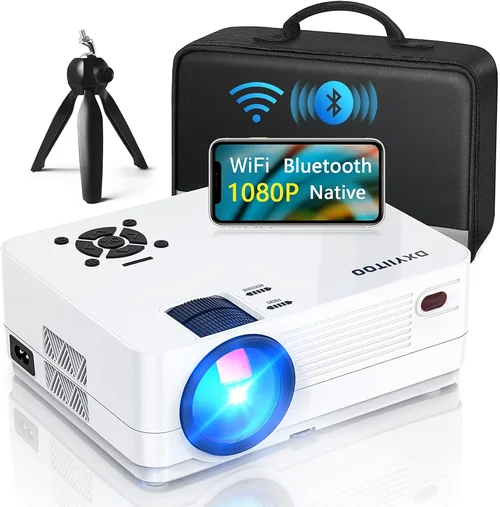
❌ Mistake: Focusing Only on Resolution
Why it’s bad: A high resolution means little if the projector can’t produce enough brightness for your environment.
What to do instead: Balance resolution with lumens and contrast. For a sub‑$300 unit, 720p with 2,500 lumens often outperforms a 1080p model that only reaches 1,500 lumens.
❌ Mistake: Ignoring Throw Distance
Why it’s bad: Placing a projector too close or too far can lead to a distorted image or require a screen larger than your wall can accommodate.
What to do instead: Check the throw ratio (e.g., 1.2:1). Use an online calculator to match your room size to the projector’s optimal distance.
❌ Mistake: Overlooking Connectivity
Why it’s bad: You might end up buying a projector that can’t easily connect to your laptop, phone, or gaming console.
What to do instead: Verify at least one HDMI 2.0 port, a USB‑C power‑delivery option, and wireless casting support if you stream from mobile devices.
❌ Mistake: Forgetting About Speakers
Why it’s bad: Built‑in speakers in budget projectors are often tinny and underpowered, forcing you to purchase external audio later.
What to do instead: If you need audio out of the box, look for models with a 5‑W or higher speaker and a 3.5 mm audio jack for optional upgrades.
❌ Mistake: Assuming All LED Projectors Have Long Lifespans
Why it’s bad: Poor heat management can drastically reduce LED life, leading to early failure.
What to do instead: Choose a projector with an active cooling system (fan or heat‑sink) and read user reviews for any overheating complaints.
Budget Guidelines: How Much Should You Spend?
- Entry‑Level ($150‑$200): Expect 720p resolution, 2,000–2,300 lumens, and basic connectivity (HDMI + mini‑USB). Ideal for casual movie nights in dark rooms.
- Mid‑Range ($200‑$260): You’ll find brighter output (2,500–3,000 lumens), better contrast, and added features like wireless mirroring or a small built‑in battery.
- Premium ($260‑$300): The sweet spot for most buyers—higher brightness, improved color accuracy (up to 95% DCI‑P3), and often a more robust speaker system.
- Luxury ($300+): While slightly above the “under $300” rule, these models push 1080p resolution, 3,500+ lumens, and full Android TV integration.
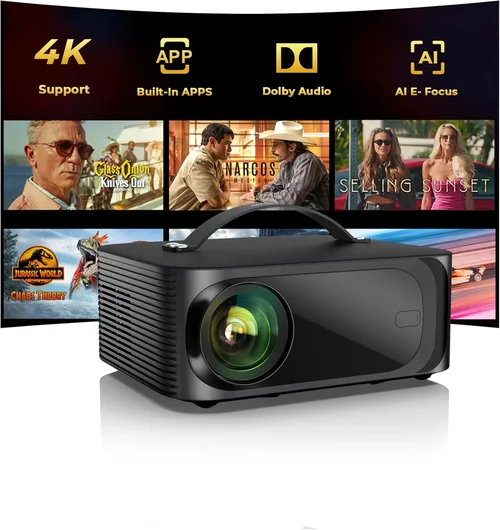
Expert Tips for Getting the Best Deal
- Timing: Purchase in late summer when manufacturers clear out inventory before new models launch.
- Retailers: Compare prices on Amazon, Newegg, and the manufacturer’s own website. Some brands offer exclusive bundles (e.g., extra HDMI cable, wall mount).
- Coupon Stacking: Use a combination of manufacturer coupons, credit‑card cash‑back offers, and store promotions for maximum savings.
- Warranty Extensions: If you plan heavy use, consider buying an extended warranty during checkout—it’s often cheaper than a third‑party plan.
- Return Policies: Choose sellers with a 30‑day return window and free return shipping. This gives you a safety net to test the projector in your own space.
- Testing: Bring a laptop and a streaming stick to the store if possible. Real‑world testing reveals brightness and color performance better than spec sheets.
- Bundle Savings: Look for bundles that include a screen, mounting bracket, or portable speaker. The combined price is usually less than buying each item separately.

Frequently Asked Questions
Q: Can an LED projector under $300 replace a TV?
A: It can serve as a TV substitute in low‑light environments, but you’ll need to manage ambient light and may require external speakers for a satisfying audio experience.
Q: How long does the LED light source actually last?
A: Most manufacturers rate LED lifespan at 20,000–30,000 hours. At 4 hours of daily use, that translates to over 13 years of operation.
Q: Do I need a special screen?
A: A white wall works fine for casual viewing. For the best contrast and color accuracy, a 120‑inch matte white screen costs about $60‑$100 and improves image uniformity.
Q: Is a built‑in battery worth it?
A: For true portability—camping, backyard movies—a battery that lasts 2‑3 hours is valuable. However, most indoor users will keep the projector plugged in.
Q: Will Wi‑Fi lag affect gaming?
A: Yes. Wireless casting can introduce 2‑3 frames of latency, which is noticeable in fast‑paced games. For gaming, use a wired HDMI connection.
Q: How do I clean the lens?
A: Use a microfiber cloth and a lens‑cleaning solution. Avoid harsh chemicals and never press hard; a gentle circular motion removes dust without scratching.
Q: Are there any safety concerns with LED projectors?
A: LED units emit minimal heat compared to lamp‑based projectors, but the vent area can become hot. Keep the projector on a stable, heat‑resistant surface and ensure proper ventilation.
Our Final Recommendations
- Best for Budget‑Conscious Buyers: Anker Nebula Capsule II – $179, 720p, 2,000 lumens, built‑in Android TV, 2‑hour battery.
- Best Overall Value: ViewSonic M2 – $259, 1080p, 1,200 lumens (laser‑enhanced LED), Harman Kardon speakers, Wi‑Fi & Bluetooth.
- Best Premium Option: BenQ GS2 – $299, 720p, 2,500 lumens, waterproof, 3‑hour battery, built‑in Android TV.
- Best for Beginners: Vankyo Leisure 3 – $149, 720p, 2,400 lumens, easy plug‑and‑play, includes remote.
- Best for Advanced Users: Epson EF-100 – $299, 720p laser‑LED hybrid, 2,000 lumens, HDMI 2.0, excellent color accuracy.
Conclusion: Making the Right Choice
Choosing the best LED projector under $300 boils down to balancing brightness, resolution, and extra features against your intended use‑case and environment. By focusing on the key factors outlined above, avoiding common pitfalls, and leveraging the expert tips for timing and deals, you can secure a projector that offers years of reliable performance.
Remember, the “best” projector is the one that fits your specific needs—whether that’s a portable pocket model for travel, a bright home‑theater unit for movie marathons, or a smart projector with built‑in streaming. Take the time to compare specs, read real‑user reviews, and test the unit if possible. Your perfect viewing experience is just a well‑informed purchase away.