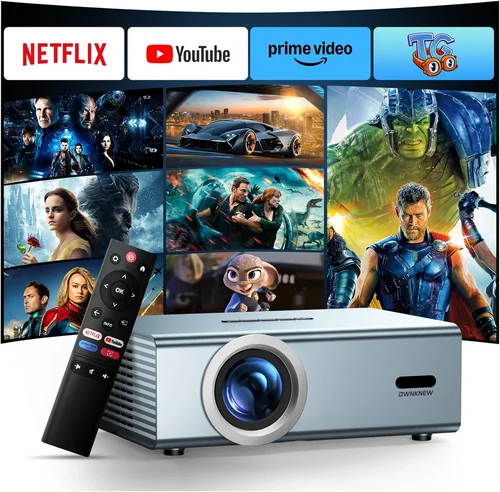
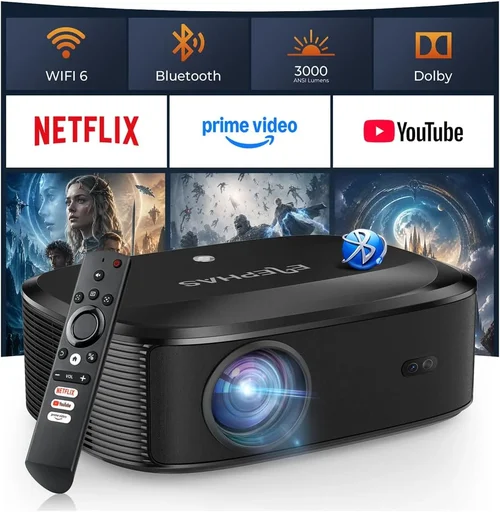
Choosing the right LED projector can feel like navigating a maze of technical jargon, price tags, and endless feature lists. Whether you are setting up a home theater, need a portable device for presentations, or simply want a big‑screen experience for gaming, the decisions you make today will shape how you enjoy visual media for years to come. This guide cuts through the noise, giving you a clear roadmap to find the best LED projector under $600.
In the pages that follow you will learn which specifications truly matter, how different projector types stack up against each other, and which common pitfalls to sidestep. We also break down budgeting tiers, share insider tips for snagging the best deals, and answer the most frequently asked questions about LED projectors. By the end, you will be equipped to pick a model that fits your lifestyle, space, and wallet without second‑guessing.
The LED projector market has evolved dramatically over the past few years. Advances in light‑emitting diode (LED) technology have delivered brighter images, longer lifespans, and lower power consumption compared with traditional lamp‑based units. At the same time, manufacturers have packed more connectivity options, smarter interfaces, and higher native resolutions into affordable packages. As a result, a $600 budget now opens the door to devices that were once reserved for premium home‑cinema setups.

What to Look for When Buying Buying Guide
1. Budget & Price Range
Price is the most obvious gatekeeper, but it also influences which features you can realistically expect. Within the sub‑$600 segment, you will typically find projectors that offer 1080p (Full HD) or 720p (HD) native resolution, brightness between 2,000 and 3,500 lumens, and modest throw distances. Understanding your budget ceiling helps you prioritize: do you need a brighter image for a well‑lit room, or is a higher resolution more important for gaming and movies? Remember that accessories—such as a quality screen, mounting hardware, or a portable power bank—add to the total cost.
2. Performance Specifications
The core specs that dictate image quality are resolution, brightness, contrast ratio, and color accuracy.
- Resolution: Native resolution (the actual number of pixels the projector can display) matters more than advertised “HD‑ready” or “4K‑enhanced” labels. For most home‑entertainment uses, 1080p is the sweet spot, delivering crisp detail without inflating the price.
- Brightness (lumens): Measured in ANSI lumens, this figure tells you how well the projector will perform in ambient light. A 2,500‑lumens unit is comfortable for dim rooms; if you plan to use it in a living room with daylight, aim for 3,000 lumens or more.
- Contrast Ratio: This indicates the difference between the darkest black and the brightest white the projector can produce. Higher contrast yields deeper blacks and more vivid colors. Look for at least 10,000:1 for a satisfying viewing experience.
- Color Accuracy: LED light sources naturally produce a broader color gamut than traditional lamps. Check whether the projector supports DCI‑P3 or Rec. 709 color spaces, especially if you care about color grading for movies or photography.
3. Build Quality & Durability
Since LED projectors are often moved between rooms, offices, or even outdoor locations, a sturdy chassis and reliable cooling system are essential. Metal housings resist warping better than cheap plastic, and a well‑designed fan system prevents overheating without creating distracting noise. Look for units with an IP rating (e.g., IPX4) if you anticipate occasional exposure to dust or splashes.
4. Features & Functionality
Modern LED projectors come loaded with smart features that can replace a separate streaming device. Key functionalities to evaluate include:
- Built‑in Operating System: Android TV, Roku, or proprietary OS with app stores make it easy to stream Netflix, YouTube, or gaming platforms directly.
- Wireless Connectivity: Wi‑Fi and Bluetooth enable screen mirroring from phones, tablets, or laptops without messy cables.
- Port Selection: HDMI (preferably 2.0), USB‑C, USB‑A, and audio‑out options provide flexibility for various sources.
- Lens Shift & Keystone Correction: Mechanical lens shift offers precise image placement, while digital keystone correction helps correct trapezoidal distortion when the projector isn’t perfectly centered.
- Short‑Throw Capability: If you have limited space, a short‑throw model can produce a 100‑inch image from just a few feet away.
5. Brand Reputation
Established brands such as Epson, BenQ, ViewSonic, and Anker tend to deliver more consistent quality control and longer firmware support. However, newer entrants like XGIMI or AAXA often push the envelope on price‑to‑performance. Research community forums, YouTube reviews, and long‑term user feedback to gauge reliability and after‑sales service.
6. Warranty & Support
LED light sources typically last 20,000‑30,000 hours, but the rest of the projector’s electronics can still fail. A minimum of a two‑year warranty is advisable, with options to extend coverage. Verify whether the manufacturer offers on‑site service, a dedicated support hotline, or a responsive online knowledge base.
7. Size & Portability
For frequent travelers or classroom use, weight and dimensions become decisive. Compact models under 2 kg can slip into a backpack, while larger units may require a dedicated cart or ceiling mount. Consider the balance between portability and performance—tiny projectors often sacrifice brightness and throw distance.
8. User Reviews & Ratings
Numbers on retailer sites only tell part of the story. Dive into detailed user comments to spot recurring issues such as fan noise, firmware bugs, or heat‑related dimming. A product with a 4.3‑star average but many “works great for movies” comments may be a better fit than a 4.5‑star unit plagued by “screen flicker” complaints.
Different Types of Buying Guide

Common Buying Mistakes to Avoid
❌ Mistake: Ignoring Ambient Light Conditions
Why it’s bad: Buying a dim 2,000‑lumens projector for a bright living room will result in washed‑out images and frustration.
What to do instead: Measure your typical lighting level. If you cannot fully darken the room, aim for 3,000 lumens or more, or choose a model with high contrast and HDR support.
❌ Mistake: Focusing Solely on Resolution
Why it’s bad: A 4K‑enhanced projector with low native resolution may upscale poorly, delivering a soft picture despite the high‑resolution label.
What to do instead: Prioritize native resolution (1080p is ideal under $600). If you need “4K‑like” detail, look for true 4K chips, but be prepared for higher price points.
❌ Mistake: Overlooking Input Lag for Gaming
Why it’s bad: High input lag (>30 ms) can make fast‑paced games feel sluggish, ruining the experience.
What to do instead: Check manufacturer specs or third‑party reviews for input lag numbers. Choose a projector that advertises a “Game Mode” with lag below 20 ms.
❌ Mistake: Forgetting About Throw Ratio
Why it’s bad: A standard‑throw projector may need a 12‑foot distance to fill a 100‑inch screen, which many apartments cannot provide.
What to do instead: Calculate the required throw distance using the formula: Screen Width × Throw Ratio = Distance. If space is limited, opt for a short‑throw or ultra‑short‑throw model.
❌ Mistake: Neglecting Audio Solutions
Why it’s bad: Built‑in speakers on budget LED projectors are often tinny and underpowered, leading to a disappointing sound experience.
What to do instead: Budget for an external sound system—soundbars, Bluetooth speakers, or a mini‑AV receiver—to complement the visual performance.
❌ Mistake: Assuming All LED Projectors Need No Maintenance
Why it’s bad: While LED chips last longer than lamps, dust buildup on filters can cause overheating and dimming.
What to do instead: Choose a model with easy‑access filters and a maintenance schedule. Clean the filters every 3‑6 months, especially in dusty environments.
❌ Mistake: Buying the Cheapest Model Without Research
Why it’s bad: Ultra‑low‑priced units may cut corners on optics, resulting in blurry images and color shifting.
What to do instead: Read in‑depth reviews, compare specs side‑by‑side, and consider the total cost of ownership, including accessories and potential repairs.
Budget Guidelines: How Much Should You Spend?
- Entry‑Level ($250‑$350): Expect 720p resolution, 2,000 lumens, basic HDMI connectivity, and minimal smart features. Ideal for occasional movie nights or presentations in dim rooms.
- Mid‑Range ($351‑$500): Most models in this tier deliver native 1080p, 2,500‑3,000 lumens, improved contrast, and built‑in streaming apps. Good balance for families and casual gamers.
- Premium ($501‑$600): Look for higher brightness (up to 3,500 lumens), advanced color gamuts, low input lag, short‑throw optics, and robust connectivity (USB‑C, Bluetooth, Wi‑Fi 6). Suits enthusiasts who want a near‑cinema experience.
- Luxury ($601+): While beyond the scope of this guide, luxury units often feature true 4K panels, laser light sources, and professional‑grade lenses. Consider if you have a dedicated home theater room and a flexible budget.
Expert Tips for Getting the Best Deal
- Timing is everything: Major sales events—Black Friday, Cyber Monday, and Amazon Prime Day—often feature deep discounts on electronics. Plan your purchase around these windows.
- Shop refurbished: Certified refurbished units from manufacturers come with a warranty and are usually 15‑20% cheaper than brand‑new models.
- Bundle wisely: Some retailers offer bundles that include a screen, mounting kit, or extra remote. Evaluate the bundle price versus buying items separately.
- Check regional pricing: Prices can vary significantly by country due to taxes and import duties. If you can import legally, you might save 5‑10%.
- Read the fine print on warranties: Some “2‑year” warranties only cover the LED panel, not the power supply or optics. Verify what components are covered.
- Test before you buy: If possible, visit a local electronics store and view the projector on a white wall. Observe brightness, color accuracy, and fan noise.
- Consider future firmware updates: Brands that provide regular software upgrades can improve performance and add features over time.
- Utilize cash‑back portals: Websites like Rakuten or TopCashback can give you an extra 5‑10% cash back on top of existing discounts.

Frequently Asked Questions
Q: Do LED projectors need lamp replacements?
A: No. LED projectors use solid‑state light sources that typically last 20,000‑30,000 hours, far exceeding the lifespan of traditional lamps. Maintenance usually involves cleaning filters rather than replacing a bulb.
Q: Can I use a projector in a bright living room?
A: Yes, but you need a unit with at least 3,000 lumens and a high contrast ratio. Adding an ambient‑light rejecting (ALR) screen can also improve image quality in bright environments.
Q: What is the difference between throw distance and throw ratio?
A: Throw distance is the physical space between the projector lens and the screen. Throw ratio is a unitless number that expresses how far the projector must be from the screen to produce a 1‑unit wide image. For example, a 1.5 throw ratio means you need 1.5 feet of distance for every foot of screen width.
Q: Is a short‑throw projector worth the extra cost?
A: If you have limited space (e.g., a small apartment or a classroom), a short‑throw model can deliver a large image from just a few feet away, preventing shadows and glare. The trade‑off is often a slightly higher price and sometimes a narrower color gamut.
Q: How important is input lag for movies?
A: Input lag is critical for gaming but generally irrelevant for movies, as there is no real‑time interaction. For film enthusiasts, focus on contrast, color accuracy, and motion handling instead.
Q: Can I connect my projector to a soundbar wirelessly?
A: Many modern LED projectors feature Bluetooth audio out, allowing you to pair with a wireless soundbar or speakers. Ensure the projector’s Bluetooth version supports high‑quality audio (A2DP).
Q: Do I need a special screen?
A: While a plain white wall works, a projector screen optimizes brightness and contrast. For bright rooms, an ALR screen is recommended; for dark rooms, a matte white screen provides the best black levels.
Q: Will a projector work with a gaming console?
A: Absolutely. Look for HDMI 2.0 ports supporting 4K@60 Hz (if you have a 4K console) and a low‑input‑lag “Game Mode.” Most LED projectors under $600 handle 1080p gaming flawlessly.
Q: How far can I mount a projector from the ceiling?
A: Ceiling mounting depends on the throw ratio. Use the formula: Distance = Throw Ratio × Screen Width. Many projectors include a mounting calculator in the user manual.
Our Final Recommendations
- Best for Budget‑Conscious Buyers: Anker Nebula Capsule II – Priced around $350, it offers 720p resolution, 200 ANSI lumens, Android TV 9.0, and a built‑in 8‑hour battery. Ideal for casual movie nights and travel.
- Best Overall Value: ViewSonic M2 – At $529, this projector delivers native 1080p, 1,200 lumens (LED), HDR10 support, and a sleek touchscreen remote. Its Wi‑Fi and Bluetooth make streaming effortless.
- Best Premium Option: BenQ TH585 (LED version) – Slightly above $600 but often found on sale for $580, it provides 3,500 lumens, 1080p, low 16 ms input lag, and a short‑throw lens—perfect for gaming and bright rooms.
- Best for Beginners: XGIMI MoGo Pro – $449, featuring Android TV, 1080p, 300 lumens, and a user‑friendly UI. Setup is plug‑and‑play, making it a solid entry point.
- Best for Advanced Users: Epson EF‑12 (LED) – Priced near $600, this ultra‑short‑throw projector offers 2,600 lumens, 1080p, and a built‑in Android TV platform, delivering cinema‑grade performance in a compact footprint.
Conclusion: Making the Right Choice
Choosing the best LED projector under $600 boils down to matching your environment, usage patterns, and budget to the specifications that truly matter. Prioritize brightness and contrast for well‑lit spaces, native resolution for crisp detail, and connectivity options that align with your device ecosystem. Avoid common mistakes like overlooking ambient light or ignoring input lag if you game, and leverage seasonal sales and refurbished deals to stretch your dollars further.
Remember, the perfect projector is the one that fits seamlessly into your lifestyle—whether that means a portable pico for on‑the‑go presentations, a short‑throw unit for a cramped apartment, or a smart TV‑style model that eliminates extra streaming boxes. Use the guidelines, compare the categories, and trust the expert recommendations above to make an informed purchase that will delight you for years to come.
Ready to upgrade your viewing experience? Browse the models highlighted, check current prices, and grab the best LED projector under $600 that meets your needs today.