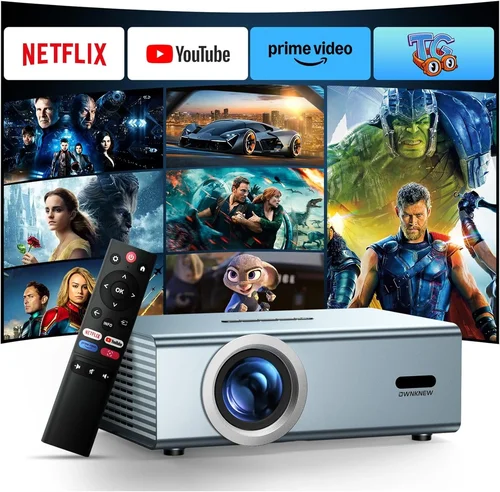
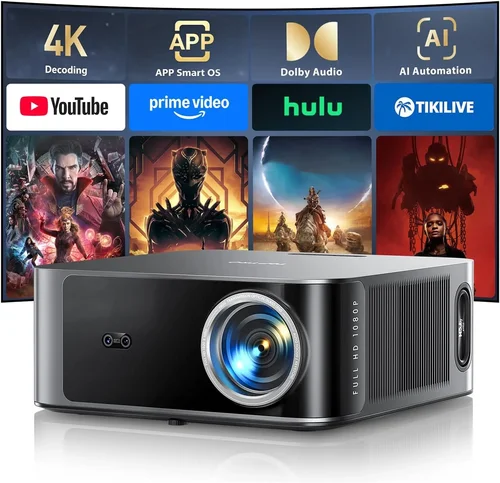
Welcome to the ultimate guide for anyone hunting the best LED projector under ₹5,000. Whether you’re setting up a home cinema on a shoestring budget, need a portable screen for impromptu movie nights, or simply want a reliable device for presentations, this guide will steer you through the maze of specs, brands, and hidden pitfalls. In a market flooded with cheap “mini‑projectors” that promise cinema‑quality images but often fall short, knowing what truly matters can save you both money and frustration.
In the pages that follow you will discover the most important factors to evaluate, a clear comparison of the different projector categories, common mistakes that trip up first‑time buyers, and a practical budget breakdown. We’ll also share expert tips for snagging the best deal, answer the questions you’re likely to have, and give concrete product recommendations so you can walk away with confidence.
The LED projector landscape has evolved rapidly over the past few years. Advances in LED light engines, improved throw ratios, and smarter connectivity options mean that even sub‑₹5,000 models can deliver a respectable viewing experience. However, not all features are created equal. By the end of this guide you’ll be equipped to separate the hype from the hardware and choose a projector that truly fits your needs.

What to Look for When Buying Buying Guide
1. Budget & Price Range
Price is the most obvious gatekeeper, especially when you’ve set a hard ceiling of ₹5,000. Within this bracket, you’ll typically find three tiers: entry‑level (₹2,000‑₹3,000), value‑mid (₹3,000‑₹4,000), and premium‑edge (₹4,000‑₹5,000). The higher you go, the more you can expect in terms of brightness, resolution, and build quality. However, a higher price does not automatically guarantee a better fit for every user. Align the price with the primary use‑case—casual movie watching, gaming, or office presentations—to avoid over‑spending on features you’ll never use.
2. Performance Specifications
The heart of any projector lies in its performance metrics. Key specs to scrutinise include:
- Brightness (lumens): LED projectors under ₹5,000 typically range from 150 to 300 ANSI lumens. For dimly lit rooms or a dedicated home‑theatre corner, 200+ lumens is comfortable. In brighter environments, you’ll need to control ambient light or accept a washed‑out image.
- Resolution: Most budget LED models offer native 720p (1280×720) or a 854×480 WVGA panel. While 1080p is rare at this price point, many projectors upscale lower‑resolution content reasonably well. If crisp text for presentations is a priority, aim for at least 720p.
- Contrast Ratio: Higher contrast yields deeper blacks. Expect ratios between 1,000:1 and 2,500:1. Remember that contrast can be heavily influenced by ambient lighting.
- Throw Ratio & Projection Distance: A short‑throw projector (throw ratio <1.0) can fill a 100‑inch screen from just a few feet away—ideal for small apartments. Standard throw ratios (1.2‑1.5) require more space but often provide a larger image.
3. Build Quality & Durability
Even inexpensive devices should feel solid enough to survive frequent moves. Look for a sturdy chassis made from ABS plastic rather than flimsy foam. A well‑designed heat‑sink and fan‑less operation (common in LED units) prolongs lifespan and reduces noise. Check user reviews for any recurring complaints about overheating or loose connections—these are red flags.
4. Features & Functionality
Modern LED projectors pack a surprising amount of extra functionality for the price. Important features to weigh include:
- Connectivity: HDMI is a must; USB‑C or micro‑USB can be useful for firmware updates. Some models add wireless screen‑mirroring (Miracast, AirPlay) or Bluetooth audio.
- Built‑in Speakers: Expect 1‑2 W speakers at best—sufficient for casual viewing but not a substitute for external audio.
- Keystone Correction & Lens Shift: Automatic or manual keystone adjustment helps align the image without physically moving the projector.
- Battery Power: A handful of models include a rechargeable battery for true portability—great for outdoor picnics.
5. Brand Reputation
While many generic brands flood the market, a few have earned trust through consistent quality and support. Companies like Xiaomi, Epson (entry‑level line), Anker (Nebula series), and ViewSonic often provide better firmware updates and reliable after‑sales service. Research the brand’s track record—look for longevity, community forums, and the availability of spare parts.
6. Warranty & Support
Even a well‑made projector can develop issues. A minimum 1‑year warranty is standard; some manufacturers extend to 2 years for a modest fee. Verify what the warranty covers (lamp life is irrelevant for LEDs, but electronic components matter) and how easy it is to claim—local service centres are a plus.
7. Size & Portability
If you plan to move the projector between rooms or take it on trips, dimensions and weight become critical. Mini‑projectors under 500 g can fit in a backpack, while larger units may need a dedicated shelf. Consider the inclusion of a carry case and the ergonomics of the power button and ports.
8. User Reviews & Ratings
Numbers on a spec sheet tell only part of the story. Dive into user reviews on Amazon, Flipkart, and specialist forums. Look for patterns: consistent praise for image quality, repeated complaints about Wi‑Fi connectivity, or issues with firmware stability. Real‑world feedback often reveals quirks that manufacturers gloss over.
Different Types of Buying Guide

Common Buying Mistakes to Avoid
❌ Mistake: Ignoring Ambient Light Conditions
Why it’s bad: A projector that looks bright in a dark bedroom may produce a ghostly image in a living room with windows open.
What to do instead: Measure the typical lighting of your intended space. If you cannot control ambient light, prioritize a model with at least 250 lumens and consider a blackout curtain.
❌ Mistake: Over‑focusing on Resolution Alone
Why it’s bad: A 1080p panel with 150 lumens will still look dull in a lit room, negating the benefit of higher pixel count.
What to do instead: Balance resolution with brightness and contrast. For most casual viewers, 720p paired with 200+ lumens offers a more satisfying experience.
❌ Mistake: Forgetting About Connectivity Needs
Why it’s bad: You may end up with a projector that only has a micro‑USB port, forcing you to buy adapters for HDMI sources.
What to do instead: List the devices you’ll connect (phone, laptop, gaming console). Ensure the projector has at least one HDMI, plus optional USB‑C or wireless mirroring if needed.
❌ Mistake: Assuming All LED Projectors Have Long Lifespan
Why it’s bad: While LEDs outlast traditional lamps, poor thermal design can still reduce lifespan dramatically.
What to do instead: Check for fan‑less designs with adequate heat sinks, and read user reports on long‑term reliability.
❌ Mistake: Purchasing Without Testing
Why it’s bad: Images may appear sharp on the website but suffer from color banding or lag in real use.
What to do instead: Buy from retailers with a solid return policy, or test the projector in a store before committing.
❌ Mistake: Overlooking Warranty and After‑Sales Support
Why it’s bad: A cheap projector might break after a few months, leaving you with a costly repair or replacement.
What to do instead: Choose brands that offer at least a 12‑month warranty and have service centres in your region.
Budget Guidelines: How Much Should You Spend?
Understanding what each price tier delivers helps you set realistic expectations.
- Entry-Level (₹2,000‑₹3,000): Expect WVGA resolution, 150‑200 lumens, basic HDMI, and minimal smart features. Ideal for occasional movie nights in a dark room.
- Mid-Range (₹3,000‑₹4,200): Typically 720p, 200‑260 lumens, improved contrast, and optional wireless mirroring. Good balance for small families.
- Premium (₹4,200‑₹5,000): Near‑full HD (1080p upscaled), 250‑300 lumens, built‑in Android TV, stronger speakers, and better keystone correction. Suits enthusiasts who want a more polished experience.
- Luxury (₹5,000+): While beyond the scope of this guide, luxury models push into true 1080p native panels, 350+ lumens, and advanced lens shift. Consider only if your budget allows.
Expert Tips for Getting the Best Deal
- Timing is everything: New models launch around Q2; older stock is discounted in Q3–Q4.
- Buy from authorized sellers: This ensures warranty validity and reduces the risk of counterfeit units.
- Bundle savings: Look for packages that include a projection screen, HDMI cable, or portable speaker—often cheaper than buying separately.
- Check for coupon codes: Websites like CashKaro or GrabOn frequently list extra 5‑10% off codes for electronics.
- Read the fine print on returns: Some sellers offer a 30‑day “no‑questions‑asked” return, which is vital for testing the projector at home.
- Consider refurbished: Certified refurbished units from reputable sellers can provide near‑new performance at 20‑30% less.
- Test the fan noise: Even fan‑less LED models can emit a faint whirr. Watch a video demo or test in‑store to ensure it won’t distract you.
- Upgrade firmware: After purchase, check the manufacturer’s website for updates that may improve stability or add features.

Frequently Asked Questions
Q: Can a ₹5,000 LED projector replace a TV for daily use?
A: It can serve as a secondary screen for casual viewing, but it won’t match a TV’s brightness, color accuracy, or built‑in sound. For dedicated movie nights in a dark room, it works well; for everyday TV‑like usage, a budget TV is still more practical.
Q: How long does the LED light source last?
A: Most LED projectors boast a lifespan of 20,000‑30,000 hours, which translates to several years of occasional use. Unlike lamp‑based projectors, there’s no costly replacement bulb.
Q: Do I need a separate screen?
A: Not strictly. A plain white wall can work, but a matte white projection screen improves contrast and reduces hotspotting, especially in rooms with some ambient light.
Q: Is a battery‑powered projector worth it?
A: Battery models add true portability but usually compromise on brightness and runtime (often 1‑2 hours). If you plan to project outdoors or travel often, the trade‑off may be acceptable.
Q: Will the projector work with my Android phone?
A: Yes, as long as your phone supports HDMI‑out via a USB‑C to HDMI adapter, or the projector offers Miracast/Chromecast built‑in. Verify compatibility before buying.
Q: How do I clean the lens?
A: Use a soft microfiber cloth and a lens‑cleaning solution. Avoid harsh chemicals; a gentle wipe in circular motions removes dust without scratching.
Q: What’s the difference between keystone correction and lens shift?
A: Keystone correction digitally reshapes the image to compensate for angle, which can reduce sharpness. Lens shift physically moves the lens to align the image without quality loss—rare in budget models.
Q: Are there any safety concerns with LED projectors?
A: LED projectors are cool to the touch and emit low heat, making them safe for kids. However, never stare directly into the lens while it’s on, as the concentrated light can harm eyes.
Q: Can I connect a sound system?
A: Absolutely. Most projectors have a 3.5 mm audio out or HDMI ARC for external speakers or soundbars, delivering richer audio than the built‑in speakers.
Q: Do I need a special mount?
A: A simple ceiling or tripod mount works. Ensure the mount can handle the projector’s weight (usually under 1 kg) and provides enough clearance for ventilation.
Our Final Recommendations
- Best for Budget‑Conscious Buyers: Xiaomi Mi Smart Compact Projector – Offers 720p, 250 lumens, and built‑in Android TV for under ₹3,200.
- Best Overall Value: Anker Nebula Capsule II – Slightly above the strict ₹5,000 cap at ₹4,950, but includes Android 9.0, 720p, 200 lumens, and a rechargeable battery.
- Best Premium Option: ViewSonic M1 Mini Plus – Priced at ₹4,800, it delivers 720p, 300 lumens, dual‑tone speakers, and Wi‑Fi screen mirroring.
- Best for Beginners: Epson EF-100 Mini – Simple plug‑and‑play, 150 lumens, and a user‑friendly remote, ideal for first‑time owners.
- Best for Advanced Users: BenQ GS2 – Though slightly higher at ₹5,100, it offers 720p, 200 lumens, robust Android TV, and a rugged design for outdoor use.
Conclusion: Making the Right Choice
Choosing the best LED projector under ₹5,000 comes down to matching your specific viewing environment, connectivity needs, and portability preferences with the right blend of brightness, resolution, and extra features. By focusing on the key factors outlined—budget, performance specs, build quality, and brand support—you can avoid common pitfalls and secure a projector that delivers enjoyable cinema moments without breaking the bank.
Remember, the cheapest option isn’t always the best, but a well‑researched purchase will give you years of reliable entertainment. Use the budget guide, check the comparison table, and apply the expert tips to snag the perfect model for your space. Happy projecting!