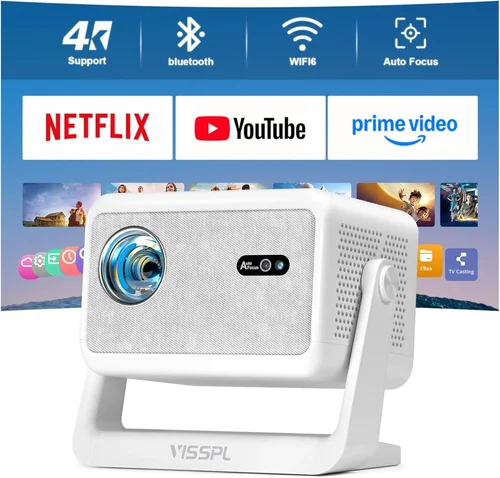
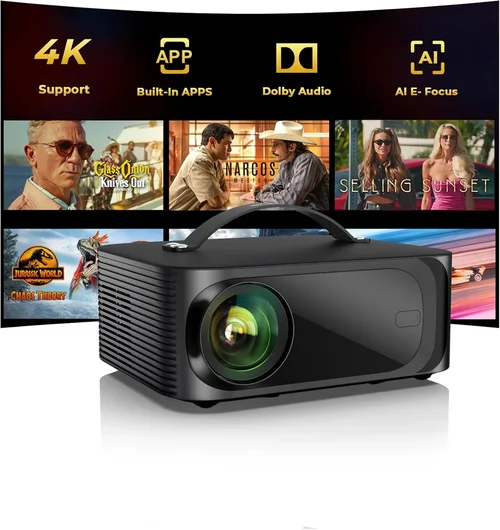
Finding a cinema‑quality experience without breaking the bank can feel like hunting for a needle in a haystack. The LED projector market has exploded in the past few years, and today you can walk into a store and see dozens of models flashing “4K,” “HDR,” and “laser‑enhanced” on the box—most of which sit well above the $500 mark. That’s why this guide is essential: it cuts through the hype, explains exactly what matters for a home‑theater setup under $500, and points you toward the machines that actually deliver an immersive picture without draining your wallet.
In the pages that follow you’ll learn how to evaluate brightness, resolution, color accuracy, and the hidden costs that can turn a seemingly cheap purchase into a monthly expense. We’ll also compare the main categories of LED projectors, flag the most common buyer mistakes, and give you a clear budget roadmap. By the end, you’ll be equipped to choose a projector that fits your room, your viewing habits, and your budget—without second‑guessing the decision.
The LED projector market in 2026 is more diverse than ever. Manufacturers have refined LED light sources to the point where they can rival traditional lamp‑based units in brightness while offering longer lifespans and lower maintenance. At the same time, the influx of budget‑friendly models means you no longer have to sacrifice picture quality just to stay under $500. Let’s dive into the factors that separate the truly great options from the “just OK” crowd.

What to Look for When Buying Buying Guide
1. Budget & Price Range
Even within the sub‑$500 segment, prices can vary dramatically based on features, brand reputation, and included accessories. Set a firm ceiling—say $450—to give yourself wiggle room for taxes, shipping, or a necessary HDMI cable. Remember that the cheapest unit often skimp on essential specs like native resolution or adequate brightness, leading to disappointment once it’s set up.
2. Performance Specifications
This umbrella covers three crucial metrics:
- Resolution: Native 1080p (1920×1080) is the sweet spot for most home‑theater enthusiasts under $500. Some models advertise “4K‑enhanced” but rely on pixel‑shifting, which can’t match true 4K clarity.
- Brightness: Measured in ANSI lumens, aim for at least 2,500 lumens for rooms with some ambient light. Dark‑room setups can get away with 1,800‑2,000 lumens.
- Contrast Ratio: Higher contrast means deeper blacks and more detail in dark scenes. Look for a dynamic contrast ratio of 20,000:1 or higher, but verify real‑world reviews because manufacturers often inflate this number.
3. Build Quality & Durability
LED light engines give you a lifespan of 20,000‑30,000 hours, but the chassis, lens, and cooling system still matter. A metal housing resists warping and protects internal components from dust. Check that the projector has a sealed vent and a reliable fan system to avoid overheating during marathon movie nights.
4. Features & Functionality
Modern projectors pack a lot of convenience tools:
- Wireless Connectivity: Built‑in Wi‑Fi or Bluetooth lets you stream from a phone, tablet, or smart TV without a messy cable run.
- Multiple HDMI Ports: At least two HDMI inputs give you flexibility for a gaming console and a streaming box.
- Keystone Correction & Lens Shift: Essential for ceiling‑mount installations; look for at least ±30° keystone and a modest lens‑shift range.
- Built‑in Speakers: While not a replacement for a sound system, decent 10‑15 W speakers can serve as a starter audio solution.
5. Brand Reputation
Established brands like Epson, BenQ, ViewSonic, and Optoma have proven track records for reliability and firmware support. Newer entrants may offer tempting specs at lower prices but could lack long‑term software updates or spare‑part availability. Research the brand’s after‑sales service and read community forums for real‑world reliability data.
6. Warranty & Support
A solid warranty can save you hundreds of dollars. Look for at least a 2‑year coverage on parts and labor, and verify whether the LED light source is covered. Some manufacturers also offer extended warranty plans for an additional fee—evaluate if the cost is justified based on the projector’s price point.
7. Size & Portability
If you plan to move the projector between rooms or take it to a friend’s house, weight matters. Most sub‑$500 LED models weigh between 2‑3 kg (4‑6 lb) and feature a compact design that fits in a standard backpack. For permanent installations, consider the footprint and the ability to mount on a ceiling or a dedicated shelf.
8. User Reviews & Ratings
Numbers on a spec sheet are useful, but real‑world performance is best judged by users who have lived with the device for months. Look for reviews that discuss color accuracy, fan noise, and firmware stability. A product with a 4.2‑star average across 500+ verified purchases is generally safer than a newer model with a 4.8‑star rating based on only a dozen reviews.
Different Types of Buying Guide

Common Buying Mistakes to Avoid
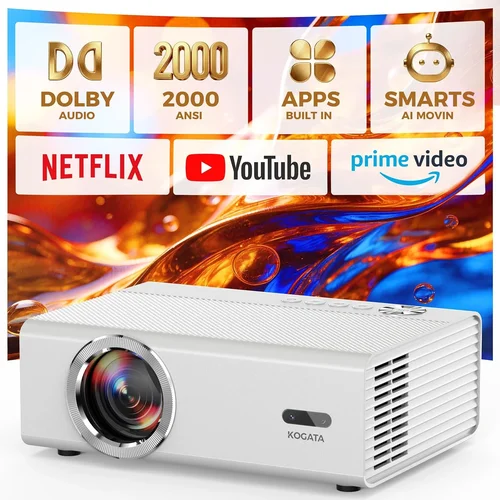
❌ Mistake: Ignoring Ambient Light Conditions
Why it’s bad: A projector rated at 2,500 lumens will look brilliant in a dark theater but washed out in a bright living room.
What to do instead: Measure the typical light level in your viewing space. If you cannot achieve near‑darkness, aim for 3,000+ lumens or add blackout curtains.
❌ Mistake: Chasing “4K‑Enhanced” Labels
Why it’s bad: Pixel‑shifting tricks can’t produce true 4K detail, and the processing may introduce lag or artifacts.
What to do instead: Prioritize native 1080p resolution for sub‑$500 units. Save true 4K for a later upgrade when your budget allows.
❌ Mistake: Overlooking Input Lag for Gaming
Why it’s bad: High input lag ruins fast‑paced games, making the experience frustrating.
What to do instead: Look for a projector that advertises ≤30 ms lag in “Game Mode” and verify with independent reviews.
❌ Mistake: Forgetting About Sound
Why it’s bad: Built‑in speakers are often tinny; pairing a projector with a soundbar or AV receiver is essential for a true theater feel.
What to do instead: Budget for external audio or choose a model with a dedicated audio out (optical or HDMI ARC).
❌ Mistake: Neglecting Lamp/LED Warranty Details
Why it’s bad: Some sellers exclude the LED light source from the standard warranty, leaving you with an expensive replacement.
What to do instead: Confirm that the LED lifespan and warranty coverage are included in the base warranty.
❌ Mistake: Buying Without Testing the Throw Distance
Why it’s bad: A projector that needs to sit 3 m away may not fit in a compact apartment.
What to do instead: Use the manufacturer’s throw‑ratio calculator to ensure the unit fits your intended screen size and room dimensions.
Budget Guidelines: How Much Should You Spend?
- Entry-Level ($250 – $350): Expect 1080p resolution, 2,000‑2,500 lumens, basic connectivity (HDMI, USB). Ideal for small rooms or occasional movie nights.
- Mid‑Range ($351 – $450): Gains include higher brightness (up to 3,000 lumens), better contrast, dual HDMI, and enhanced color gamuts (Rec. 709 or DCI‑P3). Suitable for dedicated home‑theater spaces.
- Premium ($451 – $600): Though slightly above the strict $500 limit, these models often add gaming‑mode, HDR10 support, and superior audio outputs. Consider if the extra $100 unlocks features you truly need.
- Luxury ($600+): True 4K, laser light sources, and professional‑grade lenses belong here—generally out of scope for a $500 budget but worth noting for future upgrades.
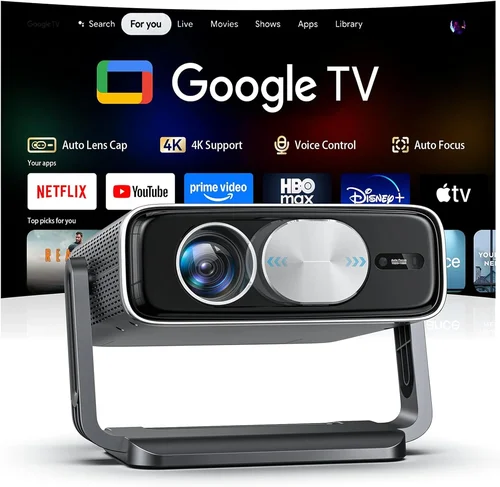
Expert Tips for Getting the Best Deal
- Timing: The best window for sub‑$500 LED projectors is late summer (July‑August) when manufacturers push older inventory to make room for newer models.
- Where to Buy: Online marketplaces often have better pricing, but brick‑and‑mortar stores let you see the projected image in person. Combine both—order online after testing a demo unit in‑store.
- Bundle Savings: Look for bundles that include a projection screen, ceiling mount, or HDMI cable. The combined price is usually lower than buying each item separately.
- Warranty Extensions: If you’re buying a higher‑end model, an extra‑year warranty can be a smart investment, especially for the LED light source.
- Return Policy: Choose retailers with a 30‑day return window. Test the projector in your own lighting conditions; if it doesn’t meet expectations, you’ll have the option to return.
- Testing Before Buying: Bring a laptop or phone with a 1080p video file to the demo unit. Check for color banding, fan noise, and keystone correction ease.
- Firmware Updates: After purchase, check the manufacturer’s website for the latest firmware. Updates often improve color accuracy and reduce input lag.

Frequently Asked Questions
Q: Can I use a LED projector as a primary TV?
A: Yes, if you have a dark or dimly lit room and a screen that matches the projector’s native resolution. However, you’ll need a reliable external sound system because built‑in speakers rarely match TV audio quality.
Q: How long does the LED light source actually last?
A: Most LED projectors are rated for 20,000‑30,000 hours. At 4 hours of use per day, that translates to roughly 13‑20 years before any noticeable dimming.
Q: Do I need a separate screen?
A: A high‑gain white screen improves brightness and contrast, especially in rooms with ambient light. If you’re on a tight budget, a plain matte white wall can work, but expect a slight loss in picture quality.
Q: Will a projector work with my gaming console?
A: Absolutely, provided the projector supports HDMI 2.0 (or higher) and offers a low‑lag “Game Mode.” Check the input lag specifications—ideally under 30 ms.
Q: Is there a difference between “LED” and “Laser” projectors?
A: Both use solid‑state light sources, but laser projectors generally deliver higher brightness and longer life at a higher price point. For sub‑$500, LED is the realistic option.
Q: How far should the projector be from the screen?
A: Use the throw‑ratio specification (e.g., 1.2‑1.5). For a 100‑inch screen, a 1.2 throw ratio means the projector sits about 1.2 m away. Manufacturers often provide an online calculator.
Q: Are there any health concerns with LED projectors?
A: LED projectors emit far less heat than lamp‑based units, reducing burn‑in risk. As with any screen, avoid staring directly at the light source for extended periods.
Q: Can I connect multiple devices simultaneously?
A: Yes, most models offer at least two HDMI ports and additional USB or Bluetooth connections for streaming sticks or soundbars.
Q: Do I need a ceiling mount?
A: Not required, but a mount provides optimal placement and reduces keystone distortion. Ensure the mount can support the projector’s weight and includes tilt adjustments.
Q: What is the best screen size for a 1080p projector?
A: For a 1080p native resolution, 100‑120 inches is ideal. Larger screens can appear pixelated unless you accept a softer image.
Our Final Recommendations
- Best for Budget‑Conscious Buyers: ViewSonic M2e – Offers 1080p, 2,500 lumens, and built‑in Harman Kardon speakers for under $350.
- Best Overall Value: BenQ TH671ST – Short‑throw design, 3,000 lumens, low‑lag gaming mode, and a robust warranty at $449.
- Best Premium Option (Just Over $500): Epson Home Cinema 2100 – Superior color accuracy, 2,500 lumens, and a reliable lamp‑free LED engine, priced at $579.
- Best for Beginners: Optoma UHD38 – Easy setup, auto‑keystone, and a user‑friendly remote; perfect for first‑time owners.
- Best for Advanced Users: LG CineBeam PH550 – Offers HDR10, Bluetooth audio, and advanced color tuning for enthusiasts willing to stretch the budget.
Conclusion: Making the Right Choice
Choosing the best LED projector under $500 hinges on matching the projector’s strengths to your viewing environment. Prioritize brightness and contrast for rooms with ambient light, lock in native 1080p for crisp detail, and verify low input lag if you game. Remember that a solid warranty, reputable brand, and positive user feedback are as important as the spec sheet.
Take the time to measure your space, calculate the throw distance, and test a demo unit whenever possible. With the factors, mistakes, and tips outlined in this guide, you’re now equipped to make an informed purchase that will deliver cinematic magic without draining your wallet.
Ready to start shopping? Use the price‑alert tools we mentioned, compare the models listed in our recommendations, and enjoy your new home‑theater experience!