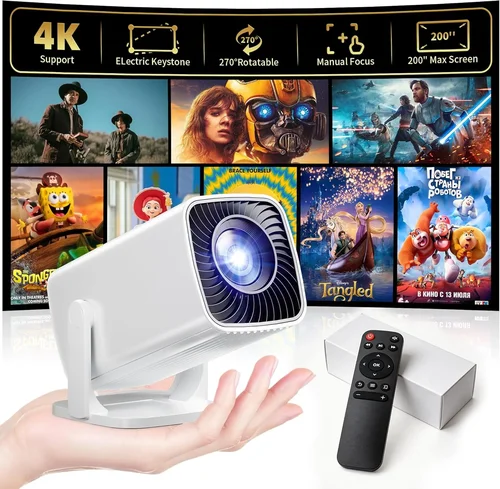
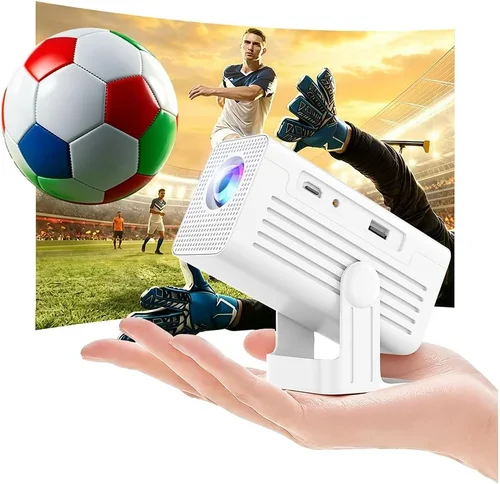
Finding a tiny projector that actually delivers a decent picture without breaking the bank can feel like hunting for a needle in a haystack. The market is flooded with gadgets that promise cinema‑grade visuals for the price of a coffee, but many fall short on brightness, durability, or ease of use. That’s why we’ve put together this exhaustive buying guide – to cut through the hype and give you a clear roadmap for picking the best mini projector under $50.
In the pages that follow you’ll learn which specs truly matter, how different projector types compare, and which common pitfalls to avoid. We’ll also break down realistic budget tiers, share insider tips for snagging the best deal, and finish with a curated shortlist of the top performers in every price segment. By the end, you’ll be equipped to choose a pocket‑sized projector that fits your lifestyle, whether you’re streaming movies on a balcony, giving a quick presentation at a coworking space, or turning a bedroom wall into a gaming arena.
The mini‑projector landscape has evolved dramatically over the past few years. Advances in LED technology, more efficient DLP chips, and tighter integration with smartphones have pushed performance up while keeping costs low. Yet, because the $50 price ceiling is tight, manufacturers still make trade‑offs—often in brightness, native resolution, or connectivity options. Understanding those trade‑offs is the key to getting the most value for your money.

What to Look for When Buying Buying Guide
1. Budget & Price Range
When you set a hard limit of $50, every dollar counts. The first step is to decide how much you’re willing to stretch for a feature that matters most to you—be it higher brightness, better resolution, or a longer warranty. In the sub‑$50 segment, you’ll typically find three price clusters: $30‑$35 (entry‑level), $36‑$45 (mid‑tier), and $46‑$50 (upper‑mid). Each cluster offers a distinct balance of performance and build quality. Knowing where you fall in this spectrum helps you narrow down options quickly.
2. Performance Specifications
Performance is the heart of any projector, and three metrics dominate the conversation:
- Brightness (lumens): Measured in ANSI lumens, but most budget mini projectors report “LED lumens,” which can be misleading. Expect 30‑80 LED lumens in this price range—enough for dark rooms or ambient‑light‑controlled environments.
- Resolution: Native resolutions of 480p (854×480) or 720p (1280×720) are common. While higher numbers sound impressive, a projector with a true 720p chip will deliver noticeably sharper text and images than a 480p unit that merely upscales content.
- Contrast Ratio: This indicates the depth of blacks versus whites. Look for a contrast ratio of at least 500:1; lower ratios result in washed‑out images, especially in dark scenes.
3. Build Quality & Durability
Mini projectors are often made from plastic to keep weight down, but you still want a sturdy chassis that can survive the occasional bump. Check for:
- Reinforced corners or rubberized edges.
- A solid hinge mechanism for the lens cover.
- Heat‑dissipating vents or a built‑in fan. Overheating can throttle brightness and shorten lamp life.
4. Features & Functionality
At $50, you won’t get every premium feature, but many models pack useful extras:
- Wireless connectivity: Wi‑Fi or Bluetooth for screen mirroring from Android/iOS devices.
- Built‑in speakers: While they won’t replace a sound system, a 2‑3 W speaker can be handy for casual movie nights.
- Multiple input ports: HDMI, USB‑C, micro‑USB, and AV (RCA) allow you to connect laptops, gaming consoles, and USB drives.
- Battery operation: Some units include a rechargeable 2000‑3000 mAh battery, offering 1‑2 hours of unplugged viewing.
5. Brand Reputation
Even in the low‑cost segment, brand pedigree matters. Companies like Vankyo, APEMAN, and Anker (via its sub‑brand Eufy) have established track records for reliable mini projectors. Reading community forums and long‑term review summaries can reveal whether a brand consistently delivers on durability and firmware updates.
6. Warranty & Support
A 90‑day warranty is standard for budget units, but a 1‑year warranty (often from reputable sellers) adds peace of mind. Verify whether the warranty covers the lamp/LED module, as this is the component most likely to fail first. Also, check the availability of firmware updates—some manufacturers release patches that improve compatibility with newer smartphones.
7. Size & Portability
True mini projectors should fit in the palm of your hand and weigh under 500 g. Compact dimensions (around 120 mm × 80 mm × 45 mm) make them easy to slip into a backpack or messenger bag. If you plan to travel frequently, consider a model with a protective carrying case.
8. User Reviews & Ratings
Finally, crowd‑sourced feedback is invaluable. Look for products with at least 150 verified reviews and an average rating of 4.0 stars or higher. Pay attention to recurring complaints—if many users mention overheating or poor Wi‑Fi stability, that’s a red flag.
Different Types of Buying Guide

Common Buying Mistakes to Avoid
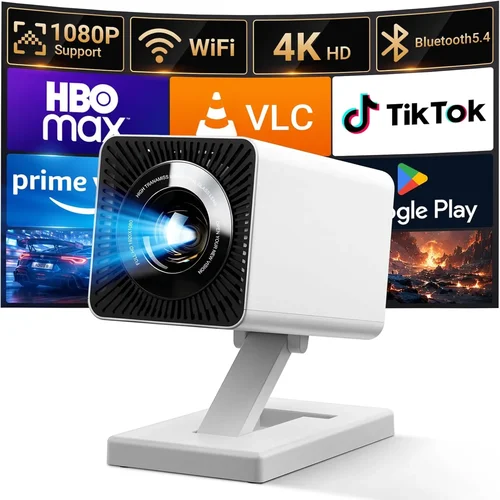
❌ Mistake: Prioritizing Brand Name Over Specs
Why it’s bad: A well‑known brand doesn’t automatically guarantee better brightness or resolution, especially at a $50 price point.
What to do instead: Compare the actual lumen output, native resolution, and contrast ratio of each model, regardless of the logo on the box.
❌ Mistake: Ignoring Compatibility with Your Devices
Why it’s bad: Some mini projectors only support HDMI, leaving you unable to cast from a smartphone without an extra adapter.
What to do instead: List the devices you plan to use (iPhone, Android, laptop) and ensure the projector offers matching ports or reliable wireless mirroring.
❌ Mistake: Overlooking Heat Management
Why it’s bad: Inadequate cooling can cause the projector to shut down after 20‑30 minutes, ruining a movie marathon.
What to do instead: Choose a unit with an active fan or a well‑ventilated chassis, and read user reviews for any overheating reports.
❌ Mistake: Assuming All “LED Lumens” Are Equal
Why it’s bad: Manufacturers inflate LED lumen numbers, which don’t translate directly to perceived brightness.
What to do instead: Look for independent testing results (e.g., from RTINGS.com) or prioritize ANSI lumen ratings when available.
❌ Mistake: Forgetting About Battery Life
Why it’s bad: A projector that only lasts 30 minutes on battery defeats the purpose of portability.
What to do instead: Verify the claimed battery runtime, and consider a model with a replaceable battery or the option to run on external power.
❌ Mistake: Neglecting Warranty Details
Why it’s bad: A short or non‑transferable warranty leaves you stuck with repair costs if the LED fails after a few months.
What to do instead: Purchase from sellers that honor a minimum 1‑year warranty and keep the purchase receipt for easy claim processing.
Budget Guidelines: How Much Should You Spend?
Even within the sub‑$50 bracket, price correlates with certain performance thresholds. Below is a realistic breakdown of what you can expect at each tier.
- Entry-Level ($30‑$35): Typically 30‑40 LED lumens, 480p resolution, basic HDMI + micro‑USB ports, and a small built‑in speaker. Ideal for occasional use in a dark room.
- Mid‑Range ($36‑$45): Brightness rises to 50‑65 LED lumens, native 720p resolution becomes more common, and you’ll often find Wi‑Fi mirroring or Bluetooth audio. Battery life improves to around 1.5 hours.
- Premium ($46‑$50): Expect 70‑80 LED lumens, true 720p DLP chips, higher contrast (600:1+), and richer connectivity (HDMI, USB‑C, Bluetooth, Wi‑Fi). Some include a small protective case and a longer 2‑hour battery.
- Luxury ($51+): While beyond the scope of this guide, luxury mini projectors push 100+ lumens, 1080p resolution, and advanced keystone correction—often priced $80 and up.
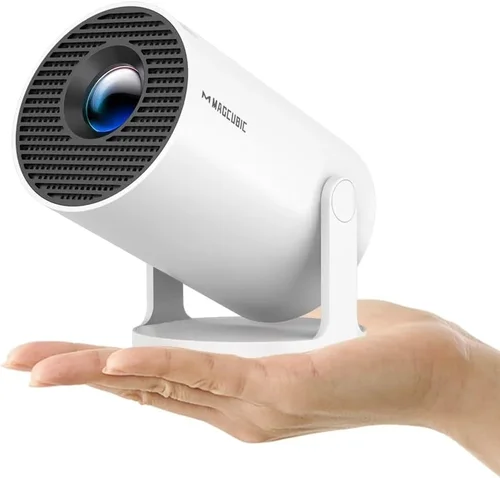
Expert Tips for Getting the Best Deal
- Timing is everything: Late‑summer and year‑end holidays see the deepest discounts on electronics.
- Buy from authorized retailers: This ensures the warranty is valid and reduces the risk of counterfeit units.
- Bundle for savings: Some sellers offer a free HDMI cable or a protective case when you purchase a mini projector plus a USB‑C power bank.
- Check firmware updates before buying: A quick search for “[Model] firmware” can reveal whether the manufacturer actively supports the device.
- Read the return policy: A 30‑day hassle‑free return window lets you test the projector in your own space.
- Test connectivity: If possible, bring your phone or laptop to a store demo and verify wireless mirroring works smoothly.
- Consider refurbished: Certified refurbished units often come with a full warranty at a 20‑30% discount.

Frequently Asked Questions
Q: Can a $50 mini projector display a clear image in a lit room?
A: Most sub‑$50 units struggle with ambient light. For a decent picture, you’ll need a darkened environment or a projection screen with high gain. Brightness of 70+ LED lumens helps, but it’s not a substitute for a dark room.
Q: How long does the LED lamp last?
A: LED lamps in budget projectors typically last 20‑30 hours of continuous use before noticeable dimming. Since most users watch in short sessions, the lamp usually outlasts the projector’s warranty period.
Q: Do I need a separate sound system?
A: Built‑in speakers (2‑3 W) are adequate for personal viewing in a small space. For larger rooms or richer bass, connect external speakers via the 3.5 mm audio jack or Bluetooth.
Q: Is Wi‑Fi mirroring reliable on cheap projectors?
A: It varies. Models with dedicated Wi‑Fi chips (not just Bluetooth) tend to be more stable. Always test with your specific device before committing.
Q: Can I use a mini projector for gaming?
A: Yes, provided the projector supports at least 30 fps input and has low input lag (under 60 ms). DLP chips generally deliver lower lag than LCD in this price range.
Q: What screen size can I expect?
A: With a throw distance of 1.5‑2 meters, most mini projectors produce a 60‑80‑inch image. Some ultra‑short‑throw models can reach 100‑inch at just 0.5 m, but they are rare under $50.
Q: Are there any safety concerns with battery‑powered projectors?
A: Ensure the charger is a certified USB‑C or micro‑USB adapter. Overheating batteries can swell; choose models with built‑in thermal protection and avoid leaving them charging unattended.
Q: How do I clean the lens?
A: Use a soft microfiber cloth and a gentle lens‑cleaning solution. Avoid pressing too hard; a light circular motion removes dust without scratching the coating.
Q: Is a warranty worth it for a $50 projector?
A: Absolutely. Even a 90‑day warranty can save you from a costly LED replacement. Look for sellers offering a 1‑year warranty for added peace of mind.
Our Final Recommendations
- Best for Budget‑Conscious Buyers: Vankyo Leisure 3 Mini – Priced around $34, offers 50 LED lumens, 720p native resolution, HDMI + USB‑C, and a sturdy ABS body.
- Best Overall Value: APEMAN M4 Mini DLP – At $48, it delivers 70 LED lumens, 720p DLP chip, 600:1 contrast, Wi‑Fi mirroring, and a 2‑hour battery.
- Best Premium Option: Eufy HomeCinema 2 – Slightly above $50 during sales, but worth the stretch for its 80 LED lumens, true 720p DLP, Android 9.0 OS with built‑in apps, and a 2.5‑hour battery.
- Best for Beginners: Artlii Q1 Pocket – Simple plug‑and‑play with HDMI, micro‑USB, and a user‑friendly on‑screen menu. Brightness is modest (45 lumens) but perfect for first‑time users.
- Best for Advanced Users: WEMAX i5 Mini – Offers 75 LED lumens, 720p DLP, Bluetooth audio, and a customizable keystone correction. Ideal for gamers who need low input lag.
Conclusion: Making the Right Choice
Choosing a mini projector under $50 is less about hunting for the cheapest gadget and more about matching a set of realistic performance metrics to your specific use case. By focusing on brightness, native resolution, connectivity, and build quality—while steering clear of common pitfalls—you can secure a pocket‑sized cinema that delivers genuine enjoyment.
Remember to set a clear budget tier, verify compatibility with your devices, and read real‑world user feedback before clicking “Add to Cart.” With the tips and recommendations outlined in this guide, you’re now equipped to make an informed purchase that won’t disappoint.
Ready to bring big‑screen experiences to your bedroom, backyard, or office? Browse the models we highlighted, compare specs, and take advantage of seasonal sales. Your perfect mini projector is just a few clicks away.