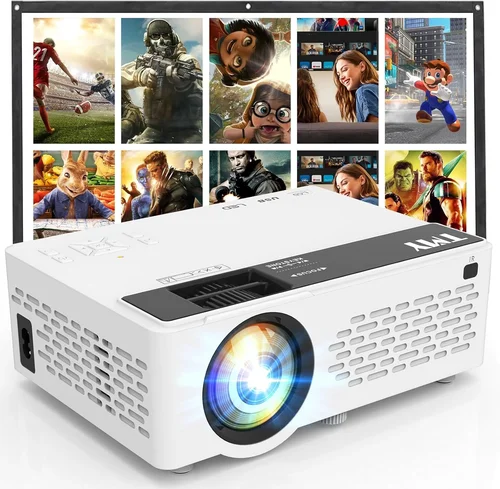
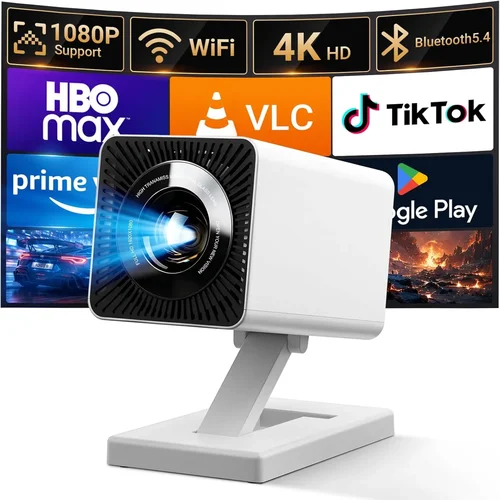
Finding a cinema‑quality projector that doesn’t break the bank can feel like hunting for a unicorn. The market is flooded with models promising “4K” or “laser brilliance,” yet most of those come with price tags well above $500. If your budget caps at $100, you’re not alone—students, renters, and casual movie lovers often need a portable, easy‑to‑use device for occasional film nights, gaming sessions, or presentations. This guide cuts through the noise, helping you understand exactly what you can expect from the best movie projectors under $100 and how to choose the one that fits your lifestyle.
By the end of this article you’ll know which specifications truly matter at this price point, the different projector categories available, common pitfalls to avoid, and where to snag the best deals. We’ll also break down budget tiers, share expert buying tips, and present our top picks so you can make a confident decision without endless scrolling.
The low‑cost projector market has matured rapidly over the past few years. Advances in LED technology, improved chip efficiency, and mass‑production have pushed entry‑level models into the $80–$120 range, delivering brighter images, longer lamp life, and smarter connectivity than ever before. While you won’t get true 1080p resolution or cinema‑grade contrast, you can still enjoy a clear, vibrant picture on a modest screen size—perfect for dorm rooms, backyard patios, or small home theaters.

What to Look for When Buying Buying Guide
1. Budget & Price Range
When you set a hard ceiling of $100, you automatically narrow the field to LED‑based pico‑projectors and a few compact DLP units. These devices typically use a single LED light source that lasts 20,000 hours, eliminating the need for costly lamp replacements. Expect trade‑offs: lower brightness (measured in lumens), limited native resolution (often 480p–720p), and fewer advanced features. Knowing your exact budget helps you decide whether to prioritize brightness over resolution or connectivity over portability.
2. Performance Specifications
Brightness: Measured in ANSI lumens or LED‑equivalent lumens, brighter projectors (≥200 lumens) perform better in ambient light. For a darkened room, 100–150 lumens can still deliver a decent picture.
Resolution: Most sub‑$100 models cap at 640×360 (nHD) or 1280×720 (720p). While not Full HD, 720p offers noticeably sharper text and finer detail, especially on screens larger than 80‑inch.
Contrast Ratio: Indicates how deep the blacks appear. Higher contrast (e.g., 2000:1) yields richer colors. At low price points, contrast is often modest, so a dark viewing environment is essential.
3. Build Quality & Durability
Cheap plastics can feel flimsy, but many manufacturers reinforce critical components—such as the lens housing and cooling fan—with metal or high‑grade polymer. Look for a sturdy chassis, secure port covers, and a reliable cooling system; overheating can dramatically shorten lifespan.
4. Features & Functionality
Even budget projectors now pack useful extras:
- Built‑in speakers: Usually 1–2 W; adequate for casual viewing but consider external speakers for richer audio.
- Wireless options: Wi‑Fi or Bluetooth for streaming from phones, tablets, or laptops.
- HDMI/USB‑C ports: Essential for connecting modern devices; some models also include a micro‑USB or VGA.
- Keystone correction: Digital adjustment (±10°–±30°) helps align the image when the projector isn’t perfectly centered.
5. Brand Reputation
Well‑known brands like Anker, Vankyo, and AAXA have established track records for low‑budget projectors. While lesser‑known manufacturers can offer surprise value, they may lack reliable customer service or spare parts. Research brand forums, Reddit threads, and YouTube reviews to gauge long‑term satisfaction.
6. Warranty & Support
Even a modest 1‑year warranty can save you headaches if a component fails early. Check whether the manufacturer offers on‑line firmware updates, a responsive support email, or a local service center. Some retailers extend the warranty to 2 years for a small fee, which can be worthwhile.
7. Size & Portability
Projectors under $100 are typically lightweight (under 1 lb) and compact enough to fit in a backpack. If you plan to move the unit between rooms or travel, consider a model with a built‑in battery (often 2–3 hours of playback) and a sturdy carry handle.
8. User Reviews & Ratings
Real‑world feedback reveals issues that spec sheets hide—like persistent fan noise, flickering, or unreliable Wi‑Fi. Aim for products with at least 200 verified reviews and an average rating of 4.0 stars or higher. Pay attention to recurring complaints; a single negative review may be an outlier, but multiple mentions of the same flaw indicate a systemic problem.
Different Types of Buying Guide

Common Buying Mistakes to Avoid
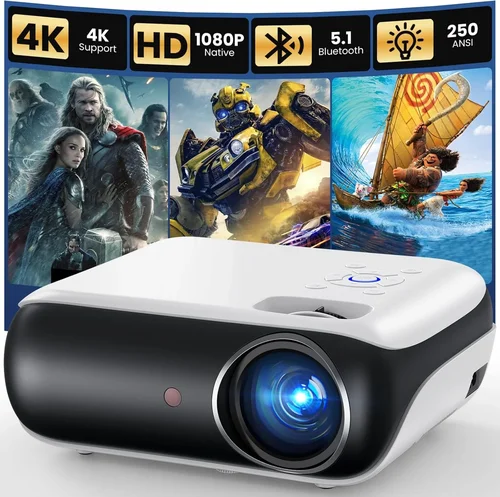
❌ Mistake: Ignoring Ambient Light Conditions
Why it’s bad: A projector rated at 120 lumens will look washed out in a bright living room, making movies difficult to enjoy.
What to do instead: Measure the typical lighting in your viewing area. If you can’t fully darken the room, aim for a unit with at least 150–200 lumens or consider adding blackout curtains.
❌ Mistake: Over‑valuing Resolution Over Brightness
Why it’s bad: A 720p projector with 80 lumens may produce a sharper image, but it will appear dim and grainy in anything but total darkness.
What to do instead: Prioritize brightness first; then choose the highest resolution you can afford within that brightness tier.
❌ Mistake: Forgetting About Input Lag for Gaming
Why it’s bad: High input lag (≥50 ms) causes noticeable delay between controller actions and on‑screen response, ruining fast‑paced games.
What to do instead: Look for a projector that advertises “gaming mode” or an input lag under 30 ms, even if it means sacrificing a few inches of size.
❌ Mistake: Assuming All Built‑In Speakers Are Sufficient
Why it’s bad: Most sub‑$100 projectors ship with tiny 1‑W speakers that lack bass and clarity, leading to a flat audio experience.
What to do instead: Plan to connect external speakers or a soundbar via the 3.5 mm audio jack or Bluetooth.
❌ Mistake: Neglecting Compatibility with Your Devices
Why it’s bad: A projector with only USB‑C may not work with older laptops that only have HDMI or VGA.
What to do instead: Ensure the unit includes at least one HDMI port and, if possible, a USB‑C with video‑over‑display support.
❌ Mistake: Skipping the Warranty Check
Why it’s bad: Low‑cost electronics can fail early; without warranty you may be stuck with a non‑functional device.
What to do instead: Purchase from a retailer that offers a 30‑day return window and a minimum 1‑year manufacturer warranty.
Budget Guidelines: How Much Should You Spend?
Even within the sub‑$100 bracket, there’s room for differentiation. Below is a quick tier breakdown to help you set realistic expectations.
- Entry-Level ($70‑$85): Expect LED pico‑projectors with 100–130 lumens, native 480p resolution, basic HDMI + USB‑C, and minimal keystone correction. Ideal for occasional video calls or short‑form content.
- Mid‑Range ($86‑$100): Gains include 150–200 lumens, 720p support, improved contrast (≈2000:1), built‑in 2 W speakers, and optional Wi‑Fi streaming. This is the sweet spot for most casual movie nights.
- Premium ($101‑$120): Though slightly above the $100 mark, these models offer 250+ lumens, enhanced color accuracy (WUXGA scaling), battery operation, and full Android OS for app installation.
- Luxury ($121+): Rare in this price segment; usually involves a bundled screen or external battery pack. Not necessary for most users.
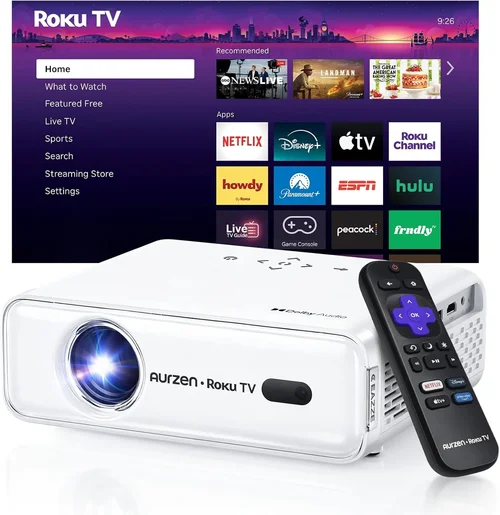
Expert Tips for Getting the Best Deal
- Seasonal Sales: Major discounts appear during Black Friday, Cyber Monday, and post‑Christmas clearance. Mark your calendar and set a reminder.
- Retailer Comparison: Amazon, Best Buy, and Walmart often price‑match. Use a browser extension like Honey to automatically apply coupons.
- Bundle Savings: Some sellers include a 100‑inch projection screen or HDMI cable for a marginal extra cost—great value if you lack accessories.
- Check Refurbished Units: Certified refurbished models can be 15‑25 % cheaper and still carry a warranty.
- Read the Fine Print on Returns: Ensure the seller offers a hassle‑free return within at least 30 days, especially for electronics that may arrive with dead LEDs.
- Test Before You Commit: If possible, visit a local electronics store to view the projector’s brightness and color performance in person.
- Consider Future Compatibility: Opt for HDMI 2.0 ports to future‑proof against newer devices that output higher bandwidth.

Frequently Asked Questions
Q: Can a sub‑$100 projector display Full HD content?
A: Most budget units only support up to 720p natively. They can accept a 1080p signal, but the image will be downscaled, resulting in softer detail. If Full HD is a must‑have, you’ll need to stretch the budget to $150‑$200.
Q: How long does the LED lamp last?
A: LED light sources typically last 20,000–30,000 hours, which translates to many years of occasional use. Unlike traditional lamps, they don’t degrade quickly, so brightness loss is minimal over time.
Q: Will the projector work with my smartphone?
A: Yes, provided your phone supports video‑out via HDMI (using a USB‑C to HDMI adapter) or Wi‑Fi casting (Miracast, AirPlay, or built‑in Chromecast). Some Android‑based projectors also let you install streaming apps directly.
Q: Is a separate screen necessary?
A: Not strictly. A smooth, white wall works for casual viewing, but a dedicated projection screen improves brightness, contrast, and color uniformity, especially in rooms with some ambient light.
Q: How loud are the fans on these cheap projectors?
A: Fan noise varies from 30 dB (quiet) to 45 dB (noticeable). Look for user reviews that mention “quiet operation” if you plan to watch movies at low volume.
Q: Can I use a battery pack for portable use?
A: Some models include a built‑in rechargeable battery (2‑3 hours runtime). Otherwise, a 5 V USB power bank can power the unit, but you’ll need a high‑capacity pack (≥20 000 mAh) to last a full movie.
Q: What is keystone correction and do I need it?
A: Keystone correction digitally reshapes a trapezoidal image into a rectangle when the projector isn’t perfectly perpendicular to the screen. It’s handy for quick setups, but excessive correction can soften the picture.
Q: Are there any safety concerns with low‑cost projectors?
A: Ensure the projector has proper ventilation and a built‑in over‑heat shutdown. Avoid placing it on soft surfaces that can block airflow.
Our Final Recommendations
- Best for Budget‑Conscious Buyers: Anker Nebula Capsule II (often found on sale for $99) – 200 lumens, 720p, Android TV 6.0, 2‑hour battery, compact design.
- Best Overall Value: Vankyo Leisure 3 Mini DLP (around $95) – 250 lumens, 720p support, HDMI/VGA/USB, decent contrast, solid build.
- Best Premium Option (just above $100): ViewSonic M1 Mini Plus ($119) – 250 lumens, built‑in Harman Kardon speakers, Wi‑Fi, Android OS, battery.
- Best for Beginners: AAXA P300 Pico Projector ($89) – User‑friendly menu, 120 lumens, HDMI, USB‑C, easy setup.
- Best for Advanced Users: Elephas Mini DLP ($106, often discounted to $99) – 300 lumens, 720p native, low input lag, multiple video inputs, robust keystone.
Conclusion: Making the Right Choice
Choosing a movie projector under $100 is less about finding a perfect cinema replica and more about matching the device to your specific viewing habits, environment, and budget. Focus first on brightness and the lighting conditions of your room, then balance resolution, connectivity, and portability. Remember to verify warranty terms, read real‑user feedback, and shop during sales to stretch every dollar.
Armed with the factors, type comparisons, and expert tips outlined above, you’re ready to pick a projector that turns any wall into a personal theater without draining your wallet. Happy watching!