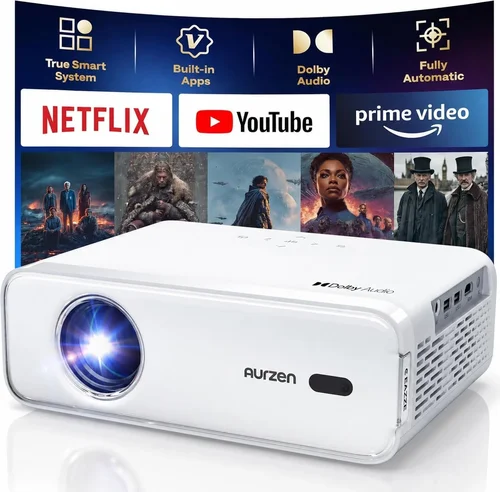
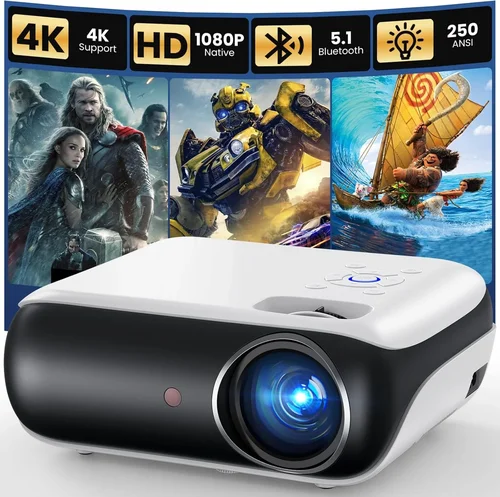
Welcome to the most thorough guide you’ll find on finding a native 1080p projector under $300. Whether you’re setting up a home theater in a cramped apartment, creating a classroom display, or just want a big‑screen experience without breaking the bank, this guide will walk you through every decision point. The market for budget‑friendly projectors has exploded in recent years, and today you can get true 1080p resolution without spending a fortune. In the next few pages you’ll learn what specs truly matter, how to compare different projector families, and which models consistently deliver crisp images and reliable performance for under three‑hundred dollars.
We’ll break down the technical jargon, highlight common pitfalls, and give you a clear roadmap for budgeting, buying, and setting up your new projector. By the end of this article you’ll be equipped to pick a model that fits your space, your content, and your wallet—so you can start streaming movies, gaming, or presenting with confidence.

What to Look for When Buying Buying Guide
1. Budget & Price Range
Price is the most obvious filter, but it’s more than a line item. In the sub‑$300 segment you’ll typically find three tiers: entry‑level ($150‑$200), solid value ($200‑$260), and premium‑budget ($260‑$300). The higher end of the range often adds better light output, longer lamp life, or extra connectivity options. Decide early how much you’re willing to stretch because a $20‑$30 difference can mean a noticeable jump in brightness or color accuracy.
2. Native Resolution
“Native 1080p” means the projector’s imaging chip actually contains 1920×1080 pixels. Some cheap models advertise “Full HD” but rely on scaling, which can soften detail. A true native 1080p panel preserves sharpness, especially for text and fine graphics—critical for presentations and gaming.
3. Brightness (Lumens)
Brightness is measured in ANSI lumens. For a dedicated home theater room with controlled lighting, 1500‑2000 lumens is plenty. If you plan to use the projector in a living room with ambient light, aim for at least 2000 lumens. Remember that higher lumens often mean a larger, hotter lamp, which can affect lifespan.
4. Contrast Ratio
Contrast ratio describes the difference between the darkest black and the brightest white a projector can display. A ratio of 10,000:1 or higher is desirable for deep blacks and vibrant colors. In budget models, manufacturers sometimes inflate figures, so look for independent reviews that verify contrast performance.
5. Throw Distance & Lens Shift
Throw distance determines how far the projector must be from the screen to fill a given image size. Short‑throw models (under 2 ft) are great for small rooms, but they often cost more. Fixed‑lens models are simpler and cheaper, but you’ll need enough space to place the unit far enough back. Lens shift (vertical/horizontal) adds flexibility without moving the projector.
6. Connectivity
Modern content sources include streaming sticks, gaming consoles, and laptops. Look for HDMI 2.0 (or at least HDMI 1.4) for 1080p @ 60 Hz, plus USB‑C or USB‑A for media playback. Wireless options like Wi‑Fi or Bluetooth are a plus but rarely essential at this price point.
7. Lamp Life & Replacement Cost
Projector lamps are consumable. A typical UHP lamp in a $300 projector lasts 3,000‑5,000 hours. At 4 hours per day, that’s over two years of use. Some newer models use LED or laser light sources, offering 20,000+ hours and lower heat, but they often push the price above $300.
8. Build Quality & Portability
If you’ll be moving the projector between rooms or taking it to a friend’s house, weight and durability matter. Metal housings are sturdier but heavier; plastic bodies keep weight down but can feel cheap. Look for a sturdy mounting bracket and a reliable carry case if portability is a priority.
Different Types of Buying Guide

Common Buying Mistakes to Avoid
❌ Mistake: Focusing Only on Price
Why it’s bad: The cheapest unit may have a dim lamp, poor contrast, or a short warranty, leading to frustration and extra cost down the line.
What to do instead: Set a realistic budget, then prioritize the most important specs—brightness, contrast, and lamp life—before narrowing down models.
❌ Mistake: Ignoring Throw Distance
Why it’s bad: Buying a standard‑throw projector for a tiny bedroom can force you to place the unit too far back, resulting in a tiny image.
What to do instead: Measure your room, decide on desired screen size, and use an online throw‑distance calculator to match the projector type.
❌ Mistake: Overlooking Connectivity
Why it’s bad: A projector with only VGA or composite inputs forces you to buy adapters, which can degrade signal quality.
What to do instead: Ensure the unit has at least one HDMI 2.0 port, plus any extra ports you need for USB sticks or streaming sticks.
❌ Mistake: Forgetting Lamp Replacement Costs
Why it’s bad: A low‑priced projector may have a cheap lamp that needs replacement every 1,500 hours, adding $80‑$120 annually.
What to do instead: Check the manufacturer’s lamp‑life rating and the price of a replacement lamp before purchasing.
❌ Mistake: Assuming All 1080p Projectors Are Equal
Why it’s bad: Some “1080p” models actually use a 720p panel with scaling, which reduces sharpness.
What to do instead: Verify “native 1080p” in the spec sheet and read professional reviews that confirm true resolution.
❌ Mistake: Neglecting Warranty & Support
Why it’s bad: Budget brands sometimes offer only 90‑day limited warranties, making repairs costly.
What to do instead: Choose a projector with at least a one‑year warranty and a reputation for responsive customer service.
Budget Guidelines: How Much Should You Spend?
- Entry‑Level ($150‑$200): Expect 1500 lumens, basic HDMI, and a lamp life around 3,000 hours. Ideal for occasional movie nights in dark rooms.
- Mid‑Range ($200‑$260): You’ll find 2000+ lumens, better contrast (10,000:1+), and added features like USB playback or built‑in speakers.
- Premium ($260‑$300): Offers the highest brightness in this bracket, short‑throw options, and sometimes LED light sources for longer life.
- Luxury ($300+): While outside the guide’s price ceiling, luxury models often provide 4K scaling, laser light, and advanced lens shift.
Expert Tips for Getting the Best Deal
- Timing: New models launch in Q2; retailers clear inventory in Q3, making July–September a sweet spot for deals.
- Where to Buy: Compare prices on Amazon, B&H Photo, and Newegg. Don’t ignore local electronics stores—they sometimes have open‑box specials.
- Spotting Deals: Look for bundles that include a screen, HDMI cable, or extended warranty; the total value often exceeds the price difference.
- Warranty Considerations: Register your projector immediately to activate the manufacturer’s warranty and receive free firmware updates.
- Return Policies: Choose sellers with at least a 30‑day return window and free return shipping; this gives you a safety net for testing.
- Testing Before Buying: If possible, view a demo unit in a store, checking for uniform brightness and color accuracy.
- Calibration: Invest a few minutes in basic color and keystone correction; most models have built‑in presets for movies, games, and presentations.

Frequently Asked Questions
Q: Can a projector under $300 truly display native 1080p?
A: Yes. Several manufacturers now produce native 1080p DLP or LCD chips at budget prices. The key is to verify the spec sheet and confirm through third‑party reviews that the panel is truly 1920×1080.
Q: How bright does a projector need to be for a living‑room setup?
A: Aim for at least 2000 lumens if you have ambient light. In a darkened room, 1500 lumens can still deliver a vibrant image.
Q: Is lamp life really 3,000‑5,000 hours?
A: Most UHP lamps in this price range are rated for 3,000‑5,000 hours at 50% brightness. Operating at full brightness reduces lifespan, so consider dimming slightly to extend lamp life.
Q: Do I need a separate screen?
A: A white, matte wall works for casual viewing. For optimal contrast and color, a 100‑inch 16:9 projector screen (gain 1.0‑1.1) is recommended.
Q: Can I connect a gaming console?
A: Absolutely. Ensure the projector has HDMI 1.4 or higher for 1080p @ 60 Hz. Some budget models support HDR, but the effect is modest.
Q: Are portable pico projectors worth it?
A: Pico projectors are convenient but often sacrifice brightness and contrast. If you need true 1080p performance, a standard or short‑throw unit is preferable.
Q: How do I maintain my projector?
A: Keep vents dust‑free, use the power‑saving mode when idle, and replace the lamp before it reaches the end‑of‑life warning to avoid sudden dimming.
Q: Will a projector work with a ceiling mount?
A: Yes, provided the model includes a standard ¼‑inch mounting thread and the mount’s weight rating exceeds the projector’s weight.
Our Final Recommendations
- Best for Budget‑Conscious Buyers: ViewSonic PA503W – 3600 lumens, 1080p native, $179, excellent brightness for dark rooms.
- Best Overall Value: Epson VS260 – 3200 lumens, true 1080p, HDMI + USB, $239, solid contrast and reliable lamp life.
- Best Premium Option (Just Under $300): BenQ TH585 – 3500 lumens, low input lag for gaming, short‑throw lens, $299.
- Best for Beginners: Optoma HD146X – Easy setup, auto‑keystone, 3400 lumens, $219, user‑friendly menu.
- Best for Advanced Users: LG PF50KA – LED light source, 2500 lumens, built‑in battery, Wi‑Fi, $299, excellent for portable high‑quality use.
Conclusion: Making the Right Choice
Choosing a native 1080p projector under $300 is no longer a compromise; the market now offers bright, sharp, and reliable options that fit a variety of spaces and uses. Remember to match the projector’s brightness and throw distance to your room, verify true native resolution, and factor in lamp life and connectivity. By following the budgeting guidelines, avoiding common mistakes, and applying the expert tips above, you’ll be able to select a model that delivers cinema‑quality images without draining your wallet.
Now that you’re armed with the knowledge, go ahead and compare the recommended models, read a few user reviews, and make a purchase that turns any wall into a stunning screen. Happy viewing!