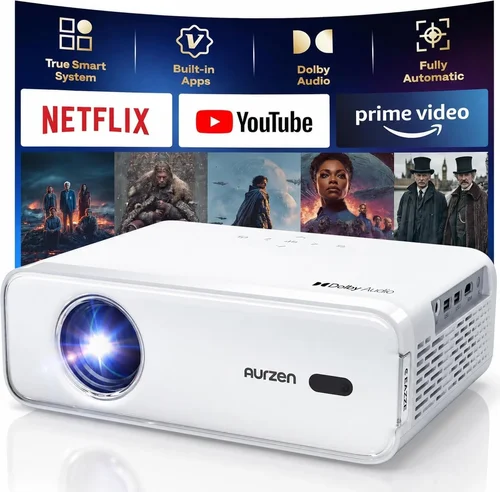
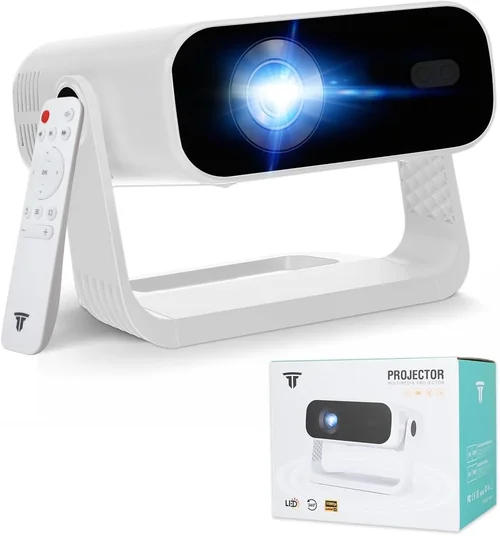
Finding the right projector for a bustling office can feel a bit like hunting for a needle in a haystack. You need something bright enough for conference rooms, portable enough for on‑the‑go presentations, and reliable enough to survive daily use—all without blowing the budget. That’s why this buying guide matters: it cuts through the jargon, highlights the specs that truly impact your workday, and points you toward the best office projector under $1,000.
In the next several sections you’ll learn which features matter most, how different projector types compare, common pitfalls to sidestep, and exactly how much you should expect to spend for each performance tier. By the end, you’ll have a clear roadmap to choose a projector that fits your office’s size, lighting conditions, and workflow.
The projector market in 2026 has matured dramatically. LED and laser light sources dominate the mid‑range, offering longer lifespans and lower maintenance costs than traditional lamps. Meanwhile, connectivity options have exploded—think wireless Miracast, USB‑C, and even built‑in Android OS for standalone streaming. With these advances, a high‑performing office projector can now sit comfortably under the $1,000 mark.

What to Look for When Buying Buying Guide
1. Budget & Price Range
Price is the most obvious filter, but it’s also a proxy for the technology you’ll get. Under $1,000 you’ll typically find LED or laser projectors with lamp lives of 20,000‑30,000 hours, which translates to lower total cost of ownership. Avoid ultra‑cheap lamp‑based models; they may fit the budget now but will require costly lamp replacements within a year or two.
2. Performance Specifications
The three specs that drive visual performance are brightness (lumens), resolution, and contrast ratio. For a typical office with ambient light, aim for at least 3,500 lumens. Full HD (1920×1080) is the sweet spot; 4K is rare under $1,000 but can be found in a few premium LED units. A contrast ratio of 10,000:1 or higher ensures text remains crisp on white walls.
3. Build Quality & Durability
Office equipment gets moved, bumped, and sometimes knocked over. Look for metal housings, reinforced lens covers, and a reliable cooling system. Projectors with a fan‑less design (common in laser models) produce less noise and have fewer moving parts that could fail.
4. Features & Functionality
Key features for office use include:
- Wireless connectivity – Miracast, AirPlay, or built‑in Wi‑Fi for screen‑casting from laptops and phones.
- Multiple inputs – HDMI, USB‑C, VGA, and USB‑A to accommodate older laptops.
- Built‑in speakers – While not a replacement for a sound system, a 5‑10 W speaker can handle short videos or announcements.
- Keystone correction & lens shift – Essential for quick setup on non‑ideal ceiling mounts.
5. Brand Reputation
Established brands such as Epson, ViewSonic, BenQ, and Optoma tend to offer better firmware support and more accessible service centers. Newer entrants can surprise with innovative features, but research their after‑sale service track record before committing.
6. Warranty & Support
A solid warranty (minimum 2‑year) protects you from early failures. Look for on‑site service options and a responsive support hotline. Some manufacturers also bundle free lamp replacements for lamp‑based models, a valuable perk if you’re on a tight budget.
7. Size & Portability
If you frequently move the projector between meeting rooms, weight matters. Most portable office projectors under $1,000 weigh between 2‑4 kg and feature a compact form factor that fits in a standard laptop bag.
8. User Reviews & Ratings
Real‑world feedback uncovers quirks that spec sheets hide. Look for reviews that mention reliability, heat management, and ease of setup. Consistently high ratings across multiple retailers are a good sign of overall satisfaction.
Different Types of Buying Guide

Common Buying Mistakes to Avoid
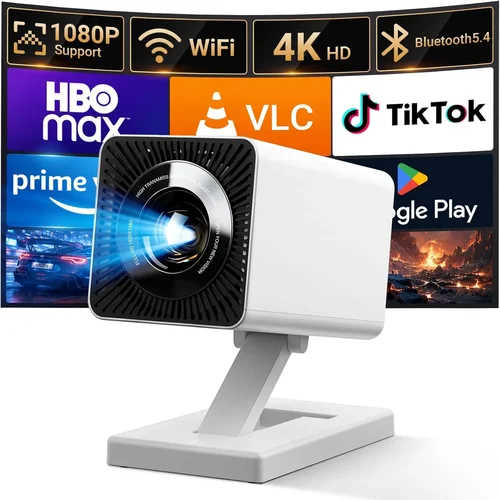
❌ Mistake: Choosing the Highest Lumens Without Context
Why it’s bad: More lumens sounds better, but if the projector’s contrast ratio is low, images will look washed out.
What to do instead: Balance brightness with contrast ratio and consider your room’s ambient light level. For typical offices, 3,500‑4,500 lumens with a 10,000:1 contrast ratio is ideal.
❌ Mistake: Ignoring Connectivity Needs
Why it’s bad: A projector with only HDMI may force you to carry adapters or extra cables, slowing down meetings.
What to do instead: Prioritize models with wireless casting, USB‑C, and at least two HDMI ports.
❌ Mistake: Overlooking Throw Distance
Why it’s bad: A projector designed for long‑throw installations will produce tiny images in a small conference room.
What to do instead: Check the throw ratio; short‑throw (0.4‑0.6) is best for tight spaces.
❌ Mistake: Forgetting About Noise Levels
Why it’s bad: High fan noise can distract participants during presentations.
What to do instead: Look for fan‑less laser models or units rated under 30 dB.
❌ Mistake: Skipping Warranty Details
Why it’s bad: A cheap projector may lack a solid warranty, leaving you exposed to repair costs.
What to do instead: Choose a model with at least a two‑year warranty and clear on‑site service options.
Budget Guidelines: How Much Should You Spend?
- Entry‑Level ($300‑$500): Expect 2,500‑3,000 lumens, 720p resolution, and basic HDMI connectivity. Suitable for small huddle rooms with controlled lighting.
- Mid‑Range ($500‑$800): Full HD, 3,500‑4,500 lumens, LED or laser light source, wireless casting, and better contrast. Ideal for most corporate meeting rooms.
- Premium ($800‑$1,000): High‑end laser, 4,000‑5,000 lumens, enhanced color gamut, advanced keystone/lens shift, and robust build quality. Perfect for permanent installations.
- Luxury ($1,000+): Rare in this guide, but includes 4K resolution, ultra‑short‑throw lenses, and integrated smart OS. Consider only if your budget allows.
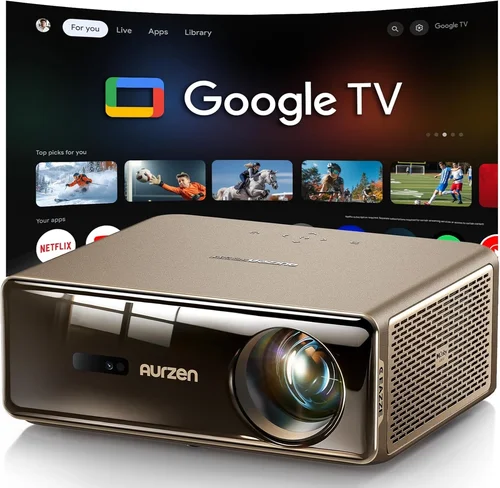
Expert Tips for Getting the Best Deal
- Buy during fiscal‑year‑end sales (July‑August) when businesses refresh inventory.
- Check refurbished units from the manufacturer’s outlet; they carry full warranties at 20‑30% off.
- Compare total cost of ownership: factor in lamp replacements, filter changes, and expected energy consumption.
- Read the fine print on return policies—30‑day returns with full refund are a safety net.
- Test the projector in your actual conference room before finalizing; brightness perception changes with wall color.
- Consider buying from retailers that offer price‑match guarantees.
- Register the product online immediately to extend warranty periods offered by some brands.

Frequently Asked Questions
Q: Do I need a projector with 4K resolution for office use?
A: Not usually. Full HD delivers crisp text and graphics for spreadsheets and slides. 4K becomes important only if you regularly display high‑resolution video or detailed CAD drawings.
Q: How far should the projector be from the screen?
A: It depends on the throw ratio. A 0.5 throw ratio means the projector sits half a meter away for a 1‑meter wide image. Check the spec sheet and measure your room before buying.
Q: Can I use a projector in a bright conference room?
A: Yes, but aim for at least 4,000 lumens and consider a high‑gain screen (≥1.2) to boost perceived brightness.
Q: Are laser projectors really maintenance‑free?
A: Laser units have no lamps, so you won’t replace them, but filters still need cleaning every 6‑12 months depending on usage.
Q: What is the average lifespan of an LED projector?
A: LED light sources typically last 20,000‑30,000 hours, which translates to several years of daily use in an office setting.
Q: Do built‑in speakers replace a conference‑room sound system?
A: Built‑in speakers are adequate for short videos or announcements, but for larger rooms you’ll still want an external audio solution.
Q: Is wireless casting secure for confidential presentations?
A: Modern Miracast and AirPlay use encryption, but for highly sensitive data consider a wired HDMI connection or a secure corporate Wi‑Fi network.
Our Final Recommendations
- Best for Budget‑Conscious Buyers: ViewSonic M1+ Portable LED – $399, 3,200 lumens, 1080p, built‑in battery, and wireless casting.
- Best Overall Value: Epson EB‑U05 – $749, 3,600 lumens, 1080p, laser light source, dual HDMI, and lens shift.
- Best Premium Option: BenQ LK970 – $989, 4,500 lumens, laser, 1080p, low‑noise fan, and extensive connectivity.
- Best for Beginners: Optoma ML750ST – $459, short‑throw, 3,600 lumens, simple plug‑and‑play, and intuitive remote.
- Best for Advanced Users: LG HU80KA – $999, 4,500 lumens, 4K UHD, ultra‑short‑throw, built‑in Android TV, and premium optics.
Conclusion: Making the Right Choice
Choosing the best office projector under $1,000 boils down to aligning three core elements: brightness suited to your lighting, resolution that matches your content, and connectivity that fits your workflow. Remember to weigh durability, warranty, and brand support alongside raw specs. By following the factors, avoiding common mistakes, and using the budget guide above, you’ll be equipped to select a projector that boosts productivity without breaking the bank.
Ready to upgrade your meeting rooms? Start by listing your room dimensions, preferred connectivity, and budget tier, then compare the models highlighted in this guide. Happy presenting!