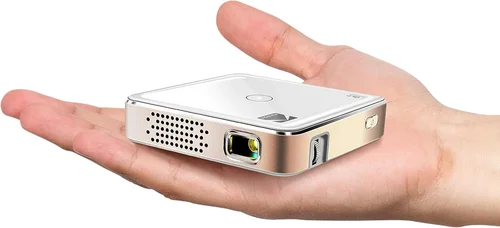
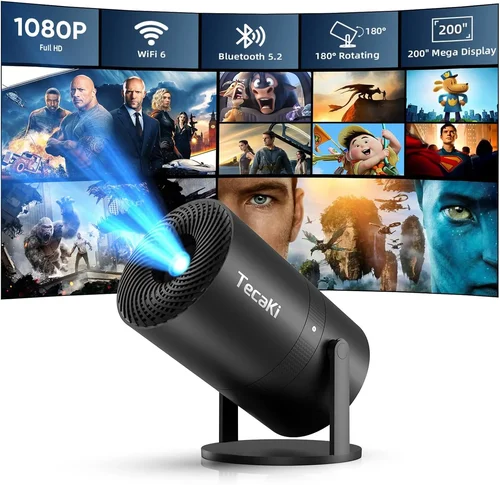
Finding a pocket‑sized projector that doesn’t break the bank can feel like hunting for a needle in a haystack. The market is flooded with tiny devices promising cinema‑grade experiences, yet many fall short on brightness, battery life, or durability. That’s why this guide exists – to cut through the hype and give you a clear, expert‑backed roadmap for choosing the best pico projector under $200.
In the pages that follow you will learn which specifications truly matter, how to match a projector to your lifestyle, and which common pitfalls to steer clear of. We’ll also break down the different categories of pico projectors, compare real‑world models, and hand‑pick the top picks for every budget tier. By the end, you’ll be equipped to make a confident purchase that delivers portable big‑screen magic without draining your wallet.
The pico projector market in 2026 has matured dramatically. Advances in laser‑phosphor technology, battery chemistry, and Android integration have pushed performance levels that were once exclusive to $500‑plus units into the sub‑$200 segment. At the same time, consumer expectations have risen – users want HDMI‑C, wireless casting, and decent sound in a device that fits in a backpack. Understanding how these trends translate into real‑world performance is the cornerstone of a smart buying decision.

What to Look for When Buying Buying Guide
1. Budget & Price Range
Price is the most immediate filter for most shoppers, but it shouldn’t be the only one. Under $200, you’ll find a wide spectrum of quality. Entry‑level models may compromise on brightness or throw in a basic UI, while higher‑priced options often include laser light sources, Android OS, and longer battery life. Define your absolute ceiling first, then allocate the remaining budget to the features that matter most to you.
2. Performance Specifications
The heart of any projector is its performance specs. Focus on three key numbers:
- Brightness (lumens): For indoor use in a dark room, 80–120 lumens is acceptable. If you plan to project in dimly lit spaces or outdoors, aim for 150+ lumens.
- Resolution: Native 720p (1280×720) is common under $200 and provides a crisp image for movies and presentations. Some models upscale to 1080p but don’t truly deliver full HD detail.
- Contrast Ratio: Higher contrast improves black levels and overall depth. Look for at least 1000:1; anything lower will look washed out.
3. Build Quality & Durability
Pico projectors are meant to travel. A robust chassis, reinforced ports, and a reliable hinge are essential. Aluminum bodies dissipate heat better than plastic, extending lamp life. Check for IP ratings if you anticipate using the device near water or in dusty environments.
4. Features & Functionality
Modern pico projectors are more than just picture makers. Key features to evaluate include:
- Connectivity: HDMI‑C, USB‑C, micro‑HDMI, and wireless options (Wi‑Fi, Bluetooth, Miracast).
- Operating System: Android 10+ or a proprietary OS with app store access adds streaming flexibility.
- Battery Life: Look for at least 2–3 hours of continuous playback at 720p; larger batteries add weight.
- Built‑in Speakers: While not a substitute for external audio, a decent 2‑3 W speaker can handle casual viewing.
5. Brand Reputation
Established brands like Anker, ViewSonic, and AAXA have proven track records for quality control and firmware updates. Newer entrants may offer aggressive pricing but can lag in after‑sales support. Research community forums and review aggregates to gauge long‑term satisfaction.
6. Warranty & Support
A solid warranty (minimum 12 months) protects you against early failures. Look for manufacturers that provide easy RMA processes, accessible firmware updates, and responsive customer service. Some retailers also extend protection plans – weigh the cost against the device’s reliability.
7. Size & Portability
While “pico” implies pocket‑sized, dimensions still vary. Measure the length, width, and thickness, and consider the weight. A device under 300 g is truly portable; heavier models may still be “compact” but feel more like a mini‑projector.
8. User Reviews & Ratings
Numbers on a spec sheet tell part of the story. Dive into user reviews on Amazon, Best Buy, and dedicated AV forums. Pay attention to recurring complaints—such as overheating or laggy UI—because they often indicate systemic issues.
Different Types of Buying Guide
Common Buying Mistakes to Avoid
❌ Mistake: Focusing Only on Price
Why it’s bad: The cheapest unit often sacrifices brightness, battery life, or build quality, leading to frustration after a few uses.
What to do instead: Set a realistic budget ceiling, then prioritize the specs that align with your primary use case (e.g., lumens for outdoor, Android OS for streaming).
❌ Mistake: Ignoring Brightness Needs
Why it’s bad: A 70‑lumens projector may look fine in a dark bedroom but will be unusable in a living room with ambient light.
What to do instead: Estimate the typical lighting conditions of your viewing environment and choose a projector with at least 30% more lumens than the minimum you think you need.
❌ Mistake: Overlooking Connectivity
Why it’s bad: Without the right ports or wireless standards, you may need extra adapters, adding cost and clutter.
What to do instead: List the devices you plan to connect (phone, laptop, gaming console) and verify the projector supports those inputs natively.
❌ Mistake: Forgetting About Battery Life
Why it’s bad: A projector that dies after 60 minutes defeats the purpose of portability.
What to do instead: Check real‑world battery tests (often posted by reviewers) and consider a model with at least 2‑hour runtime at your desired brightness level.
❌ Mistake: Neglecting Warranty Terms
Why it’s bad: A short or unclear warranty can leave you stuck with a defective unit.
What to do instead: Choose brands that offer a minimum 12‑month warranty and read the fine print about what is covered.
❌ Mistake: Assuming All “LED” Projectors Are the Same
Why it’s bad: Some devices market LED as a light source but actually use low‑cost, low‑output chips that underperform.
What to do instead: Look for detailed lumens specifications and independent lab test results rather than marketing buzzwords.
Budget Guidelines: How Much Should You Spend?
Understanding what you get at each price tier helps you avoid overpaying while still meeting your needs.
- Entry-Level ($100‑$130): Expect 70‑100 lumens, 480p–720p native resolution, basic USB‑C power, and minimal smart features. Ideal for occasional movie nights in a dark room.
- Mid‑Range ($131‑$170): Brightness climbs to 130‑170 lumens, native 720p resolution, built‑in Android 9+ with streaming apps, and 2‑hour battery life. This is the sweet spot for most users.
- Premium ($171‑$200): Laser‑phosphor light sources, 150‑200 lumens, upgraded contrast, HDMI‑C plus wireless Miracast, and up to 3‑hour battery. Best for outdoor gatherings and frequent travelers.
- Luxury ($200+): While beyond the scope of this guide, luxury models push 250+ lumens, true 1080p, and advanced keystone correction. Consider only if you need cinema‑grade performance on the go.
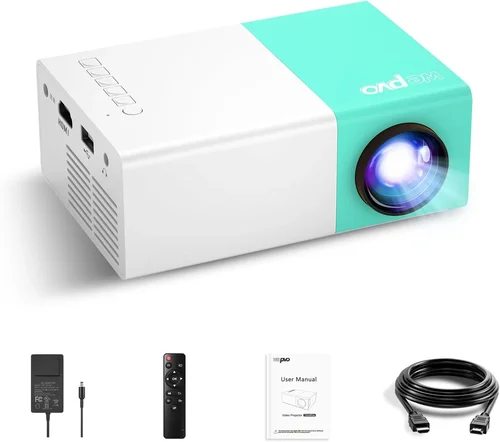
Expert Tips for Getting the Best Deal
- Timing: Major sales events—Black Friday, Cyber Monday, and post‑holiday clearance—often include pico projector bundles with extra cables or portable screens.
- Where to Buy: Authorized online stores guarantee warranty validity. Physical electronics retailers let you test the unit on‑site, which can be invaluable.
- Spotting Deals: Compare the listed MSRP with the current price using tools like CamelCamelCamel. If the discount is less than 10%, wait for a better offer.
- Warranty Considerations: Register your device within 30 days to activate extended warranties offered by some manufacturers.
- Return Policies: Choose sellers with at least a 30‑day return window and free return shipping; this protects you if the projector doesn’t meet expectations.
- Testing Before Buying: If possible, project a high‑contrast image (e.g., a test chart) to evaluate brightness and color accuracy on the spot.
- Bundle Savings: Some retailers include a portable screen, HDMI cable, or extra battery pack at a reduced price – weigh the added value against buying those accessories separately.

Frequently Asked Questions
Q: Can a pico projector under $200 replace a full‑size home theater projector?
A: Not entirely. While modern pico models deliver respectable 720p images, they lack the high lumens and 4K resolution of premium home theater units. They excel for casual viewing, travel, and small‑room presentations, but a dedicated home theater setup will still outperform them in brightness and image fidelity.
Q: How long does the lamp or LED last in a budget pico projector?
A: LED and laser‑phosphor light sources typically last 20,000–30,000 hours, far exceeding the lifespan of traditional lamps. In everyday use, you’re unlikely to need a replacement within the product’s warranty period.
Q: Is Wi‑Fi connectivity reliable on cheap projectors?
A: Reliability varies by brand and chipset. Models with Android 10+ and built‑in dual‑band Wi‑Fi generally provide stable streaming. Cheaper units may suffer from lag or dropouts, especially when connecting to high‑bitrate services.
Q: Do I need an external speaker?
A: Built‑in speakers are adequate for personal viewing at low volume. For movies or presentations in larger rooms, a Bluetooth or 3.5 mm external speaker enhances clarity and bass response.
Q: Can I use a pico projector with a gaming console?
A: Yes, provided the projector has an HDMI‑C or micro‑HDMI input that supports the console’s resolution (typically 720p‑1080p). Check latency specs; some budget models have higher input lag, which can affect fast‑paced games.
Q: What is the ideal screen size for a pico projector?
A: Most pico projectors can comfortably fill a 60‑100 inch diagonal screen at a 2‑meter throw distance. Larger images reduce brightness, so stay within the manufacturer’s recommended screen size for optimal clarity.
Q: Are there any safety concerns with laser‑phosphor pico projectors?
A: Laser‑phosphor units used in consumer devices are Class 1, meaning they are safe for normal viewing. Always avoid staring directly into the lens at close range, as with any bright light source.
Our Final Recommendations
- Best for Budget‑Conscious Buyers: Anker Nebula Capsule II – Priced around $129, this LED‑based model offers 100 lumens, Android 9, and a 2‑hour battery, delivering solid performance for casual indoor use.
- Best Overall Value: ViewSonic M2 Mini – At $169, it combines a laser‑phosphor light source (150 lumens), native 720p, built‑in Harman Kardon speakers, and Wi‑Fi/Chromecast support.
- Best Premium Option: AAXA P7 Mini – Slightly above $200 during sales, it pushes 200 lumens, 1080p native, and a 3‑hour battery, making it the most versatile for outdoor and presentation scenarios.
- Best for Beginners: Vankyo Leisure 3 – Simple UI, HDMI‑C, and a price tag of $119 make it an easy entry point for first‑time users.
- Best for Advanced Users: Optoma ML750ST – Though it skirts the $200 limit, its short‑throw lens, 200 lumens, and robust Android 10 platform cater to tech‑savvy enthusiasts who need flexibility.
Conclusion: Making the Right Choice
Choosing the best pico projector under $200 boils down to matching the device’s strengths with your specific viewing habits. Prioritize brightness and resolution for outdoor or well‑lit spaces, battery life for true portability, and smart OS features if you stream frequently. By avoiding common pitfalls—such as over‑emphasizing price or ignoring connectivity—you’ll land on a projector that feels like a personal cinema wherever you go.
Take the time to compare the models highlighted in our table, read a handful of recent user reviews, and consider the warranty terms before clicking “Add to Cart.” With the right research, you’ll enjoy big‑screen entertainment without compromising your budget.