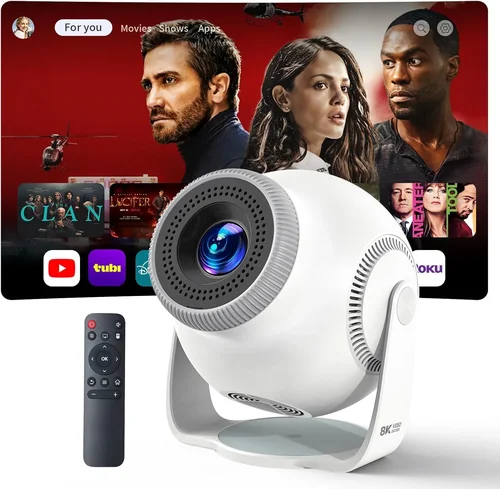
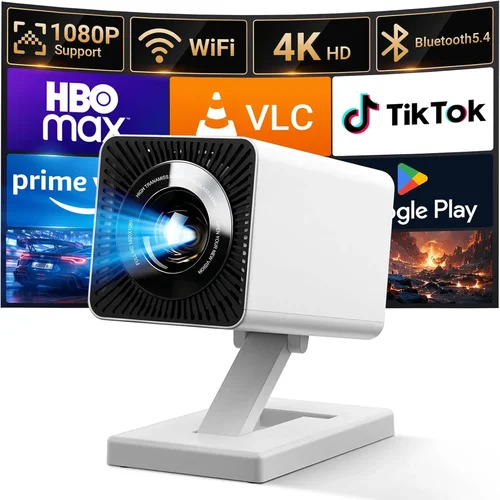
Choosing a portable projector can feel like navigating a maze of specifications, brand promises, and price points. Whether you’re a frequent traveler, a backyard movie enthusiast, or a small‑business owner who needs to give impromptu presentations, the right projector can turn any flat surface into a vibrant screen. This guide cuts through the noise, giving you a clear roadmap to pick the best portable projector for 2026 and uncovering the top mini projector under $100.
By the end of this article you will understand the most important features, know which type of projector fits your lifestyle, avoid common buying pitfalls, and walk away with a shortlist of models that deliver real value. We’ll also dive into budgeting strategies, expert tips for scoring the best deals, and answer the questions that most shoppers ask before hitting “Add to Cart.”

What to Look for When Buying Buying Guide
1. Budget & Price Range
Price is the first filter for most buyers. Portable projectors span from under $50 for basic LED units to over $2,000 for cinema‑grade models with laser light sources. Setting a realistic budget early helps you focus on features that matter most. For a mini projector under $100, expect modest brightness (200‑300 lumens) and a native resolution of 720p or lower. If you can stretch to $300‑$500, you’ll gain 1080p support, higher lumens, and better colour accuracy.
2. Performance Specifications
The three pillars of performance are brightness, resolution, and contrast ratio.
- Brightness (lumens): Measured in ANSI lumens, it dictates how well the image competes with ambient light. For dark rooms, 200‑300 lumens is sufficient; for daytime use, aim for at least 500‑600 lumens.
- Resolution: Native resolution determines image sharpness. 720p (1280×720) is the sweet spot for sub‑$100 models, while 1080p (1920×1080) is standard for mid‑range units.
- Contrast Ratio: Higher contrast yields deeper blacks. Look for at least 1,000:1 for decent depth; premium models push 10,000:1 or more.
3. Build Quality & Durability
Portable projectors travel a lot, so rugged construction matters. Aluminum bodies resist dents, while high‑impact ABS plastics keep weight low. Check for reinforced lens covers and sealed ports that protect against dust and moisture. Some models even carry an IPX4 rating, meaning they can survive light rain—useful for outdoor movie nights.
4. Features & Functionality
Modern mini projectors are more than just image generators. Key features to consider include:
- Wireless Connectivity: Wi‑Fi, Bluetooth, and Miracast let you stream from phones, tablets, or laptops without cables.
- Built‑in Speakers: While not a substitute for a sound system, a decent 2‑5 W speaker can suffice for casual viewing.
- Battery Life: Look for at least 2‑3 hours of playback on a single charge; some units offer replaceable Li‑ion packs.
- Keystone Correction & Focus: Automatic keystone saves time, while manual focus offers fine‑tuning.
- Multiple Input Ports: HDMI, USB‑C, micro‑HDMI, and AV allow you to connect a variety of sources.
5. Brand Reputation
Established brands such as Anker, ViewSonic, and Epson have proven track records for reliability and firmware support. Newer entrants like AAXA and Vankyo often deliver great value but may have limited after‑sales service. Research community forums and check how quickly manufacturers release firmware updates, especially for Wi‑Fi streaming bugs.
6. Warranty & Support
A solid warranty can save you from costly repairs. Most reputable brands offer 1‑year limited warranties, with options to extend to 2‑3 years for a fee. Look for readily available customer support channels—live chat, phone, or a responsive social‑media presence.
7. Size & Portability
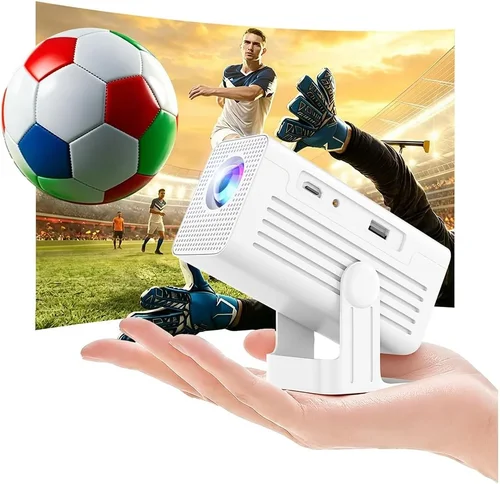
Weight and dimensions directly impact how often you’ll take the projector on the go. Mini projectors under $100 typically weigh between 300‑500 g and fit in the palm of your hand. If you need a built‑in handle or a detachable case, factor that into your decision.
8. User Reviews & Ratings
Real‑world feedback uncovers issues that spec sheets hide. Look for consistent praise on image quality and battery life, and watch for recurring complaints about overheating or software glitches. A product with a 4‑star average and hundreds of reviews is usually a safer bet than a newer model with a perfect rating but only a handful of votes.
Different Types of Buying Guide

Common Buying Mistakes to Avoid
❌ Mistake: Buying Solely on Price
Why it’s bad: The cheapest unit often sacrifices brightness, colour accuracy, and battery life, leading to disappointment after the first few uses.
What to do instead: Set a minimum brightness threshold (e.g., 250 lumens for indoor use) and compare features side‑by‑side before letting price dominate the decision.
❌ Mistake: Ignoring Ambient Light Conditions
Why it’s bad: A projector rated at 200 lumens will look washed‑out in a well‑lit living room, making movies unwatchable.
What to do instead: Assess where you’ll use the projector most often. If daytime viewing is common, aim for 500+ lumens or choose a model with HDR support.
❌ Mistake: Overlooking Connectivity Options
Why it’s bad: You might end up buying a projector that can’t talk to your phone or laptop without extra adapters.
What to do instead: Verify that the unit offers the ports and wireless protocols you need—HDMI, USB‑C, Miracast, or AirPlay.
❌ Mistake: Forgetting Battery Life
Why it’s bad: A 30‑minute battery will force you to stay tethered to a power outlet, negating the portability advantage.
What to do instead: Look for at least 2‑hour runtime on a full charge, and consider whether a spare battery pack is available.
❌ Mistake: Disregarding Lens Shift & Keystone
Why it’s bad: Without keystone correction, you may need to place the projector at an awkward angle, resulting in a distorted image.
What to do instead: Choose a model with automatic keystone or manual adjustment to keep the picture rectangular on any surface.
❌ Mistake: Assuming All Mini Projectors Support 1080p
Why it’s bad: Many sub‑$100 units only support 720p or even 480p native resolution, causing blurry text and pixelated video.
What to do instead: Check the native resolution in the specs and read reviews that test actual video playback.
Budget Guidelines: How Much Should You Spend?
Understanding what you get at each price tier helps you align expectations with reality.
- Entry-Level ($50‑$120): Expect 200‑300 lumens, 720p or lower resolution, basic battery (1‑2 hrs), and limited connectivity (usually micro‑HDMI only). Ideal for casual movie nights in a dark room.
- Mid‑Range ($150‑$400): Brightness rises to 400‑600 lumens, native 1080p becomes common, battery life extends to 2‑3 hrs, and wireless streaming is added. Good for mixed indoor/outdoor use.
- Premium ($500‑$900): Laser light sources, 800‑1,200 lumens, high contrast ratios, built‑in Android OS, and robust audio. Perfect for small‑room home theaters and frequent travel.
- Luxury ($1,000+): Ultra‑short‑throw optics, 2,000+ lumens, 4K UHD support, advanced colour management, and professional‑grade warranties. Targeted at enthusiasts and small‑venue installers.
Expert Tips for Getting the Best Deal
- Timing is everything: The best discounts appear during Black Friday, Cyber Monday, and Amazon Prime Day. If you can wait, you’ll often find a 30‑40% price cut.
- Buy from authorized retailers: This ensures you receive a valid warranty and reduces the risk of counterfeit units.
- Bundle for savings: Some sellers offer a package that includes a spare battery, HDMI cable, and a protective case at a lower combined price.
- Check refurbished options: Certified refurbished units are inspected, come with a warranty, and can be up to 25% cheaper.
- Read the fine print on return policies: A 30‑day return window with free shipping is ideal for testing the projector in your own environment.
- Test before you buy (if possible): Retail stores often have demo units. Bring a laptop or phone to check compatibility and image quality.
- Consider future firmware updates: A projector that receives regular updates will stay compatible with new streaming apps and improve performance over time.
- Leverage price‑tracking tools: Extensions like Keepa or CamelCamelCamel alert you when Amazon prices drop below your target.
Frequently
Q: Can I use a portable projector outdoors in daylight?
A: Yes, but you’ll need a model with at least 500‑600 lumens and a high contrast ratio. Position the projector close to the screen and use a blackout cloth or a shaded area to improve visibility.
Q: Do I need a separate screen?
A: Not strictly. A smooth white wall works, but a 100‑120‑inch portable screen provides a brighter, more uniform image and reduces keystone distortion.
Q: How long do lamp or laser light sources last?
A: LED and laser units typically last 20,000‑30,000 hours, far longer than traditional UHP lamps, which need replacement after 2,000‑3,000 hours.
Q: Is a built‑in speaker sufficient?
A: For casual viewing it’s acceptable, but for movies or presentations you’ll notice thin bass and low volume. Pairing the projector with a Bluetooth speaker or soundbar greatly improves the experience.
Q: Will a mini projector work with my gaming console?
A: Most modern mini projectors support HDMI 1.4 or higher, which can handle 1080p at 60 Hz. Check the input lag specifications; look for <10 ms for a smoother gaming experience.
Q: What is the difference between DLP and LCD?
A: DLP uses a chip of micro‑mirrors for fast response and higher contrast, making it great for gaming. LCD offers richer colour accuracy and is often lighter, suitable for movies.
Q: Can I project a 4K signal on a 720p mini projector?
A: Yes, the projector will downscale the image. However, you won’t see the full benefit of 4K; the result will be similar to native 720p quality.
Q: How do I clean the lens safely?
A: Use a microfiber cloth and a lens‑cleaning solution. Avoid pressing hard; let the solution soak the dust before wiping gently.
Q: Is Wi‑Fi streaming laggy?
A: Modern Wi‑Fi modules with dual‑band (2.4 GHz/5 GHz) support smooth 1080p streaming. Ensure your router is within range and avoid congested networks for best performance.
Our Final Recommendations
Best for Budget‑Conscious Buyers (under $100): Vankyo Leisure 3 – 250 lumens, 720p native resolution, 2‑hour battery, and multiple input options. Ideal for dorm rooms and casual movie nights.
Best Overall Value ($150‑$300): Anker Nebula Capsule II – 200‑lumens laser, 720p, Android 9.0 OS, 2.5‑hour battery, and excellent built‑in speakers. Offers a true “smart” experience without breaking the bank.
Best Premium Option ($500‑$800): ViewSonic M2 – 1,200 lumens, 1080p, Full‑HD DLP, Harman Kardon speakers, and Wi‑Fi/ Bluetooth connectivity. Perfect for home cinema enthusiasts who travel occasionally.
Best for Beginners: LG PH550 – Simple UI, Bluetooth audio, 550 lumens, and a built‑in battery that lasts 2.5 hours. No steep learning curve.
Best for Advanced Users: BenQ GV1 – Laser light source, 200 lumens, 360° speaker, Android TV, and a robust set of connectivity options. Great for tech‑savvy creators.
Conclusion: Making the Right Choice
Choosing the best portable projector in 2026 boils down to balancing brightness, resolution, and portability against your budget and intended use. Start by defining where and how you’ll watch, then filter options through the key factors we’ve outlined. Avoid common pitfalls like ignoring ambient light or skimping on connectivity, and leverage the expert tips to secure the best price.
Remember, the “best” projector is the one that fits seamlessly into your lifestyle—whether that’s a $70 mini projector for a dorm room or a $700 laser model for a full‑blown backyard cinema. Use this guide as your checklist, test a few models if you can, and you’ll walk away with a portable projector that turns any surface into a captivating screen.