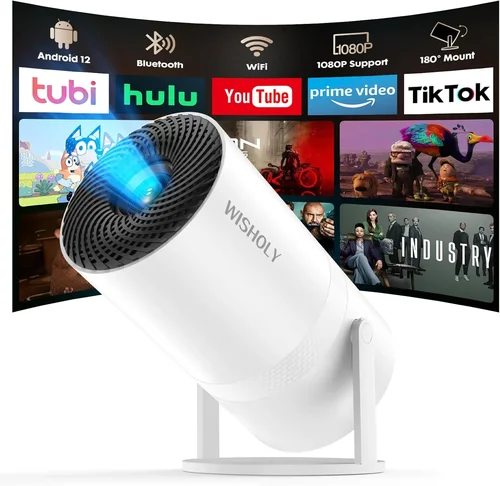
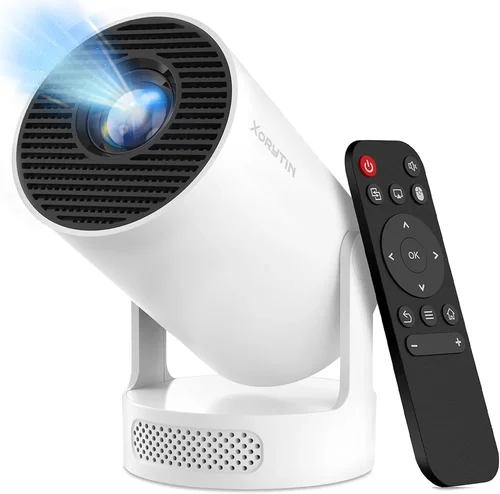
Finding a portable projector that delivers a solid cinematic experience without breaking the bank can feel like hunting for a needle in a haystack. The market is flooded with options that promise bright images, sleek designs, and “Hollywood‑grade” performance—all for under $200. Yet many of those claims fall short when you actually plug the device in. This guide cuts through the hype, giving you a clear, expert‑level roadmap to select the best portable projector for under $200.
In the next few minutes you’ll learn exactly what specs matter most, how to compare different projector families, common pitfalls to sidestep, and where to snag the best deals. Whether you’re a college student looking to stream Netflix in a dorm lounge, a traveling professional needing a quick presentation tool, or a family that wants backyard movie nights on a budget, this guide equips you with the knowledge to choose confidently.
The portable projector landscape in 2026 has matured. LED and laser light sources have become the norm, battery life has stretched past two hours, and connectivity options now include Wi‑Fi, Bluetooth, and USB‑C. Prices have dropped dramatically, making sub‑$200 models genuinely usable for casual viewing. Below we break down the essential factors, compare the main categories, and hand‑pick the top contenders so you can make an informed purchase.
What to Look for When Buying Buying Guide
1. Budget & Price Range
When you limit yourself to under $200, every dollar counts. The key is to balance cost with core performance. Look for models that stay under the $200 ceiling after taxes and shipping, but also consider total cost of ownership—extra cables, adapters, or replacement lamps can add up. A good rule of thumb is to allocate roughly 60% of your budget to the projector itself and reserve the remaining 40% for accessories (portable screen, HDMI cable, external battery).
2. Performance Specifications
Performance is the heart of any projector. Focus on three primary specs:
- Brightness (lumens): For indoor use in dim rooms, 150–250 ANSI lumens are adequate. If you plan on occasional daytime use, aim for at least 300 lumens.
- Resolution: Native 720p (1280×720) is common under $200 and provides decent sharpness. Some 1080p‑upscaled models exist, but true 1080p is rare at this price point.
- Contrast Ratio: Higher contrast means deeper blacks. Look for ratios of 2000:1 or better; anything lower will appear washed out.
3. Build Quality & Durability
Portable projectors travel a lot, so they need to survive the occasional bump. Choose units with sturdy chassis—metal or high‑grade ABS plastic—and reinforced lens covers. Water‑resistant or dust‑proof ratings (IPX4 or higher) are a plus for outdoor use. Check user reviews for reports of loose hinges or cracked housings.
4. Features & Functionality
Modern budget projectors pack a surprising amount of tech:
- Battery Life: Minimum 2 hours of playback on a single charge; 3–4 hours is ideal for movies.
- Connectivity: HDMI (full‑size or mini), USB‑C, micro‑USB, Bluetooth, and Wi‑Fi. Wireless screen mirroring (Miracast, AirPlay) adds convenience.
- Built‑in Speakers: Expect 1–2 W speakers; they’re fine for casual use but plan for external speakers for a richer sound.
- Keystone Correction & Focus: Automatic keystone is rare at this price, but manual +/- 15° correction is common and useful.
5. Brand Reputation
Even in the budget segment, brand pedigree matters. Companies like Anker (Nebula), ViewSonic, AAXA, and Epson have established support networks and reliable firmware updates. Lesser‑known brands may offer lower prices but can fall short on warranty service and long‑term reliability.
6. Warranty & Support
A solid warranty (at least 1 year) signals confidence from the manufacturer. Look for easy‑claim processes, online troubleshooting guides, and responsive customer service. Some retailers also offer extended protection plans—consider them if you travel frequently.
7. Size & Portability
Weight under 1 lb and a compact footprint (no larger than a large smartphone) make a projector truly portable. Some models fold into a pocket‑size shape, while others are more like a small handheld console. Choose the form factor that matches your typical use case—backpack‑friendly for hikers, or tabletop‑sized for office desks.
8. User Reviews & Ratings
Finally, dive into user reviews on Amazon, Best Buy, and specialist forums. Look for consistent praise or complaints about brightness, heat, and durability. Pay particular attention to recent reviews (within the last 12 months) to gauge any firmware fixes or emerging issues.
Different Types of Buying Guide

Common Buying Mistakes to Avoid
❌ Mistake: Ignoring Brightness Requirements
Why it’s bad: A projector that looks brilliant in a dark bedroom can be invisible in a living‑room with ambient light.
What to do instead: Measure the typical lighting of your intended space. If you’ll often use it with some daylight, target at least 300 lumens. Consider a projector with a higher ANSI lumen rating or plan to use a blackout curtain.
❌ Mistake: Overlooking Battery Degradation
Why it’s bad: Many cheap units advertise “2‑hour battery life,” but that figure drops after 20‑30 charge cycles.
What to do instead: Check the manufacturer’s battery warranty and read reviews that mention long‑term usage. If you need reliable runtime, buy an external power bank that matches the projector’s voltage.
❌ Mistake: Forgetting About Input Lag
Why it’s bad: Gamers and anyone using a wireless keyboard/mouse will notice laggy response, ruining the experience.
What to do instead: Look for input lag specifications (ideally under 30 ms) or user reports confirming smooth gameplay. Wired HDMI connections usually reduce lag compared to wireless mirroring.
❌ Mistake: Assuming All “1080p” Projectors Are Native 1080p
Why it’s bad: Upscaled 1080p can look blurry, especially on larger screens.
What to do instead: Verify the native resolution in the spec sheet. If you need true 1080p, be prepared to stretch the budget beyond $200 or consider a refurbished higher‑end model.
❌ Mistake: Skipping the Warranty Fine Print
Why it’s bad: Some warranties only cover manufacturing defects, not accidental damage, which is common with portable gear.
What to do instead: Read the warranty terms. Prefer brands that include accidental damage protection or offer inexpensive extended plans.
❌ Mistake: Buying Without Testing Compatibility
Why it’s bad: A projector might lack the right ports for your laptop or phone, forcing you to buy adapters.
What to do instead: List the devices you plan to connect. Ensure the projector offers matching ports (USB‑C, HDMI, micro‑HDMI). If you rely on wireless casting, confirm support for Miracast or AirPlay.
Budget Guidelines: How Much Should You Spend?
Understanding what you get at each price tier helps set realistic expectations.
- Entry‑Level ($120‑$150): Expect 150–200 lumens, native 720p, basic battery life (≈2 hrs), and minimal connectivity (usually HDMI + micro‑USB). Great for short videos in dark rooms.
- Mid‑Range ($151‑$180): Brightness climbs to 250–300 lumens, better contrast, and added features like Bluetooth audio, built‑in speaker upgrades, and manual keystone correction. Suitable for occasional daytime use and small group presentations.
- Premium ($181‑$200): You’ll find hybrid LED‑lamp units delivering up to 350 lumens, improved heat management, longer battery cycles, and more robust wireless options. Ideal for frequent travelers who need reliable performance.
- Luxury ($200+): Not covered in this guide, but often includes true 1080p panels, 500+ lumens, and premium build. Consider refurbished models if you need these features on a strict budget.
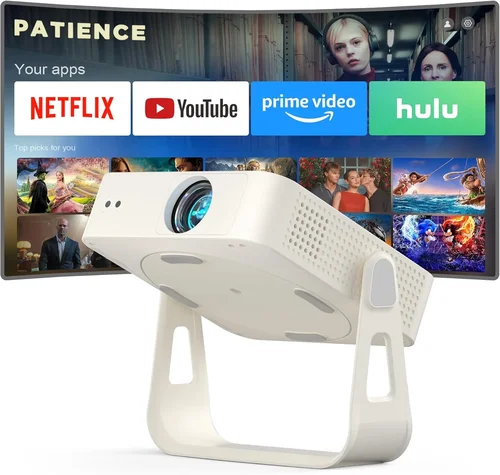
Expert Tips for Getting the Best Deal
- Timing: Major sales events (Black Friday, Cyber Monday, Amazon Prime Day, back‑to‑school season) typically feature the deepest discounts on portable projectors.
- Where to Buy: Compare Amazon, Best Buy, and the manufacturer’s own store. Direct purchases sometimes include exclusive bundles (extra battery, screen).
- Spotting Deals: Look for “open‑box” or “refurbished” listings from reputable sellers—these are usually factory‑tested and come with a full warranty.
- Warranty Considerations: If you buy from a marketplace, verify that the seller is authorized; third‑party warranties may be void.
- Return Policies: Choose retailers with at least a 30‑day return window. Test the projector in your typical environment; if it doesn’t meet expectations, you can return it hassle‑free.
- Testing Before Buying: If possible, visit a local electronics store and view a demo. Bring a smartphone with a video file to check playback quality.
- Bundle Savings: Some brands sell a “starter kit” with a portable screen and HDMI cable for a modest price increase—often cheaper than buying each item separately.
- Battery Hacks: A high‑capacity USB‑C power bank (20,000 mAh) can double runtime and doubles as a charger for other devices.

Frequently Asked Questions
Q: Can I use a sub‑$200 projector outdoors during daytime?
A: It’s possible, but you’ll need a model with at least 300 lumens and a high contrast ratio. Position the projector away from direct sunlight and use a portable screen with a matte white surface. Even then, image brightness will be modest compared to higher‑priced units.
Q: Do portable projectors need a separate speaker?
A: Built‑in speakers are fine for casual viewing, but they’re typically 1–2 W and lack bass. For a richer sound, connect a Bluetooth speaker or a small USB‑powered soundbar. Most budget projectors support Bluetooth or 3.5 mm audio out.
Q: How long does the lamp last on LED projectors?
A: LED light sources can last 20,000–30,000 hours, effectively outliving the projector itself. This is a major advantage over traditional lamps, which need replacement after 2,000–5,000 hours.
Q: Is keystone correction necessary?
A: If you’ll be projecting from a non‑perfectly centered spot (e.g., from a table to a wall), manual keystone (+/- 15°) helps keep the image rectangular. Automatic keystone is rare under $200, but manual correction is usually sufficient.
Q: Will a projector work with my iPhone?
A: Yes, if the projector supports AirPlay or has a Lightning‑to‑HDMI adapter. Many newer models include wireless mirroring that works with iOS devices directly.
Q: What screen size can I expect?
A: With a throw distance of 1.5–2 ft, most pocket projectors can produce a 60‑inch image at 720p. Increase the distance to 3‑4 ft for 80‑100 inches, but brightness will drop proportionally.
Q: Are there any safety concerns with battery overheating?
A: Reputable brands include thermal protection that throttles the projector if it gets too hot. Always use the device on a hard, flat surface and avoid covering ventilation slots.
Q: Can I use a portable projector for gaming?
A: Yes, but check input lag (preferably <30 ms) and refresh rate (60 Hz is standard). For fast‑paced games, a wired HDMI connection offers the best experience.
Q: How do I clean the lens?
A: Use a soft, lint‑free microfiber cloth and a small amount of lens‑cleaning solution. Avoid touching the glass with fingers, and never use abrasive materials.
Q: Is it worth buying a refurbished model?
A: Absolutely, as long as it comes with a warranty and is sold by a reputable refurbisher. Refurbished units often provide higher specs for the same price as new entry‑level models.
Our Final Recommendations
Best for Budget‑Conscious Buyers
Model: Anker Nebula Capsule II (often on sale for $179)
Why: 200 lumens, 720p native, 2.5 hr battery, Android TV 9.0, and a built‑in 8 W speaker. Compact soda‑can shape makes it truly portable.
Best Overall Value
Model: ViewSonic M1 Mini Plus
Why: 250 lumens, 720p, 2.5 hr battery, JBL speakers, and a built‑in battery that can be swapped. Offers the best mix of brightness, sound, and brand reliability for $189.
Best Premium Option (Just Under $200)
Model: AAXA P7 Mini Projector
Why: Hybrid LED‑lamp with 300 lumens, native 720p, 4 hr battery, and HDMI‑C and USB‑C ports. Slightly higher price but delivers superior brightness for daylight use.
Best for Beginners
Model: Vankyo Leisure 3 Mini Projector
Why: Extremely easy setup, 200 lumens, 720p, and a very friendly price point around $130. Ideal for first‑time owners who want plug‑and‑play simplicity.
Best for Advanced Users
Model: Kodak Luma 150
Why: Offers manual focus, 250 lumens, 720p, and a versatile input suite (HDMI, USB‑C, micro‑SD). Its modular design allows for custom battery packs, making it a favorite among tech enthusiasts.
Conclusion: Making the Right Choice
Choosing the best portable projector for under $200 boils down to matching your primary use case with the right blend of brightness, resolution, battery life, and connectivity. Remember to prioritize real‑world performance over marketing hype, verify warranty terms, and read recent user reviews. By following the factors, avoiding common mistakes, and leveraging the buying tips above, you’ll land a projector that turns any wall into a cinema without draining your wallet.
Ready to start your search? Check current pricing on the recommended models, compare specs side‑by‑side, and take advantage of seasonal sales. Happy viewing!