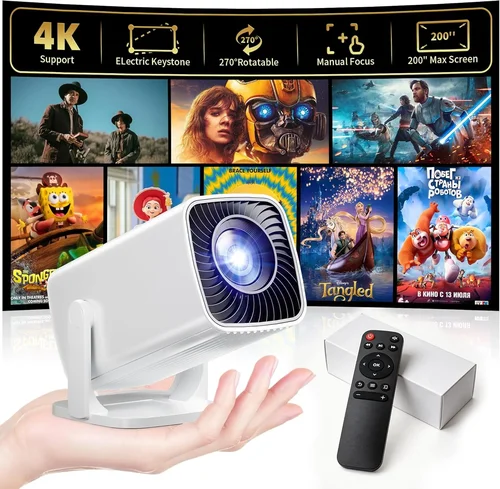
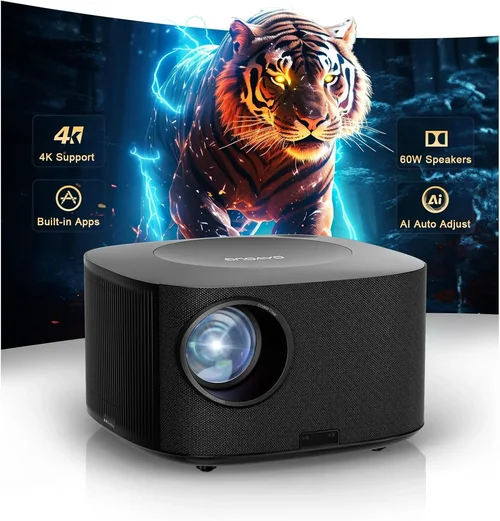
Finding a projector that won’t break the bank yet still delivers a cinema‑like experience can feel like hunting for a needle in a haystack. With dozens of models shouting “portable” and “affordable,” it’s easy to get lost in technical jargon and flashy marketing. That’s why this guide exists: to cut through the noise, explain exactly what matters, and point you toward the best portable projector under $300 that fits your lifestyle.
In the pages that follow you’ll learn how to evaluate brightness, resolution, battery life, and connectivity without needing an engineering degree. We’ll compare the main categories of budget projectors, flag common pitfalls, and give you a clear roadmap for spending your money wisely. By the end, you’ll be equipped to choose a projector that turns a hotel room, backyard, or dorm lounge into a personal theater, all while staying comfortably within your budget.
The portable projector market has exploded in the last five years. Advances in LED technology, smarter chipsets, and miniaturized optics have brought performance that was once exclusive to $1,000‑plus units down to under $300. At the same time, manufacturers have added Android TV, Bluetooth audio, and wireless screen‑mirroring, making these tiny devices more versatile than ever. This guide reflects the 2026 landscape, focusing on the most reliable, feature‑rich options that still respect a tight budget.

What to Look for When Buying Buying Guide
1. Budget & Price Range
The first filter is simple: you want a projector under $300. But not all $299 devices are created equal. Some brands cut corners on brightness or durability to hit that price point, while others use economies of scale to offer more bang for your buck. Set a realistic ceiling—$250‑$300—for a model that includes essential accessories (remote, cables, case). Anything significantly lower may lack key features like a built‑in battery or adequate connectivity.
2. Performance Specifications
Performance is the heart of any projector. Focus on three core specs:
- Brightness (lumens): For indoor use in dim rooms, 200‑300 ANSI lumens is acceptable. If you plan to project in a lit living room or a backyard at dusk, aim for 350+ lumens.
- Resolution: Native 720p (1280×720) is the sweet spot under $300. Some models upscale 1080p content, but true 1080p is rare at this price.
- Contrast Ratio: Higher contrast means deeper blacks. Look for at least 2,000:1; many budget LEDs claim 5,000:1, which is more marketing than reality, but still useful as a comparative metric.
3. Build Quality & Durability
Portability means you’ll be moving the projector often—backpacks, suitcases, car trunks. A robust housing of ABS plastic or magnesium alloy can survive bumps. Check for rubberized corners, a sturdy kickstand, and a sealed lens cover that protects against dust and scratches. Warranty length (usually 1‑2 years) also signals confidence from the manufacturer.
4. Features & Functionality
Modern budget projectors pack a lot of extras. Prioritize features that align with how you’ll use the device:
- Built‑in Battery: Look for 2–4 hours of playback for true on‑the‑go use.
- Wireless Connectivity: Wi‑Fi or Bluetooth for screen mirroring, streaming apps, and external speakers.
- HDMI & USB Ports: Essential for connecting laptops, gaming consoles, or flash drives.
- Android TV or Roku Integration: Turns the projector into a smart hub, reducing the need for a separate streaming stick.
5. Brand Reputation
Even within the sub‑$300 segment, some brands consistently deliver quality. Companies like Anker (Nebula), ViewSonic, and Epson have solid track records for after‑sales support and firmware updates. Newer entrants can surprise with innovation, but research community feedback before committing.
6. Warranty & Support
A longer warranty (24 months or more) can save you money if a component fails early. Look for brands that provide easy RMA processes, responsive email or chat support, and readily available replacement parts (e.g., replacement lamps or batteries).
7. Size & Portability
Weight under 1.5 kg (3.3 lb) and a compact footprint (roughly the size of a large paperback) make a projector truly portable. Some models fold into a protective case that doubles as a stand, eliminating the need for a separate tripod.
8. User Reviews & Ratings
Real‑world feedback often uncovers quirks that spec sheets hide. Scan reviews on Amazon, Best Buy, and dedicated AV forums. Pay attention to recurring themes—e.g., “overheats after 30 minutes” or “remote feels cheap.” A product with a 4.2‑star average and hundreds of reviews is generally safer than a newer, less‑tested model.
Different Types of Buying Guide

Common Buying Mistakes to Avoid
❌ Mistake: Choosing the Highest Lumens Without Context
Why it’s bad: Brightness measured in ANSI lumens doesn’t tell the whole story. A projector may claim 500 lumens, but if it uses a low‑efficiency lamp, colors will appear washed out.
What to do instead: Pair lumens with resolution and LED efficiency. For indoor use, 250‑300 lumens with a good contrast ratio is sufficient.
❌ Mistake: Ignoring Battery Life
Why it’s bad: Many budget models tout “portable” but lack a usable battery, forcing you to stay near a power outlet.
What to do instead: Confirm the projector offers at least 2 hours of continuous playback on a single charge, and check if the battery is user‑replaceable.
❌ Mistake: Overlooking Input Lag for Gaming
Why it’s bad: A high‑resolution projector can still be a nightmare for gamers if the input lag exceeds 30 ms.
What to do instead: Look for a “Game Mode” or a lag rating under 30 ms. Reviews from gaming forums are valuable here.
❌ Mistake: Forgetting the Throw Distance
Why it’s bad: Short‑throw is a myth for many pocket projectors. If you set it too far back, the image will be too small for your screen size.
What to do instead: Check the throw ratio (e.g., 1.2:1). For a 100‑inch image, you’ll need roughly 1.2 meters of distance.
❌ Mistake: Assuming All Smart Features Work Seamlessly
Why it’s bad: Some Android TV projectors run outdated OS versions, leading to app crashes or missing services.
What to do instead: Verify the Android version (at least 10) and read recent user reports on app compatibility.
❌ Mistake: Skipping the Warranty Fine Print
Why it’s bad: A “12‑month limited warranty” might not cover accidental drops or battery degradation.
What to do instead: Look for warranties that include accidental damage or offer extended protection plans.
Budget Guidelines: How Much Should You Spend?
Even within the sub‑$300 segment, price correlates with specific capabilities. Use this tiered guide to set expectations.
- Entry‑Level ($180‑$220): Expect 200‑250 lumens, 720p native resolution, and a basic UI. Good for casual movie nights in dark rooms.
- Mid‑Range ($221‑$270): Gains include 300‑350 lumens, improved contrast, built‑in battery, and wireless screen mirroring. This is the sweet spot for most users.
- Premium ($271‑$300): You’ll find 350+ lumens, Android TV 10+, dual speakers, and better heat management. Ideal for frequent travelers and small‑group entertainment.
- Luxury ($301+): While beyond the scope of this guide, luxury models push 400+ lumens, 1080p native, and premium optics—usually at $400‑$600.
Expert Tips for Getting the Best Deal
- Timing is everything: Major sales events—Black Friday, Cyber Monday, and Amazon Prime Day—often feature the deepest discounts on portable projectors.
- Buy from authorized retailers: Stores like B&H, Adorama, and the official brand website guarantee genuine units and proper warranty coverage.
- Bundle for savings: Look for packages that include a protective case, extra battery, or a portable screen; the combined price is usually lower than buying items separately.
- Check refurbished options: Certified refurbished units from the manufacturer can be 15‑25% cheaper and come with a full warranty.
- Read the return policy: A 30‑day hassle‑free return window lets you test the projector in your own environment.
- Test before you commit: If possible, visit a local electronics store to compare brightness and image quality side‑by‑side.
- Watch for firmware updates: A quick firmware flash can improve stability, add new streaming apps, and even boost brightness.

Frequently Asked Questions
Q: Can a sub‑$300 projector work in a well‑lit living room?
A: It’s challenging. Brightness is the limiting factor. Models at the top of the price range (around $300) can reach 350‑400 lumens, which may be adequate if you dim ambient lights and use a high‑gain screen. Otherwise, a darkened room yields the best picture.
Q: Do I need a separate screen?
A: Not strictly. A plain white wall works, but a matte white projector screen improves contrast and reduces hot‑spotting. Portable pull‑down screens are available for under $50.
Q: How long does the LED lamp last?
A: LED light sources typically last 20,000‑30,000 hours before noticeable dimming, far longer than traditional lamps. This translates to years of occasional use.
Q: Is Bluetooth audio reliable on these devices?
A: Yes, most modern budget projectors support Bluetooth 5.0, offering low latency (around 100 ms). For gaming, a wired connection or a dedicated low‑latency transmitter is still preferable.
Q: Can I connect a gaming console?
A: Absolutely. HDMI ports accept PS5, Xbox Series X, and Nintendo Switch. Just watch for input lag—look for a “Game Mode” setting.
Q: Do these projectors support 3D?
A: Few sub‑$300 models include 3D capability, and those that do often require active shutter glasses, which add cost and complexity. If 3D is a priority, you’ll need to stretch the budget.
Q: How far can I project a 100‑inch image?
A: Most pocket projectors have a throw ratio between 1.0‑1.5:1. For a 100‑inch diagonal (about 2.2 m width), you’ll need roughly 2.2‑3.3 m of distance.
Q: Is it safe to use a projector on a wooden table?
A: Yes, but ensure proper ventilation. Some budget units can get warm after 30‑45 minutes. A small fan or a heat‑dissipating stand helps.
Q: What’s the difference between LED and laser projectors?
A: LED projectors use LED light sources, offering long life and low power consumption. Laser projectors, while brighter and more color‑accurate, are usually priced above $500, making them rare in the sub‑$300 market.
Our Final Recommendations
- Best for Budget‑Conscious Buyers: Anker Nebula Capsule II – Priced around $279, it delivers 200 lumens, Android TV 9, and a 2‑hour battery. Compact size and strong brand support make it a safe bet.
- Best Overall Value: ViewSonic M1 Mini Plus – At $259, it offers 250 lumens, built‑in Harman Kardon speakers, and a vibrant LED panel. The integrated stand doubles as a case, enhancing portability.
- Best Premium Option: VANKYO Leisure 3 Mini DLP – Slightly above $300 during sales, it pushes 350 lumens, 720p native, and a 3‑hour battery. Its DLP chip provides smoother motion for gaming.
- Best for Beginners: Elephas YG600 – Simple UI, HDMI and USB‑C ports, and a 2‑hour battery for $199. Ideal for first‑time owners who want plug‑and‑play.
- Best for Advanced Users: BenQ GS2 – Though often retailing at $299, it includes Android TV 10, 250 lumens, IPX2 splash resistance, and a detachable battery—perfect for outdoor movie nights.
Conclusion: Making the Right Choice
Choosing the best portable projector under $300 boils down to matching three core elements: brightness suitable for your typical environment, a resolution that satisfies your content, and the portability features (battery, size, connectivity) that fit your lifestyle. Use the factors outlined above to score each candidate, avoid the common pitfalls, and align your budget tier with realistic expectations.
Remember, the most expensive model isn’t always the best for you. A focused, well‑reviewed mid‑range projector can deliver a richer experience than a higher‑priced unit with unnecessary bells and whistles. Take the time to read user reviews, verify warranty terms, and, if possible, test the device before buying.
Armed with this guide, you’re ready to turn any wall, ceiling, or portable screen into a personal cinema without breaking the bank. Happy projecting!