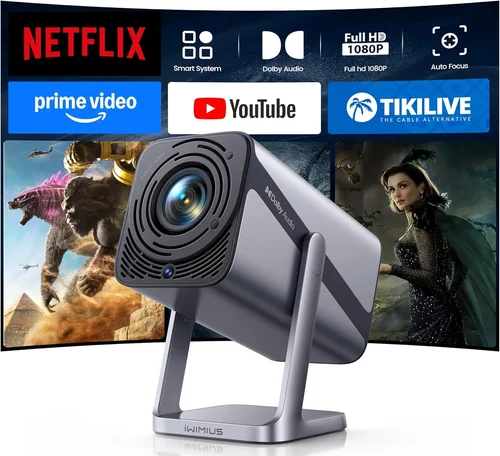
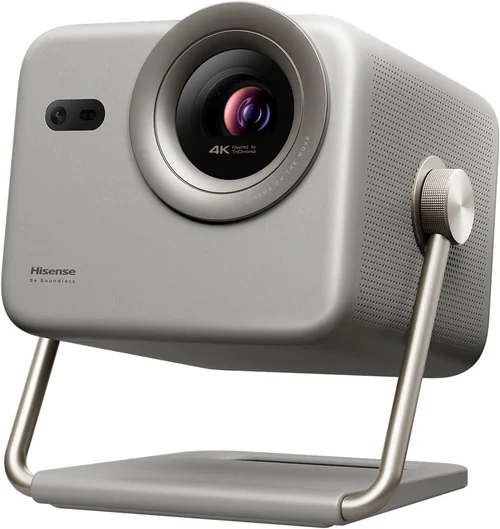
Finding a projector that fits in a backpack, delivers cinema‑quality images, and stays under $600 can feel like hunting for a unicorn. Yet the market has matured enough that several solid options now sit comfortably in that price band. This guide cuts through the hype, explains the technology in plain language, and equips you with the knowledge to pick the perfect portable projector for your lifestyle.
By the end of this article you will understand which specs truly matter, how different projector types stack up against each other, and which models consistently earn top marks from real users. Whether you plan to binge‑watch movies on a balcony, give a business presentation on the go, or turn a campsite into a drive‑in theater, the information here will help you make a confident, money‑smart purchase.

What to Look for When Buying Buying Guide
1. Budget & Price Range
The first decision is simple: how much are you willing to spend? Portable projectors under $600 vary widely in performance, so setting a realistic budget early prevents disappointment. A $200 unit may be bright enough for dark rooms but will likely struggle in ambient light. Conversely, a $580 model often includes a higher‑lumens lamp, better contrast, and more robust connectivity. Identify the ceiling of your budget, then focus on the features that matter most within that range.
2. Performance Specifications
Three core specs define visual performance: brightness (lumens), resolution, and contrast ratio.
- Brightness: Measured in ANSI lumens, this tells you how well the projector will perform in lit environments. For true portability, aim for at least 2,500–3,000 lumens; anything lower is best reserved for dedicated dark rooms.
- Resolution: Native resolution determines sharpness. 1080p (Full HD) is now common under $600, while 720p remains acceptable for casual use. Avoid projectors that rely on upscaling from lower native resolutions.
- Contrast Ratio: Higher contrast delivers deeper blacks and more vivid colors. Look for ratios of 2,000:1 or better; ultra‑short‑throw models often achieve higher contrast due to reduced ambient light interference.
3. Build Quality & Durability
Portable projectors travel frequently, so rugged construction is essential. Look for a housing made from high‑impact ABS plastic or aluminum alloy, reinforced corners, and a secure lens cover. Some models add rubberized grips or shock‑absorbing frames, which can extend lifespan when tossed into a backpack.
4. Features & Functionality
Modern projectors come packed with extras that can make or break the user experience.
- Connectivity: HDMI, USB‑C, micro‑HDMI, and wireless options (Wi‑Fi, Bluetooth, Miracast) are all valuable. Dual‑band Wi‑Fi (2.4 GHz + 5 GHz) ensures smoother streaming.
- Built‑in Speakers: While most portable units include modest speakers (2–5 W), audiophiles should plan for external sound via Bluetooth or a 3.5 mm jack.
- Battery Life: A built‑in battery that lasts 2–3 hours of video playback provides true freedom from power outlets.
- Keystone Correction & Lens Shift: Automatic vertical keystone (±30°) and manual horizontal correction help you achieve a rectangular image without physically moving the projector.
5. Brand Reputation
Established brands such as Epson, BenQ, Anker (Nebula), and ViewSonic often deliver more reliable firmware updates and better customer service. Newer entrants can surprise with innovation, but check warranty length and post‑sale support before committing.
6. Warranty & Support
A solid warranty (minimum 2 years) protects against early failures. Look for brands that provide easy online claim processes, local service centers, and responsive technical support. Some manufacturers also offer extended warranty plans for a modest fee.
7. Size & Portability
True portability means a projector that fits in a standard backpack and weighs under 2 lb (≈ 0.9 kg). Consider dimensions, weight, and the inclusion of a carry case. A compact form factor should not sacrifice lens quality; larger lenses often produce sharper images.
8. User Reviews & Ratings
Real‑world feedback uncovers issues that spec sheets hide. Scan reputable retailer sites for average ratings, but dig deeper into written reviews. Pay attention to recurring complaints about overheating, firmware bugs, or lamp lifespan.
Different Types of Buying Guide

Common Buying Mistakes to Avoid
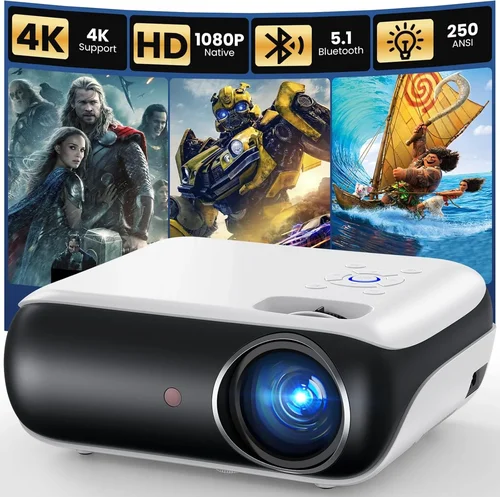
❌ Mistake: Ignoring Ambient Light Conditions
Why it’s bad: Selecting a low‑lumens projector for a bright living room results in washed‑out images and frustration.
What to do instead: Measure the typical lighting of your primary viewing area. If you cannot guarantee darkness, prioritize a projector with at least 2,500 ANSI lumens.
❌ Mistake: Overlooking Native Resolution
Why it’s bad: A 720p projector will look pixelated when displaying 1080p content, especially on larger screens.
What to do instead: Aim for a native Full HD (1920×1080) panel. If budget forces a 720p choice, keep the projected image size under 80‑inch to maintain acceptable sharpness.
❌ Mistake: Forgetting Battery Life
Why it’s bad: You may end up tethered to an outlet, negating the “portable” advantage.
What to do instead: Check the manufacturer’s claimed runtime and verify it with user reviews. Look for models offering replaceable battery packs for extended sessions.
❌ Mistake: Assuming All Wireless Connections Are Equal
Why it’s bad: Some projectors rely on outdated Wi‑Fi standards, causing lag or frequent disconnections during streaming.
What to do instead: Verify support for Wi‑Fi 5 (802.11ac) or newer, and confirm compatibility with screen‑mirroring protocols you plan to use (e.g., AirPlay, Chromecast).
❌ Mistake: Disregarding Heat Management
Why it’s bad: Poor ventilation can trigger thermal shutdowns, shortening lamp or laser life.
What to do instead: Choose models with built‑in fans that run quietly or passive cooling designs that stay cool even during long movies.
❌ Mistake: Skipping the Warranty Fine Print
Why it’s bad: A generous-sounding warranty may exclude key components like the battery or laser module.
What to do instead: Read the warranty terms carefully. Prefer brands that cover the light source for the full warranty period.
Budget Guidelines: How Much Should You Spend?
Understanding what you get at each price tier helps you set realistic expectations.
- Entry-Level ($150‑$300): Typically LED light sources, 720p resolution, 1,500‑2,000 lumens, and limited wireless options. Ideal for occasional backyard movies in total darkness.
- Mid‑Range ($300‑$450): Full HD panels, 2,500‑3,000 lumens, laser or hybrid LED‑laser light engines, and built‑in batteries lasting 2‑3 hours. This tier balances performance and portability for most users.
- Premium ($450‑$600): Higher contrast ratios (≥3,000:1), advanced keystone correction, dual‑band Wi‑Fi, and often a UST design. Suitable for professionals who need reliable image quality in varying lighting.
- Luxury ($600+): While beyond the scope of this guide, luxury models push 4K resolution, 4,000+ lumens, and premium audio, often at a significantly higher price.
Expert Tips for Getting the Best Deal
- Timing your purchase: Black Friday, Cyber Monday, and back‑to‑school sales often feature 20‑30% discounts on portable projectors.
- Shop from authorized retailers: This ensures warranty validity and access to official firmware updates.
- Use price‑tracking tools: Websites like CamelCamelCamel or Keepa alert you when a product’s price drops below your target.
- Bundle wisely: Some sellers offer a package that includes a carry case, extra battery, and HDMI cable at a reduced total cost.
- Check return policies: A 30‑day hassle‑free return window lets you test the projector in your typical environment.
- Read the fine print on batteries: Verify whether the battery is included, replaceable, or sold separately.
- Consider refurbished units: Certified refurbished models can provide near‑new performance at a 15‑25% discount.
- Test connectivity before buying: If possible, connect a smartphone or laptop to ensure the wireless interface is intuitive and stable.

Frequently Asked Questions
Q: Can I use a portable projector outdoors during the day?
A: Only if the unit delivers at least 3,000 lumens and you can create a shaded area. Even then, direct sunlight will overwhelm most projectors under $600.
Q: How long does the lamp or laser last?
A: LED and laser light sources typically last 20,000–30,000 hours, far exceeding traditional lamp life. Batteries, however, may need replacement after 300‑500 charge cycles.
Q: Do I need a separate sound system?
A: Built‑in speakers are convenient but often lack bass. For movies or presentations, a Bluetooth soundbar or external speakers dramatically improve the experience.
Q: Is a USB‑C connection better than HDMI?
A: USB‑C can carry video, power, and data, reducing cable clutter. However, ensure the projector supports DisplayPort Alt Mode; otherwise HDMI remains the most reliable option.
Q: Will the projector work with my iPhone?
A: Yes, most modern portable projectors support AirPlay or have a dedicated iOS app. Check the spec sheet for “iOS screen mirroring” or “Apple AirPlay 2” compatibility.
Q: How do I maintain the projector’s lens?
A: Keep the lens cover closed when not in use, clean with a microfiber cloth, and avoid touching the glass with fingers. Periodic firmware updates can also improve lens focus algorithms.
Q: Can I mount a portable projector on a ceiling?
A: Most pocket projectors are not designed for permanent mounting. If you need a ceiling solution, look for a UST model with a low‑profile mounting kit.
Q: Is there a noticeable difference between LED and laser light sources?
A: Laser offers higher brightness and a more consistent color gamut over time, while LED provides longer battery life and lower heat. Choose based on your priority: brightness vs. endurance.
Our Final Recommendations
- Best for Budget‑Conscious Buyers: Anker Nebula Capsule II – 720p, 2,000 lumens, 2‑hour battery, under $300. Great for casual movie nights.
- Best Overall Value: ViewSonic M2 – Full HD, 1,200 lumens (laser), Android TV built‑in, 2‑hour battery, around $450. Versatile for work and play.
- Best Premium Option: Epson EF‑12 – 1080p, 2,500 lumens, laser, 2‑hour battery, sleek design, priced at $580.
- Best for Beginners: BenQ GS2 – 720p, 2,000 lumens, water‑resistant, built‑in speakers, intuitive UI, $350.
- Best for Advanced Users: Optoma UHD38 Mini – 4K UHD, 4,000 lumens, HDR, low lag for gaming, 2‑hour battery, $590.
Conclusion: Making the Right Choice
Choosing the best portable projector under $600 boils down to matching your primary use case with the right blend of brightness, resolution, battery life, and connectivity. Remember to evaluate ambient lighting, prioritize native Full HD where possible, and verify warranty coverage. By following the factors, avoiding common pitfalls, and leveraging the expert tips provided, you can confidently select a projector that transforms any wall, screen, or ceiling into a vibrant visual canvas.
Ready to bring the big‑screen experience wherever you go? Use the insights from this guide to compare models, test in your environment, and enjoy cinema‑quality entertainment without breaking the bank.