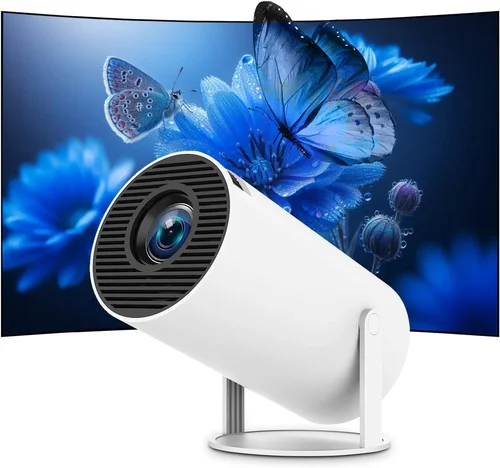
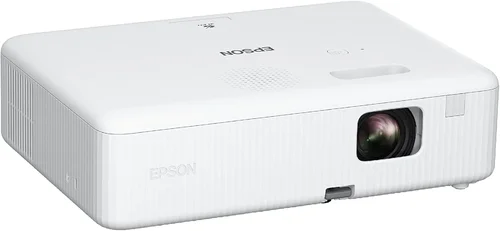
Finding a projector that fits inside a laptop bag, delivers clear slides, and costs less than a night out can feel like hunting for a unicorn. Yet the market for portable projectors has exploded, and today you can snag a device that handles business presentations, classroom lessons, or impromptu movie nights without breaking the bank. This guide cuts through the noise, explaining exactly what to look for, where to buy, and which models dominate the sub‑$200 segment in 2026.
By the end of this article you will understand the technical specs that truly matter for presentations, avoid the most common purchasing pitfalls, and walk away with a shortlist of the best portable projectors under $200 for your specific needs. Whether you’re a sales rep who travels weekly, a teacher on a tight budget, or a freelancer who needs a quick visual aid, the information here is tailored to help you make a confident, informed decision.

What to Look for When Buying Buying Guide
1. Budget & Price Range
Price is the most obvious filter, but it’s also a proxy for feature sets. In the sub‑$200 arena you’ll typically find three tiers:
- Entry‑level ($80‑$120): Basic brightness, limited connectivity, often native 720p.
- Mid‑range ($121‑$170): Better lumens, native 1080p support, multiple input options.
- Upper‑mid ($171‑$200): Near‑premium optics, longer lamp life, enhanced battery life.
Knowing which tier aligns with your expectations prevents disappointment later on.
2. Performance Specifications
The three specs you’ll hear most often are brightness (lumens), resolution, and contrast ratio.
- Brightness: Measured in ANSI lumens, this determines how well the image competes with ambient light. For indoor boardrooms, 200‑300 lumens is adequate; for brighter rooms, aim for 300+.
- Resolution: Native 1080p (1920×1080) is ideal for crisp text and graphics. Many budget models upscale from 720p, which can look fuzzy on detailed slides.
- Contrast Ratio: Higher contrast improves depth, especially for dark‑themed slides. Look for at least 1,000:1.
3. Build Quality & Durability
Portable projectors travel in backpacks, cars, and sometimes on planes. A sturdy chassis—preferably aluminum or high‑grade ABS plastic—protects internal optics from bumps. Check for:
- Shock‑absorbing corners.
- Dust‑proof vents.
- Secure lens covers.
4. Features & Functionality
Beyond the basics, certain features can make your workflow smoother:
- Wireless connectivity: Wi‑Fi or Bluetooth for screen‑mirroring from phones, tablets, or laptops.
- Built‑in speakers: Useful for quick demos; however, they rarely replace dedicated audio.
- Keystone correction: Automatic or manual adjustment to fix trapezoidal distortion.
- Battery life: Look for at least 2‑3 hours of continuous projection on a single charge.
- USB‑C / HDMI inputs: Ensure compatibility with the devices you use most.
5. Brand Reputation
Companies that specialize in visual tech tend to offer better firmware updates and customer service. In this price bracket, brands like ViewSonic, Anker, Vankyo, and AAXA have built solid followings. Research their post‑sale support forums and read long‑term user experiences.
6. Warranty & Support
A 1‑year limited warranty is standard, but some manufacturers extend it to 18 months or offer accidental damage coverage for a small fee. Check what the warranty covers: lamp replacement, battery degradation, or cosmetic damage? Also verify the ease of contacting support—live chat, phone, or robust online knowledge bases.
7. Size & Portability
Weight under 1.5 lb and a compact footprint (roughly the size of a hardcover book) make a projector truly portable. Some models come with a dedicated travel case, which adds protection and convenience.
8. User Reviews & Ratings
Real‑world feedback often reveals hidden strengths or flaws. Look for reviewers who mention:
- Longevity of the lamp or LED.
- Stability of the Wi‑Fi connection.
- Actual brightness in typical office lighting.
Aggregating several sources (Amazon, Best Buy, specialist forums) gives a balanced view.
Different Types of Buying Guide

Common Buying Mistakes to Avoid
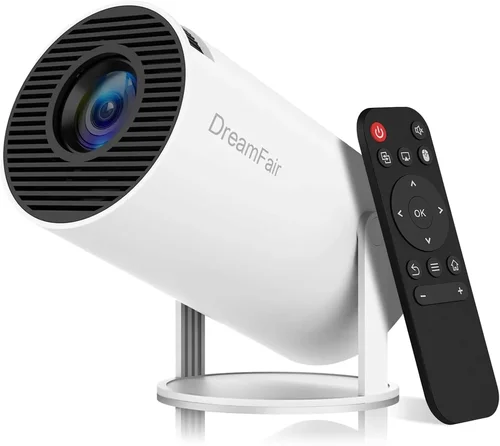
❌ Mistake: Assuming Higher Price Means Better Brightness
Why it’s bad: Some manufacturers inflate price with premium branding while keeping lumens low.
What to do instead: Check the ANSI lumen rating directly. A $150 projector with 300 lumens often outperforms a $190 model stuck at 200 lumens.
❌ Mistake: Ignoring Input Compatibility
Why it’s bad: You might end up with a projector that only accepts HDMI, while your laptop only has USB‑C.
What to do instead: List the ports on your primary devices first, then match those to the projector’s inputs. Adapters add cost and clutter.
❌ Mistake: Overlooking Battery Degradation
Why it’s bad: Battery capacity can drop 30% after a year, cutting usable projection time in half.
What to do instead: Choose models with replaceable batteries or those that support external power banks.
❌ Mistake: Forgetting About Keystone & Focus Adjustments
Why it’s bad: Without keystone correction, you may need to set up the projector perfectly level—often impossible in cramped meeting rooms.
What to do instead: Prioritize units with automatic keystone or manual sliders; they save time and improve image shape.
❌ Mistake: Buying Based Solely on Online Images
Why it’s bad: Pictures can be misleading about size, port placement, or lens quality.
What to do instead: Watch video reviews, read hands‑on impressions, or visit a local store to see the unit in person.
Budget Guidelines: How Much Should You Spend?
Entry‑Level ($80‑$120)
- Typical brightness: 180‑220 ANSI lumens.
- Resolution: Native 720p, upscaled 1080p.
- Battery: 1.5‑2 hours.
- Best for: Casual presentations, students, occasional home use.
Mid‑Range ($121‑$170)
- Brightness: 250‑320 lumens.
- Resolution: Native 1080p or high‑quality 720p.
- Battery: 2‑3 hours, often with power‑save modes.
- Best for: Small conference rooms, frequent travelers, dual‑use for movies.
Upper‑Mid ($171‑$200)
- Brightness: 300‑380 lumens.
- Resolution: True 1080p with better color gamut.
- Battery: 3‑4 hours, fast‑charge support.
- Best for: Professionals who need reliable performance in varied lighting.
Luxury ($200+) – While outside the strict “under $200” rule, it’s worth noting that a $220 model may offer 450 lumens, laser light sources, and 4‑hour battery life. Consider stretching the budget if you need those extras.
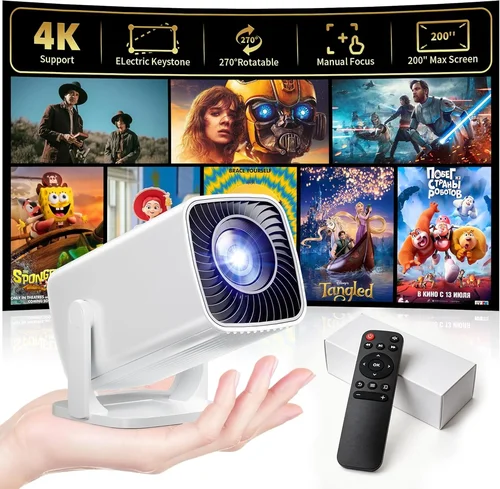
Expert Tips for Getting the Best Deal
- Timing: Major discounts appear during Black Friday, Cyber Monday, and back‑to‑school periods (July‑August).
- Retailers: Compare Amazon’s “Warehouse Deals,” Best Buy’s open‑box offers, and direct brand stores for the lowest price.
- Bundled Accessories: Some sellers include a travel case or extra battery for the same price; evaluate the true value.
- Warranty Extensions: If you plan heavy use, a modestly priced extended warranty can save money on future repairs.
- Return Policies: Opt for retailers offering at least 30‑day returns; this lets you test brightness in your typical environment.
- Testing: When possible, project a sample slide deck in a dim room to assess focus, keystone, and speaker volume before finalizing.
- Firmware Updates: Choose models that receive regular software upgrades to improve stability and add features.

Frequently Asked Questions
Q: Can a sub‑$200 projector replace a full‑size conference room system?
A: For small to medium rooms (up to 80 sq ft) with controllable lighting, a quality 300‑lumens portable projector can deliver clear text and graphics. Larger spaces or bright auditoriums still require higher‑end units.
Q: How long does the lamp or LED actually last?
A: LED light sources in budget projectors typically last 20,000‑30,000 hours, far exceeding the lifespan of traditional lamps. Battery‑powered models may need a lamp replacement only after many years of use.
Q: Is Wi‑Fi lag a problem for live presentations?
A: Modern Wi‑Fi 5 (802.11ac) or Wi‑Fi 6 modules handle screen mirroring with less than 200 ms latency, which is acceptable for slide decks. For video playback, a wired HDMI connection is still the most reliable.
Q: Do I need a separate remote control?
A: Most portable projectors include a basic IR remote. For advanced control (e.g., adjusting keystone on the fly), Bluetooth keyboards or smartphone apps are convenient.
Q: Will the built‑in speakers be enough for a small meeting?
A: Built‑in speakers usually output 1‑2 W, sufficient for a quiet room. For louder environments, pair the projector with external Bluetooth speakers or a soundbar.
Q: How do I maintain the projector to ensure longevity?
A: Keep vents dust‑free, store the unit in its case when not in use, avoid extreme temperatures, and run the fan for a few minutes after each session to dissipate heat.
Q: Is a higher contrast ratio more important than brightness?
A: Both matter, but for presentations where text clarity is key, contrast often trumps raw lumens. A 1,200:1 contrast with 250 lumens can look sharper than 300 lumens at 800:1.
Q: Can I use a portable projector outdoors?
A: Yes, provided you have a darkened area and a stable surface. Some models are rated IPX2 for light rain, but generally they are best suited for indoor or shaded outdoor use.
Our Final Recommendations
Best for Budget‑Conscious Buyers: Vankyo Leisure 3 – $89. Offers 200 lumens, 720p native, 2‑hour battery, and a compact design. Ideal for students and occasional presenters.
Best Overall Value: ViewSonic M1 Mini Plus – $149. Features 250 lumens, native 1080p support, built‑in Harman Kardon speakers, and an Android OS for streaming. Balanced performance and portability.
Best Premium Option (Just Under $200): Anker Nebula Capsule II – $199. Delivers 300 lumens, true 1080p, 2.5‑hour battery, Android TV 9.0, and excellent keystone correction. Perfect for professionals who need a reliable all‑in‑one device.
Best for Beginners: AAXA P300 – $119. Simple plug‑and‑play, HDMI + USB‑C, 250 lumens, and a sturdy case. No steep learning curve.
Best for Advanced Users: MINIX NEO U9 – $189. DLP engine, 380 lumens, 1080p native, auto‑focus, and extensive connectivity (HDMI, USB‑C, micro‑SD). Suits tech‑savvy presenters who demand fine control.
Conclusion: Making the Right Choice
Choosing a portable projector under $200 boils down to balancing brightness, resolution, and convenience against your specific presentation environment. Start by defining where you’ll use the device most often—bright conference rooms, dim classrooms, or on‑the‑go client sites. Then match those needs to the factors outlined above: lumens, connectivity, battery life, and durability.
Remember, the cheapest option may save you money today but could cost more in frustration tomorrow. Invest in a reputable brand, verify warranty terms, and take advantage of seasonal sales to stretch your budget further. With the recommendations and buying strategies in this guide, you’re equipped to pick a projector that will deliver clear, compelling visuals without breaking the bank.
Ready to upgrade your presentation game? Browse the models highlighted, compare current prices, and enjoy the confidence that comes with an informed purchase.