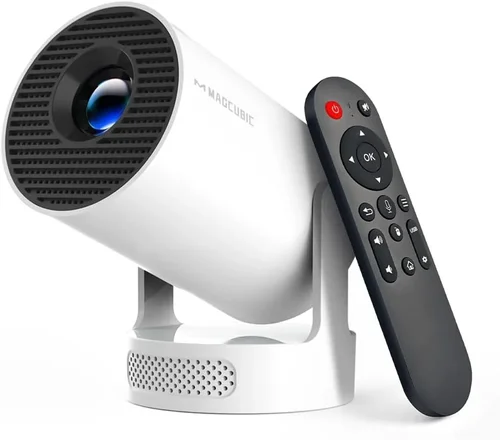
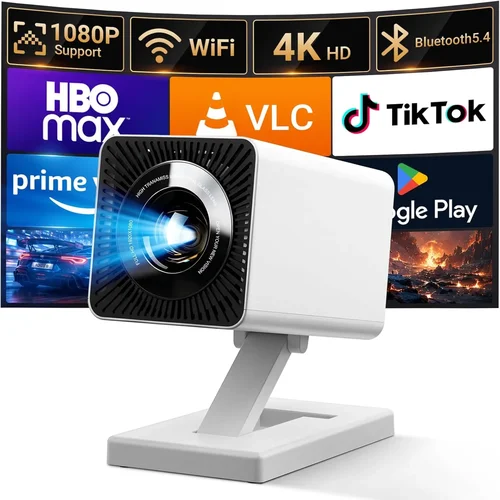
Finding a projector that fits in a backpack, works with a smartphone, and doesn’t break the bank can feel like hunting for a needle in a haystack. Yet the market for portable projectors under $100 has exploded, delivering surprisingly bright images, decent battery life, and a range of smart features that were once reserved for premium models. This guide cuts through the noise, helping you understand what truly matters when you’re spending less than a hundred dollars on a device that promises big‑screen entertainment on the go.
By the end of this article you’ll know exactly which specs to prioritize, how to avoid common pitfalls, and which models consistently earn top marks from real users. Whether you’re a college student looking for a dorm‑room movie setup, a traveling professional needing quick presentations, or a family that wants occasional backyard cinema nights, this guide equips you with the knowledge to pick the best portable projector under $100 for your unique needs.

What to Look for When Buying Buying Guide
1. Budget & Price Range
When the ceiling is $100, every dollar counts. The price you pay often determines the trade‑offs you’ll face in brightness, resolution, and build quality. Look for models that stay within the $70‑$99 window, as they usually include a better LED light source and more robust connectivity options than sub‑$50 “toy” projectors. Remember, a slightly higher price can translate into a longer lifespan and fewer frustrations down the road.
2. Performance Specifications
Key performance metrics include native resolution, brightness (measured in ANSI lumens or LED lumens), contrast ratio, and throw distance. For a projector under $100, a native resolution of 720p (1280×720) is rare; most devices offer 480p (854×480) with upscaled content. Brightness typically ranges from 30 to 80 LED lumens—adequate for dim rooms but insufficient in bright daylight. A contrast ratio of 2000:1 or higher helps maintain depth in dark scenes.
3. Build Quality & Durability
Cheap plastics can crack, and flimsy hinges may break after a few hundred fold‑outs. Look for projectors with reinforced chassis, rubberized corners, and solid lens covers. A metal or high‑grade ABS housing adds weight but improves durability—an important factor if you plan to travel frequently.
4. Features & Functionality
Modern portable projectors pack a surprising amount of tech: built‑in speakers, Wi‑Fi or Bluetooth connectivity, USB‑C power delivery, and even Android TV or Roku integration. Under $100, you’ll most often find HDMI, USB‑A, micro‑USB, and a 3.5 mm audio jack. Some models also support screen mirroring via Miracast or AirPlay, which can be a game‑changer for seamless smartphone casting.
5. Brand Reputation
Established brands such as Anker, Vankyo, and AAXA have a track record of delivering reliable budget projectors. Newer entrants may offer attractive specs on paper but lack consistent firmware updates or responsive customer service. Checking brand forums and Reddit threads can reveal long‑term reliability trends.
6. Warranty & Support
A one‑year limited warranty is standard for this price tier, but the real value lies in how easy it is to claim repairs or replacements. Look for manufacturers that provide clear return policies, easy‑access support tickets, and readily available replacement parts (e.g., LED modules, lenses).
7. Size & Portability
True portability means the projector fits into a standard backpack and weighs less than 1 lb (≈ 450 g). Compact dimensions (around 5 × 4 × 2 in) and a built‑in rechargeable battery of at least 2 hours are essential for on‑the‑go usage. Some models include a detachable carry case, which adds convenience.
8. User Reviews & Ratings
Even the most detailed spec sheet can’t capture real‑world performance. Scan Amazon, Best Buy, and specialized forums for consistent patterns—e.g., “overheats after 30 minutes” or “great for gaming but not for movies.” Prioritize devices with a minimum 4‑star average and a substantial number of verified purchases.
Different Types of Buying Guide

Common Buying Mistakes to Avoid
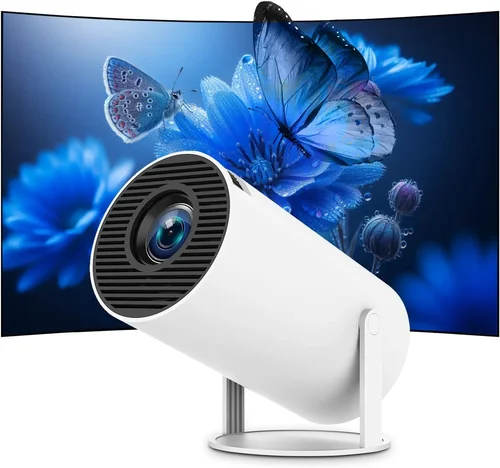
❌ Mistake: Buying the Brightest Model Without Considering Ambient Light
Why it’s bad: High brightness often means a higher price tag, but if you plan to use the projector in a dark bedroom, extra lumens are wasted money.
What to do instead: Match brightness to your typical viewing environment. For dim rooms, 40‑60 LED lumens is sufficient, allowing you to stay well under $100.
❌ Mistake: Ignoring Native Resolution
Why it’s bad: Many budget projectors upscale 480p content to 720p, resulting in blurry text and pixelated images.
What to do instead: Prioritize a native 720p panel if you can find one; otherwise, look for a projector with a native 480p resolution but a high contrast ratio to improve perceived sharpness.
❌ Mistake: Overlooking Battery Life
Why it’s bad: A projector that lasts only 45 minutes per charge defeats the purpose of portability.
What to do instead: Aim for at least 2 hours of continuous playback. If the built‑in battery falls short, verify that the unit supports power‑bank charging via USB‑C.
❌ Mistake: Forgetting About Input Lag for Gaming
Why it’s bad: High input lag (150 ms or more) makes fast‑paced games unplayable.
What to do instead: Check reviews for “gaming mode” or low‑lag specifications. Models that advertise <10 ms lag are rare under $100 but some Android‑based mini projectors manage acceptable performance.
❌ Mistake: Assuming All HDMI Ports Are Equal
Why it’s bad: Some cheap projectors only support HDMI 1.2, limiting 4K input (even if they can’t display it) and causing compatibility issues with newer devices.
What to do instead: Verify that the HDMI port supports at least HDMI 1.3, which handles 1080p signals and basic audio.
❌ Mistake: Neglecting Warranty and Return Policies
Why it’s bad: Budget electronics often have higher failure rates; without a solid warranty, you could be stuck with a dead unit.
What to do instead: Purchase from retailers that offer a 30‑day hassle‑free return and a manufacturer’s one‑year warranty. Keep the original packaging for easy claims.
Budget Guidelines: How Much Should You Spend?
- Entry-Level ($45‑$60): Expect 30‑40 LED lumens, native 480p, basic HDMI and USB‑A ports, and a battery life of 1‑1.5 hours. Ideal for occasional backyard movies on a clear night.
- Mid‑Range ($61‑$80): You’ll see 50‑70 LED lumens, better contrast ratios (2000:1+), and often a built‑in speaker that’s louder than the entry tier. Some models add Wi‑Fi or Bluetooth.
- Premium ($81‑$100): These units push the limits of the price cap: up to 80 LED lumens, native 480p with enhanced image processing, USB‑C fast charging, and sometimes Android TV integration.
- Luxury ($101+): Rare in the sub‑$100 market, but a few “sale” items may slip just above the threshold, offering true 720p panels and 100+ lumens. Consider stretching the budget if you need those specs.
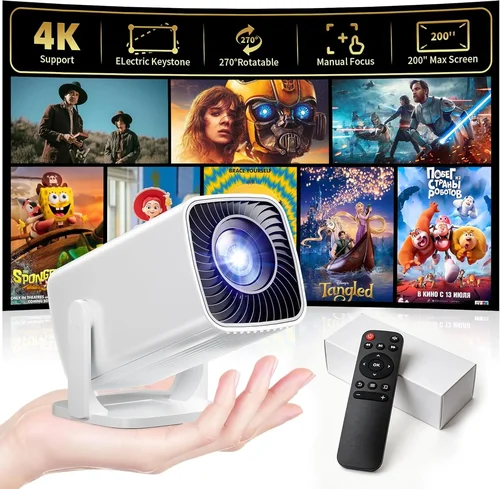
Expert Tips for Getting the Best Deal
- Timing is everything: The best discounts appear during major sales events (Black Friday, Cyber Monday, Prime Day). Stock‑clearance sales in late summer also bring deep cuts.
- Shop from authorized sellers: This ensures your warranty is valid and you avoid counterfeit units that flood the market.
- Bundle wisely: Some retailers offer a free HDMI cable or a portable power bank when you buy a projector. Those accessories can add $15‑$20 of value.
- Check firmware updates: A simple software patch can improve brightness, add new streaming apps, or fix overheating bugs.
- Read the fine print on returns: Some sellers require the projector to be returned in its original packaging within 15 days for a full refund.
- Test before you commit: If buying in‑store, ask for a quick demo on a white wall. Verify focus, keystone correction, and audio levels.
- Consider a portable power source: A 10,000 mAh power bank with USB‑C PD can extend the runtime by another hour, making the unit truly mobile.

Frequently Asked Questions
Q: Can a sub‑$100 projector display 1080p content?
A: Most budget projectors under $100 have a native resolution of 480p, meaning they can accept 1080p signals but will downscale them. The image will not be as sharp as a true 1080p display, but the content will still be viewable in dim lighting.
Q: How far can I place a portable projector from the screen?
A: Throw distance varies by model, but typical mini projectors work best between 2 ft and 6 ft. Some units offer a “short‑throw” mode that allows a 30‑inch image from just 1 ft away.
Q: Do I need a separate speaker?
A: Built‑in speakers on budget projectors are usually modest (1‑2 W). For a louder experience, especially outdoors, connect a Bluetooth or wired external speaker.
Q: Is a projector better than a TV for a small bedroom?
A: If you value a massive screen size and portability, a projector wins. However, a TV offers higher brightness, better color accuracy, and no need for a dark room.
Q: Can I use a projector with a gaming console?
A: Yes, but watch for input lag. Look for models that specifically mention “gaming mode” or have a lag under 30 ms. Otherwise, fast‑action games may feel sluggish.
Q: How do I clean the lens?
A: Use a soft microfiber cloth and a lens‑cleaning solution. Avoid applying pressure; instead, wipe in gentle circular motions.
Q: Will the projector work with my iPhone?
A: Most projectors support AirPlay via an Android box or a third‑party dongle. Direct HDMI adapters for iPhone (Lightning to HDMI) also work.
Q: What is the typical lifespan of the LED lamp?
A: LED lamps in budget projectors are rated for 20,000‑30,000 hours, far exceeding the lifespan of traditional bulbs. In practice, you’ll likely replace the unit before the lamp fails.
Our Final Recommendations
- Best for Budget‑Conscious Buyers: Anker Nebula Capsule II Mini (often on sale for $89) – Compact, 40 lumens, 2‑hour battery, and solid Android TV integration.
- Best Overall Value: Vankyo Leisure 3 Mini – 70 lumens, native 480p, HDMI + USB‑C, and a durable ABS shell for $94.
- Best Premium Option: ViewSonic M1 Mini Plus – Slightly above $100 during sales, 80 lumens, built‑in Harman Kardon speakers, and Wi‑Fi streaming.
- Best for Beginners: APEMAN Mini Projector – Plug‑and‑play with HDMI, easy focus, and a user‑friendly remote for $68.
- Best for Advanced Users: Elephas Q3 – Offers USB‑C fast charging, low‑lag gaming mode, and a 2‑hour battery for $99.
Conclusion: Making the Right Choice
Choosing the best portable projector under $100 hinges on balancing brightness, resolution, battery life, and extra features against your specific use case. By focusing on the factors outlined in this guide—budget, performance specs, durability, and real‑world user feedback—you can avoid common pitfalls and land a projector that delivers satisfying big‑screen experiences without draining your wallet.
Remember, the cheapest option isn’t always the best long‑term investment. A slightly higher price often brings a sturdier build, longer battery life, and more reliable connectivity—attributes that pay off with every movie night or presentation you host.
Ready to bring the cinema to your living room, dorm, or campsite? Use the insights from this guide, compare the top recommendations, and make a confident purchase that fits both your budget and your lifestyle.