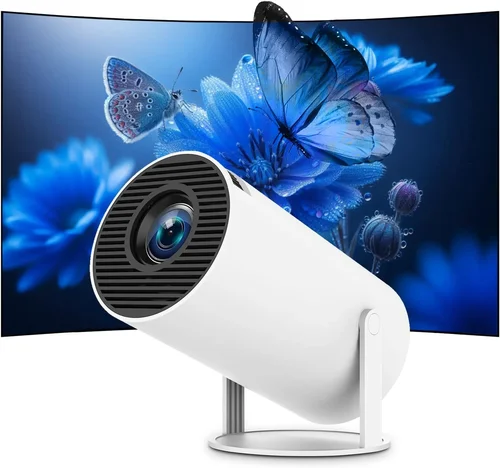
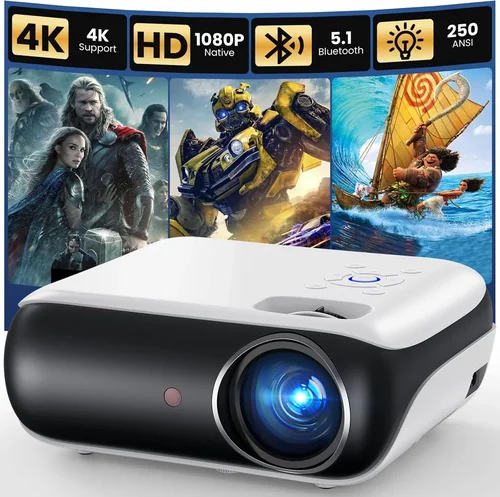
Finding a portable projector that delivers a cinema‑like experience without breaking the bank can feel like hunting for a needle in a haystack. The market is flooded with models that promise “big screen anywhere,” yet many fall short when it comes to brightness, battery life, or ease of use. This guide cuts through the noise, giving you a clear roadmap to select the best portable projector under $400 that actually works for movies, gaming, presentations, or impromptu backyard gatherings.
In the next few pages you’ll learn which technical specs truly matter, how different projector types stack up against each other, and which mistakes most buyers make. By the time you finish reading, you’ll be equipped to pick a device that fits your lifestyle, budget, and performance expectations—no more second‑guessing or regretful returns.
The portable projector landscape has evolved dramatically over the past three years. LED and laser light sources have become more efficient, battery packs are lasting longer, and smart‑TV integrations are now common even in sub‑$400 units. These advances mean you no longer have to sacrifice image quality for convenience. Let’s dive into the essential factors that separate the great from the merely “good enough.”

What to Look for When Buying Buying Guide
1. Budget & Price Range
While the headline “under $400” sets a clear ceiling, the actual price you should aim for depends on the features you need. Entry‑level models around $150 often compromise on brightness and connectivity, whereas those priced close to $400 typically include built‑in speakers, higher lumens, and smarter OS platforms. Determine your must‑haves first, then allocate your budget accordingly.
2. Performance Specifications
Performance is measured by three core specs: brightness (lumens), resolution, and contrast ratio. For portable use, a minimum of 200 ANSI lumens is advisable for dim rooms; brighter environments will require 300+ lumens. Native 720p (1280×720) is the baseline for decent detail, but many budget models upscale 1080p inputs. A contrast ratio of at least 2,000:1 helps preserve depth in dark scenes.
3. Build Quality & Durability
Portability means the projector will travel in backpacks, car trunks, or even be tossed into a camping bag. Look for sturdy ABS or magnesium alloy housings, reinforced lens covers, and rubberized feet. Shock‑absorbing designs extend lifespan and protect internal optics from accidental drops.
4. Features & Functionality
Modern portable projectors often double as smart media hubs. Key features to prioritize include:
- Wireless connectivity: Wi‑Fi, Bluetooth, or Miracast for screen mirroring.
- Built‑in streaming apps: Roku, Android TV, or Amazon Fire TV integration.
- Multiple inputs: HDMI, USB‑C, micro‑HDMI, and SD card slots.
- Battery life: At least 2.5 hours of continuous playback on a single charge.
- Audio: Integrated speakers of 2‑5 W; consider external speaker support for louder environments.
5. Brand Reputation
Established brands like Anker, ViewSonic, and Epson have proven track records for reliability and firmware updates. Newer entrants such as XGIMI or AAXA can offer innovative features at lower prices, but check long‑term support policies and community feedback before committing.
6. Warranty & Support
A solid warranty (minimum 1 year) protects you from early failures. Look for manufacturers that offer easy RMA processes, responsive email or chat support, and accessible firmware upgrades. Some retailers also provide extended protection plans at modest extra cost.
7. Size & Portability
Weight under 1.5 kg and a compact footprint (roughly the size of a paperback book) make a projector truly portable. Consider whether you need a built‑in handle, a detachable battery, or a case that doubles as a protective shell.
8. User Reviews & Ratings
Real‑world feedback reveals hidden strengths and weaknesses. Scan reviews for recurring themes such as “overheating after 30 minutes” or “excellent picture in low light.” Pay special attention to verified purchases and video demos that showcase the projector in environments similar to yours.
Different Types of Buying Guide

Common Buying Mistakes to Avoid
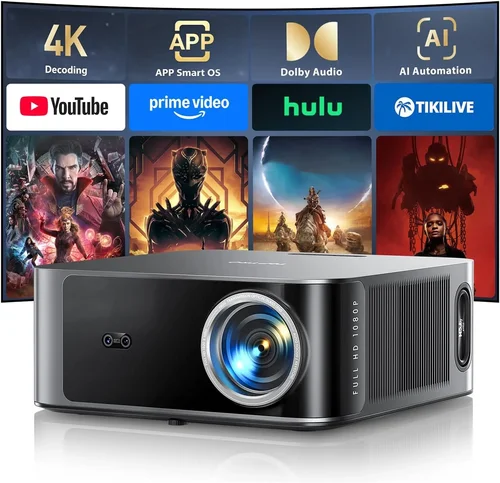
❌ Mistake: Focusing Only on Price
Why it’s bad: The cheapest unit often skimp on brightness, battery life, or connectivity, leading to frustration after the first few uses.
What to do instead: Set a realistic budget based on the environments you’ll use the projector in, then prioritize specs that match those conditions.
❌ Mistake: Ignoring Light Source Longevity
Why it’s bad: LED lamps typically last 20,000‑30,000 hours, while cheaper lamp‑based models may need replacement after a few hundred hours, adding hidden costs.
What to do instead: Choose LED or laser‑based projectors for longer, maintenance‑free operation.
❌ Mistake: Overlooking Input Lag for Gaming
Why it’s bad: High input lag (above 50 ms) makes fast‑paced games feel sluggish and unresponsive.
What to do instead: Look for projectors that advertise “gaming mode” or have measured input lag under 30 ms.
❌ Mistake: Forgetting About Throw Distance
Why it’s bad: A projector with a long throw ratio may need a large room to achieve a 100‑inch image, defeating portability.
What to do instead: Opt for short‑throw or ultra‑short‑throw models that can create a big picture from a few feet away.
❌ Mistake: Assuming Built‑In Speakers Are Sufficient
Why it’s bad: Most budget portable projectors have low‑power speakers that struggle in outdoor or noisy settings.
What to do instead: Verify speaker output (in watts) and consider a model with a 3.5 mm audio jack for external speakers.
❌ Mistake: Neglecting Firmware Updates
Why it’s bad: Out‑of‑date firmware can cause connectivity glitches, security vulnerabilities, and missed feature enhancements.
What to do instead: Choose brands that provide regular OTA updates and have an easy update process.
Budget Guidelines: How Much Should You Spend?
Understanding what each price tier delivers helps you avoid overpaying or under‑delivering. Below is a quick breakdown of what you can realistically expect at each level.
- Entry‑Level ($150‑$220): Expect 200‑250 lumens, 720p native resolution, basic HDMI/Micro‑USB ports, and a battery life of 1.5‑2 hours. Ideal for casual indoor use or short presentations.
- Mid‑Range ($221‑$320): Brightness climbs to 300‑350 lumens, often with 1080p upscaling, longer battery (2‑3 hours), and added Wi‑Fi or Bluetooth. This tier balances performance and portability for most users.
- Premium ($321‑$400): You’ll find 400+ lumens, true 1080p, built‑in Android TV or Roku, gaming‑mode low lag, and robust audio solutions. Perfect for enthusiasts who want a cinema feel without a full‑size system.
- Luxury ($401+): Though outside the scope of this guide, luxury models push 500+ lumens, 4K UHD support, and premium optics—generally aimed at professionals.
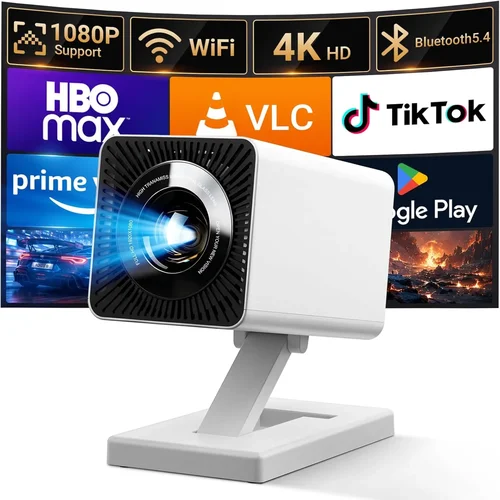
Expert Tips for Getting the Best Deal
- Timing is everything: New models typically launch in Q1. Purchasing in Q3‑Q4 can net you a price cut on the previous generation.
- Shop where you can test: Retailers like Best Buy allow hands‑on demos. Verify brightness, focus, and heat before buying.
- Bundle smartly: Some sellers include a travel case, extra battery, or HDMI cable—value adds that can save $20‑$40.
- Check the return policy: A 30‑day hassle‑free return window lets you evaluate performance in your own space.
- Read the fine print on warranties: Some manufacturers void warranties if you open the battery compartment; keep that in mind if you plan upgrades.
- Consider refurbished units: Certified refurbished projectors from the manufacturer often come with full warranties at 15‑25% less than new.
- Use a dedicated power bank: For extended outdoor sessions, a 20,000 mAh power bank can double runtime without sacrificing image quality.

Frequently Asked Questions
Q: Can I use a portable projector outdoors during daytime?
A: Daylight use is challenging. You’ll need at least 400 lumens and a high‑contrast screen to achieve a visible picture in direct sunlight. Most sub‑$400 models are optimized for low‑light environments, so consider an outdoor shade or a reflective screen.
Q: How does the throw ratio affect image size?
A: Throw ratio is the distance from projector to screen divided by the image width. A 0.5:1 ratio means you can get a 100‑inch image from just 4‑5 feet away, ideal for small rooms or couch‑side viewing.
Q: Do portable projectors support 4K input?
A: Many budget units accept 4K HDMI signals but downscale them to 720p or 1080p internally. True 4K projection remains out of reach for sub‑$400 models due to cost and heat constraints.
Q: Is a built‑in battery necessary?
A: A built‑in battery offers true portability—no cords needed. However, if you plan to use the projector near a power source most of the time, a model with a removable battery or direct AC adapter can be cheaper.
Q: What screen should I use?
A: A white matte wall works for casual use, but a 120‑inch portable pull‑down screen improves brightness uniformity and color accuracy. For budget‑conscious buyers, a blackout cloth stretched on a frame is a DIY alternative.
Q: How do I reduce fan noise?
A: Choose models with “quiet mode” or larger heat sinks. Placing the projector on a heat‑dissipating stand and ensuring adequate airflow can also lower decibel levels.
Q: Are Android TV projectors better than Roku sticks?
A: Android TV offers a wider app ecosystem and more customization, while Roku provides a simpler, ad‑free interface. Your choice depends on whether you value flexibility (Android) or ease of use (Roku).
Q: Can I connect a gaming console?
A: Absolutely. Look for HDMI 2.0 ports and low input lag. Some projectors also support HDMI‑CEC for remote power control.
Q: How long does the lamp last?
A: LED lamps typically last 20,000–30,000 hours, effectively outlasting the projector itself. Laser lamps are similar. Traditional lamp‑based units (rare under $400) may need replacement after 2,000–3,000 hours.
Q: Is it safe to use a projector in a tent?
A: Yes, as long as the tent is well‑ventilated. Avoid covering vents, and keep the projector at least a foot away from flammable fabrics.
Our Final Recommendations
- Best for Budget‑Conscious Buyers: Anker Nebula Capsule II – Priced around $269, it offers 200 lumens, Android TV 9.0, and a 2.5‑hour battery, delivering solid value for casual movie nights.
- Best Overall Value: ViewSonic M2 – At $379, you get 1,200 lumens, Full‑HD 1080p, Harman Kardon speakers, and Wi‑Fi/Bluetooth. It balances brightness, sound, and smart features excellently.
- Best Premium Option: XGIMI MoGo Pro – For $399, this laser‑hybrid projector provides 300 lumens, 1080p native, low‑lag gaming mode, and Android TV 10, making it the top pick for power users.
- Best for Beginners: Vankyo Leisure 3 – Under $200, it’s straightforward, with HDMI, USB, and a 2‑hour battery. Ideal for first‑time owners who want plug‑and‑play simplicity.
- Best for Advanced Users: BenQ GS2 – Although slightly above $400 in some markets, it’s worth mentioning for its rugged design, 200 lumens, Bluetooth speakers, and IPX2 splash resistance—perfect for outdoor enthusiasts.
Conclusion: Making the Right Choice
Choosing the best portable projector under $400 boils down to matching your primary use‑case with the right blend of brightness, resolution, battery life, and smart features. Remember to assess the environment you’ll be projecting in, set a realistic budget, and avoid common pitfalls like ignoring input lag or over‑valuing price alone.
Take the time to read user reviews, test the unit if possible, and keep an eye on seasonal sales. With the knowledge from this guide, you’re now equipped to make an informed purchase that will bring big‑screen moments to any room, campsite, or backyard gathering.
Ready to upgrade your viewing experience? Browse the models highlighted above, compare specs, and enjoy cinema‑quality entertainment wherever you go.