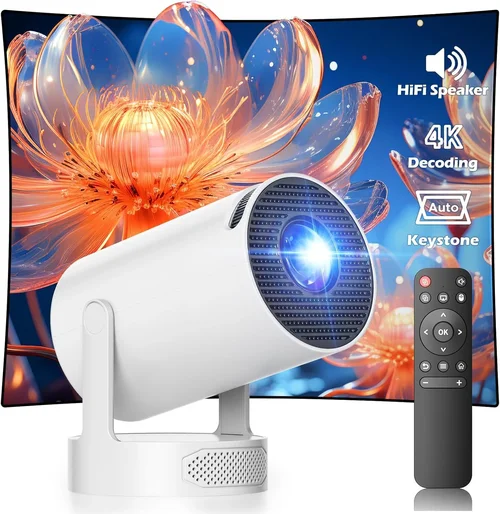
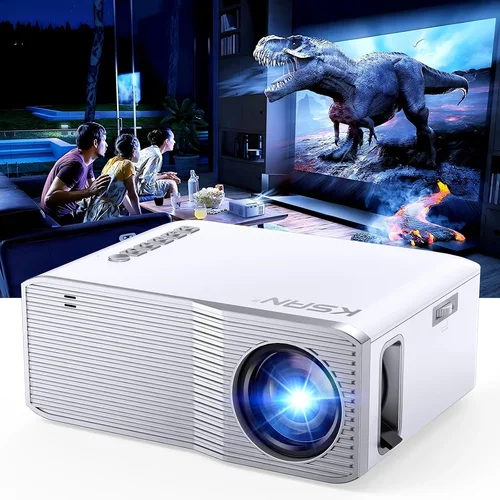
Portable projectors have gone from niche gadgets for road‑trip movie nights to mainstream tools for home entertainment, remote work, and classroom pop‑ups. If you’re hunting for the best portable projector under $500, you’ve landed in the right spot. This guide walks you through everything you need to know so you can pick a model that fits your budget, space, and performance expectations without getting lost in technical jargon.
By the end of this article you’ll understand the most important specs, the different projector families, common pitfalls, and exactly which devices give the best bang for your buck in 2026. Whether you’re a college student wanting a dorm‑room cinema, a digital nomad needing a lightweight presentation tool, or a family looking for an affordable backyard movie setup, the insights here will help you make a confident decision.

What to Look for When Buying Buying Guide
1. Budget & Price Range
Price is the first filter most shoppers apply. Under $500, you’ll find a sweet spot where image quality, connectivity, and portability converge. However, “budget” doesn’t just mean the sticker price. Consider hidden costs such as replacement lamps, extra cables, or a protective case. A $450 projector with a $100 lamp replacement after 2,000 hours may end up costing more long‑term than a $480 model with a five‑year lamp warranty.
2. Performance Specifications
Three core specs dictate visual performance:
- Brightness (lumens): For indoor use in dim rooms, 200–300 ANSI lumens is acceptable. If you plan to project in rooms with some ambient light or outdoors at dusk, aim for 350+ lumens.
- Resolution: Native 1080p (1920×1080) is rare under $500, but many models offer 720p (1280×720) with crisp text. Some newer 1080p‑enhanced chips upscale lower‑resolution sources impressively.
- Contrast Ratio: Higher contrast gives deeper blacks. Look for at least 2,000:1; premium budget models push 5,000:1.
3. Build Quality & Durability
Portable projectors travel in backpacks, get tossed into car trunks, and endure frequent power cycles. A metal or high‑grade aluminum housing resists dents better than plastic shells. Check for reinforced lens caps and a robust hinge that won’t loosen after a few hundred folds.
4. Features & Functionality
Modern portable projectors pack a lot of convenience features. Prioritize the ones you’ll actually use:
- Built‑in Speakers: While most have 2–5 W speakers, they’re fine for casual viewing but not for large rooms. Look for models that support Bluetooth audio for a better sound experience.
- Wireless Connectivity: Wi‑Fi, AirPlay, Miracast, and Chromecast built‑in let you stream from phones or laptops without cables.
- Battery Life: If you need true portability, aim for at least 2–3 hours of playback on a single charge.
- Keystone Correction & Focus: Automatic keystone (±30°) and motorized focus reduce setup time dramatically.
5. Brand Reputation
Established brands like Anker, ViewSonic, and BenQ tend to provide reliable firmware updates and accessible customer service. Newer entrants can surprise with innovative features, but research their post‑sale support track record before committing.
6. Warranty & Support
A solid warranty signals confidence from the manufacturer. Look for at least a 1‑year limited warranty covering parts and labor, and check if the brand offers extended plans or easy‑access service centers in your region.
7. Size & Portability
Weight under 2 lb and a compact footprint (roughly the size of a large paperback) are benchmarks for true portability. Some models fold into a pocket‑size shape, while others use a detachable stand for tabletop use.
8. User Reviews & Ratings
Real‑world feedback reveals issues that spec sheets hide—like overheating, software glitches, or noisy fans. Scan reviews on Amazon, B&H, and dedicated AV forums, focusing on reviewers who describe use cases similar to yours.
Different Types of Buying Guide

Common Buying Mistakes to Avoid
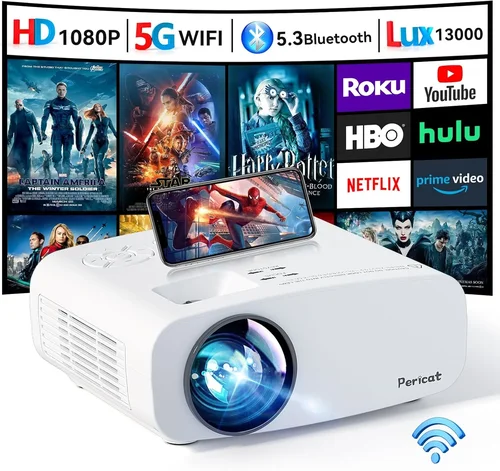
❌ Mistake: Ignoring Ambient Light Conditions
Why it’s bad: A projector rated at 250 lumens looks great in a dark bedroom but will appear washed out in a living room with windows.
What to do instead: Measure typical lighting in your main use area. If you can’t guarantee darkness, target a model with 350+ lumens and a higher contrast ratio.
❌ Mistake: Over‑focusing on Resolution Alone
Why it’s bad: A 1080p projector with 150 lumens will still look dull, negating the higher pixel count.
What to do instead: Balance resolution with brightness and contrast. For most under‑$500 options, 720p paired with 300+ lumens delivers a clearer picture than low‑brightness 1080p.
❌ Mistake: Forgetting About Lamp or Laser Life
Why it’s bad: Replacement lamps can cost $80‑$150, and laser modules, while longer lasting, may still require service after 5,000 hours.
What to do instead: Check the manufacturer’s rated lifespan and warranty coverage. Prefer LED or laser sources for lower long‑term maintenance.
❌ Mistake: Assuming All Built‑in Speakers Are Sufficient
Why it’s bad: Built‑in speakers often lack bass and volume for larger rooms, leading to a disappointing audio experience.
What to do instead: Pair the projector with external Bluetooth speakers or a portable soundbar for richer audio.
❌ Mistake: Neglecting Connectivity Options
Why it’s bad: Buying a projector with only HDMI can force you to carry adapters for phones or tablets.
What to do instead: Choose a model with at least one wireless streaming option (AirPlay, Miracast, or Chromecast) and a USB‑C port for modern devices.
❌ Mistake: Disregarding Firmware Updates
Why it’s bad: Outdated firmware can cause compatibility issues with newer smartphones or cause stability problems.
What to do instead: Verify that the brand releases regular updates and that the update process is straightforward (usually via a companion app).
Budget Guidelines: How Much Should You Spend?
Understanding what each price tier offers helps you set realistic expectations.
- Entry‑Level ($200‑$300): Expect 200–250 lumens, 720p or 1080p‑enhanced resolution, basic HDMI and USB‑C inputs, and a modest built‑in speaker. Ideal for dorm rooms or occasional backyard movies on a white sheet.
- Mid‑Range ($301‑$400): Brightness climbs to 300–350 lumens, contrast improves, and many models add wireless streaming, battery packs, and better keystone correction. This tier balances performance and portability for most families.
- Premium ($401‑$500): You’ll find true 1080p native panels, 400+ lumens, laser or high‑efficiency LED light sources, and robust connectivity (dual‑band Wi‑Fi, Bluetooth audio, USB‑C Power Delivery). These are great for small home‑theater setups and frequent presenters.
- Luxury ($500+): While beyond the scope of this guide, luxury units push 500+ lumens, HDR support, and premium build with metal chassis. Consider them only if you need cinema‑grade image quality on the go.
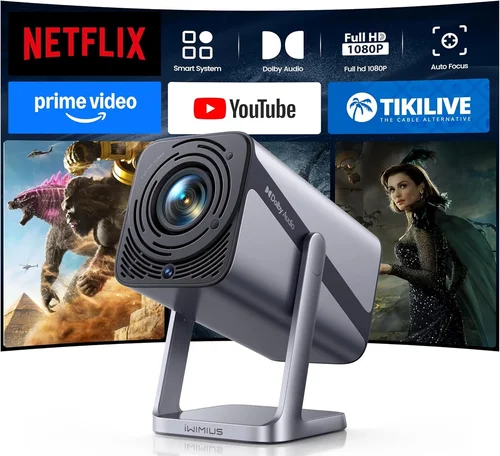
Expert Tips for Getting the Best Deal
- Timing: New models typically launch in Q2. Buying a generation‑old unit in Q3‑Q4 can save you 15% while still offering solid performance.
- Where to Buy: Authorized retailers (Best Buy, B&H) provide easy returns and warranty registration. Online marketplaces can be cheaper but verify the seller’s reputation.
- Bundle Savings: Look for bundles that include a protective case, spare lamp, or portable screen—they often reduce overall cost compared to buying accessories separately.
- Check Return Policies: A 30‑day return window lets you test the projector in your own environment. Ensure the policy covers all accessories.
- Test Before You Commit: If possible, view a demo unit in a store. Pay attention to brightness, color accuracy, and fan noise.
- Warranty Extension: Some brands offer a discounted two‑year extension at purchase. It’s worth it if you travel frequently.
- Firmware Refresh: Before finalizing, visit the manufacturer’s support page to confirm the latest firmware version. A newer version can fix early‑release bugs.

Frequently Asked Questions
Q: Can I use a portable projector outdoors during the day?
A: Daylight use is challenging. To get a visible image in daylight, you need at least 1,000 lumens, which most sub‑$500 models don’t provide. However, a shaded patio or a portable screen with a blackout cloth can make a 350‑lumens projector usable in early evening.
Q: Do I need a separate screen?
A: A smooth white wall works, but a portable 80‑inch screen improves color uniformity and contrast. For camping, a white sheet or tension‑mounted fabric is a low‑cost alternative.
Q: How long does the battery last?
A: Battery life varies widely—from 1.5 hours on power‑hungry laser units to 3 hours on efficient LED models. Check the mAh rating; 10,000 mAh typically yields around 2 hours of playback.
Q: Will a projector work with my gaming console?
A: Yes, as long as the projector has HDMI input and supports at least 1080p@60 Hz. For low‑lag gaming, look for a “Game Mode” that reduces input lag to under 30 ms.
Q: Is there a difference between LED and Laser light sources?
A: LED units are cheaper and have a lifespan of 20,000‑30,000 hours. Laser units are brighter, maintain color accuracy longer, and last up to 30,000‑40,000 hours, but they can be slightly more expensive.
Q: Can I connect a USB‑C power bank?
A: Many modern portable projectors support USB‑C Power Delivery (PD). A 45 W PD power bank will keep a 200‑lumens LED projector running for the full battery duration.
Q: What is keystone correction?
A: Keystone correction digitally or optically adjusts the image shape when the projector isn’t perfectly perpendicular to the screen. Automatic keystone (±30°) saves setup time, but it can slightly reduce sharpness.
Q: How do I clean the lens?
A: Use a soft microfiber cloth and a lens‑cleaning solution. Avoid using compressed air, which can push dust deeper into the lens assembly.
Our Final Recommendations
Best for Budget‑Conscious Buyers – Anker Nebula Capsule II (approx. $299)
- 720p resolution with 200 lumens
- Built‑in Android TV 9.0, Wi‑Fi, Bluetooth
- 6‑hour battery, compact soda‑can size
- Strong brand support and frequent firmware updates
Best Overall Value – ViewSonic M2 (approx. $449)
- 1080p native, 1,200 lumens (laser)
- Full‑HD HDMI, USB‑C, Wi‑Fi, and Miracast
- Smart TV interface, 2‑hour battery
- Metal chassis, excellent color accuracy
Best Premium Option – BenQ GS2 (approx. $499)
- 720p LED, 300 lumens, 2,000:1 contrast
- IPX2 splash‑proof, built‑in 5 W speakers, Bluetooth audio
- Auto‑focus, 30° keystone, 3‑hour battery
- Rugged design for outdoor use
Best for Beginners – Epson EF‑12 (approx. $350)
- 800 lumens, 720p, easy‑setup interface
- HDMI, USB‑C, and micro‑SD slot
- Lightweight aluminum body, 2‑hour battery
- Great user manual and quick start guide
Best for Advanced Users – Xiaomi Mi Laser Projector 2 (approx. $479)
- True 1080p laser, 500 lumens
- Dual‑band Wi‑Fi, Bluetooth, HDMI 2.0
- Low input lag (≈15 ms) for gaming
- Customizable picture modes via companion app
Conclusion: Making the Right Choice
Choosing the best portable projector under $500 boils down to matching the device’s brightness, resolution, and features to your typical environment and use case. Start by evaluating ambient lighting, decide whether native 1080p is essential, and factor in battery life for true on‑the‑go scenarios. Remember that durability, warranty, and post‑sale support are just as important as the spec sheet.
Armed with the knowledge from this guide, you can confidently compare models, avoid common pitfalls, and land a projector that turns any wall, screen, or backyard into a personal cinema or presentation hub. Happy viewing, and don’t forget to test your new projector in the lighting conditions you’ll use most often!