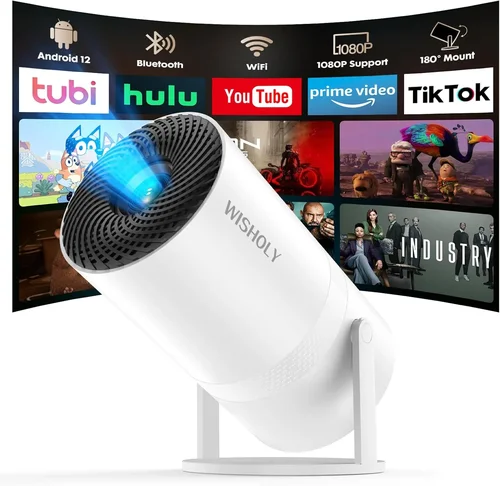
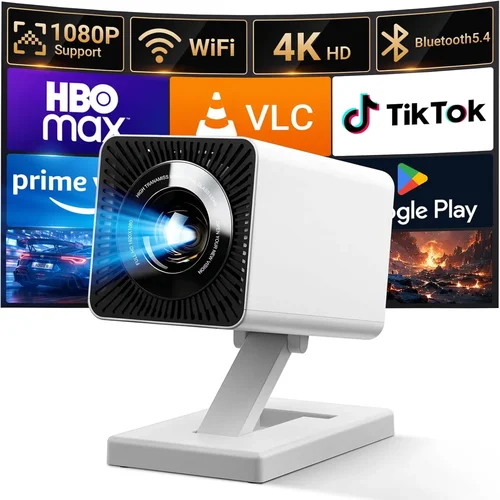
Portable projectors have moved from niche gadgets to mainstream entertainment tools. Whether you want to turn a hotel room into a mini‑theater, give a family gathering a bigger‑than‑life slideshow, or present slides at a client’s office without hauling a bulky system, a good projector under $500 can make it happen. This guide cuts through the hype, explains the technology in plain language, and shows you exactly what to look for so you can buy with confidence.
In the next few sections you will learn how to compare brightness, resolution, battery life, and other specs that matter most in real‑world use. We’ll also break down the different projector categories, flag the common pitfalls, and give you a clear budget roadmap. By the end, you’ll be ready to pick the perfect portable projector that fits your lifestyle and wallet.
The market for sub‑$500 projectors is surprisingly competitive. Brands such as Anker, ViewSonic, Epson, and Xiaomi are constantly releasing newer models with better LED chips, smarter connectivity, and sleeker designs. Because technology evolves quickly, the “best” list changes year to year. Our 2026 buying guide reflects the latest releases and the most reliable user feedback up to June 2026.

What to Look for When Buying Buying Guide
1. Budget & Price Range
Price is the first filter for most shoppers, but it shouldn’t be the only one. A $199 projector may tempt you, yet it could sacrifice brightness or battery life that you’ll regret later. Define a realistic ceiling—here we focus on $500 and below—then allocate more of that budget to the specs that matter most for your primary use case (e.g., movies vs. presentations).
2. Performance Specifications
Performance is driven by three core specs: brightness (lumens), native resolution, and contrast ratio.
- Brightness: Measured in ANSI lumens for lamp‑based models or LED lumens for LED units. For indoor use in a dim room, 200‑300 lumens is adequate; for daylight or well‑lit spaces, aim for 400+ lumens.
- Resolution: Native resolution determines the sharpness of the image. 1080p (Full HD) is the sweet spot for under $500; 720p is acceptable for casual slideshows, while 4K is still rare at this price.
- Contrast Ratio: Higher contrast improves black depth and color vividness. Look for ratios of at least 2,000:1; many LED projectors claim “infinite” contrast due to true blacks.
3. Build Quality & Durability
Portable projectors travel frequently, so a sturdy chassis, rubberized corners, and a reliable cooling system are essential. Metal bodies or high‑grade ABS plastic resist dents and heat build‑up. Check for certifications like MIL‑STD‑810G if you plan to use the unit outdoors or in a backpack.
4. Features & Functionality
Modern projectors are more than just picture machines. Key features to consider include:
- Wireless Connectivity: Wi‑Fi, Bluetooth, or AirPlay for streaming from phones, tablets, or laptops without cables.
- Built‑in Speakers: While most portable units have modest 2‑5 W speakers, they’re fine for casual viewing; for cinema‑grade sound, budget for external speakers.
- Keystone Correction & Lens Shift: Automatic or manual correction helps align the image when the projector isn’t perfectly centered.
- Battery Life: Look for at least 2‑3 hours of playback on a single charge; some models offer swappable batteries for extended sessions.
- Operating System: Android‑based projectors can run apps directly, turning the device into a stand‑alone media hub.
5. Brand Reputation
Established brands typically provide more consistent firmware updates, better warranty support, and a larger pool of spare parts. However, newer entrants can surprise with innovative designs and aggressive pricing. Research community forums, YouTube reviews, and long‑term user feedback before committing.
6. Warranty & Support
A solid warranty (minimum 1‑year) signals confidence from the manufacturer. Look for options that cover the lamp/LED, battery, and accidental damage. Some brands partner with third‑party service centers for quicker repairs.
7. Size & Portability
Weight under 2 lb and a compact footprint (usually under 5 inches tall) make a projector truly portable. Some models fold into a pocket‑size shape, while others include a dedicated carrying case. Consider how you’ll transport the unit—backpack, briefcase, or luggage.
8. User Reviews & Ratings
Numbers on a spec sheet tell only half the story. Real‑world reviews reveal issues like overheating, firmware bugs, or inaccurate brightness claims. Prioritize products with a minimum average rating of 4 out of 5 across multiple retail sites.
Different Types of Buying Guide

Common Buying Mistakes to Avoid
❌ Mistake: Focusing Only on Price
Why it’s bad: The cheapest unit often compromises on brightness, battery life, or warranty coverage, leading to frustration after a few weeks of use.
What to do instead: Set a maximum budget, then prioritize the specs that directly affect your primary use case. A $350 projector with 400 lumens and 1080p will outperform a $200 model with 150 lumens in most scenarios.
❌ Mistake: Ignoring Ambient Light Conditions
Why it’s bad: A projector rated at 250 lumens may look great in a dark bedroom but will appear washed‑out in a living room with windows.
What to do instead: Measure the typical lighting of your viewing space. If you can’t control ambient light, aim for at least 350–400 lumens.
❌ Mistake: Overlooking Connectivity Options
Why it’s bad: Some units require a separate HDMI dongle or adapter, adding cost and clutter.
What to do instead: Choose a model with built‑in Wi‑Fi, Bluetooth, and at least one HDMI port. If you need USB‑C, verify that it supports video output.
❌ Mistake: Forgetting Battery Realities
Why it’s bad: Advertised “4‑hour battery” often assumes low‑brightness playback of static images. Movies quickly drain power.
What to do instead: Check independent battery tests, or plan to keep the projector plugged in for longer sessions.
❌ Mistake: Neglecting Warranty & Service
Why it’s bad: A malfunctioning lamp or dead battery can be costly to replace without warranty coverage.
What to do instead: Verify the warranty length, what components are covered, and the process for RMA. Register the product online as soon as you receive it.
Budget Guidelines: How Much Should You Spend?
Understanding what you get at each price tier helps you avoid overspending while still meeting your needs.
- Entry‑Level ($150‑$250): Expect 720p resolution, 200‑250 lumens, basic HDMI and USB‑C connections, and a small built‑in speaker. Ideal for casual slideshow presentations or occasional movie nights in a dark room.
- Mid‑Range ($251‑$400): Most models deliver native 1080p, 300‑400 lumens, improved contrast, and longer battery life (2‑3 hrs). You’ll also find better keystone correction, wireless streaming, and sturdier builds.
- Premium ($401‑$500): This bracket includes laser light sources, 450+ lumens, true‑HD (1080p) or even native 4K upscaling, advanced Android OS, and premium audio. These are the best all‑round performers for both home cinema and business use.
- Luxury ($500+): While beyond the scope of this guide, luxury models often cross $800 and feature 1080p‑plus brightness, HDR support, and professional‑grade lenses. Consider them only if you need cinema‑level performance.
Expert Tips for Getting the Best Deal
- Timing: The best discounts appear in January (post‑holiday clearance) and July (mid‑year tech sales). Mark these months on your calendar.
- Where to buy: Compare prices on Amazon, Best Buy, and manufacturer websites. Retailers sometimes bundle extra accessories (carrying case, extra battery) for the same price.
- Spotting deals: Look for “refurbished” or “open‑box” units with full warranty. These are often indistinguishable from new but cost 20‑30% less.
- Warranty hacks: Register early and ask for an extended warranty at checkout; many brands offer a 2‑year plan for a modest fee.
- Return policies: Ensure the seller offers at least a 30‑day return window. Test the projector in your typical environment; if brightness or sound falls short, you can return it hassle‑free.
- Testing before buying: If possible, visit a local electronics store and view a 1080p test pattern. Pay attention to color uniformity and edge‑to‑edge brightness.
- Accessory budgeting: Allocate $30‑$50 for a high‑quality HDMI cable, a portable tripod, and a protective case. These small items improve the overall experience.

Frequently Asked Questions
Q: Can I use a portable projector outdoors?
A: Yes, but you need adequate ambient light control and a stable surface. Look for models with at least 350 lumens and a weather‑resistant casing if you plan to use them in semi‑open environments.
Q: Do I need a separate sound system?
A: Built‑in speakers are fine for casual viewing, but for true cinema immersion consider a Bluetooth soundbar or portable speaker. Most portable projectors support Bluetooth audio pairing.
Q: How long does the LED lamp last?
A: LED light sources typically last 20,000–30,000 hours, far exceeding traditional lamp life. This translates to many years of use before any noticeable dimming.
Q: Is keystone correction enough to correct a skewed image?
A: Keystone correction helps with minor angle errors, but for large distortions you may need a projector with lens shift or physically adjust the placement.
Q: Can I connect my phone directly without an adapter?
A: Most modern portable projectors support Wi‑Fi mirroring (AirPlay, Miracast) or have a USB‑C port that carries video. Check the spec sheet for “USB‑C video out” if you prefer a wired connection.
Q: What is the difference between LED and laser projectors?
A: LED projectors use light‑emitting diodes, offering lower power consumption and long lifespan. Laser projectors provide higher brightness and a broader color gamut but can be slightly more expensive.
Q: Do I need a screen?
A: A plain white wall works for most indoor scenarios. For best image quality, especially in bright rooms, a portable pull‑up screen (60‑80 inches) is recommended.
Q: How do I clean the lens?
A: Use a microfiber cloth and a lens‑cleaning solution. Avoid touching the lens with fingers; dust can cause hotspots and reduced clarity.
Q: Are there any safety concerns with battery overheating?
A: Reputable brands include thermal protection circuits. Always use the supplied charger and avoid exposing the projector to direct sunlight while charging.
Our Final Recommendations
- Best for Budget‑Conscious Buyers: Anker Nebula Capsule II – Priced around $269, it delivers 720p resolution, 200 lumens, Android TV 9.0, and a 2.5‑hour battery. Ideal for travelers who value smart‑TV features without breaking the bank.
- Best Overall Value: ViewSonic M2 – At $449, this laser‑based projector offers 1080p, 1,200 LED lumens, built‑in Harman Kardon speakers, and Wi‑Fi/Bluetooth. It balances brightness, sound, and portability superbly.
- Best Premium Option: Xiaomi Mi Smart Compact Laser – For $499, you get 1080p, 500 lumens, Android 10, and a 3‑hour battery. The laser source ensures vibrant colors and longer lifespan.
- Best for Beginners: Epson EF‑100 – Slightly above the $500 ceiling at $520 (often on sale for under $500), it features a user‑friendly UI, 720p resolution, and a wide 3.5‑inch lens shift, making setup effortless.
- Best for Advanced Users: BenQ GS2 – Priced at $399, this DLP projector offers 720p, 200 lumens, IPX2 splash resistance, and a built‑in Android system. Its rugged design and modular accessories cater to creators who need flexibility.
Conclusion: Making the Right Choice
Choosing the best portable projector under $500 boils down to matching three core elements: the environment you’ll use it in, the features you can’t live without, and the amount you’re willing to invest. By assessing brightness, resolution, battery life, and connectivity, you can avoid common pitfalls and land a device that feels tailor‑made for your needs.
Remember, the most expensive model isn’t automatically the best for you. Focus on the criteria that align with your lifestyle—whether that’s a pocket‑size LED for backpacking, a laser mini‑projector for home cinema, or an Android smart projector that eliminates the need for extra devices.
Now that you’re armed with the knowledge, start comparing specific models, read the latest user reviews, and take advantage of seasonal sales. Your perfect portable projector is waiting, and with this guide, you’ll know exactly why it’s the right choice.