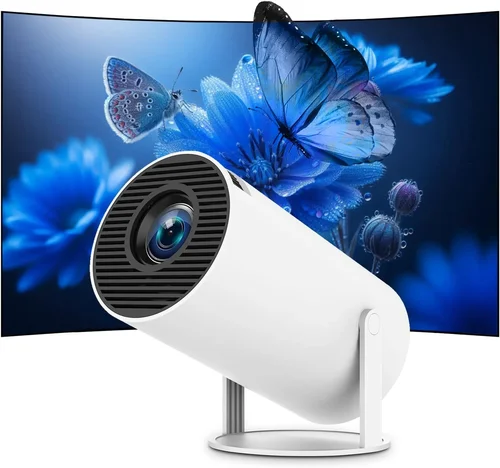
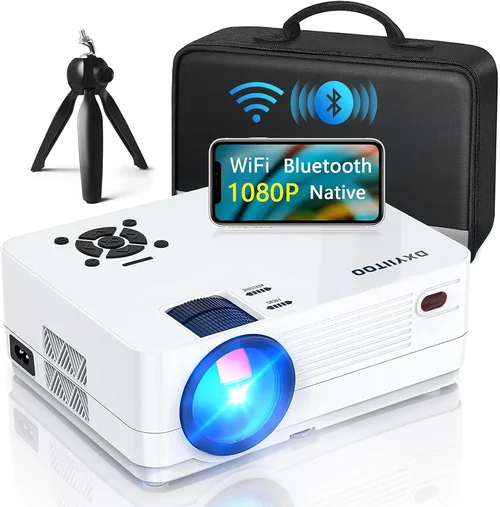
Choosing the right presentation projector when you’re limited to a $300 budget can feel like searching for a needle in a haystack. The market is flooded with options that promise bright images, crisp resolution, and a host of “smart” features, yet many of them either overshoot the price limit or fall short on essential performance. This guide cuts through the noise, giving you a clear roadmap so you can confidently select a projector that delivers professional‑grade presentations without breaking the bank.
In the pages that follow you’ll learn how to evaluate key specifications, understand the trade‑offs between different projector types, avoid common purchasing pitfalls, and discover the best models that truly shine under $300. Whether you’re a small‑business owner, a teacher, or a remote‑work professional, this guide equips you with the knowledge to make an informed decision that aligns with your specific needs.
The $300 segment has evolved dramatically over the past few years. Advances in LED and laser light sources, more efficient optics, and smarter connectivity have all converged to bring brighter, sharper, and more versatile units into the affordable range. As a result, you no longer have to settle for a dim, low‑resolution device just to stay within budget. Let’s dive into the factors that separate a decent projector from a great one.

What to Look for When Buying Buying Guide
1. Budget & Price Range
While $300 is the ceiling, it’s helpful to think in tiers. Entry‑level models often hover around $150‑$200 and may compromise on brightness or resolution. Mid‑range units between $200‑$300 typically offer a better balance of lumens, native resolution, and connectivity. Knowing where you land helps you set realistic expectations for performance.
2. Performance Specifications
Brightness (lumens): For well‑lit conference rooms or classrooms, aim for at least 2500–3000 ANSI lumens. In darker environments, 1500–2000 lumens can still produce clear images.
Resolution: Native 1080p (1920×1080) is ideal, but many sub‑$300 projectors settle for 720p (1280×720) or WXGA (1280×800). Remember that “supported” 1080p often means the projector upscales, which can look softer.
Contrast Ratio: Higher contrast (e.g., 10,000:1) yields deeper blacks and more vibrant colors—crucial for data‑heavy slides.
3. Build Quality & Durability
Look for a sturdy chassis, preferably metal or high‑grade plastic, and a reliable cooling system. A well‑designed fan prevents overheating, which can shorten lamp life and cause image flicker.
4. Features & Functionality
Key features to prioritize:
- Connectivity: HDMI is a must; USB‑C or wireless (Miracast, AirPlay) are bonuses.
- Lens Shift & Keystone Correction: Allows flexible placement without distortion.
- Built‑in Speakers: Helpful for small rooms, though external audio is usually preferable.
- Portability: Compact size and lightweight design aid transport for on‑the‑go presentations.
5. Brand Reputation
Established brands such as Epson, BenQ, ViewSonic, and Optoma often deliver more consistent quality and better firmware support. Newer entrants may offer aggressive pricing but can lack long‑term reliability.
6. Warranty & Support
A minimum 1‑year warranty is standard; 2‑year coverage adds peace of mind. Check if the manufacturer offers easy lamp replacement or on‑site service, especially for business use.
7. Size & Portability
If you travel frequently, consider a projector that fits in a backpack, weighs under 3 lb, and includes a quick‑release lens cap. Bulky units may deliver higher brightness but are less convenient for mobile presenters.
8. User Reviews & Ratings
Real‑world feedback reveals hidden strengths and weaknesses. Pay attention to recurring themes—such as “fan noise” or “short lamp life”—instead of isolated complaints.
Different Types of Buying Guide

Common Buying Mistakes to Avoid
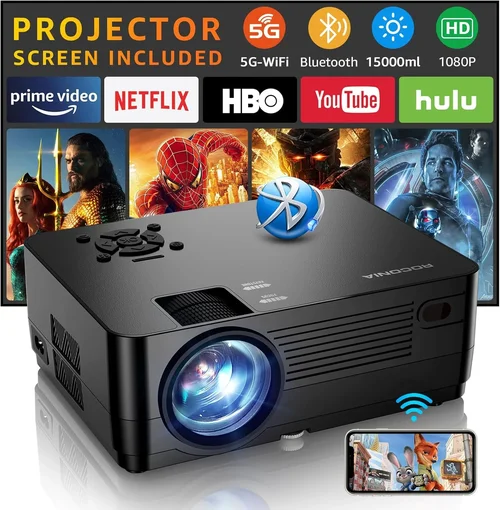
❌ Mistake: Focusing Solely on Price
Why it’s bad: The cheapest unit often sacrifices brightness, resolution, or durability, leading to poor performance and early replacement.
What to do instead: Establish a minimum spec list (e.g., 2500 lumens, 720p) and then find the best model that meets those criteria within your budget.
❌ Mistake: Ignoring Throw Distance
Why it’s bad: A projector with a short‑throw lens may be necessary for small rooms; using a standard throw unit can force you to place the projector too far back, causing image distortion.
What to do instead: Measure your presentation space and verify the projector’s throw ratio matches the distance you have.
❌ Mistake: Overlooking Connectivity
Why it’s bad: If the projector lacks HDMI or wireless options, you’ll need adapters, adding cost and complexity.
What to do instead: Prioritize HDMI and, if possible, built‑in Wi‑Fi or Bluetooth for seamless screen sharing.
❌ Mistake: Forgetting About Noise
Why it’s bad: A loud cooling fan can distract audiences, especially in quiet boardrooms.
What to do instead: Check decibel ratings (≤35 dB is quiet) and read user reviews for real‑world fan noise impressions.
❌ Mistake: Assuming All Resolutions Are Equal
Why it’s bad: A projector that “supports” 1080p but only has a 720p native panel will display a softer image.
What to do instead: Verify the native resolution; aim for true 1080p if crisp text and detailed graphics matter.
Budget Guidelines: How Much Should You Spend?
- Entry‑Level ($150‑$200): Expect 1500–2000 lumens, 720p resolution, basic HDMI. Ideal for small, dim rooms.
- Mid‑Range ($200‑$300): Typically 2500–3000 lumens, true 1080p or high‑quality 720p, better contrast, and added features like USB‑C or wireless mirroring.
- Premium ($300‑$400): Though slightly above the $300 ceiling, these models often include laser light sources, higher contrast (15,000:1+), and robust build quality. Consider if the extra $50‑$100 brings tangible benefits for your use case.
- Luxury ($400+): Full‑HD or 4K UHD, 3500+ lumens, advanced lens shift, and professional‑grade warranties. Generally unnecessary for standard business presentations.
Expert Tips for Getting the Best Deal
- Timing: Purchase in late Q3 (July‑September) when manufacturers push inventory for the holiday season.
- Where to Buy: Authorized retailers (Best Buy, B&H) provide reliable warranties, while reputable online marketplaces (Amazon, Newegg) often have user‑generated Q&A that clarifies real‑world performance.
- Bundle Savings: Look for bundles that include a spare lamp, mounting kit, or HDMI cable—these can save $30‑$50.
- Warranty Extensions: A modest extension (e.g., an extra year for $20) can be worthwhile for business use.
- Return Policies: Verify a 30‑day return window; this allows you to test the projector in your actual environment.
- Testing Before Buying: If possible, view a demo in a store—pay attention to brightness, color accuracy, and fan noise.
- Firmware Updates: Choose models with a track record of regular firmware upgrades to fix bugs and improve compatibility.

Frequently Asked Questions
Q: Can a $300 projector work in a well‑lit conference room?
A: Yes, if you select a unit with at least 2500‑3000 ANSI lumens. Models with LED or laser light sources often maintain brightness longer than traditional lamps, making them suitable for brighter spaces.
Q: Is native 1080p essential for business presentations?
A: Not always. If most of your slides contain text and simple graphics, 720p can be sufficient. However, for detailed charts, high‑resolution images, or video content, native 1080p provides a noticeably sharper result.
Q: How long does the lamp last in sub‑$300 projectors?
A: LED and laser units can exceed 20,000‑30,000 hours, effectively outlasting the projector’s useful life. Traditional lamp‑based models typically offer 2000‑4000 hours before brightness degrades.
Q: Do I need a separate audio system?
A: Built‑in speakers are usually modest (1‑2 W). For meetings with multiple participants, external speakers or a soundbar deliver clearer audio.
Q: What is the difference between keystone correction and lens shift?
A: Keystone correction digitally adjusts the image, which can reduce sharpness. Lens shift physically moves the lens, preserving image quality. If you can position the projector centrally, lens shift is preferable.
Q: Are portable pico projectors worth it?
A: For impromptu meetings or travel, pico projectors are convenient, but they often sacrifice brightness and resolution. Choose a pico only if portability outweighs image quality for your use case.
Q: How important is contrast ratio for presentations?
A: Higher contrast improves readability of dark text on light backgrounds and enhances color differentiation in charts. Aim for at least 10,000:1 for a professional look.
Our Final Recommendations
- Best for Budget‑Conscious Buyers: ViewSonic PA503S – 3600 lumens, SVGA (800×600) resolution, reliable lamp life, and a price around $180. Ideal for dim rooms where brightness trumps resolution.
- Best Overall Value: BenQ MW535A – 3600 lumens, WXGA (1280×800) native resolution, low fan noise, and solid connectivity for $269.
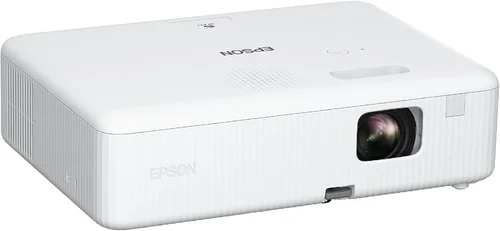
- Best Premium Option (Just Under $300): Epson EF‑100 – Laser light source, 2000 lumens, true 720p, wireless mirroring, and a compact form factor at $299.
- Best for Beginners: Anker Nebula Capsule II – Portable pico with Android TV, 720p, built‑in battery, and HDMI, priced at $289.
- Best for Advanced Users: Optoma UHD12 – 3000 lumens, true 1080p, HDR support, and extensive keystone/lens shift for $298.
Conclusion: Making the Right Choice
Investing in a presentation projector under $300 does not mean compromising on professionalism. By prioritizing brightness, native resolution, and reliable connectivity, you can secure a device that delivers clear, engaging visuals in any meeting room. Remember to match the projector’s throw distance to your space, verify warranty coverage, and read real‑world user feedback before finalizing your purchase.
Take the time to assess your specific needs—whether you need maximum portability, the brightest possible image, or the sharpest resolution—and use the guidelines above to narrow down the field. With the right research, you’ll find a projector that not only fits your budget but also elevates every presentation you deliver.
Ready to upgrade your presentation game? Browse the recommended models, set a price alert, and enjoy the confidence that comes with a well‑informed purchase.