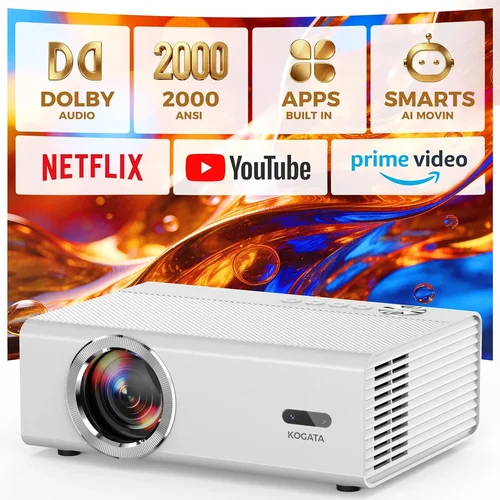
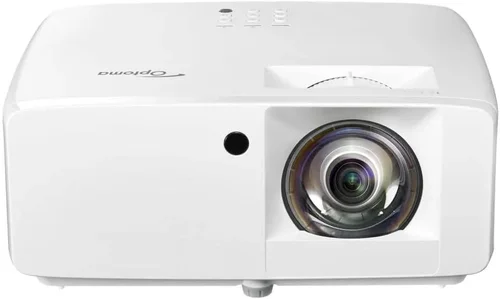
Choosing a projector that delivers true 1080p clarity without breaking the bank can feel like navigating a maze. The market is flooded with models that promise “cinema‑grade” images, yet many fall short when you test them on a real wall. This guide cuts through the hype, giving you a step‑by‑step roadmap to find the best 1080p projector under $1,000 in 2026.
By the end of this article you will know exactly what specifications matter, which projector types align with different viewing environments, and how to avoid common pitfalls that cost you money and frustration. Whether you’re setting up a home theater in a spare bedroom, a gaming rig in a loft, or a portable presentation system for a small business, the insights below will help you make an informed decision.
The 1080p projector segment has evolved dramatically over the past few years. Light‑engine technology, laser phosphor sources, and smarter image‑processing chips have all become more affordable, pushing premium performance into the sub‑$1,000 price bracket. However, price alone does not guarantee quality; you still need to balance brightness, contrast, color accuracy, and connectivity. Let’s dive into the fundamentals first.

What to Look for When Buying Buying Guide
1. Budget & Price Range
Even within the “under $1,000” category, there is a wide spread of pricing. Entry‑level models may sit just below $500, while high‑end options can approach the $999 ceiling. Your budget determines which trade‑offs you’ll face. For example, a $450 projector might offer decent brightness but lack advanced keystone correction, whereas a $950 unit could include a laser light source and built‑in Android TV.
Set a clear ceiling and allocate a portion of that budget to accessories—screen, mounting hardware, and cables—because a projector’s performance is only as good as the environment it lives in.
2. Performance Specifications
The core specs that define image quality are:
- Resolution: Native 1080p (1920×1080) is a must. Some budget units upscale from 720p, which can cause softness.
- Brightness (lumens): Measured in ANSI lumens. For a dimly lit living room, 1500–2000 lumens is sufficient; bright rooms or daylight use demand 2500+ lumens.
- Contrast Ratio: Higher contrast yields deeper blacks. Look for ratios of at least 10,000:1; laser models often exceed 30,000:1.
- Color Accuracy: Check for Rec.709 or DCI‑P3 coverage. A color gamut of 95%+ Rec.709 is a good baseline for movies and games.
- Throw Ratio: Determines how far the projector must be from the screen to achieve a given image size. Short‑throw (0.5–1.0) is ideal for small rooms.
3. Build Quality & Durability
Projectors are mechanical devices with moving parts (fans, lenses). A solid metal chassis, reinforced lens housing, and quality cooling solutions extend lifespan. Look for models with sealed optics and dust‑resistant filters, especially if you plan to use the unit in a dusty environment.
4. Features & Functionality
Modern 1080p projectors often bundle smart features. Consider which are essential for you:
- Built‑in Streaming Apps: Android TV, Roku, or Amazon Fire TV can eliminate the need for external boxes.
- Lens Shift & Keystone Correction: Lens shift provides true geometric correction without image distortion, while digital keystone is useful for quick setups.
- Gaming Mode: Low input lag (≤16 ms) and high refresh rates (up to 120 Hz) are crucial for competitive gamers.
- Wireless Connectivity: Wi‑Fi or Bluetooth for screen mirroring, audio streaming, and firmware updates.
- Multiple HDMI Ports: At least two HDMI 2.0 ports for 4K‑60 Hz passthrough (useful for future‑proofing).
5. Brand Reputation
Brands that have a long history in projection—Epson, BenQ, Optoma, ViewSonic—generally provide better firmware support and more reliable after‑sales service. Newer entrants may offer cutting‑edge tech at lower prices, but research their track record for firmware updates and community support before committing.
6. Warranty & Support
Projectors are an investment; a solid warranty can save you from costly repairs. Look for at least a 2‑year limited warranty that covers the lamp or laser module. Some manufacturers also provide extended service plans or on‑site support for an additional fee.
7. Size & Portability
If you need to move the projector between rooms or take it on the road, weight and form factor matter. Portable models often weigh under 5 lb and include a built‑in battery, but they may sacrifice brightness. Fixed‑install units are bulkier but typically offer higher lumens and better heat management.
8. User Reviews & Ratings
Real‑world feedback uncovers issues that spec sheets hide. Pay attention to recurring themes in reviews—such as fan noise, lamp life, or software bugs. Sites like Amazon, B&H Photo, and specialist forums (AVS Forum, Reddit r/hometheater) provide a wealth of user experiences.
Different Types of Buying Guide

Common Buying Mistakes to Avoid
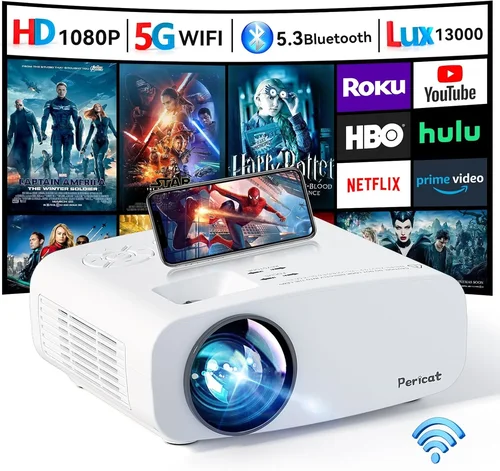
❌ Mistake: Ignoring Ambient Light
Why it’s bad: Purchasing a high‑contrast projector but placing it in a sun‑lit living room will wash out the image, making the investment pointless.
What to do instead: Measure the typical light level in your room and match it to the projector’s ANSI lumens. If you can’t control ambient light, aim for 2500+ lumens and consider a high‑gain screen.
❌ Mistake: Overlooking Lamp or Laser Life
Why it’s bad: A cheap lamp‑based projector may need a replacement every 2–3 years, adding $150‑$300 to ownership cost.
What to do instead: Choose a model with a laser light source or a long‑life LED lamp (20,000+ hours). Factor the total cost of ownership into your budget.
❌ Mistake: Choosing Too Many Ports, Too Little Quality
Why it’s bad: Some budget units add extra HDMI ports but downgrade to older HDMI 1.4, limiting 4K‑60 passthrough and HDR support.
What to do instead: Prioritize HDMI 2.0 or higher. If you need more inputs, use a quality HDMI switch instead of compromising on port standards.
❌ Mistake: Forgetting About Sound
Why it’s bad: Built‑in speakers are often tinny; without external audio, movies feel flat.
What to do instead: Allocate part of your budget for a soundbar or a small AV receiver. Ensure the projector has audio output options (optical, 3.5 mm, or HDMI ARC).
❌ Mistake: Buying Without Testing
Why it’s bad: Image quality can vary dramatically based on screen material, throw distance, and room color.
What to do instead: If possible, view the projector in a store with a similar screen size to your intended setup. Bring a smartphone with a test video to compare contrast and color fidelity.
❌ Mistake: Neglecting Firmware Updates
Why it’s bad: Outdated firmware can cause compatibility issues with new streaming apps or result in higher input lag.
What to do instead: Choose a brand that provides regular updates and check their support page before purchase.
Budget Guidelines: How Much Should You Spend?
Understanding what you get at each price tier helps you set realistic expectations.
- Entry-Level ($400‑$550): Expect 1500‑2000 lumens, basic 1080p panel, limited connectivity (single HDMI), and no lens shift. Good for occasional movie nights in a dark room.
- Mid-Range ($551‑$800): This is the sweet spot for most buyers. You’ll find 2000‑2500 lumens, 10,000:1 contrast, dual HDMI, basic keystone correction, and sometimes an integrated Android TV module.
- Premium ($801‑$1,000): Includes laser or high‑end LED light sources, 30,000:1 contrast, advanced color processing (Rec.709/PDL), lens shift, and gaming‑focused low‑lag modes.
- Luxury ($1,001+): While outside the scope of this guide, luxury models push brightness above 3000 lumens, offer 4K upscaling, HDR10+, and ultra‑short‑throw optics.
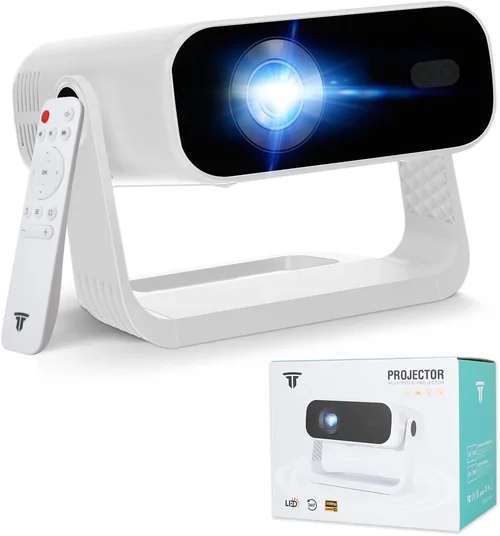
Expert Tips for Getting the Best Deal
- Timing is everything: Major sales events—Black Friday, Cyber Monday, Amazon Prime Day, and back‑to‑school season (July‑August)—often feature deep discounts on projectors.
- Shop price‑match: Retailers like Best Buy and B&H will match a lower price from a competitor if you present proof within 30 days.
- Consider refurbished units: Certified refurbished projectors from the manufacturer carry the same warranty and can save 15‑25%.
- Bundle accessories: Some sellers offer a discount when you buy a screen and mounting bracket together with the projector.
- Check return policies: A 30‑day return window lets you test the projector at home. Ensure the retailer offers free return shipping.
- Evaluate lamp vs. laser: While laser units are pricier upfront, their 20,000‑hour lifespan often costs less over five years compared to replacing a 3000‑hour lamp twice.
- Read the fine print on warranties: Verify whether the lamp or laser module is covered and for how many hours of use.
- Test input lag: For gamers, use a free online lag test (e.g., testufo.com) to confirm the projector meets low‑lag requirements.

Frequently Asked Questions
Q: Do I need a screen, or can I project onto a wall?
A: While a plain white wall works in a pinch, a dedicated projection screen dramatically improves brightness, contrast, and color accuracy. A matte white screen with a gain of 1.0–1.1 is ideal for 1080p projectors under $1,000.
Q: How long does a lamp last in a budget projector?
A: Most lamp‑based units in this price range have a rated life of 3,000–4,000 hours. At 4 hours of use per week, that translates to roughly 2–3 years before replacement.
Q: Can I use a 1080p projector for 4K gaming?
A: Yes, but the image will be downscaled to 1080p. If you have a 4K console, you’ll still benefit from the projector’s low input lag and HDR support (if available), though you won’t see true 4K detail.
Q: Is HDMI 2.1 necessary?
A: For 1080p use, HDMI 2.0 is sufficient. HDMI 2.1 becomes important if you plan to future‑proof for 4K‑120 Hz gaming or high‑bandwidth HDR content.
Q: What’s the difference between LED and laser light sources?
A: Both are solid‑state, meaning they don’t have replaceable lamps. LED units tend to be cheaper but offer lower brightness (1500‑2000 lumens). Laser units are brighter (2000‑3000 lumens) and maintain color stability over time.
Q: How important is lens shift?
A: Lens shift allows you to move the image vertically or horizontally without distorting geometry. It’s essential for ceiling‑mount installations and eliminates the need for heavy digital keystone correction.
Q: Will a portable projector work in a bright backyard?
A: Portable models usually max out at 1500 lumens, which is insufficient for daylight. For outdoor use, choose a brighter short‑throw or standard‑throw unit with at least 2500 lumens and a high‑gain screen.
Q: Are there any hidden costs?
A: Yes. Consider screen purchase, mounting hardware, external speakers, and potential lamp replacements. Also factor in electricity usage—high‑brightness units draw more power.
Our Final Recommendations
- Best for Budget‑Conscious Buyers: BenQ TH585 – 3500 lumens, 10,000:1 contrast, 16 ms input lag, dual HDMI, priced around $579.
- Best Overall Value: Optoma HD146X – 3600 lumens, HDR10, 23 ms gaming mode, vertical lens shift, typically $649.
- Best Premium Option: Epson Home Cinema 2150 – 2500 lumens laser‑phosphor, 60,000:1 contrast, 3‑zone lens shift, Android TV built‑in, around $979.
- Best for Beginners: ViewSonic PA503W – Simple plug‑and‑play, 3600 lumens, basic keystone, under $500.
- Best for Advanced Users: LG HU80KA (used market) – Ultra short throw, 2500 lumens, 4K upscaling, webOS, can be found refurbished near $1,000.
Conclusion: Making the Right Choice
Choosing the best 1080p projector under $1,000 boils down to matching the projector’s strengths to your viewing environment and usage habits. Prioritize brightness for bright rooms, contrast for dark home theaters, and low input lag for gaming. Remember that accessories—screen, sound system, and proper mounting—are part of the total cost and can make or break your experience.
Take the time to read user reviews, verify warranty terms, and, if possible, test the unit before you buy. With the knowledge from this guide, you’re equipped to navigate the market confidently and bring cinema‑quality visuals into your space without overspending.
Ready to start shopping? Use the tips above to narrow down your options, set a realistic budget, and enjoy the immersive world of 1080p projection today.