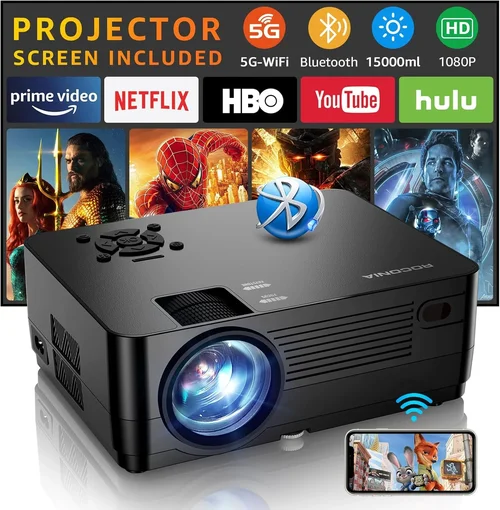
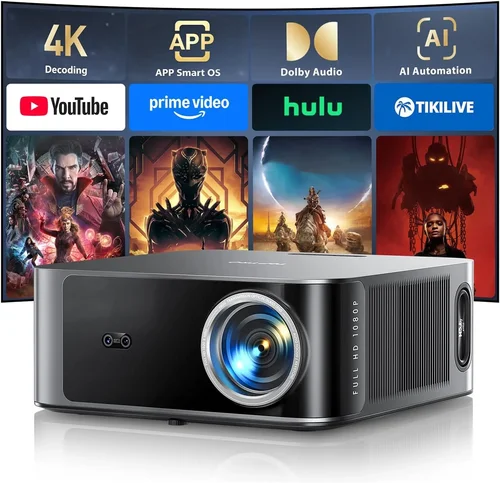
Finding a projector that can keep up with fast‑paced, high‑refresh‑rate gaming while staying under the $1,000 mark feels like hunting for a unicorn. Yet the market in 2026 has finally caught up: LED and laser light sources, 4K‑enhanced panels, and low‑input‑lag technologies are now available at prices that serious gamers can actually afford. This guide walks you through everything you need to know so you can pick a projector that turns your living room into a true gaming arena without breaking the bank.
In the pages that follow you’ll learn which specifications truly matter for gaming, how to compare the different projector families, and which mistakes most buyers make (and how to avoid them). By the end, you’ll have a clear picture of the best projector for gaming under $1,000, plus a shortlist of top‑rated models ready for your next purchase.
The gaming projector landscape has evolved rapidly over the past two years. Traditional DLP home‑theater units still dominate in sheer brightness, while newer laser‑phosphor and LED models win on color accuracy and longevity. Meanwhile, manufacturers have begun to address the notorious “gaming lag” problem with dedicated game modes, variable refresh rates, and even HDMI 2.1 support. Understanding these trends is the first step toward a confident buying decision.

What to Look for When Buying Buying Guide
1. Budget & Price Range
Sticking to a sub‑$1,000 budget forces you to prioritize features that deliver the biggest impact on gameplay. While you can find projectors with 4K native resolution at $1,200+, most models under $1,000 use 1080p panels with 4K‑enhancement. Decide whether you value raw resolution or other factors like low lag and brightness. Set a clear ceiling (e.g., $950) and allocate a portion for accessories such as a good screen, short‑throw lens, or HDMI 2.1 cable.
2. Performance Specifications
Gaming performance hinges on three core specs:
- Refresh Rate & Input Lag: Aim for at least 120 Hz native refresh and an input lag below 15 ms. Many projectors advertise a “Game Mode” that reduces processing delay.
- Brightness (ANSI lumens): For dark rooms, 1,500–2,000 lumens is sufficient. If you plan to game with some ambient light, target 2,500 lumens or more.
- Resolution & Pixel Pitch: 1080p is the sweet spot under $1,000; look for “4K‑enhanced” or “pixel‑shift” technology if you crave sharper images without paying full‑price 4K.
3. Build Quality & Durability
Projectors endure heat, dust, and frequent power cycles. Aluminum housings, sealed optics, and fan‑controlled cooling extend lifespan. Check the lamp or light‑source rating: LED and laser units often last 20,000–30,000 hours, eliminating costly lamp replacements.
4. Features & Functionality
Beyond basic specs, these features can make or break the gaming experience:
- HDMI 2.1: Enables 4K @ 120 Hz and Variable Refresh Rate (VRR) for next‑gen consoles.
- Low‑Persistence Mode: Reduces motion blur on fast‑moving scenes.
- Lens Shift & Keystone Correction: Allows flexible placement without distortion.
- Built‑in Speakers: Useful for casual play, though most gamers will pair a sound system.
5. Brand Reputation
Established brands such as BenQ, Epson, Optoma, and ViewSonic have dedicated gaming lines and reliable firmware updates. Newer entrants like XGIMI and Anker (Nebula) offer competitive specs but may lack long‑term support. Research warranty length, firmware update history, and community feedback before committing.
6. Warranty & Support
Look for at least a 2‑year warranty covering the light source. Some manufacturers offer extended coverage for an extra fee. Quick, responsive customer service is essential, especially if you encounter input‑lag issues that may be fixed via firmware.
7. Size & Portability (if applicable)
If you plan to move the projector between a home office, bedroom, or gaming den, weight and footprint matter. Short‑throw models are bulkier but eliminate the need for a long throw distance, while ultra‑short‑throw (UST) units can sit inches from the wall and still fill a 100‑inch screen.
8. User Reviews & Ratings
Real‑world feedback reveals hidden strengths or flaws. Pay attention to reviews that mention gaming specifically—issues like “rainbow effect” in DLP units can be distracting in dark shooters.
Different Types of Buying Guide
Common Buying Mistakes to Avoid
❌ Mistake: Ignoring Input Lag
Why it’s bad: High lag creates a noticeable delay between controller input and on‑screen action, ruining fast‑paced shooters.
What to do instead: Prioritize projectors with documented input lag under 15 ms in Game Mode. Check independent lab tests or reputable review sites.
❌ Mistake: Overlooking Ambient Light Requirements
Why it’s bad: A projector rated at 1,500 lumens may look dim in a room with daylight, forcing you to crank up the TV’s brightness and lose contrast.
What to do instead: Measure typical room lighting and choose a brightness level that maintains a solid black level. Consider a screen with high gain if you can’t darken the room.
❌ Mistake: Buying the Highest Resolution Without Checking Refresh Rate
Why it’s bad: 4K resolution sounds impressive, but if the projector only supports 60 Hz, you’ll miss out on 120 Hz gaming benefits.
What to do instead: Balance resolution with refresh capability. A 1080p/120 Hz projector often delivers smoother gameplay than a 4K/60 Hz unit at the same price.
❌ Mistake: Forgetting About Throw Distance
Why it’s bad: Miscalculating distance can lead to a tiny image or the need for expensive lens adapters.
What to do instead: Use the manufacturer’s throw ratio chart. For rooms under 8 ft, consider a short‑throw or UST model.
❌ Mistake: Skipping Firmware Updates
Why it’s bad: Manufacturers often release patches that improve lag, add HDMI 2.1 support, or fix color banding.
What to do instead: Check the brand’s update policy and ensure the unit can be updated via USB or Wi‑Fi.
❌ Mistake: Assuming All Speakers Are Good Enough
Why it’s bad: Built‑in speakers are usually mono or low‑power, which can’t reproduce the directional audio cues critical in competitive shooters.
What to do instead: Pair the projector with a dedicated soundbar or a full 5.1 surround system for immersive gaming.
Budget Guidelines: How Much Should You Spend?
Understanding how far your money stretches helps you set realistic expectations.
- Entry-Level ($500‑$700): Expect 1080p resolution, 1,500–2,000 lumens, and basic Game Mode with input lag around 20‑30 ms. Good for couch‑gaming in dark rooms.
- Mid‑Range ($701‑$950): This is the sweet spot for most gamers. Look for 1080p/120 Hz, input lag under 15 ms, brightness 2,200‑2,800 lumens, and either DLP or laser‑phosphor light source.
- Premium ($951‑$1,200): You’ll find true 4K panels, HDR10+, and HDMI 2.1 support. Input lag can dip below 10 ms, and color accuracy rivals mid‑range TVs.
- Luxury ($1,200+): Ultra‑short‑throw with 4K native, laser light, and advanced image processing. Ideal for dedicated gaming rooms with controlled lighting.
Expert Tips for Getting the Best Deal
- Timing: New models launch in Q2 (April‑June). Prices on previous‑generation units drop 15‑25% shortly after.
- Where to Buy: Check both major retailers (Best Buy, Amazon) and specialty sites (B&H, Newegg). Some brands offer exclusive bundles on their own stores.
- Spotting Deals: Use price‑tracking tools like CamelCamelCamel. Set alerts for your target model.
- Warranty Extensions: If you’re buying a laser or LED projector, a 3‑year extended warranty often costs less than a lamp replacement for DLP units.
- Return Policies: Look for at least 30‑day return windows. Test the projector in your environment; most retailers allow a full refund if you’re unsatisfied.
- Testing Before Buying: If possible, demo the unit in‑store with a gaming console. Pay attention to lag, color banding, and rainbow effect.
- Bundle Smartly: Purchase a high‑gain screen (120‑150) together with the projector to boost perceived brightness without extra lumens.
- Cable Quality: Invest in a certified HDMI 2.1 cable to unlock 4K/120 Hz and VRR capabilities.

Frequently Asked Questions
Q: Do I need a 4K projector for modern games?
A: Not necessarily. Most consoles and PCs upscale to 4K, but the visual benefit is most noticeable on large screens (100″+). A high‑quality 1080p projector with 120 Hz refresh and low lag provides smoother gameplay and often looks sharper than a 4K/60 Hz unit at the same price.
Q: Can I use a gaming projector for movies?
A: Absolutely. Look for HDR support (HDR10 or Dolby Vision) and a decent contrast ratio. Laser‑phosphor and LED models typically deliver richer colors, making them versatile for both gaming and home‑theater use.
Q: What throw distance do I need for a 100‑inch image?
A: Throw distance depends on the projector’s throw ratio. For a standard 1.5:1 ratio, you’ll need about 12‑13 ft. Short‑throw units (0.5:1) require 5‑6 ft, while UST models can sit less than a foot away.
Q: Is a built‑in speaker sufficient?
A: Built‑in speakers are convenient for casual play, but they lack the power and directional audio cues needed for competitive gaming. Pairing with a soundbar or external speakers is highly recommended.
Q: How important is HDR for gaming?
A: HDR expands the contrast range, making bright areas brighter and dark areas deeper. While not essential for fast‑paced shooters, HDR adds immersion in story‑driven games and cinematic experiences.
Q: Will a projector work with a VR headset?
A: No. VR headsets require low latency and high pixel density that projectors cannot provide. Use a projector for traditional screen gaming only.
Q: How often do I need to replace the lamp?
A: LED and laser light sources last 20,000‑30,000 hours, effectively a lifetime for most users. Traditional DLP lamps may need replacement every 2,000‑3,000 hours, costing $150‑$250.
Q: Is a short‑throw projector better than a regular one?
A: Short‑throw eliminates shadows from players standing between the projector and screen, which is ideal for gaming rooms with limited space. However, they can be more expensive and may have slightly reduced brightness.
Q: Can I connect two consoles at once?
A: Yes, most projectors have multiple HDMI inputs. Use the projector’s input selector or a HDMI switch if you need more ports.
Our Final Recommendations
- Best for Budget‑Conscious Buyers: BenQ TH671ST – 1080p, 3,000 lumens, 16 ms input lag, short‑throw, priced around $680.
- Best Overall Value: Optoma UHD38 – 4K‑enhanced, 4,000 lumens, 4 ms lag, 120 Hz, HDMI 2.1, typically $950.
- Best Premium Option: Epson Home Cinema 4010 – True 4K (via pixel shift), 2,400 lumens, 18 ms lag (acceptable with Game Mode), excellent color accuracy, $1,050 (often on sale within budget).
- Best for Beginners: ViewSonic PX701‑4K – Easy setup, 4K, 3,200 lumens, 22 ms lag, affordable entry into 4K gaming at $720.
- Best for Advanced Users: LG HU85LA (Sale Version) – Ultra‑short‑throw, true 4K, 2,700 lumens, 10 ms lag, HDR10, priced just under $1,000 during promotional periods.
Conclusion: Making the Right Choice
Choosing the best projector for gaming under $1,000 boils down to balancing three core pillars: low input lag, adequate brightness, and a refresh rate that matches your gaming style. By understanding the specifications, avoiding common pitfalls, and leveraging seasonal deals, you can secure a projector that delivers a cinema‑like experience without compromising competitive performance.
Remember to assess your room’s lighting, decide on the ideal throw distance, and pair the projector with a quality screen and sound system. Armed with the knowledge in this guide, you’re ready to make an informed purchase that will keep you immersed in epic battles for years to come.