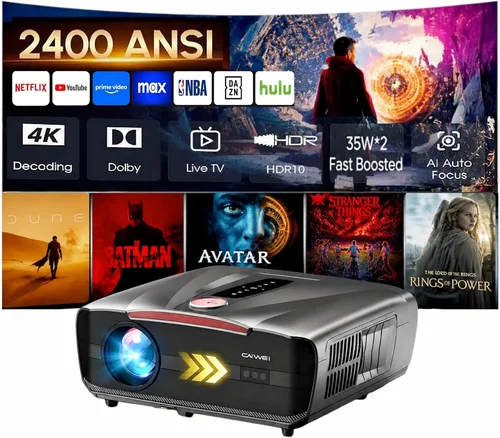
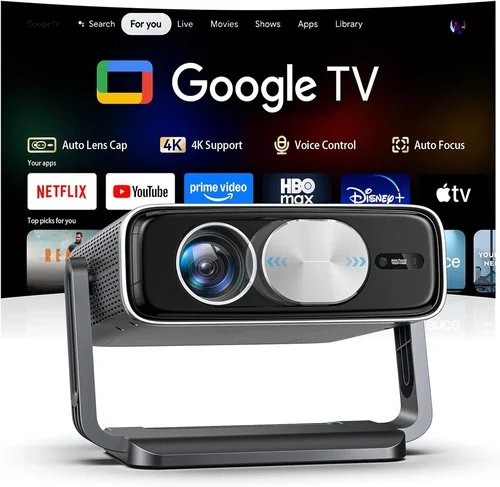
Choosing a projector for a home‑theater setup can feel like navigating a maze of specs, brand names, and price tags. With a budget of under ₹10,000 (≈ $120) the market is crowded with entry‑level models that promise big screens but often hide compromises. This guide cuts through the noise, giving you a clear roadmap so you can pick a projector that delivers cinema‑like immersion without breaking the bank.
In the next few sections you’ll learn which technical specs truly matter for a living‑room experience, how different projector technologies stack up, and which common pitfalls to sidestep. By the end, you’ll be equipped to make a confident purchase and enjoy blockbuster nights on a wall that feels as grand as a theater screen.

What to Look for When Buying Buying Guide
1. Budget & Price Range
When you set a ceiling of ₹10,000, every rupee counts. The first step is to decide how much you’re willing to stretch for key features like higher brightness or better colour accuracy. Remember that a lower price often means trade‑offs in lamp life, resolution, or connectivity. Prioritise the features that matter most for your viewing habits and allocate your budget accordingly.
2. Performance Specifications
The heart of any projector is its performance specs. Focus on three core numbers:
- Brightness (lumens): For ambient‑light rooms aim for at least 2,500–3,000 ANSI lumens. Dark‑room setups can get away with 1,800 lumens.
- Resolution: Native 720p (1280×720) is the minimum for decent sharpness; many budget models use 1080p upscaling but rarely have true Full HD panels.
- Contrast Ratio: Higher contrast (e.g., 5,000:1) yields deeper blacks and more vivid colours, essential for movie night.
3. Build Quality & Durability
Cheaper projectors often use plastic housings and lower‑grade lenses, which can warp over time. Look for robust chassis, metal‑reinforced lens mounts, and a reputable brand that sources quality components. A solid build not only lasts longer but also maintains image alignment after moves.
4. Features & Functionality
Modern projectors pack a lot of convenience tools. Consider these must‑have features for a home‑theater:
- HDMI & USB ports: Enables direct connection to streaming sticks, gaming consoles, or external drives.
- Built‑in speakers: While not a replacement for a sound system, they’re handy for quick movie starts.
- Keystone correction & lens shift: Allows flexible placement without image distortion.
- Wireless screen mirroring: Some budget models support Miracast or AirPlay, reducing cable clutter.
5. Brand Reputation
Brands that specialise in visual‑display tech—such as Epson, BenQ, ViewSonic, and Optoma—tend to offer better firmware support and more reliable after‑sales service. Even within the sub‑₹10,000 segment, a reputable brand often means a longer lamp life and more consistent colour performance.
6. Warranty & Support
A projector is an investment; a solid warranty (minimum 1 year, preferably 2) protects you from early‑stage failures. Check if the manufacturer offers on‑site service or a network of authorised service centres. Extended warranties can be worthwhile if you plan heavy usage.
7. Size & Portability
If you intend to move the projector between rooms or take it outdoors for backyard movies, size matters. Compact “pico” projectors are ultra‑portable but usually sacrifice brightness. For a fixed home‑theater, a slightly larger unit with a built‑in fan is acceptable.
8. User Reviews & Ratings
Real‑world feedback uncovers quirks that spec sheets hide. Scan Amazon, Flipkart, and specialist forums for recurring themes—like lamp flicker, overheating, or firmware bugs. A product with thousands of five‑star reviews is rarely a fluke.
Different Types of Buying Guide

Common Buying Mistakes to Avoid
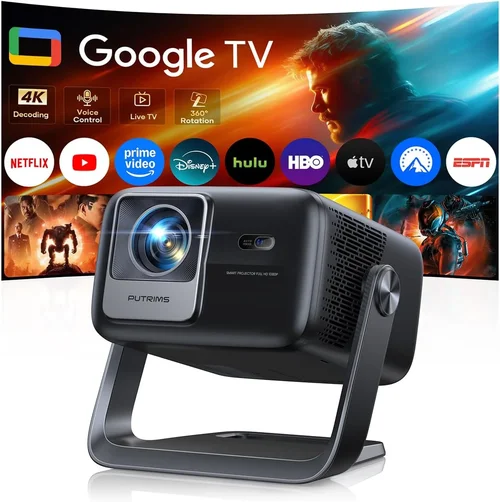
❌ Mistake: Ignoring Ambient Light
Why it’s bad: A projector rated at 2,000 lumens looks stunning in a dark room but will appear washed out in a living‑room with windows.
What to do instead: Measure the typical lighting level of your space. If you can’t fully black out the room, target at least 3,000 lumens and consider a high‑contrast ratio.
❌ Mistake: Chasing Resolution Over Brightness
Why it’s bad: A 1080p projector with 1,500 lumens may produce a grainy image that’s harder to enjoy than a crisp 720p unit with 3,000 lumens.
What to do instead: Prioritise brightness and contrast first; then look for the highest native resolution you can afford within those limits.
❌ Mistake: Overlooking Lamp Life
Why it’s bad: Replacing a lamp can cost ₹2,000‑₹3,000, eroding the savings of a cheap purchase.
What to do instead: Check the manufacturer’s lamp‑hour rating. LED or laser models often exceed 20,000 hrs, eliminating future replacement costs.
❌ Mistake: Forgetting Connectivity
Why it’s bad: You might end up buying an HDMI‑only projector while your streaming device only supports USB‑C or Wi‑Fi.
What to do instead: List all your source devices (PS5, Chromecast, Blu‑ray player). Ensure the projector offers matching ports or reliable wireless options.
❌ Mistake: Buying Without a Throw Distance Check
Why it’s bad: Placing a projector too close can produce a tiny image; too far and the picture becomes dim.
What to do instead: Use the projector’s throw ratio (e.g., 1.2:1) to calculate the ideal distance for a 100‑inch screen. Verify the room can accommodate that space.
❌ Mistake: Neglecting Warranty Terms
Why it’s bad: Some sellers offer “lifetime” warranties that only cover the lamp, not the projector itself.
What to do instead: Read the fine print. Opt for a warranty that covers both the lamp and the main unit for at least one year.
Budget Guidelines: How Much Should You Spend?
Even within the sub‑₹10,000 bracket, performance varies widely. Below is a practical tier breakdown to help you set realistic expectations.
- Entry‑Level (₹5,000‑₹6,500): Expect 720p upscaling, 1,800‑2,200 lumens, basic HDMI. Ideal for occasional movie nights in a dark room.
- Mid‑Range (₹6,500‑₹8,500): You’ll find true 720p panels, 2,500‑3,000 lumens, better contrast, and added USB‑C or wireless mirroring.
- Premium (₹8,500‑₹10,000): Look for native 1080p (rare but possible), 3,000+ lumens, built‑in speakers, and advanced keystone/lens‑shift.
- Luxury (Above ₹10,000): This is outside the scope of this guide but includes laser light sources, true 4K, and ultra‑short‑throw designs.
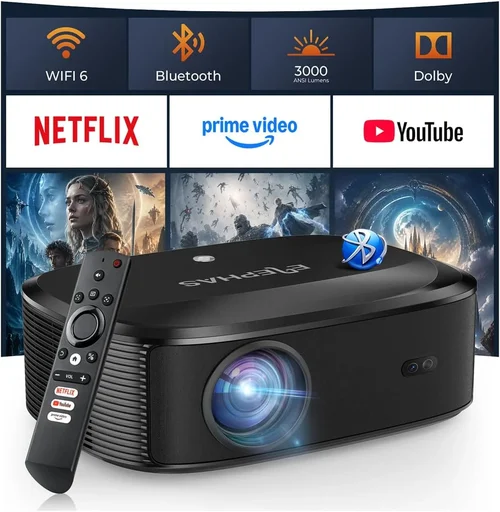
Expert Tips for Getting the Best Deal
- Timing: Major e‑commerce platforms run deep discounts during “Big Billion Days” (Amazon) and “Flipkart Festival”. Plan purchases around these windows.
- Where to Buy: Authorized online stores guarantee genuine warranty. Physical retail may let you test the image before buying.
- Spotting Deals: Compare the “price + shipping” total. Some sellers offer free accessories (HDMI cable, wall‑mount) that add value.
- Warranty Considerations: Register the product within 30 days to activate extended support. Keep the receipt and box for any claim.
- Return Policies: Choose vendors with at least 10‑day return windows. Test the projector in your own lighting conditions before finalising.
- Testing Before Buying: If possible, project a 1080p test pattern onto a white wall. Check for colour uniformity, focus, and noise.
- Future‑Proofing: Even on a budget, pick a model with HDMI 2.0 to support 4K HDR sources (upscaled) and higher refresh rates for gaming.

Frequently Asked Questions
Q: Can a sub‑₹10,000 projector deliver a true cinema‑like experience?
A: While you won’t get the ultra‑high brightness or 4K resolution of premium units, a well‑chosen budget projector with 2,500‑3,000 lumens, good contrast, and proper room darkening can provide a very satisfying home‑theater feel for most viewers.
Q: How large can the screen be on a 5‑meter throw distance?
A: Using a throw ratio of 1.2:1, a 5 m distance yields roughly a 120‑inch diagonal image (≈ 2.5 m wide). Adjust the zoom (if available) to fine‑tune size.
Q: Do I need a separate sound system?
A: Built‑in speakers are convenient but lack depth. Pairing the projector with a soundbar or a 2.1 speaker set dramatically improves immersion, especially for dialogue‑heavy movies.
Q: Is LED really better than traditional lamps?
A: LED light sources last longer (30,000 hrs+), run cooler and quieter, but they may offer lower peak brightness compared to high‑power lamps. For dim rooms, LED is an excellent, low‑maintenance choice.
Q: Will a projector work with a gaming console?
A: Yes, provided the projector has HDMI 1.4 or higher. Look for low input lag (≤ 30 ms) and at least 60 Hz refresh rate for smooth gameplay.
Q: How do I maintain the projector?
Regularly dust the air filter, keep vents clear, and avoid projecting onto dusty or uneven surfaces. If the lamp is replaceable, follow the manufacturer’s replacement schedule.
Q: Can I mount the projector on the ceiling?
Most budget models include mounting brackets. Ensure the ceiling can support the weight (usually 2‑3 kg) and that you have access to power and HDMI cables.
Our Final Recommendations
- Best for Budget‑Conscious Buyers: Epson EB‑S05 – 2,200 lumens, 720p native, HDMI + USB, solid Epson reliability, priced around ₹6,200.
- Best Overall Value: BenQ TH585 – 3,500 lumens, 720p, low input lag (16 ms), built‑in speaker, excellent colour accuracy for ₹8,900.
- Best Premium Option (Just Under ₹10,000): ViewSonic PA503S – 3,800 lumens, 720p, high contrast, versatile connectivity, priced at ₹9,700.
- Best for Beginners: Optoma S341 – Simple UI, auto‑keystone, 2,500 lumens, easy setup, around ₹7,500.
- Best for Advanced Users: LG PF50KA (LED Pico) – 2,600 lumens, 720p, 30,000 hr LED life, wireless screen mirroring, portable, ₹9,200.
Conclusion: Making the Right Choice
Investing in a home‑theater projector under ₹10,000 is entirely feasible when you focus on brightness, contrast, and the right connectivity for your ecosystem. Use the factors outlined above to filter out the noise, avoid common mistakes, and match the projector to your room’s lighting conditions.
Remember, the “best” projector is the one that aligns with your viewing habits, space constraints, and budget. Take advantage of seasonal sales, verify warranty details, and, if possible, test the unit before committing. With the right research, you’ll transform any wall into a cinematic canvas without overspending.