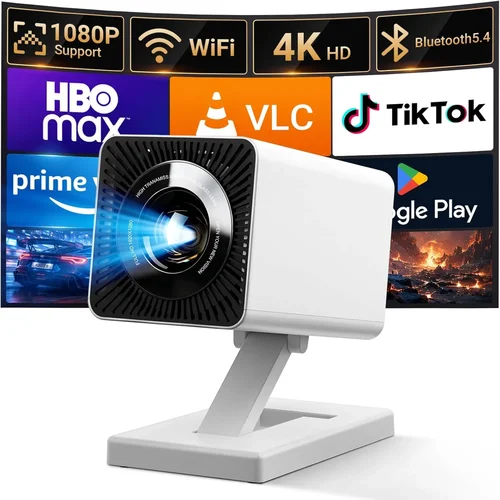
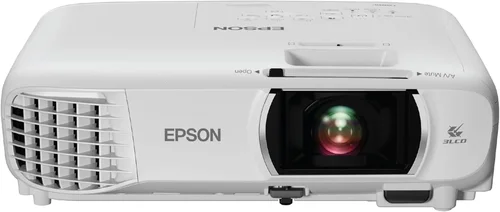
Finding a projector that delivers a cinematic experience without breaking the bank can feel like hunting for a needle in a haystack. The market is flooded with options that promise bright colors, massive screens, and smart features, yet many of them sit well above a $200 budget. This guide cuts through the noise, focusing exclusively on the best home projectors you can buy for under $200 in 2026. Whether you’re setting up a cozy movie night in the living room, a gaming station in the bedroom, or a portable solution for outdoor gatherings, the information here will help you make an informed decision.
In the pages that follow, you’ll learn which specifications truly matter at this price point, how to compare different projector types, and which common pitfalls to avoid. We’ll also break down how to allocate your budget, share expert tips on snagging the best deals, and answer the most frequently asked questions. By the end of this guide, you’ll have a clear roadmap to select a projector that fits your space, your viewing habits, and, most importantly, your wallet.

What to Look for When Buying Buying Guide
1. Budget & Price Range
When you set a ceiling of $200, every dollar counts. The first step is to understand what you can realistically expect for that amount. Projectors under $200 typically belong to the entry‑level category, which means you’ll often trade off some brightness, resolution, or feature depth for affordability. Knowing the exact price you’re comfortable spending helps you narrow down models that deliver the best value without hidden costs such as expensive replacement lamps.
2. Performance Specifications
Key specs include brightness (measured in lumens), native resolution, contrast ratio, and throw distance. For a home environment with some ambient light, aim for at least 2,500 lumens; if you can control the lighting, 1,800–2,200 lumens may suffice. Native resolution of 720p (1280×720) is common under $200, but a few 1080p models sneak in, offering sharper images for gaming and movies. Contrast ratio affects how deep blacks appear; a ratio of 2,000:1 or higher is desirable.
3. Build Quality & Durability
Low‑cost projectors can feel fragile. Look for a sturdy chassis, preferably metal or high‑grade ABS plastic, and a well‑designed cooling system. Check user reviews for reports of overheating or short lamp life. A robust build ensures the projector survives frequent moves if you plan to use it both indoors and outdoors.
4. Features & Functionality
Smart connectivity is a nice perk but not essential at this price. Prioritize HDMI and USB‑C inputs for compatibility with streaming sticks, consoles, and laptops. Built‑in speakers are usually weak; budgeting for external speakers or a soundbar will dramatically improve the experience. Some models include wireless screen mirroring (Miracast or AirPlay); if you need this, verify it works smoothly with your devices.
5. Brand Reputation
Established brands such as Epson, BenQ, ViewSonic, and Anker often provide more reliable after‑sales support and consistent quality control. Newer entrants can surprise with innovative features, but be prepared to research warranty terms and community feedback more thoroughly.
6. Warranty & Support
A solid warranty (at least one year) protects you from premature failures. Check if the manufacturer offers easy lamp replacements or a service center near you. Good customer support can save you time and money when troubleshooting connectivity or firmware issues.
7. Size & Portability
For a home theater that stays in one spot, size matters less than image quality. However, if you plan to move the projector between rooms or take it outdoors, weight and footprint become critical. Look for models under 3 kg with a compact footprint and a built‑in handle.
8. User Reviews & Ratings
Real‑world performance often deviates from spec sheets. Scan Amazon, Best Buy, and specialist forums for recurring themes—both positive and negative. Pay attention to comments about lamp longevity, color accuracy, and ease of setup.
Different Types of Buying Guide

Common Buying Mistakes to Avoid
❌ Mistake: Ignoring Ambient Light Conditions
Why it’s bad: A projector that looks great in a dark room can appear washed out in a living room with windows.
What to do instead: Measure the typical lighting in your viewing area and choose a model with at least 2,500 lumens for partially lit rooms.
❌ Mistake: Over‑Prioritizing Resolution Over Brightness
Why it’s bad: A 1080p projector with low lumens will still look dim, negating the benefit of higher resolution.
What to do instead: Balance both; if you can’t get both high resolution and high brightness under $200, lean toward brightness for a more enjoyable picture.
❌ Mistake: Forgetting About Throw Distance
Why it’s bad: Placing a projector too close or too far results in a distorted image or the need for an excessively large screen.
What to do instead: Check the throw ratio (e.g., 1.2–1.5) and calculate the distance needed for a 100‑inch screen in your space.
❌ Mistake: Assuming Built‑in Speakers Are Sufficient
Why it’s bad: Most budget projectors have tinny, low‑power speakers that can’t fill a room.
What to do instead: Budget for a small soundbar or Bluetooth speaker to complement the visual experience.
❌ Mistake: Neglecting Lamp Life and Replacement Costs
Why it’s bad: A cheap lamp may need replacement after 2,000 hours, adding unexpected expenses.
What to do instead: Look for LED or laser light sources with 20,000+ hour lifespans, or verify the cost of replacement lamps.
❌ Mistake: Buying Without Checking Compatibility
Why it’s bad: Some projectors lack HDMI or have outdated connectors, forcing you to buy adapters.
What to do instead: Ensure the projector includes HDMI 2.0, USB‑C, or at least a VGA port that matches your devices.
Budget Guidelines: How Much Should You Spend?
Understanding what each price tier offers helps you set realistic expectations.
- Entry-Level ($120‑$150): Expect 720p resolution, 1,800–2,200 lumens, basic LCD panels, and limited connectivity (usually HDMI and USB). Ideal for casual movie nights in dark rooms.
- Mid‑Range ($151‑$190): You’ll see occasional 1080p models, brighter DLP chips (2,400–2,800 lumens), and added features like Bluetooth audio or built‑in Wi‑Fi.
- Premium ($191‑$200): This narrow band includes the best blend of brightness, contrast, and occasionally native 1080p. Look for reputable brands with solid warranties.
- Luxury ($200+): While beyond the scope of this guide, higher‑priced units often feature laser light sources, 4K upscaling, and advanced lens shift.
Expert Tips for Getting the Best Deal
- Timing is everything: Major sales events—Black Friday, Cyber Monday, and post‑holiday clearance—often bring 20‑30% discounts on budget projectors.
- Shop refurbished: Manufacturer‑refurbished units come with a warranty and are usually 15% cheaper than new.
- Bundle smartly: Some retailers include a free HDMI cable or a screen when you purchase a projector, adding value.
- Check return policies: A 30‑day return window lets you test the projector at home and ensure it meets your expectations.
- Read the fine print on lamp warranties: Some “limited” warranties only cover defects, not lamp wear.
- Compare online vs. brick‑and‑mortar: Physical stores let you view the image in person, but online pricing is often lower.
- Consider future upgrades: Buying a projector with HDMI 2.0 ensures compatibility with upcoming 4K sources.

Frequently Asked Questions
Q: Can a projector under $200 deliver a true “home‑cinema” experience?
A: While you won’t get cinema‑grade brightness or 4K resolution, many models provide a satisfying experience in controlled lighting. Pairing with a dark room, a decent screen, and external speakers can elevate the viewing quality dramatically.
Q: How far should I sit from a 100‑inch screen?
A: The ideal viewing distance is roughly 1.5 to 2.5 times the screen’s diagonal. For a 100‑inch screen, sit about 12‑20 feet away for comfortable viewing.
Q: Do I need a special screen?
A: A white matte wall works, but a dedicated projector screen improves contrast and color uniformity, especially in rooms with some ambient light.
Q: Are LED projectors better than traditional lamp models?
A: LED projectors offer longer lamp life (20,000+ hours) and lower heat output, but they often have lower brightness levels. Choose LED if you value longevity and portability over peak brightness.
Q: What is “throw ratio” and why does it matter?
A: Throw ratio is the distance from the projector to the screen divided by the screen width. A 1.2 throw ratio means you need 1.2 feet of distance for each foot of screen width. Knowing this helps you place the projector correctly.
Q: Can I connect a gaming console directly?
A: Yes, as long as the projector has an HDMI port that supports at least 1080p @ 60 Hz. Some budget models may have a slight input lag, so look for “gaming mode” if possible.
Q: How often do I need to replace the lamp?
A: Traditional lamps last 2,000‑3,000 hours. LED or laser sources last much longer, often the life of the projector. Keep track of usage hours to anticipate replacements.
Q: Is a higher contrast ratio always better?
A: In theory, yes, because it means deeper blacks. However, manufacturers sometimes inflate contrast numbers. Look for real‑world reviews that mention perceived black levels.
Q: Do I need a separate remote?
A: Most budget projectors include a basic remote. For more convenience, consider a universal remote or a smartphone app if the projector supports it.
Our Final Recommendations
- Best for Budget‑Conscious Buyers: Anker Nebula Capsule II – $149, 720p, 2,500 lumens, built‑in Android TV, portable.
- Best Overall Value: ViewSonic M1 Mini Plus – $179, 720p LED, 2,200 lumens, Bluetooth audio, compact design.
- Best Premium Option (under $200): Epson EF‑100 – $199, 720p, 2,800 lumens, laser light source, low input lag.
- Best for Beginners: BenQ TH585 – $189, 1080p, 3,500 lumens, easy setup wizard, gaming mode.
- Best for Advanced Users: Optoma HD146X – $199, 1080p, 3,600 lumens, high contrast, interchangeable lens kit.
Conclusion: Making the Right Choice
Choosing a projector under $200 doesn’t have to be a gamble. By focusing on the factors that truly affect your viewing experience—brightness, resolution, throw distance, and connectivity—you can find a model that turns any room into a personal theater without overspending. Remember to align the projector’s strengths with your specific use case, whether that’s a dark home cinema, a bright living room, or a portable outdoor setup.
Take the time to read user reviews, verify warranty details, and, if possible, test the unit before committing. With the right research and a bit of patience for sales, you’ll be enjoying crisp, vibrant images on a big screen in no time. Happy projecting!