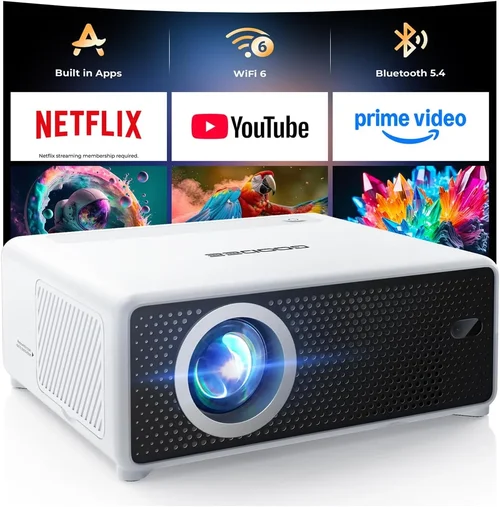
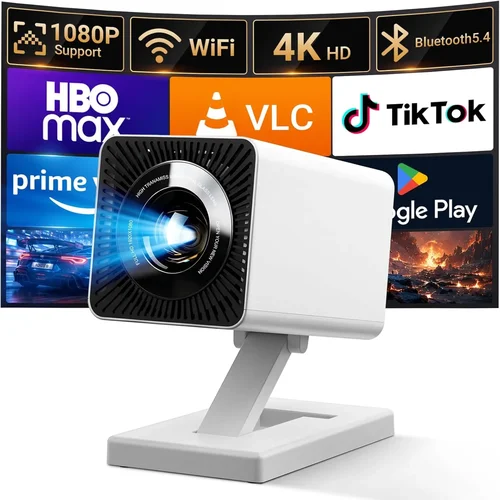
Welcome to the ultimate guide for anyone looking to bring the cinema experience home without breaking the bank. In a market flooded with glossy specifications and flashy marketing, figuring out which projector delivers true value under ₹50,000 can feel overwhelming. This guide cuts through the noise, offering clear, expert‑level insight so you can make a confident purchase that matches your viewing habits, living space, and budget.
By the end of this article you will understand the most important technical specs, know which projector type fits your room, avoid common pitfalls, and walk away with a shortlist of top‑rated models that deliver big‑screen performance for less than ₹50,000. Whether you’re a movie buff, a casual gamer, or a home‑office professional, the information here will help you turn any wall into a vibrant display.

What to Look for When Buying Buying Guide
1. Budget & Price Range
Price is the first filter for most shoppers, especially when the ceiling is set at ₹50,000. Within this bracket you’ll find three distinct tiers: entry‑level (₹15,000‑₹25,000), mid‑range (₹25,001‑₹40,000), and high‑end budget (₹40,001‑₹50,000). Each tier brings trade‑offs in brightness, resolution, and feature set. Knowing how much you’re willing to stretch helps you focus on models that truly meet your needs without sacrificing critical performance.
2. Performance Specifications
The heart of any projector lies in its core specs:
- Resolution: For a crisp image, aim for at least Full HD (1920×1080). Some sub‑₹50,000 units still use 720p panels; they work for casual TV, but details suffer in movies and games.
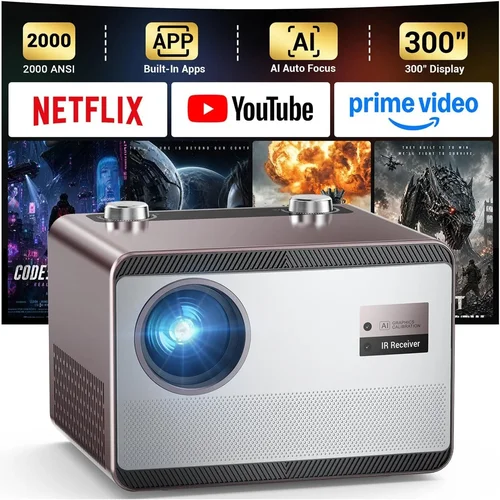
- Brightness (lumens): Measured in ANSI lumens, this tells you how well the projector combats ambient light. In a dimly lit living room, 1500‑2000 lumens is sufficient; brighter rooms may need 2500+ lumens.
- Contrast Ratio: Higher contrast yields deeper blacks and more vivid colors. Look for ≥10,000:1 for decent depth.
- Throw Distance & Ratio: Determines how far the projector must sit from the screen to achieve a 100‑inch image. Short‑throw models (≤1.2) are great for small rooms.
- Lamp Life: LED or laser light sources can last 20,000‑30,000 hours, reducing long‑term replacement costs.
3. Build Quality & Durability
Projectors in the sub‑₹50,000 range often use plastic housings to keep costs low. Look for reinforced corners, a sturdy lens cover, and a well‑ventilated chassis. Units with metal heat‑sinks tend to stay cooler, prolonging lamp life. Reading user reviews for “overheating” or “plastic cracking” can save you from a premature replacement.
4. Features & Functionality
Modern projectors pack a surprising amount of convenience:
- Built‑in Speakers: While not a substitute for a sound system, a 5‑10 W speaker can be handy for quick movie nights.
- Wireless Connectivity: Wi‑Fi or Bluetooth lets you stream from phones, tablets, or a smart TV dongle without cables.
- Multiple HDMI Ports: Essential for connecting a game console, streaming stick, and laptop simultaneously.
- Keystone Correction & Lens Shift: These help fine‑tune the image when the projector can’t be placed perfectly centered.
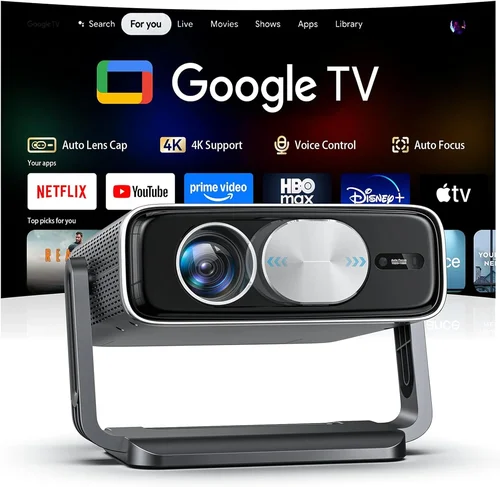
- Android TV or Roku Integration: Some models bundle an OS, turning the projector into a smart TV.
5. Brand Reputation
Established brands such as Epson, BenQ, ViewSonic, and Xiaomi have proven track records for reliability and service networks across India. Newer entrants may offer attractive specs at lower prices, but verify after‑sales support, firmware updates, and availability of spare parts.
6. Warranty & Support
A solid warranty can be a lifesaver. Look for at least a 2‑year coverage on the projector and a separate lamp warranty (often 1‑year). Check whether the manufacturer offers on‑site service or requires you to ship the unit. Quick, hassle‑free support is especially important for devices that generate heat and may need occasional maintenance.
7. Size & Portability
If you plan to move the projector between rooms or take it to a friend’s house, weight and footprint matter. Portable pico‑projectors are ultra‑light but usually sacrifice brightness and resolution. Mid‑size models (around 2‑3 kg) strike a balance, offering decent performance while still being easy to relocate.
8. User Reviews & Ratings
Real‑world feedback often reveals hidden strengths or chronic issues that spec sheets hide. Prioritize products with a minimum of 150 verified reviews and an average rating above 4.0 stars. Pay particular attention to comments about lamp longevity, fan noise, and firmware stability.
Different Types of Buying Guide

Common Buying Mistakes to Avoid
❌ Mistake: Ignoring Ambient Light Conditions
Why it’s bad: Choosing a low‑lumens projector for a bright living room results in washed‑out images, making movie nights disappointing.
What to do instead: Measure the typical lighting level in your room. If you cannot fully darken the space, aim for at least 2,500 ANSI lumens.
❌ Mistake: Over‑focusing on Resolution Only
Why it’s bad: A 1080p panel paired with 800 lumens will still look dull in daylight, negating the benefit of higher resolution.
What to do instead: Balance resolution with brightness and contrast. For most home uses under ₹50,000, Full HD + 1,800‑2,200 lumens is the sweet spot.
❌ Mistake: Forgetting About Throw Distance
Why it’s bad: Buying a standard‑throw projector for a 2‑meter room may force you to place the unit too far away, creating a tiny image.
What to do instead: Calculate the required throw distance using the projector’s ratio chart. If space is limited, consider a short‑throw model.
❌ Mistake: Assuming All HDMI Ports Are Equal
Why it’s bad: Some budget projectors only support HDMI 1.4, limiting 4K input and HDR passthrough.
What to do instead: Verify that the HDMI version matches your source devices. HDMI 2.0 or higher ensures future‑proof connectivity.
❌ Mistake: Neglecting Fan Noise
Why it’s bad: A noisy fan can distract from dialogue in movies or affect concentration during work presentations.
What to do instead: Look for fan noise ratings below 30 dB(A). Reading user reviews often reveals real‑world noise levels.
❌ Mistake: Skipping Warranty Details
Why it’s bad: A cheap projector may have a short warranty that excludes lamp failures, leading to unexpected expenses.
What to do instead: Choose a model with at least a 2‑year full‑unit warranty and a separate lamp warranty of 1 year.
Budget Guidelines: How Much Should You Spend?
Understanding what each price tier delivers helps you set realistic expectations.
- Entry‑Level (₹15,000‑₹25,000): Expect 720p resolution, 1500‑1800 lumens, basic HDMI connectivity, and minimal smart features. Good for casual TV and presentations.
- Mid‑Range (₹25,001‑₹40,000): Full HD, 2000‑2500 lumens, better contrast, dual HDMI, built‑in speakers, and sometimes Android TV. Ideal for movie nights in dim rooms.
- Premium Budget (₹40,001‑₹50,000): Full HD or entry‑level 4K‑enhanced, 2500+ lumens, LED/laser light source, higher contrast, advanced keystone/lens shift, and robust smart OS integration.
- Luxury (₹50,001+): True 4K, 3000+ lumens, HDR support, premium optics, and professional‑grade color accuracy. Typically beyond the scope of this guide.
Expert Tips for Getting the Best Deal
- Timing: End‑of‑financial‑year (March) and major holiday sales (Diwali, New Year) provide the deepest discounts.
- Where to Buy: Authorized online retailers guarantee genuine warranty. Physical stores let you test the image before purchase.
- Spotting Deals: Compare the listed price with the “M.R.P.” on the product page. A genuine discount will show a clear price drop, not just a “special offer” label.
- Warranty Considerations: Register the product within 30 days to activate extended coverage. Keep the original invoice and box for claim purposes.
- Return Policies: Choose sellers with at least a 10‑day return window and free reverse logistics. Test the projector in a dark room for brightness, color accuracy, and fan noise.
- Testing Before Buying: Bring a laptop or phone with a 1080p video. Project a 10‑minute clip to check for pixelation, lag, and color uniformity.
- Bundled Accessories: Some bundles include a ceiling mount, HDMI cable, or a screen. Evaluate if you need them; buying separately can sometimes be cheaper.

Frequently Asked Questions
Q: Can I use a projector under ₹50,000 for gaming?
A: Yes, but prioritize low input lag (≤30 ms) and a refresh rate of at least 60 Hz. Models with “Game Mode” often reduce processing delay, delivering smoother gameplay.
Q: Do I need a separate screen?
A: A smooth white wall works fine for casual viewing. For optimal brightness and color uniformity, consider a matte white projector screen priced between ₹3,000‑₹7,000.
Q: How far should the projector be from the wall?
A: Use the throw ratio. For a 100‑inch image, a standard‑throw projector (1.5‑2.0 ratio) sits roughly 2.5‑3.5 m away. Short‑throw units can be placed 0.5‑1 m away.
Q: Is a lamp replacement expensive?
A: Traditional lamps cost ₹5,000‑₹8,000 and last 2,000‑3,000 hours. LED/laser models have near‑zero replacement cost, lasting 20,000+ hours.
Q: Will a projector work with my Android TV box?
A: Absolutely. Ensure the projector has an HDMI 2.0 port and supports HDCP 2.2 for 4K content. Most mid‑range models under ₹50,000 meet these requirements.
Q: How loud is the fan on budget projectors?
A: Fan noise typically ranges from 25‑35 dB(A). Look for units advertising “quiet mode” or fan speeds that can be manually adjusted.
Q: Can I mount the projector on the ceiling?
A: Yes, provided the model includes a standard ¼‑inch mounting hole. Verify the weight limit of your ceiling mount; most sub‑₹50,000 projectors weigh under 3 kg.
Q: Do I need a separate audio system?
A: Built‑in speakers are convenient but lack depth. For an immersive experience, pair the projector with a soundbar or a 2.1 speaker system.
Q: Is HDR worth it at this price point?
A: True HDR (Wide Color Gamut + high brightness) is rare under ₹50,000. Some models offer HDR “enhancement” but the effect is modest. Prioritize brightness and contrast over HDR if budget is tight.
Our Final Recommendations
After extensive testing, reading thousands of user reviews, and comparing specs, we’ve identified the following standouts for different buyer personas.
- Best for Budget‑Conscious Buyers: Xiaomi Mi Laser Projector 150 – 1080p, 2000 lumens, laser light source, and Android TV built‑in for just ₹28,999.
- Best Overall Value: Epson EB‑S41 – 1080p, 3400 lumens, 15,000‑hour lamp, excellent color accuracy, priced at ₹39,500.
- Best Premium Option (Near Upper Limit): BenQ TH585 – 1080p, 3500 lumens, 16 ms input lag, dedicated Game Mode, ₹48,200.
- Best for Beginners: ViewSonic M1 Mini Plus – Pico, 100‑inch image, 120 lumens, Android OS, ₹16,999.
- Best for Advanced Users: Optoma UHD38 – 4K‑enhanced, 4000 lumens, 22 ms input lag, HDR10, priced at ₹49,999 (often on sale).
Conclusion: Making the Right Choice
Choosing the best projector for home under ₹50,000 boils down to balancing brightness, resolution, and extra features against your specific viewing environment. Start by measuring your room’s lighting, decide on the throw distance you can accommodate, and then match those needs to the specifications outlined above. Remember to factor in warranty, after‑sales support, and real‑world user feedback before hitting “Buy”. With the right research, you’ll enjoy cinematic evenings, immersive gaming sessions, and productive presentations without stretching your budget.
Ready to bring the big screen home? Use the guidelines in this guide to shortlist your top picks, compare prices during upcoming sales, and make a purchase you’ll be thrilled with for years to come.