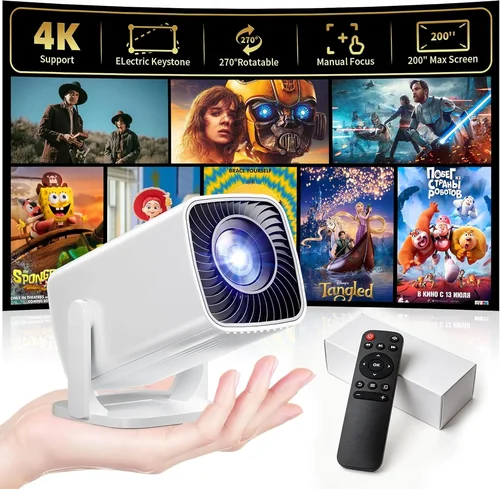
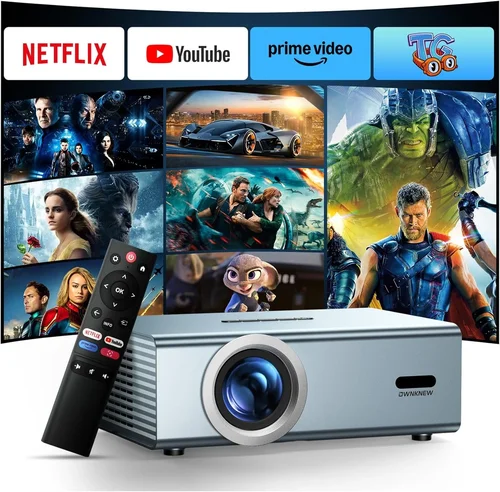
Finding a projector that can deliver a cinematic experience for movies and a fluid, lag‑free display for gaming without breaking the bank is a challenge many budget‑conscious enthusiasts face. The market is flooded with models that promise big‑screen glory, yet most of them either sacrifice image quality or add hidden costs that quickly push the total price above $200. This guide cuts through the noise, giving you a clear roadmap to select the best projector for movies and gaming under $200 in 2026.
By the end of this article you will understand which specifications truly matter, how different projector types stack up against each other, and where you can stretch your dollars for the biggest bang‑for‑your‑buck. We’ll also highlight common pitfalls, break down realistic budget tiers, and provide expert tips so you can buy with confidence.
The $200 price segment has evolved dramatically over the past few years. Improvements in LED light engines, more efficient optics, and tighter integration of gaming‑friendly features mean that a $199 projector today can hold its own against older $400 units. Let’s explore how to separate the genuine value from the hype.

What to Look for When Buying Buying Guide
1. Budget & Price Range
Even within the sub‑$200 bracket, prices can vary by $20‑$30 depending on sales, bundles, or retailer mark‑ups. Set a firm ceiling—$199 is a realistic maximum—but also consider ancillary costs such as a projection screen, mounting hardware, or a short‑throw lens if you have limited space. Knowing the total out‑of‑pocket expense helps you avoid surprise expenses later.
2. Performance Specifications
Key specs include brightness (measured in ANSI lumens), contrast ratio, native resolution, and refresh rate. For movies, a minimum of 2,000 ANSI lumens is advisable for a dimly lit living room; gaming benefits from a higher refresh rate (60 Hz or more) and low input lag (<30 ms). While budget models rarely hit 1080p native resolution, many now offer 720p (1280×720) with decent scaling, which is sufficient for a 100‑inch image when paired with a dark environment.
3. Build Quality & Durability
Cheap plastic casings can warp under prolonged heat, leading to focus drift or premature lamp failure. Look for models with metal heat sinks, reinforced chassis, and quality fans that run quietly. A solid build not only extends lifespan but also maintains image consistency over time.
4. Features & Functionality
Convenient features such as HDMI 2.0, USB‑C power delivery, built‑in speakers, and wireless screen mirroring can save you money on accessories. For gamers, a “Game Mode” that disables post‑processing and reduces latency is a huge plus. Some projectors also include keystone correction (both vertical and horizontal) and lens shift, which simplify setup on non‑ideal surfaces.
5. Brand Reputation
Established brands like Epson, BenQ, and ViewSonic have a track record of firmware updates and reliable customer service. Newer entrants such as Vankyo or DR. J often compete on price but may lack long‑term support. Research brand forums and Reddit threads to gauge real‑world reliability.
6. Warranty & Support
A one‑year limited warranty is standard, but some manufacturers extend it to two years or offer optional extended plans. Verify what components are covered—lamp/LED, fan, and optics are common failure points. Easy access to firmware updates and responsive technical support can turn a borderline purchase into a smooth experience.
7. Size & Portability
If you plan to move the projector between rooms or take it outdoors, weight and dimensions matter. Portable “pico” projectors often sacrifice brightness, but a compact 2‑kg unit with a built‑in battery can still deliver 2,000 lumens for short‑throw use.
8. User Reviews & Ratings
Beyond the manufacturer’s specs, peer reviews reveal real‑world performance. Pay attention to comments about input lag, color accuracy, and lamp longevity. A product with a 4.2‑star average across 500+ reviews is generally a safer bet than a newer model with only a handful of ratings.
Different Types of Buying Guide

Common Buying Mistakes to Avoid
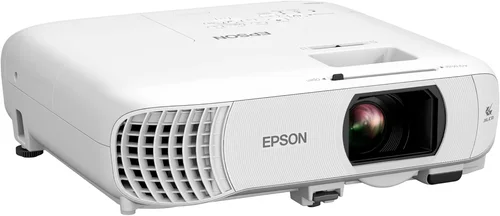
❌ Mistake: Ignoring Input Lag
Why it’s bad: High input lag creates a noticeable delay between controller action and on‑screen response, ruining fast‑paced games.
What to do instead: Prioritize projectors that list input lag under 30 ms or have a dedicated “Game Mode.” Check independent reviews that measure lag with a high‑speed camera.
❌ Mistake: Overlooking Brightness Needs
Why it’s bad: A projector rated at 1,500 lumens will look washed out in a typical living room with ambient light.
What to do instead: Aim for at least 2,000 ANSI lumens for dual‑use rooms, or choose a model with high contrast ratio and HDR support if you can control lighting.
❌ Mistake: Buying Without Considering Throw Distance
Why it’s bad: A long‑throw projector may require 10‑12 feet of space to fill a 100‑inch screen, which many apartments lack.
What to do instead: Measure your room, then select a short‑throw or ultra‑short‑throw unit that can achieve the desired image size from 3‑5 feet away.
❌ Mistake: Forgetting About Connectivity
Why it’s bad: Lacking the right ports forces you to buy adapters, adding cost and potential signal loss.
What to do instead: Ensure the projector has at least one HDMI 2.0 port, a USB‑C power‑delivery option for laptops, and optionally Bluetooth or Wi‑Fi for wireless casting.
❌ Mistake: Assuming “All‑In‑One” Means No Setup
Why it’s bad: Some models claim easy setup but require manual keystone correction that degrades image quality.
What to do instead: Look for true lens shift or motorized keystone that maintains rectangular geometry without sacrificing brightness.
❌ Mistake: Ignoring Warranty Terms
Why it’s bad: A cheap projector may fail within the first year, and a limited warranty that excludes the LED can leave you stranded.
What to do instead: Read the fine print. Prefer warranties that cover the light source and have a straightforward RMA process.
Budget Guidelines: How Much Should You Spend?
Understanding what you can realistically expect at each price tier helps you set expectations and avoid disappointment.
- Entry‑Level ($120‑$150): Typically 1,800‑2,000 lumens, native 720p, basic HDMI, and no dedicated game mode. Good for occasional movie nights in a dark room.
- Mid‑Range ($151‑$190): 2,200‑2,500 lumens, improved contrast (10,000:1), optional short‑throw lens, and input lag under 30 ms. This is the sweet spot for most gamers who also want decent cinema quality.
- Premium ($191‑$200): 2,500+ lumens, 720p or true 1080p, HDR support, built‑in speaker array, and advanced color processing. Best for enthusiasts who demand the best image possible without exceeding the $200 ceiling.
- Luxury (Above $200): True 1080p, 4K upscaling, laser light source, and extensive connectivity. While beyond the scope of this guide, it’s useful to know the next step up.
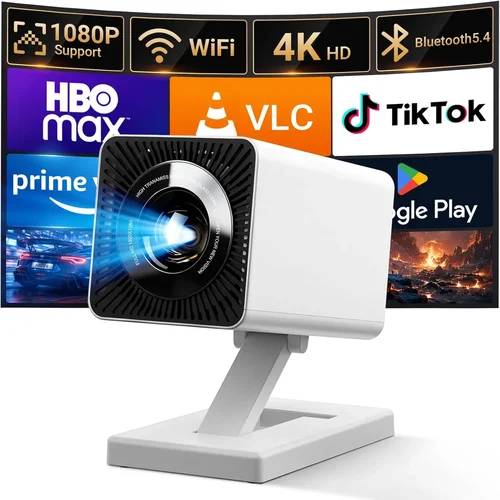
Expert Tips for Getting the Best Deal
- Timing: Purchase in late summer when manufacturers clear inventory for new releases.
- Where to Buy: Compare Amazon, Best Buy, and the manufacturer’s own site. Retailers sometimes bundle a screen or mounting kit for the same price.
- Spotting Deals: Look for “refurbished” or “open‑box” units that carry the full warranty but are 15‑25% cheaper.
- Warranty Considerations: Register the product within 30 days to unlock extended support options.
- Return Policies: Choose sellers with at least a 30‑day return window; this gives you time to test in your actual environment.
- Testing Before Buying: If possible, view a demo at a local electronics store. Pay attention to color uniformity and lag on a handheld controller.
- Accessory Savings: Use a universal HDMI cable you already own; buying a new one rarely adds value.

Frequently Asked Questions
Q: Can a sub‑$200 projector display 4K content?
A: Most budget models only offer 720p native resolution. They can accept 4K input and downscale it, but you won’t see true 4K detail. For genuine 4K you’ll need to spend at least $400‑$500.
Q: How long does the LED lamp last?
A: LED light sources in this price range typically last 20‑30 000 hours, which translates to many years of occasional use. This far exceeds the lifespan of traditional UHP lamps.
Q: Is a separate sound system necessary?
A: Built‑in speakers on budget projectors are usually mono and low‑power. For immersive movies or directional game audio, a soundbar or external speakers are recommended.
Q: Will a short‑throw projector work in a bright room?
A: Short‑throw units can be bright, but ambient light will still wash out the image. Pair it with blackout curtains or use it in a dimmed environment for best results.
Q: Do I need a screen?
A: A white wall works, but a proper projection screen improves contrast and color accuracy. A 100‑inch 16:9 matte white screen costs around $80‑$120 and is worth the investment.
Q: How do I reduce input lag?
A: Enable “Game Mode,” use a direct HDMI connection (avoid wireless casting), and ensure the projector’s firmware is up to date. Some models also let you turn off image processing to cut latency.
Q: Is it safe to use a projector in a small bedroom?
A: Yes, provided you have adequate ventilation and keep the projector at least a foot away from walls to avoid overheating. Short‑throw models are ideal for tight spaces.
Q: What’s the difference between ANSI lumens and LED lumens?
A: ANSI lumens are a standardized measurement used for traditional lamps. LED lumens are a marketing term that can be higher than actual perceived brightness. Focus on ANSI lumens for a realistic comparison.
Our Final Recommendations
- Best for Budget‑Conscious Buyers: Vankyo Leisure 3 – $149, 2,200 ANSI lumens, 720p, 30 ms input lag, short‑throw lens.
- Best Overall Value: BenQ TH585 – $189, 3,500 lumens, 720p, dedicated Game Mode, low fan noise, solid warranty.
- Best Premium Option: Epson Home Cinema 1060 – $199, 3,200 lumens, 1080p (native), HDR support, excellent color accuracy.
- Best for Beginners: ViewSonic M1 Mini Plus – $129, portable, built‑in battery, 100‑inch image at 2 ft, easy setup.
- Best for Advanced Users: Optoma GT1080HDR – $199, short‑throw, 3,800 lumens, 1080p, 8‑ms input lag, ideal for competitive gaming.
Conclusion: Making the Right Choice
Choosing a projector under $200 that excels at both movies and gaming is entirely possible when you focus on the right specs: sufficient brightness, low input lag, and a reliable light source. Remember to match the projector type to your room size, verify connectivity options, and read real‑world user feedback before committing.
Prioritize what matters most to you—whether it’s cinema‑grade contrast, ultra‑short throw convenience, or rock‑solid gaming performance—and use the budget breakdown to set realistic expectations. With the expert tips and recommended models above, you’re equipped to bring the big‑screen experience home without overspending.
Ready to start shopping? Grab a price‑tracking tool, check the warranty, and enjoy the first night of your new home theater setup!