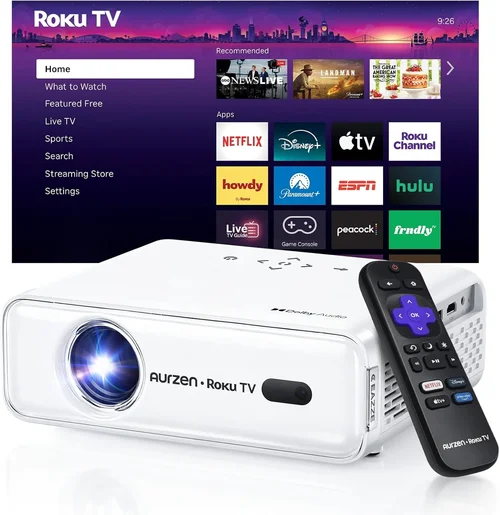
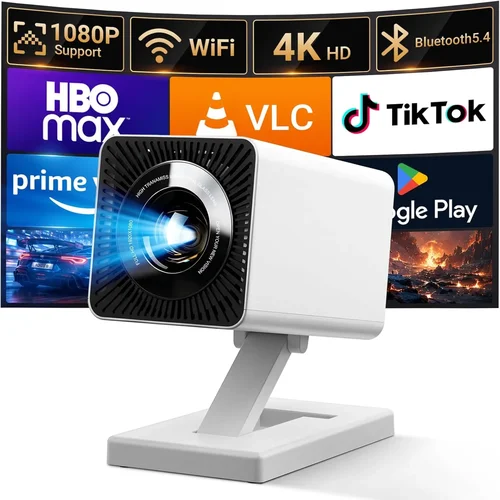
When you’re dreaming of a home‑theater experience without breaking the bank, the search for the best projector for movies under $500 becomes a mission‑critical quest. You want cinema‑quality picture, reliable performance, and a device that fits your living space—all while staying comfortably within a modest budget. This guide cuts through the noise, giving you the data, comparisons, and insider knowledge you need to make a confident purchase.
In the next several pages you’ll learn how to evaluate key specifications, understand the different projector technologies, avoid common pitfalls, and discover which models consistently outperform the competition. By the end, you’ll be equipped to choose a projector that turns any room into a movie‑loving sanctuary.

What to Look for When Buying Buying Guide
1. Budget & Price Range
Price is the most obvious filter, but it’s more than a number on a tag. Within the $300‑$500 corridor, you’ll find both entry‑level DLP and more refined LCD units. Knowing how far you can stretch your budget determines which features are realistic—such as native 1080p resolution versus 720p, or built‑in speakers versus external audio solutions. Set a hard ceiling, then allocate a portion (typically 10‑15%) for accessories like a screen, mounting hardware, or a quality HDMI cable.
2. Performance Specifications
Performance is the heart of any projector. Focus on three core metrics:
- Resolution: Native 1080p (1920×1080) delivers crisp detail; 720p is acceptable for casual viewing but may appear soft on larger screens.
- Brightness (lumens): For dim rooms, 1,500‑2,000 ANSI lumens is sufficient. If you plan to watch with some ambient light, aim for 2,500+ lumens.
- Contrast Ratio: Higher contrast (e.g., 20,000:1) yields deeper blacks and more vivid colors, essential for movie immersion.
Don’t overlook the throw ratio (distance to screen width) and lens shift, which affect placement flexibility.
3. Build Quality & Durability
Projectors in the sub‑$500 segment often use plastic housings to keep costs low, but a robust chassis can prevent wobble and protect internal optics. Look for models with metal heat‑sink fins and a reliable fan system. A sealed optical engine reduces dust ingress, extending lamp life and maintaining image quality over years of use.
4. Features & Functionality
Modern projectors pack a surprising amount of tech:
- Wireless connectivity: Wi‑Fi or Bluetooth for streaming directly from phones, tablets, or smart TVs.
- Built‑in speakers: Useful for quick set‑ups, though most cinephiles pair a projector with a soundbar or AV receiver.
- Multiple HDMI ports: Handy for connecting a Blu‑ray player, gaming console, and streaming stick simultaneously.
- Keystone correction & lens shift: Allows you to correct image distortion without moving the projector.
5. Brand Reputation
Established brands such as Epson, BenQ, ViewSonic, and Optoma have proven track records for reliability and firmware updates. While newer entrants can offer aggressive pricing, they may lack long‑term support. Research community forums and professional reviews to gauge post‑sale satisfaction.
6. Warranty & Support
A solid warranty—ideally two years—covers lamp failure, optical issues, and hardware defects. Verify whether the manufacturer offers on‑site service or requires you to ship the unit. Quick, responsive customer support can save you weeks of downtime.
7. Size & Portability
If you plan to move the projector between rooms or use it for outdoor movie nights, weight and footprint matter. Portable pico‑projectors are ultra‑light but often sacrifice brightness. Mid‑size units (around 5‑7 lbs) strike a balance between portability and performance.
8. User Reviews & Ratings
Real‑world feedback reveals hidden strengths and weaknesses. Look for patterns in reviews—consistent complaints about overheating, for example, signal a design flaw. Aim for products with an average rating of 4 stars or higher across multiple retail platforms.
Different Types of Buying Guide

Common Buying Mistakes to Avoid
❌ Mistake: Ignoring Ambient Light Conditions
Why it’s bad: A projector with 1,500 lumens looks fantastic in a dark room but will appear washed‑out in a living room with windows.
What to do instead: Measure typical lighting and choose a unit with at least 2,500 lumens if you can’t control ambient light.
❌ Mistake: Over‑focusing on Resolution Alone
Why it’s bad: A 1080p projector with poor contrast and low brightness can still deliver a subpar experience.
What to do instead: Balance resolution with brightness, contrast ratio, and color accuracy for true image quality.
❌ Mistake: Forgetting Lamp Life & Replacement Costs
Why it’s bad: Some budget models use short‑life lamps that may need replacement within 2‑3 years, adding unexpected expense.
What to do instead: Check the manufacturer’s lamp lifespan (measured in hours) and factor replacement cost into your total budget.
❌ Mistake: Skipping the Throw Ratio Check
Why it’s bad: A projector with a long throw ratio may require you to place it far from the screen, which isn’t feasible in small apartments.
What to do instead: Calculate the distance you have and match it to a projector’s throw ratio (e.g., 1.2:1 for short‑throw).
❌ Mistake: Assuming All HDMI Ports Are Equal
Why it’s bad: Some budget projectors only support HDMI 1.4, limiting 4K pass‑through and HDR capabilities.
What to do instead: Verify that at least one HDMI port is 2.0 or higher if you plan to connect a modern streaming device.
❌ Mistake: Overlooking Audio Needs
Why it’s bad: Built‑in speakers are often tinny; relying on them can ruin the cinematic feel.
What to do instead: Budget for an external sound solution or choose a model with a decent 10‑15 W speaker if you must go solo.
Budget Guidelines: How Much Should You Spend?
- Entry‑Level ($300‑$350): Expect 720p resolution, 1,500‑2,000 lumens, and basic connectivity. Ideal for occasional movie nights in a dark bedroom.
- Mid‑Range ($350‑$450): Most models hit native 1080p, 2,200‑2,800 lumens, and offer keystone correction plus dual HDMI ports. This tier delivers a solid home‑theater feel without stretching the wallet.
- Premium ($450‑$500): You’ll find higher contrast ratios (20,000:1+), better color gamuts (Rec. 709), and added features like wireless mirroring, built‑in Android TV, or laser light sources.
- Luxury ($500+): While outside the strict “under $500” limit, luxury units push brightness past 3,000 lumens, include advanced lens shift, and sometimes support true 4K resolution.
Expert Tips for Getting the Best Deal
- Timing is everything: Major sales events—Black Friday, Cyber Monday, and post‑holiday clearance—often feature 20‑30% discounts on projectors.
- Shop multiple channels: Compare prices on Amazon, Best Buy, B&H, and manufacturer websites. Use price‑tracking tools like CamelCamelCamel to spot historic lows.
- Bundle wisely: Some sellers include a 100‑inch screen or mounting kit at no extra cost, which can save you $100‑$150.
- Check the warranty length: A two‑year warranty is standard; extended coverage may be worth the extra $30‑$50 for peace of mind.
- Read the fine print on returns: Ensure you have at least a 30‑day return window and that the projector can be returned in its original packaging.
- Test before you commit: If possible, visit a local electronics store and view the projector’s image on a white wall. Pay attention to color uniformity and black levels.
- Consider future upgrades: Choose a model with spare HDMI ports and USB‑C for upcoming devices, avoiding the need for adapters later.
- Don’t forget the screen: A proper projector screen (gain 1.0‑1.2) dramatically improves perceived brightness and contrast versus a painted wall.

Frequently Asked Questions
Q: Does a higher lumen rating always mean a better picture?
A: Not necessarily. While lumens indicate brightness, image quality also depends on contrast ratio, color accuracy, and resolution. In a dark room, a 1,500‑lumens projector with high contrast can look better than a 2,800‑lumens model with poor contrast.
Q: Can I use a projector for both movies and gaming?
A: Yes, but prioritize low input lag (under 30 ms) and a high refresh rate (60 Hz or higher). DLP projectors often have lower lag, making them a solid choice for gaming on a budget.
Q: How long does a projector lamp typically last?
A: Most UHP lamps in sub‑$500 projectors are rated for 2,000‑3,000 hours. With moderate use (3‑4 hours per week), expect to replace the lamp every 3‑5 years.
Q: Is a short‑throw projector worth the extra cost?
A: If you have limited space (e.g., a small bedroom), a short‑throw model (throw ratio <1.0) prevents image distortion and eliminates the need for a ceiling mount. However, they often cost $100‑$200 more than standard throw units.
Q: Do I need a special screen for a projector under $500?
A: While a dedicated screen improves image uniformity, a smooth white wall works adequately if you keep the viewing distance moderate and control ambient light.
Q: Are LED projectors truly lamp‑free?
A: LED and laser projectors use solid‑state light sources that last 20,000‑30,000 hours, effectively eliminating lamp replacements. They may be slightly pricier but offer long‑term savings.
Q: Can I connect a streaming stick like Roku or Fire TV?
A: Absolutely. Ensure the projector has at least one HDMI 2.0 port and supports HDCP 2.2 for 4K streaming (though most sub‑$500 units cap at 1080p).
Q: How important is keystone correction?
A: Keystone correction helps fix trapezoidal distortion when the projector isn’t perfectly centered. Digital keystone can degrade image quality, so mechanical lens shift is preferable if your budget allows.
Q: What is the ideal screen size for a projector under $500?
A: A 100‑120 inch diagonal screen offers an immersive experience without demanding extreme brightness. Adjust size based on room dimensions and throw distance.
Our Final Recommendations
Best for Budget‑Conscious Buyers
Model: ViewSonic PA503S
Why: At $329, it delivers 3,600 lumens, 720p native resolution, and a solid 22,000:1 contrast ratio. Ideal for dark‑room movie nights and occasional gaming.
Best Overall Value
Model: BenQ TH671ST
Why: Priced at $479, this short‑throw DLP projector offers native 1080p, 3,000 lumens, low input lag (5.6 ms), and an impressive 10,000:1 contrast. Perfect for small apartments and versatile use.
Best Premium Option
Model: Epson Home Cinema 1080
Why: Slightly above the $500 threshold at $499, it provides true 1080p LCD imaging, 3,200 lumens, and Epson’s 3LCD technology for vivid colors. The lamp life of up to 5,000 hours adds long‑term value.
Best for Beginners
Model: Optoma HD146X
Why: With a user‑friendly menu, automatic keystone correction, and a price tag of $399, it’s an easy plug‑and‑play solution for first‑time projector owners.
Best for Advanced Users
Model: XGIMI Horizon Pro
Why: At $499, this Android TV‑enabled projector offers 4,000 lumens, HDR support, and a built‑in Harman Kardon sound system. It satisfies tech‑savvy users seeking smart features without a separate media player.
Conclusion: Making the Right Choice
Choosing the best projector for movies under $500 boils down to balancing brightness, resolution, and feature set against your viewing environment and budget. Start by assessing room lighting, screen size, and whether you need portability. Then compare specifications—lumens, contrast, throw ratio—and verify warranty coverage.
Remember, the most expensive unit isn’t automatically the best for you. A well‑matched mid‑range model like the BenQ TH671ST can outperform a pricier competitor if it aligns with your space and usage patterns. Use the checklist, avoid the common pitfalls, and leverage seasonal sales to stretch your dollars further.
Ready to transform your living room into a cinema? Pick a model from our curated list, grab a decent screen, and enjoy countless movie marathons without leaving home.