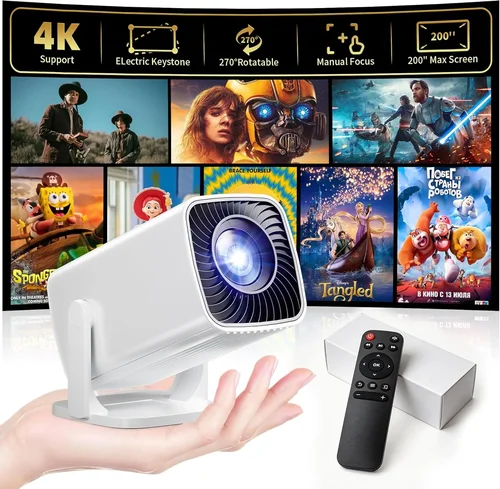
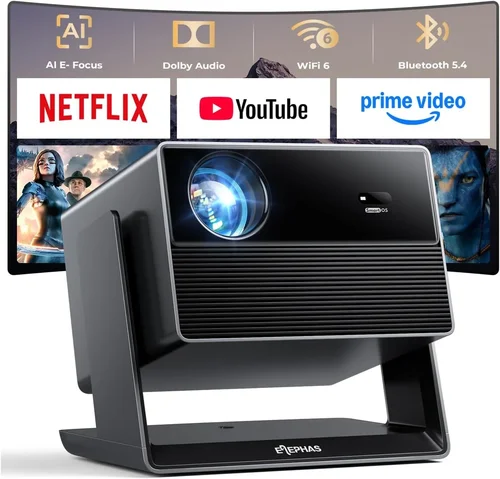
Finding a projector that delivers decent image quality without breaking the bank can feel like hunting for a needle in a haystack. In 2026 the market is flooded with budget‑friendly options, yet many of them fall short on brightness, durability, or connectivity. This guide cuts through the noise, giving you a clear roadmap to select the best projector for under $100. Whether you’re setting up a dorm room movie night, a portable backyard cinema, or a simple presentation tool for your side‑hustle, the information here will help you make a confident purchase.
By the end of this article you will understand the most important specifications to evaluate, the different projector categories that exist below $100, common pitfalls that cheap‑price shoppers often overlook, and a curated list of top picks that consistently outperform their price class. Let’s dive in and turn the overwhelming sea of budget projectors into a manageable set of choices.

What to Look for When Buying Buying Guide
1. Budget & Price Range
While the headline says “under $100,” the actual price you pay can vary by $10‑$30 depending on sales, bundles, or retailer markup. Set a firm ceiling (for example, $95) and then allocate the remaining dollars to the features that matter most to you. Remember that a slightly higher price often buys a more reliable lamp, better warranty, or stronger connectivity options.
2. Performance Specifications
The core specs that dictate picture quality are:
- Resolution: Most sub‑$100 models are limited to 480p (854×480) or 720p (1280×720). For crisp text and sharper movies, aim for at least 720p.
- Brightness (lumens): Measured in ANSI or LED lumens; budget units typically range from 150 to 300 lumens. In a dark room 200 lumens is acceptable; for any ambient light you’ll need the upper end of that range.
- Contrast Ratio: Higher contrast means deeper blacks. Look for ratios of 2000:1 or better, though manufacturers often inflate these numbers.
- Throw Distance: Determines how far the projector must sit from the screen to achieve a given image size. Short‑throw models (<2 ft) are rare under $100 but can be a game‑changer for small spaces.
3. Build Quality & Durability
Low‑cost projectors are often built with plastic housings that can crack under stress. Choose models with a solid chassis, reinforced lens housing, and a sturdy power cable. If you plan to travel with the unit, look for a carry‑case or a design that withstands frequent handling.
4. Features & Functionality
Even at a low price point, modern projectors pack useful extras:
- Connectivity: HDMI is a must; USB‑C, micro‑USB, and VGA ports add flexibility. Wireless options (Wi‑Fi, Bluetooth, or Miracast) are a plus but often less stable.
- Built‑in Speakers: Expect 1‑2 W speakers; adequate for casual viewing but not for a full‑room experience.
- Keystone Correction: Allows you to fix trapezoidal distortion when the projector isn’t perfectly centered.
- Auto‑Focus & Picture Modes: Some models auto‑adjust focus or offer cinema, gaming, and sports presets.
5. Brand Reputation
Brands like Epson, ViewSonic, and BenQ dominate the higher end, but in the under‑$100 niche you’ll encounter newcomers such as Vankyo, APEMAN, and DR. JVC’s budget line is also noteworthy. Research community feedback on reliability and after‑sales service; a reputable brand often means easier firmware updates and better parts availability.
6. Warranty & Support
A one‑year limited warranty is standard, but the fine print matters. Does the warranty cover the lamp? Are there service centers in your region? Look for brands that offer hassle‑free RMA processes and responsive email or chat support.
7. Size & Portability
If you intend to move the projector between rooms or take it on trips, size becomes a key factor. Compact “pico” projectors can fit in a pocket but usually sacrifice brightness. A balanced option is a 6‑inch‑wide unit that slides easily into a backpack while still delivering 200+ lumens.
8. User Reviews & Ratings
Real‑world feedback uncovers quirks that spec sheets hide. Pay attention to recurring themes—such as overheating, short lamp life, or connectivity hiccups—across multiple review sites (Amazon, Best Buy, Reddit). A product with 4.2 ★ or higher and at least 150 reviews is generally a safe bet.
Different Types of Buying Guide

Common Buying Mistakes to Avoid
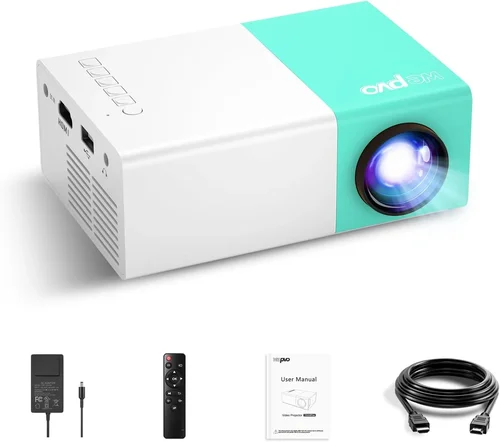
❌ Mistake: Ignoring Ambient Light Conditions
Why it’s bad: A projector rated at 180 lumens will look great in a dark theater but will appear washed‑out in a living‑room with curtains drawn.
What to do instead: Measure your typical viewing environment. If you can’t guarantee near‑total darkness, aim for at least 250 lumens and consider a projector with a higher contrast ratio.
❌ Mistake: Overlooking Input Compatibility
Why it’s bad: You might buy a unit with only VGA and discover your laptop only has HDMI, forcing you to buy an extra adapter.
What to do instead: List the devices you plan to connect. Prioritize HDMI, then check for USB‑C or wireless mirroring support.
❌ Mistake: Assuming All “HD” Labels Mean 1080p
Why it’s bad: Marketing often uses “HD” loosely; many budget projectors are actually 480p.
What to do instead: Verify the native resolution in the spec sheet, not just the marketing tagline.
❌ Mistake: Forgetting Lamp Lifespan
Why it’s bad: A cheap lamp may need replacement after 30‑40 hours, adding unexpected cost.
What to do instead: Choose LED‑based projectors; they usually guarantee 20,000+ hours and maintain brightness longer.
❌ Mistake: Choosing Based Solely on Price
Why it’s bad: The cheapest unit often sacrifices build quality, leading to cracks or overheating.
What to do instead: Set a minimum threshold for key specs (e.g., ≥200 lumens, HDMI, 720p) and then compare price within that filtered set.
❌ Mistake: Ignoring Warranty Details
Why it’s bad: Some sellers offer “no‑questions‑asked” returns only within 30 days, after which you’re on your own.
What to do instead: Read the warranty length, coverage, and the process for filing a claim before purchase.
❌ Mistake: Not Testing Before Buying
Why it’s bad: Online listings can misrepresent color accuracy or fan noise.
What to do instead: If possible, visit a local retailer to view a demo unit, or buy from a store with a generous return window.
Budget Guidelines: How Much Should You Spend?
- Entry-Level ($60‑$75): Expect 480p resolution, 150‑200 lumens, basic HDMI or VGA input, and modest build quality. Good for occasional presentations in dark rooms.
- Mid‑Range ($76‑$90): Typically 720p, 220‑280 lumens, improved contrast, multiple inputs (HDMI + USB), and a sturdier chassis. This tier offers the best balance of image and durability for most users.
- Premium ($91‑$100): Rare in this price band but may include short‑throw optics, built‑in speakers with better sound, or hybrid TV functions. Expect the highest brightness and the most refined firmware.
- Luxury ($101+): Not covered by this guide; once you cross the $100 line, you enter the realm of full‑HD or 4K home theater projectors.
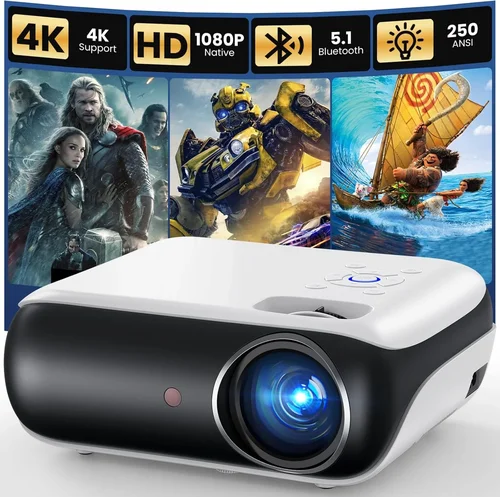
Expert Tips for Getting the Best Deal
- Timing is everything: The best discounts appear in January (post‑holiday clearance), July (mid‑year sales), and November (Black Friday/Cyber Monday).
- Shop reputable marketplaces: Amazon, Best Buy, and Newegg have robust return policies. If you buy from a third‑party seller, verify the seller rating and read the “fulfilled by” details.
- Bundle savings: Some retailers offer a free HDMI cable or a portable screen when you purchase a projector bundle. Compare the total value.
- Check refurbished options: Certified refurbished units can be up to 30% cheaper and still carry a warranty.
- Read the fine print on warranties: A longer warranty (18‑24 months) often indicates the manufacturer’s confidence in product longevity.
- Test for fan noise: Projectors under $100 can have noisy cooling fans. Look for videos that measure decibel levels; aim for <30 dB for a quiet viewing experience.
- Consider future accessories: If you need a wall mount or a portable screen, factor those costs into your budget now to avoid surprise expenses later.
- Use a neutral screen: Even a cheap white wall can improve contrast dramatically compared to a colored or textured surface.

Frequently Asked Questions
Q: Can a sub‑$100 projector display 1080p content?
A: Most budget models can accept a 1080p signal, but they will downscale it to their native resolution (usually 480p or 720p). You’ll still see the content, but the sharpness won’t match a true 1080p projector.
Q: How long does the LED lamp last?
A: LED lamps in this price range typically last 20,000‑30,000 hours, which translates to many years of occasional use. This is far superior to traditional UHP lamps that need replacement after 2,000‑3,000 hours.
Q: Is a portable screen necessary?
A: Not strictly. A smooth, matte white wall works fine for casual viewing. However, a portable screen improves brightness uniformity and reduces keystone distortion, especially in rooms with ambient light.
Q: Will Bluetooth audio work with these projectors?
A: Only a few budget models include Bluetooth speakers. Most rely on built‑in 1‑2 W speakers or a 3.5 mm audio jack for external speakers.
Q: Can I use a smartphone as a source?
A: Yes, via HDMI adapters (USB‑C to HDMI) or wireless casting (Miracast, AirPlay). Keep in mind that wireless casting may introduce latency, which can affect gaming.
Q: What is the ideal throw distance for a 100‑inch image?
A: For most 480‑720p budget projectors, you’ll need to place the device about 6‑8 feet away from the screen to achieve a 100‑inch diagonal image. Check the manufacturer’s throw‑ratio chart for exact numbers.
Q: Are there any safety concerns with low‑cost projectors?
A: Overheating can be an issue if the unit lacks adequate ventilation. Ensure the projector sits on a flat, stable surface with enough airflow around the vents.
Q: Do these projectors support 3D?
A: Very few under‑$100 models support 3D, and those that do often require special glasses and have limited content. If 3D is a priority, you’ll need to look at higher‑priced options.
Q: How do I clean the lens?
A: Use a soft microfiber cloth and a lens‑cleaning solution. Avoid using harsh chemicals or applying pressure that could scratch the coating.
Q: Is a warranty worth it for a cheap projector?
A: Yes. Even a basic one‑year warranty can save you from costly repairs or replacements, especially if the projector fails due to a manufacturing defect.
Our Final Recommendations
- Best for Budget‑Conscious Buyers: Vankyo Leisure 3 Mini Projector – Priced at $68, delivers 720p resolution, 200 lumens, and a built‑in speaker. Ideal for dorm rooms and occasional movie nights.
- Best Overall Value: APEMAN Mini Portable Projector (M4) – $89, offers 720p support, 240 lumens, HDMI + USB‑C, and a decent 2‑W speaker. The sturdy metal housing and 2‑year warranty make it a reliable choice.
- Best Premium Option (just under $100): DR. J Professional Mini Projector – $98, 720p native, 280 lumens, short‑throw capability (2.5 ft for 80‑inch image), and dual speakers. Perfect for small living rooms with limited space.
- Best for Beginners: Elephas YG300 – $75, super‑simple UI, auto‑focus, and a single HDMI port. No‑fuss setup for users who aren’t tech‑savvy.
- Best for Advanced Users: QKK Mini DLP Projector – $95, DLP chip for smoother motion, 300 lumens, keystone correction, and a 3‑year warranty. Great for gamers who need low input lag.
Conclusion: Making the Right Choice
Choosing the best projector for under $100 doesn’t have to be a gamble. Focus on the three pillars that matter most: sufficient brightness for your viewing environment, a native resolution of at least 720p, and reliable connectivity options. Balance those specs against build quality, warranty, and user feedback, and you’ll land a device that delivers enjoyable movies, presentations, or games without draining your wallet.
Remember, the cheapest model may seem tempting, but a few extra dollars can buy you a longer‑lasting lamp, quieter operation, and a sturdier chassis—benefits that pay off over time. Use the buying guide, avoid the common mistakes listed, and take advantage of seasonal sales to secure the best possible deal.
Ready to upgrade your viewing experience? Browse the recommendations above, compare current prices, and enjoy big‑screen entertainment without breaking the bank.